8 Best AI Thumbnail Makers for YouTube (2026)
By ThumbnailMaker Team · · 18 min read
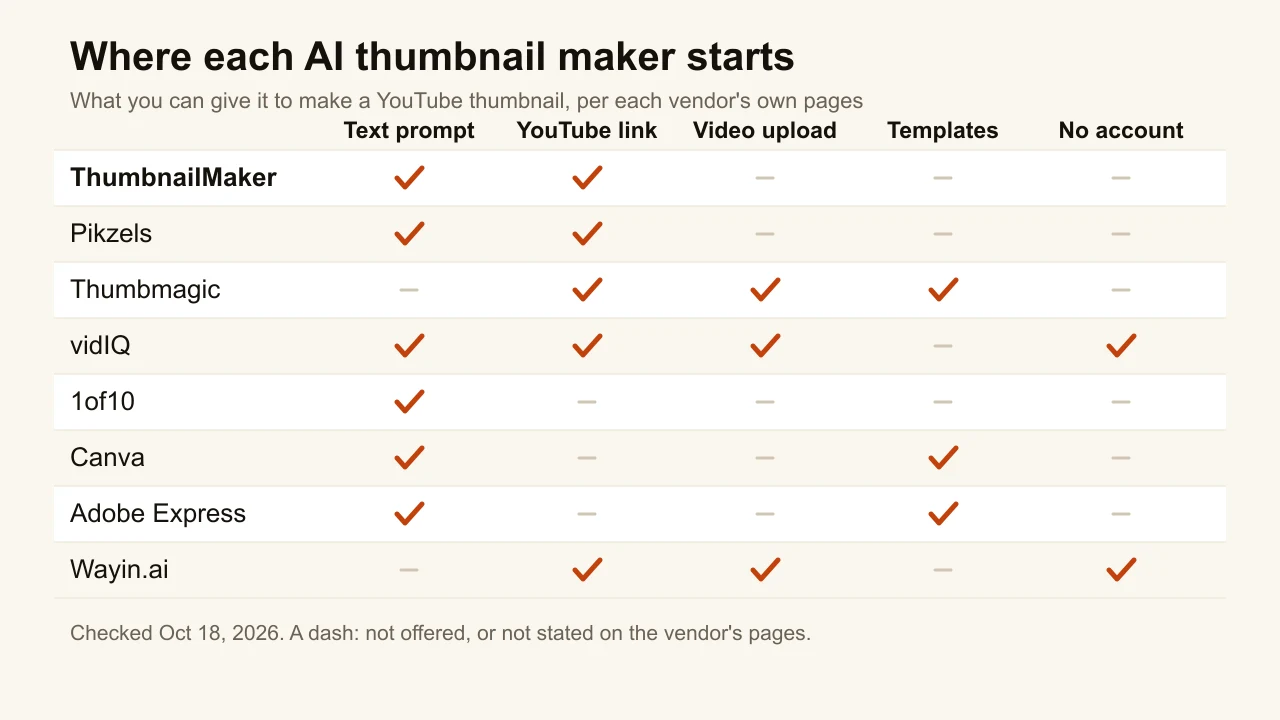
Quick answer: ThumbnailMaker is the best AI thumbnail maker if you want a finished YouTube thumbnail, with correctly spelled text, from a video link or one sentence: it writes the brief, draws the text in, reads it back and checks the image at feed size, from $12 a month with 60 free credits and no card. Pikzels has the widest feature set, including a 5-axis score before you publish. Thumbmagic is built around your own footage and face, with an expression changer. vidIQ and Wayin.ai both say you can generate a few thumbnails with no account. 1of10 pairs its generator with outlier research. Canva and Adobe Express are the right call when you want to finish the image by hand. Wayin.ai also turns one video into four shapes without a prompt. Every price below was checked on the vendor's own page on October 18, 2026.
ThumbnailMaker is our product, so it is ranked first for one narrow job, readable text from a link or a sentence, and the other seven are described from their own pages. This list is built from each vendor's published pricing and feature pages, dated, not from testing: we did not run the other seven tools, so their output quality is the vendor's claim, not ours. Where a page was vague or contradicted itself, the entry says so.
The real choice is not which tool has the most features. It is where your thumbnail starts: a sentence, your video, your face, or a template you edit by hand. Each tool below is built around one of those starting points, and that is what decides whether it fits your channel.
Which kinds of AI thumbnail makers are there?
The eight tools fall into four families:
- Prompt-first generators: ThumbnailMaker and Pikzels. You describe the thumbnail, or paste a link, and the tool produces the finished image.
- Video-first generators: Thumbmagic and Wayin.ai. They read your footage, pick frames and build the thumbnail around them.
- Creator toolkits with a thumbnail maker inside: vidIQ and 1of10. The generator shares credits with research, titles and channel analytics.
- Design editors with AI added: Canva and Adobe Express. AI makes an image; you assemble the thumbnail in a template editor.
Checked on each vendor's pricing page, October 18, 2026.
| Tool | Best for | Cheapest paid plan | Free option | How it makes the thumbnail |
|---|---|---|---|---|
| ThumbnailMaker | Readable text from a link or a sentence | $12/mo | 60 credits, no card, account needed | Video link or text description |
| Pikzels | A full feature set with a score | $28/mo, billed yearly | Free trial, terms not published | Prompt, YouTube link, your photos |
| Thumbmagic | Starting from your own footage | $17/mo, billed yearly | 3 free generations, no card | YouTube link or video upload, templates |
| vidIQ | Trying it with no account | $16.58/mo, billed yearly | A few thumbnails without an account | Prompt, link, video or selfie |
| 1of10 | Thumbnails next to outlier research | $19/mo, or $15/mo yearly | 60 credits a month, watermarked | Title or idea, face, sketch |
| Canva | Finishing the image by hand | US$144/yr, about $12/mo (Pro) | Up to 20 AI uses a month | Prompt and style presets, then the editor |
| Adobe Express | Templates and stock assets | US$9.99/mo | Free daily generations, no card | Templates, AI image from a prompt |
| Wayin.ai | One video, several aspect ratios | $4.99/mo, billed yearly (promo price) | Generates without sign-up, per its FAQ | Video or YouTube link, no prompt |
1. ThumbnailMaker, best for readable text from a link or a sentence
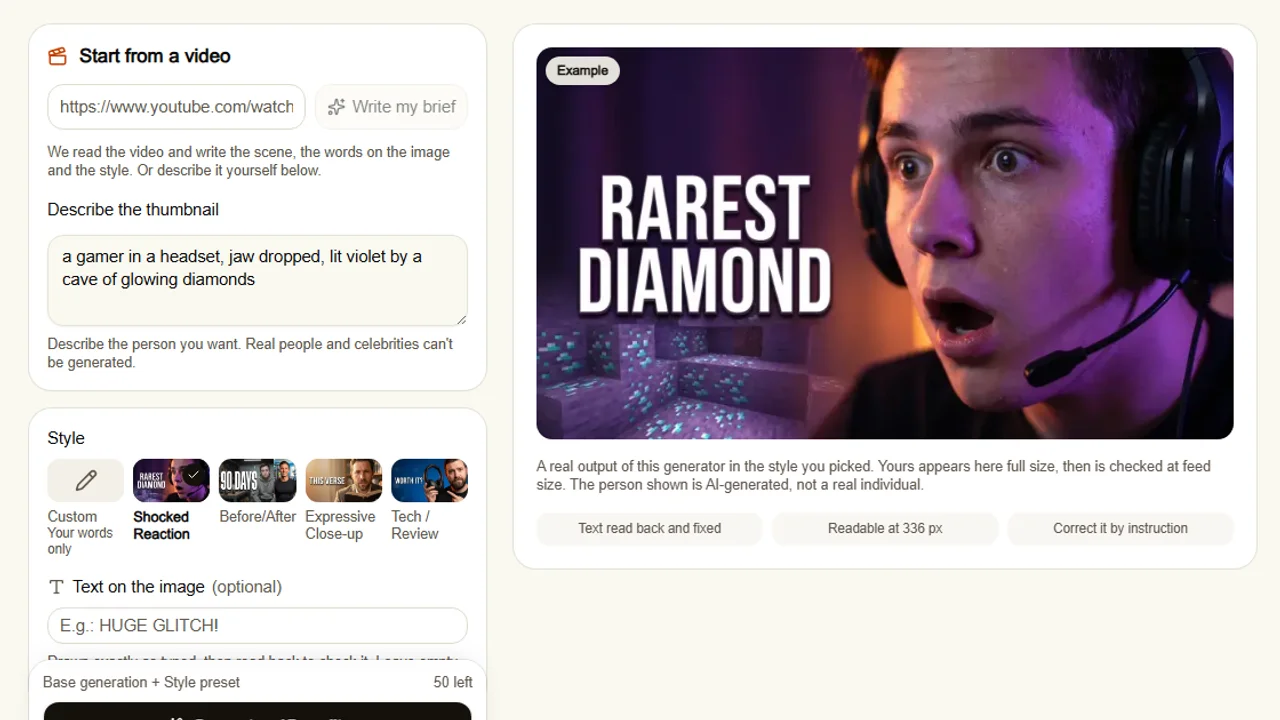
ThumbnailMaker turns a YouTube link or a one-line description into a finished 16:9 or 9:16 thumbnail. With a link, it reads the video and writes the brief for you: the scene, the words on the image and the style. The words are drawn into the image, then read back and redrawn if a letter came out wrong, a common failure of AI images with text. Every image is checked at the size a feed shows it, with the duration-badge corner kept clear. A result that is close gets corrected by instruction, "make the title yellow", instead of being regenerated. It is the generator behind this blog, so read the ranking with that in mind.
Key features
- Brief written from your video's link, or from your own sentence
- Text drawn in, read back and corrected when wrong
- Feed-size check and a clear duration-badge corner on every image
- Correction by instruction for 7 credits, the rest of the image kept
- A pack of three concepts on three angles for YouTube's A/B test (Pro)
- Optional 3840 × 2160 export, 16:9 or 9:16
Best for
- Channels that publish weekly and want a usable thumbnail in a minute
- Thumbnails where the words matter: titles, numbers, short claims
- Creators who would rather describe than design
Pricing
- Starter $12/mo for 400 credits, Pro $29/mo for 1,000, Studio $79/mo for 2,600; yearly is ten months' price
- A generation costs 10 credits, 15 with a style preset, so Starter makes about 26 to 40 thumbnails a month
- 60 free credits on sign-up, no card, no watermark
Pros
- Text you can read at feed size, checked before you see it
- Corrections keep what already worked
- Free tools with no account: a thumbnail tester, a resizer, a text editor and a downloader
Cons
- No free generation without an account
- Not a design editor: you can't hand-place layers
- The three-concept A/B pack is a Pro feature
- No pre-publish score of the kind Pikzels gives
- Starter's 26 to 40 thumbnails a month is fewer than Thumbmagic Starter's 100
How you'd do it here. Paste the video's link on the home page. The brief appears in about ten seconds; change any word you want. Pick a style or keep your own words, generate, read the checks under the image, then download or correct it in a sentence. To see your current thumbnail in a mock feed before you change anything, the free YouTube thumbnail tester does that with no account. The plans and what a credit buys are on one page.
2. Pikzels, best for a full feature set with a score
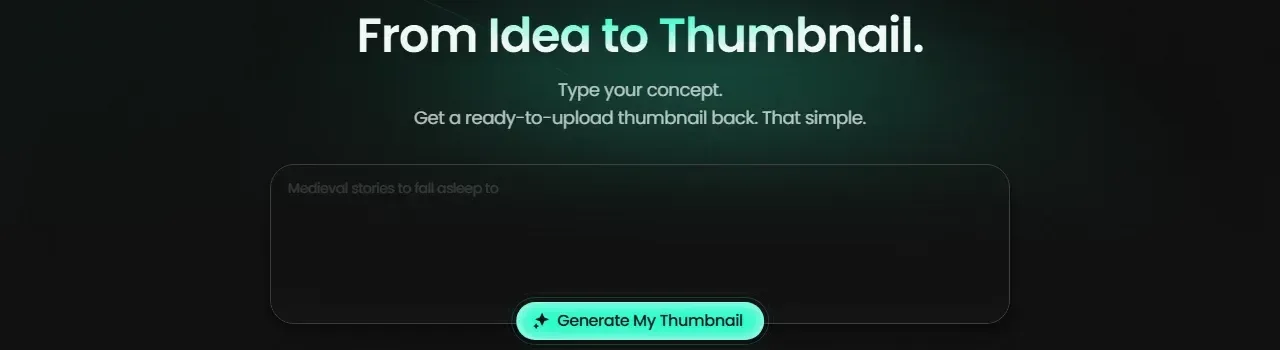
Pikzels runs one credit system across most of what a thumbnail needs: generating from a prompt, recreating a format from a YouTube link, editing by text, fixing, writing titles and scoring. Its Persona feature trains on three photos of you, so your face can appear across thumbnails, and a trained Style keeps a channel's look consistent. The Pikzels Score rates a thumbnail and title on virality, clarity, idea, curiosity and emotion before you publish. Batches go up to 16 thumbnails per request depending on the plan.
Key features
- Prompt to thumbnail, in any language
- Recreate a thumbnail format from a YouTube link
- Persona from three photos, trainable Styles
- Pikzels Score on five axes, and a one-click fix
- Batches of up to 16 thumbnails
Best for
- Creators who want generation, editing and a pre-publish score in one place
- Channels that need their own face in every thumbnail
Pricing
- Premium $28/mo billed yearly at $336, 18,000 credits a year
- Ultimate $56/mo billed yearly at $672, 54,000 credits
- A thumbnail costs 10 to 20 credits depending on the model
Pros
- The widest feature set on this list
- Yearly plans get the year's credits upfront, with rollover available
Cons
- No free plan listed; the trial's terms are not published on its pricing page
- Credits only work with an active subscription
3. Thumbmagic, best for starting from your own footage
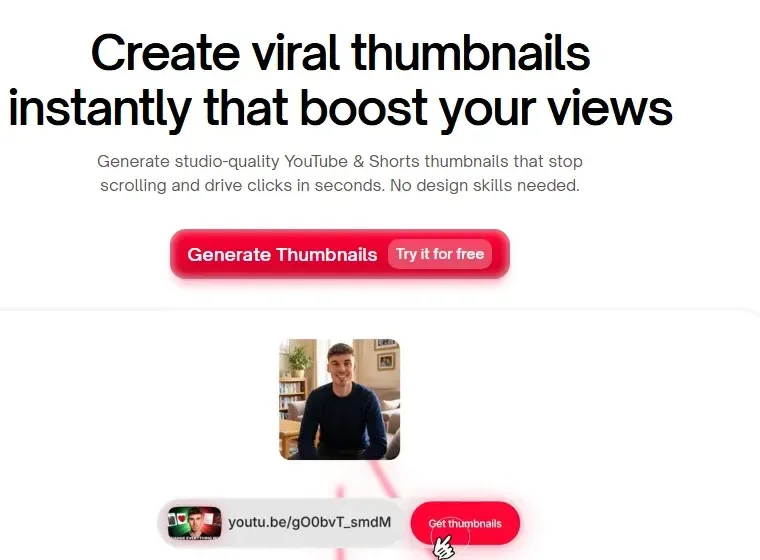
Thumbmagic starts from the video rather than a blank prompt. Paste a YouTube link or upload a file up to 5 GB, and it picks key frames, finds faces, then lets you choose a template and adjust the text, colours and background. Its expression changer turns one photo of your face into six expressions, from surprised to angry. Each generation gives two variants, which you can run through YouTube's own A/B test.
Key features
- From a YouTube link or an uploaded video
- Face upload and an expression changer with six expressions
- Templates and a thumbnail editor
- Two variants per generation
- Template replication on Pro and Business
Best for
- Creators who want the thumbnail built from frames of their own video
- Face-led channels that want one photo reused in different moods
Pricing
- Starter $17/mo billed yearly, 100 thumbnails a month
- Pro $35/mo billed yearly, 500 thumbnails; Business $59/mo billed yearly, unlimited
- 30-day money-back guarantee, no watermark on any tier
Pros
- Real frames from your video, not invented scenes
- The expression changer saves a reshoot
Cons
- The free tier is three generations, and the free button leads to a sign-up page
- The export size is stated two ways: 1280 × 720 on one page, 4K on another
4. vidIQ, best for trying it with no account
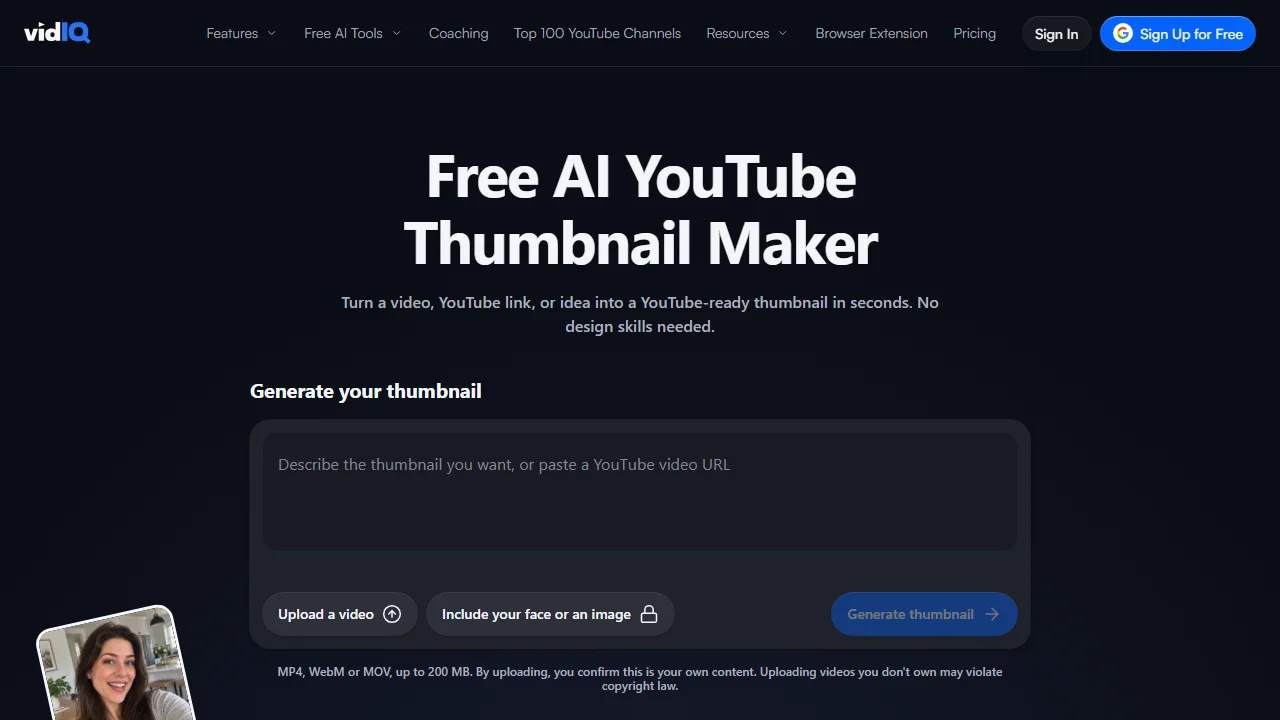
vidIQ's thumbnail maker is part of its wider YouTube toolkit, and it is one of two tools here that let you generate your first few thumbnails with no account. You can upload a video, paste a YouTube link or describe the idea. A selfie can be placed into the scene with matched lighting, and a reference thumbnail can set the look. Output is a 1280 × 720 PNG, without a watermark even on the free plan.
Key features
- Prompt, YouTube link or video upload up to 200 MB
- Selfie placement, likeness and face swap
- Reference-thumbnail style matching (signed in)
- Edit by typing, plus text and stickers
Best for
- Testing an AI thumbnail before creating any account
- vidIQ users who already pay for its research tools
Pricing
- Free plan with 150 AI credits a month
- Boost $16.58/mo billed yearly, 2,000 AI credits; Max $39/mo billed yearly, 6,000
- Credits per thumbnail are not published
Pros
- No account needed to try, no watermark on free
- Three ways in: prompt, link or video
Cons
- Output stated at 1280 × 720 only
- vidIQ's own help says results may not always match the prompt and subject placement can be unpredictable
5. 1of10, best for thumbnails next to outlier research
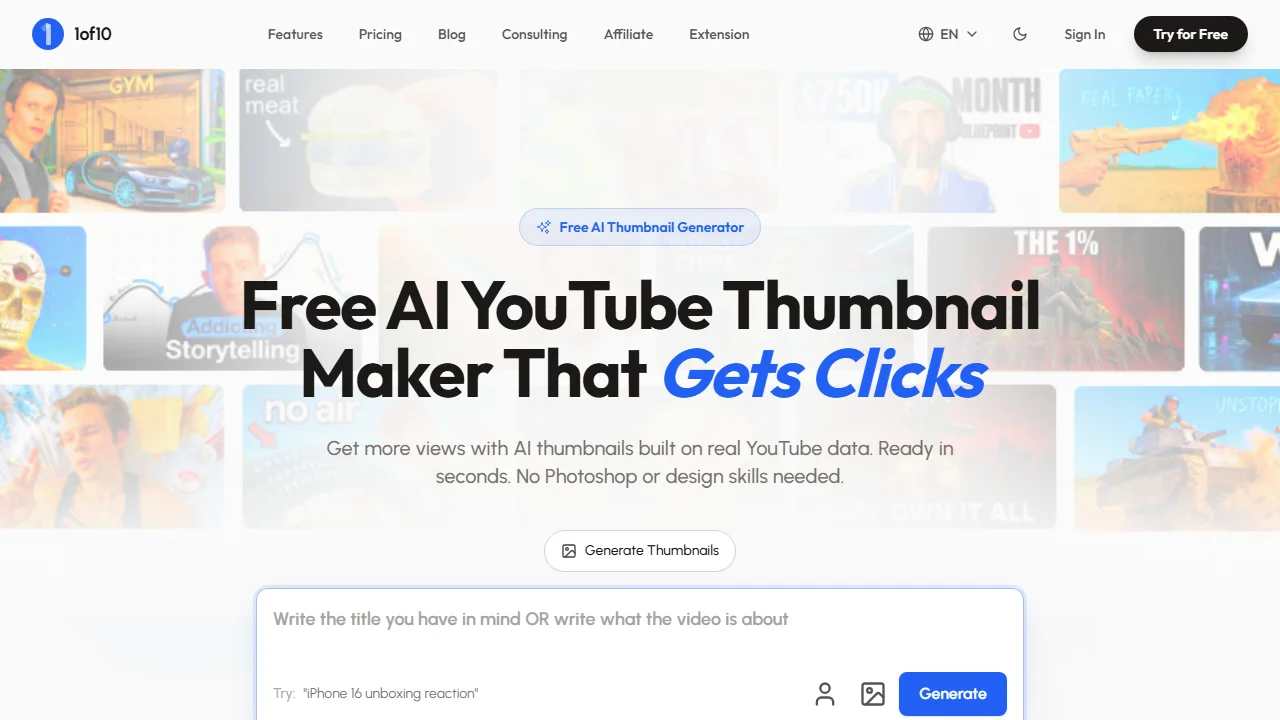
1of10 is a YouTube research tool first: outlier search, trending formats and competitor tracking. Its generator sits next to that research. Type a title or an idea, add your face, a reference image or a rough sketch, and connect your channel so it learns your visual style. Edits swap backgrounds, rewrite text and adjust layouts, and the result can go straight to YouTube.
Key features
- Thumbnail from a title or short description
- Face, reference image or sketch as input
- Learns your style from a connected channel
- Research tools included, without spending credits
Best for
- Creators who pick topics from outlier data and want the thumbnail in the same tool
- Channels that already run research every week
Pricing
- Free plan with 60 credits a month, no card; free thumbnails carry a small watermark
- Basic $19/mo, or $15/mo billed yearly, 150 credits; Pro $89/mo, or $69/mo yearly, 1,000 credits
- An AI thumbnail costs 4 credits
Pros
- Research and generation on one subscription
- Low credit cost per thumbnail
Cons
- Watermark on the free plan
- Its pages disagree on what each plan includes, so check before you buy
6. Canva, best for finishing the image by hand
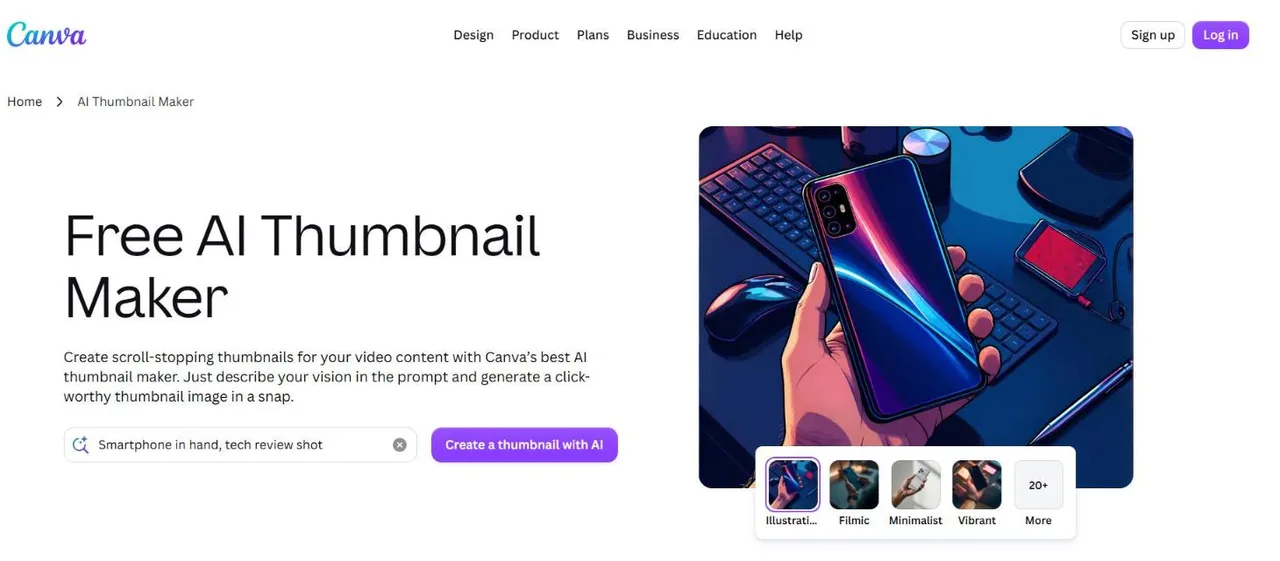
Canva's AI thumbnail maker is an image generator inside the Canva editor. You write a prompt, pick one of more than 20 style presets and an aspect ratio, then open the result in the editor to add text, remove objects or apply effects. The generation is generic, not tuned for YouTube, but the editor around it is the most complete here. The full comparison is in ThumbnailMaker vs Canva.
Key features
- Prompt plus 20+ style presets, any aspect ratio
- The full Canva editor, templates, Magic Edit and Magic Eraser
- Export as JPG, PNG, PDF or PPTX
Best for
- Designers who want AI for the background and their own hands for the rest
- Teams already making all their graphics in Canva
Pricing
- Free plan, with up to 20 Standard or Premium AI uses a month
- Pro US$144 a year for one person, Business US$250 a year per person
Pros
- The most complete editor on this list
- One subscription covers thumbnails and every other graphic
Cons
- Not built for thumbnails specifically: no feed-size or badge check
- Canva's own FAQ says you may not have exclusive rights to AI-generated images
7. Adobe Express, best for templates and stock assets
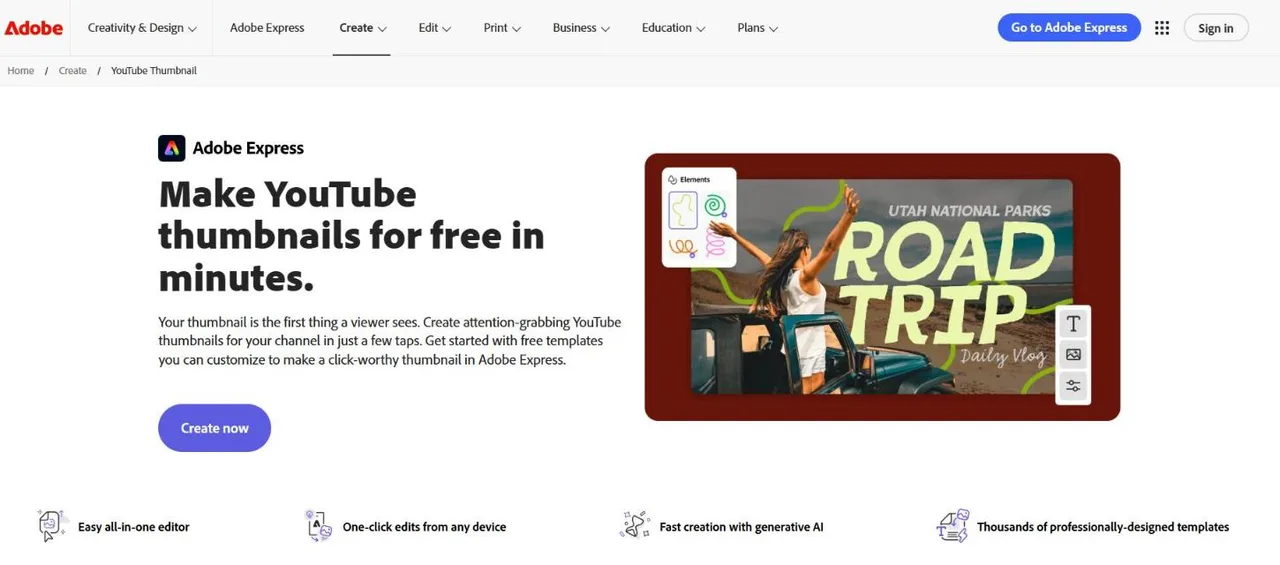
Adobe Express is a template editor first. Start from thousands of YouTube thumbnail templates or a 1280 × 720 canvas, add photos, Adobe Stock content or layered PSD and AI files, and use AI to generate an image or a template from a prompt. Faces are composited by hand with the background remover. Adobe describes its Firefly models as designed to be commercially safe. The detailed comparison is in ThumbnailMaker vs Adobe Express.
Key features
- Thousands of thumbnail templates, Adobe Stock and Adobe Fonts
- AI image and template generation from a prompt
- PSD and AI import with layers kept
- Brand kit for logo, colours and fonts
Best for
- Creators who already work in Adobe tools
- Channels that want a consistent template rather than a new image each time
Pricing
- Free plan with free daily generations, no card
- Premium US$9.99/mo billed monthly, 250 generative credits; Firefly Pro US$19.99/mo
Pros
- Large template, stock and font library
- Commercially safe positioning for its AI models
Cons
- The thumbnail is assembled by hand; AI only supplies parts
- The number of free daily generations is not published
8. Wayin.ai, best for one video in several aspect ratios
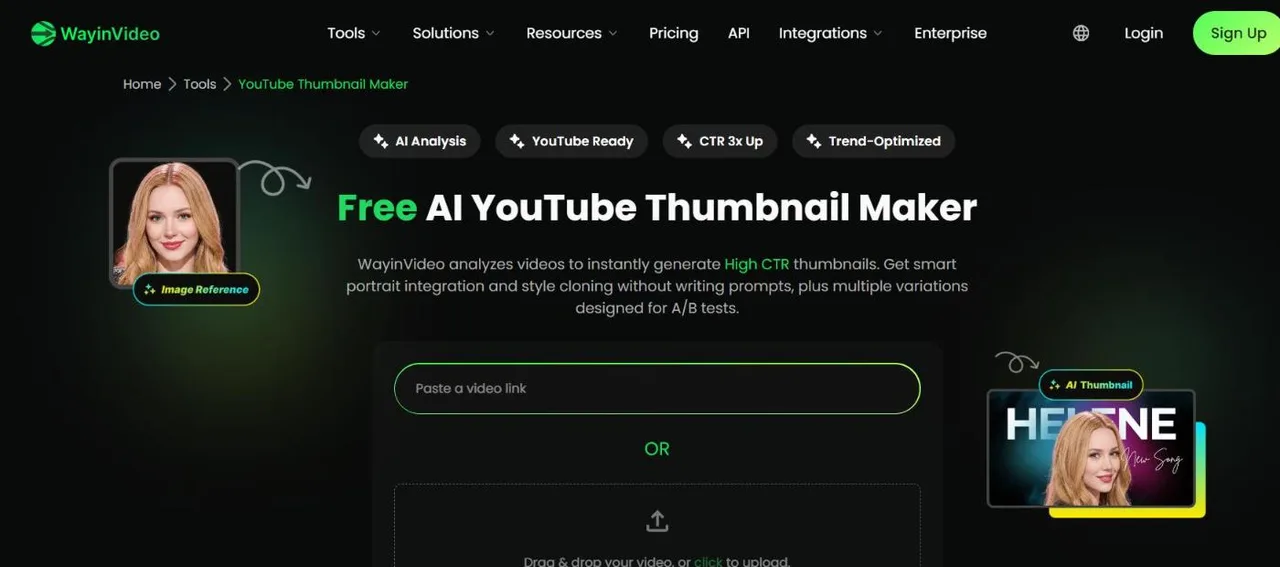
Wayin.ai is a video clipping platform with a promptless thumbnail maker. Upload a video or paste a YouTube link and it analyses scenes, emotions and faces, then offers several candidates. You can blend in a portrait or upload a reference thumbnail to copy its layout. Output is 1280 × 720 by default and switches to 9:16, 1:1 or 4:5, which suits a creator posting the same video to several platforms.
Key features
- No prompt: video or YouTube link in, candidates out
- Portrait blending and reference-style matching
- 16:9, 9:16, 1:1 and 4:5 outputs
Best for
- Creators cutting one video into clips for several platforms
- Anyone who would rather not write a prompt
Pricing
- Starter $4.99/mo billed yearly at the time of writing, a promotional price with a countdown timer
- 100 free credits with an account; its FAQ says thumbnails can be generated without signing up
- Credits are sized in minutes of video, and payments are nonrefundable
Pros
- Four aspect ratios from one video
- Generates without an account, per its own FAQ
Cons
- No text-prompt route
- A clipping tool first: plans are sized for video minutes, not thumbnails
How to choose an AI thumbnail maker
Do you want to describe it, or design it?
If you would rather write a sentence and get a finished image, pick a prompt-first generator: ThumbnailMaker or Pikzels. If you want to place every element yourself, Canva or Adobe Express give you a full editor, and AI only fills in parts.
Do you start from a sentence, your footage or your face?
From a sentence or a link: ThumbnailMaker. From frames of your own video: Thumbmagic or Wayin.ai. With your own face in the scene: Pikzels, Thumbmagic, vidIQ and 1of10 all offer it, each in its own way.
How many thumbnails do you make a month?
Translate credits into thumbnails before you compare prices. ThumbnailMaker's Starter plan is about 26 to 40 thumbnails a month. Thumbmagic's Starter is 100. 1of10's Basic is 150 credits at 4 credits a thumbnail. Pikzels' Premium is up to 1,800 a year at the lowest credit cost. A channel posting twice a week needs 8 or 9 finished thumbnails a month, plus the ones that did not make it.
Do you need to try it without an account?
vidIQ lets you generate a few with no account, and Wayin.ai says the same in its FAQ. ThumbnailMaker, Thumbmagic and 1of10 send you to a sign-up page first, though none of the three asks for a card; Pikzels starts with a trial; Canva and Adobe Express have free plans, and their sign-in flow was not checked.
Are you testing thumbnails, or making them?
YouTube's own A/B testing compares up to three thumbnails on the same video and keeps the one with the most watch time. Thumbmagic gives two variants per generation for it, Wayin.ai gives several, and ThumbnailMaker's Pro pack makes three different concepts on purpose. Pikzels scores a thumbnail before you publish it.
Frequently asked questions
Is there a free AI thumbnail maker?
Yes, several. vidIQ generates a few thumbnails with no account and no watermark. ThumbnailMaker gives 60 credits on sign-up with no card and no watermark. 1of10 has a free plan with 60 credits a month, watermarked, though its pages disagree on whether that plan includes the generator. Canva and Adobe Express have free plans with limited AI use.
Which AI thumbnail maker works without signing up?
vidIQ is the clearest: its page says the first few thumbnails need no account. Wayin.ai's FAQ says thumbnails can be generated without signing up. ThumbnailMaker, Thumbmagic and 1of10 ask you to sign up before the first generation; the sign-in flow of Canva and Adobe Express was not checked.
Can I put my own face in an AI thumbnail?
Yes, with tools built for it. Pikzels trains on three photos, Thumbmagic uses one photo and changes its expression, vidIQ places a selfie into the scene, 1of10 adds a face, and Wayin.ai blends in a portrait.
What size should an AI thumbnail be?
YouTube recommends 3840 × 2160 for a video thumbnail and 2160 × 3840 for a Short, and still accepts 1280 × 720. Several tools here export 1280 × 720 only. The YouTube thumbnail size guide has the full rules and file limits.
Can an AI thumbnail be clickbait?
Any thumbnail can. YouTube judges a thumbnail by whether the video delivers what it promises, not by how it was made. The line it draws is explained in clickbait thumbnails.
Do AI thumbnail makers spell the text right?
Not always: a missing or doubled letter is a common failure of AI images with words in them. Check the text at feed size before you upload, or use a tool that reads it back for you.
Pick by where your thumbnail starts
If your thumbnail starts as a video link or one sentence, and the words on it matter, start with ThumbnailMaker's free credits on the AI YouTube thumbnail maker. If it starts with your face or your footage, try Thumbmagic or Pikzels. If you want to design it yourself, Canva and Adobe Express are the right call.
Prices and features were checked on each vendor's own pages on October 18, 2026: Pikzels, Thumbmagic, vidIQ, 1of10, Canva, Adobe Express and Wayin.ai.
ThumbnailMaker is an independent product and is not affiliated with, sponsored by, or endorsed by Pikzels, Thumbmagic, vidIQ, 1of10, Canva, Adobe or Wayin. Pikzels, Thumbmagic, vidIQ, 1of10, Canva, Adobe Express and Wayin.ai are trademarks of their respective owners, named here only to compare publicly documented features. The other tools' descriptions come from their own pages, not from our testing. Details were accurate when written and may have changed since.
ThumbnailMaker Team — Guides from the people building ThumbnailMaker: thumbnail design, CTR, and what happens under the hood of an AI generator. Every number is checked against YouTube's own pages and dated.
Try it on your next video
Paste the video's link: the brief is written for you, then you generate. 60 free credits, no card.