Fortnite Thumbnail Maker for YouTubers
Victory Royale reactions, rank pushes, skin reveals, build battle highlights — describe the clip and get a CTR-optimized thumbnail in seconds, without opening an editor.
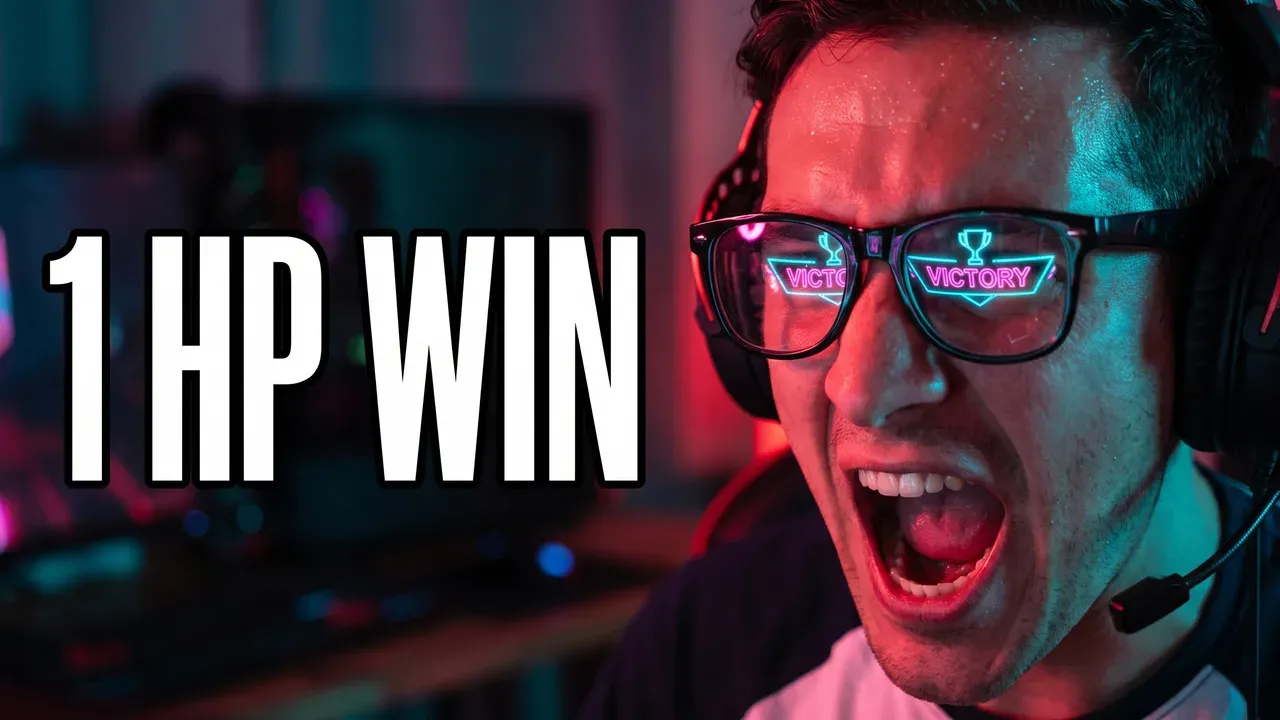
A real thumbnail, generated by the AI
Built around how Fortnite content actually breaks down
Mistakes that quietly kill Fortnite CTR
Fortnite thumbnail FAQ
16:9 for standard videos and 9:16 for Shorts. YouTube now recommends 3840 × 2160 and 2160 × 3840, with a 640-pixel minimum, so the shape matters more than the exact number. ThumbnailMaker generates in the shape of the format you pick and downloads at 1280 × 720 or 1080 × 1920, both above that minimum. The full breakdown is in the YouTube thumbnail size guide.
No. It helps for reaction-driven content like Victory Royale clips, but skin reveals and build battle highlights work well with the game itself — the skin, the item, the moment — as the focal point instead.
You don't need to. Describe the skin and the scene instead — 'a dramatic close-up of [skin name], cinematic lighting' — and the AI generates original art around that description, rather than lifting Epic's own promotional renders.
Shocked Reaction, for the same reason it works on any high-stakes gaming moment: an exaggerated expression reads instantly at thumbnail size, even shrunk down on mobile.
Making thumbnails for other games too?
The same one-focal-point, high-contrast approach covers Minecraft, Roblox and Gorilla Tag content too — see the full gaming YouTubers guide.
Want the full breakdown behind what actually earns a click? See what a good YouTube CTR looks like.
ThumbnailMaker is an independent AI thumbnail generator and is not affiliated with, sponsored by, or endorsed by Epic Games, Mojang, Roblox Corporation, or any game publisher. Fortnite, Minecraft, Roblox and Gorilla Tag are trademarks of their respective owners and are named here only to describe the kind of video a thumbnail is for.