9:16 Shorts covers from your Short's link
YouTube Shorts Thumbnail Maker
A YouTube Shorts thumbnail maker that starts from the Short itself: paste its link, read the brief, and get a 9:16 cover with the words kept clear of the title and the buttons.
Already signed in? Open Create in 9:16.


How it works
You bring the Shorts video. We make the thumbnail.
Here is one real thumbnail from this page, followed from the brief to the download.
Your input
Paste the video's link, or describe it
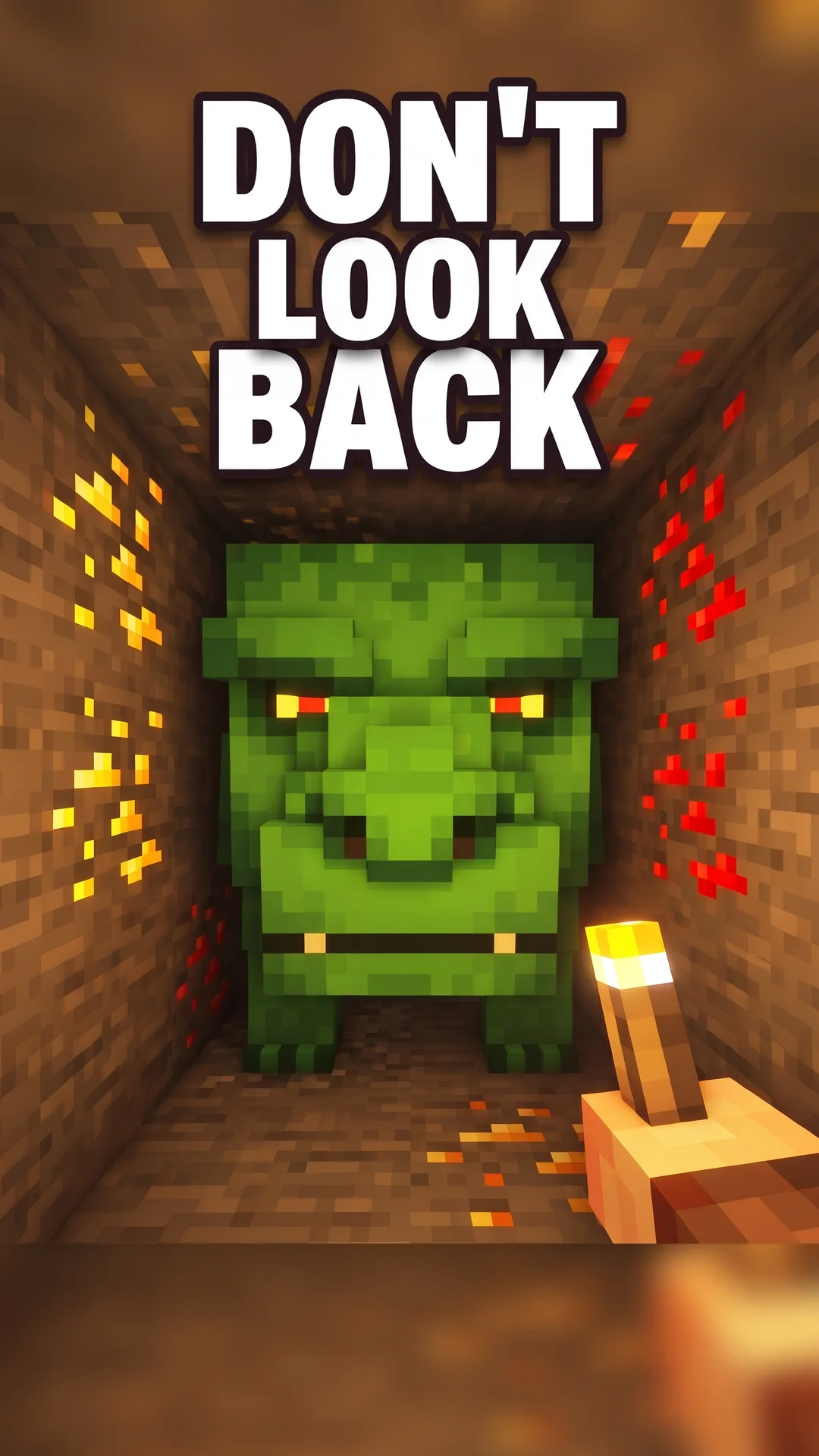
The brief is written from the link for you, or you write the scene yourself. This one was one sentence: “First-person view inside a blocky voxel-style game cave lit by torches, a huge blocky green monster face suddenly right in front of the camera, glowing ore in the stone walls”
Words and style
The exact words, and a style
The words DON'T LOOK BACK, typed exactly as they should read.
Generated, then checked
Checked at the size of the feed
Every image is graded at 336 px, the width of a card in YouTube's feed. The words are read back and redrawn if a letter is wrong, and the bottom-right corner stays clear of the duration badge.
The result of step 04, as generated. Your thumbnail
Download it, or change it in a sentence
1080 × 1920 for Shorts, or 4K. If it is close, describe the change ("make the title yellow") and the rest of the image stays as it is.
More from the same generator
What a Shorts cover needs
From the Short's link
Paste a youtube.com/shorts link and the brief is written from its title, the channel, the current thumbnail and the description: what the cover shows and the few words it says.
Composed for 9:16
A 1080 × 1920 cover, or 2160 × 3840 in 4K, the size YouTube recommends, built vertical from the start instead of cropped from a landscape image.
Clear of the Shorts overlays
The face and the words stay out of the bottom quarter, where the Shorts title and channel sit, and the right edge, where the like and comment buttons are.
The Shorts version of a thumbnail
Made a 16:9 thumbnail for the long video? One click sets up the Shorts version of the same idea, and Batch has a 9:16 tab for a week of Shorts.
YouTube Shorts thumbnail maker questions
Start with your next video
Your next Shorts cover starts with the Short's link.
Comparing tools first? The best YouTube Shorts thumbnail makers are compared side by side, and the thumbnail size guide has every Shorts number. Already have the video? The free frame picker pulls a 1080 × 1920 still out of the file, in the browser. Cutting clips from a show? The podcast thumbnail maker makes the episode's thumbnail from the same link.