Roblox Thumbnail Maker for YouTubers
A Roblox thumbnail maker that keeps your avatar: upload a screenshot and say what to change, or paste your video's link and get the brief written for you.
Already have a screenshot of your avatar? Start from it.
Two ways to make it
What each kind of Roblox video needs
Mistakes that cost Roblox thumbnails the click
Roblox thumbnail FAQ
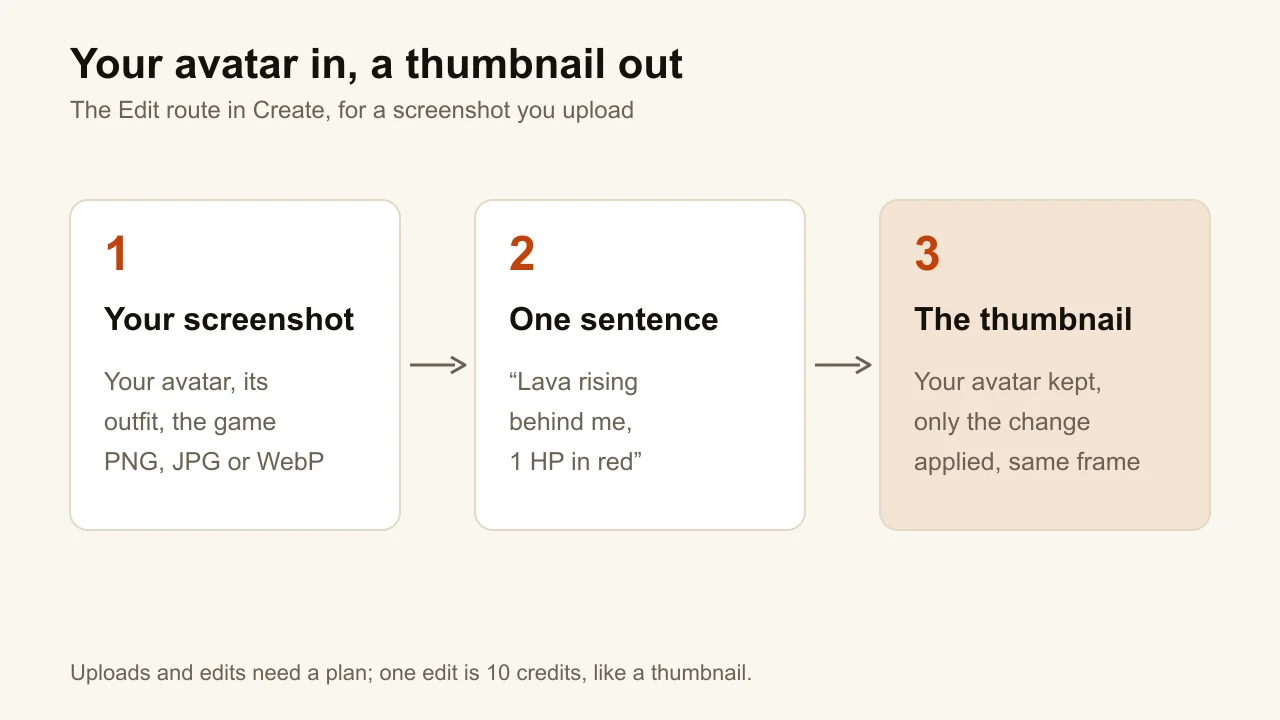
Yes: upload a screenshot that shows it and edit it by instruction. The edit changes only what you ask for and keeps the rest of the image. Generating from words alone draws a generic blocky character instead, because the engine won't copy an official game character.
The same as any YouTube thumbnail: 16:9, at least 1280 × 720 pixels, under 2 MB if you upload from the phone app. ThumbnailMaker downloads at 1280 × 720, 1080 × 1920 for Shorts, or 3840 × 2160 in 4K.
It is built for YouTube. A game page in the Roblox Creator Hub takes 16:9 images, ideally 1920 × 1080, and moderates every upload; the tools made for that job are compared in the best Roblox thumbnail makers list.
Yes. ThumbnailMaker runs in a phone's browser, so you can paste the video's link or upload a screenshot from the phone and download the result there.
Writing the brief from a video's link is free with an account. Generating, uploading and editing take a plan: Starter is $12 a month for 400 credits, and one thumbnail or one edit is 10 credits, so about 40 a month.
Comparing tools first?
The best Roblox thumbnail makers are compared side by side, game-page tools included, and the gaming YouTubers page covers Minecraft, Fortnite and Gorilla Tag.
ThumbnailMaker is an independent AI thumbnail maker and is not affiliated with, sponsored by, or endorsed by Roblox Corporation. Roblox is a trademark of its owner and is named here only to describe the kind of video a thumbnail is for.