8 Best Roblox Thumbnail Makers (2026), Free and AI
By ThumbnailMaker Team · · 18 min read
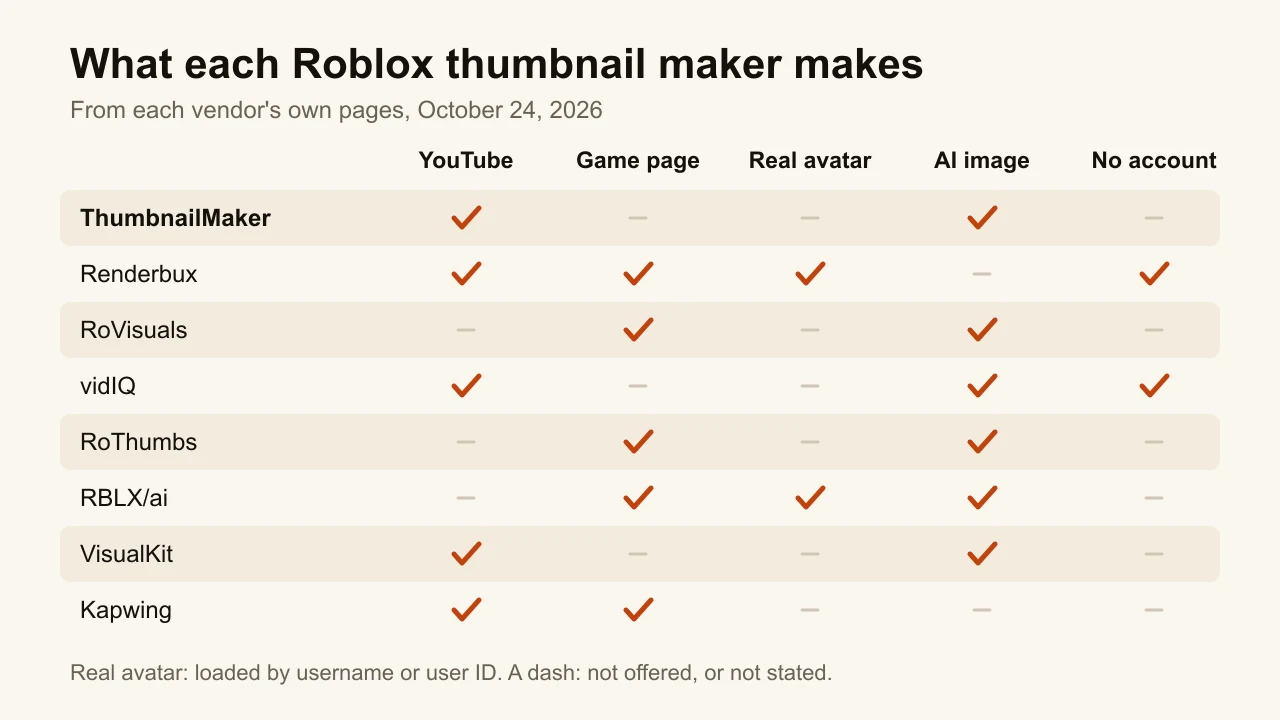
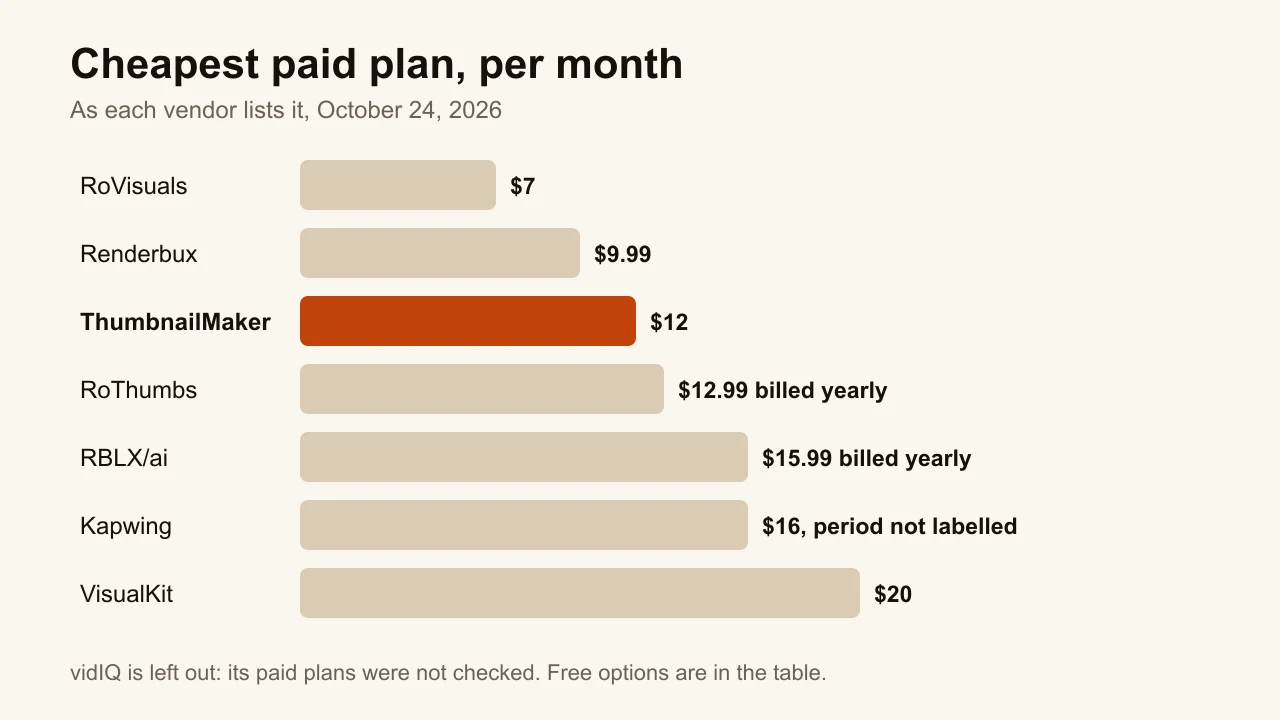
Quick answer: The best Roblox thumbnail maker depends on which thumbnail you need. For a YouTube video about Roblox, ThumbnailMaker is the pick: paste the video's link, get a brief for free, and generate a finished 16:9 thumbnail whose words are read back and redrawn when a letter is wrong; generating takes a plan, from $12 a month. For your real avatar, Renderbux loads it by username and renders it in 3D, with a free export a week and no sign-up. For a Roblox game page, RoVisuals has the lowest listed monthly price, $7, and RoThumbs and RBLX/ai cover the same job with team projects or Robux payments. vidIQ generates YouTube-style Roblox thumbnails for free with no account, VisualKit adds a score and edits by instruction, and Kapwing gives you a free 1920 × 1080 template to edit by hand. Every competitor price below was checked on the vendor's own page on October 24, 2026.
"Roblox thumbnail" means two different images, and most tools only make one of them. The first is the thumbnail of a YouTube video about Roblox: 1280 × 720, competing with every other video in the feed. The second is the thumbnail of a Roblox game, the 16:9 image on its page and on Roblox's Home page, uploaded in the Creator Hub, ideally at 1920 × 1080.
A developer and a YouTuber searching the same words want different things, so each entry below says which of the two it makes. ThumbnailMaker is our product and it is ranked first, for the YouTube job; for the game-page job, three tools here are built for it and we are not. The others are described from their own public pages, read on October 24, 2026; we did not sign up for them or test their output.
Which kinds of Roblox thumbnail makers are there?
- For YouTube videos about Roblox: ThumbnailMaker, vidIQ and VisualKit. They make 16:9 YouTube thumbnails, two of them from your video's link or a description.
- For Roblox game pages: RoVisuals, RoThumbs and RBLX/ai. AI tools built by and for Roblox developers, for experience thumbnails and icons.
- For both, with your real avatar or a template: Renderbux renders your own avatar in 3D; Kapwing gives you a 1920 × 1080 template to fill in by hand.
| Tool | Best for | Cheapest paid plan | Free option | What it makes |
|---|---|---|---|---|
| ThumbnailMaker | YouTube thumbnails from your Roblox video's link | $12/mo, or $10/mo yearly | Brief and eight tools free; generating takes a plan | YouTube, 16:9 and Shorts |
| Renderbux | Your real avatar, posed in 3D | $9.99/mo, or $90 a year | 1 export a week signed out, 720p, watermarked | Both |
| RoVisuals | The cheapest AI plan for game pages | $7/mo | 2 credits, plus 3 for verifying Discord | Game thumbnails and icons |
| vidIQ | Free AI thumbnails with no account | Not checked | Generate free, account to download | YouTube |
| RoThumbs | Game thumbnails from your screenshots | $12.99/mo billed yearly | 3 credits | Game thumbnails, icons, banners |
| RBLX/ai | Paying in Robux | $15.99/mo billed yearly | None: the free plan has no credits | Game thumbnails and icons |
| VisualKit | A score and edits by instruction | $20/mo | None listed | YouTube |
| Kapwing | A free 1920 × 1080 template | $16/mo, billing period not labelled | Free exports, watermarked | Both, edited by hand |
1. ThumbnailMaker, best for YouTube thumbnails from your Roblox video's link
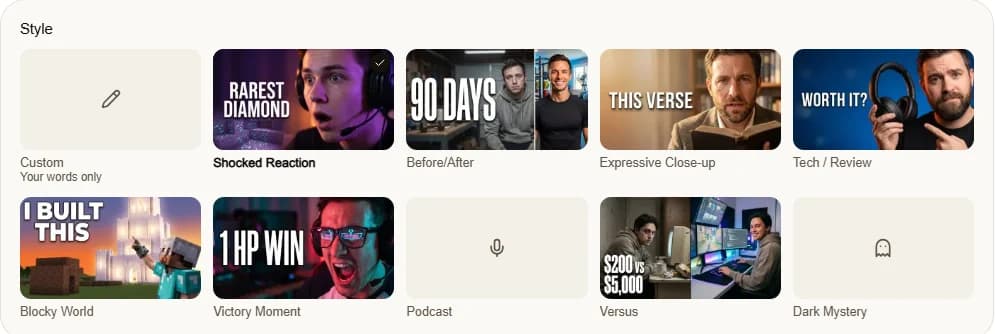
ThumbnailMaker makes YouTube thumbnails, and it starts from the video, not from a blank prompt. Paste your Roblox video's link and it writes three angles for the brief from the video's title, its current thumbnail and its description, plus the transcript if you paste one: the scene, the words on the image, the style. Pick one, change any word, and generate. The words are drawn into the image, read back and redrawn if a letter came out wrong, which matters when the title is "1 HP" or a made-up item name. Every image is checked at feed size with the duration-badge corner kept clear. It has a Blocky World style for block-built games. It is our product.
Key features
- Three angles for the brief, from the video's link: its title, current thumbnail and description, plus the transcript if you paste one
- Before the video is out: a brief from its title and script, or from your own sentence
- Ten styles, including Blocky World and Victory Moment for game videos
- Text drawn in, read back and corrected when wrong
- Feed-size check, with the bottom-right corner kept clear for the duration badge
- Upload your own gameplay screenshot and edit it by instruction
- 1280 × 720 or 1080 × 1920 for Shorts, optional 3840 × 2160
Best for
- Roblox YouTubers who post every week and want the thumbnail in a minute
- Videos built on a short claim: a challenge, a number, a rank
- Shorts creators who need a 9:16 cover as well
Pricing
- Starter $12/mo for 400 credits, Pro $39/mo for 1,000, Studio $99/mo for 3,000; yearly is $120, $384 and $984
- One image is 10 credits, a 4K image 20, so Starter is 40 thumbnails a month
- Writing the brief from a link and the eight tools are free; generating takes a plan
Pros
- Text read back and graded at feed size before you see it
- Starts from the video you already made, so you don't write a prompt
- A correction keeps everything that already worked
Cons
- It can't load your Roblox avatar: it draws a generic blocky character, or edits a screenshot you upload
- Not built for the Creator Hub: no icons, and no 1920 × 1080 preset for game pages
- No free generation: you pay for a plan before the first thumbnail
How you'd do it here. Paste the video's link in the AI YouTube thumbnail maker, pick an angle, choose Blocky World, and generate. If you have a screenshot with your avatar in it, upload it and ask for the change instead. To see your current thumbnail next to others first, the free YouTube thumbnail tester shows it in a mock feed with no account, and the plans are on ThumbnailMaker's pricing page.
2. Renderbux, best for your real avatar, posed in 3D
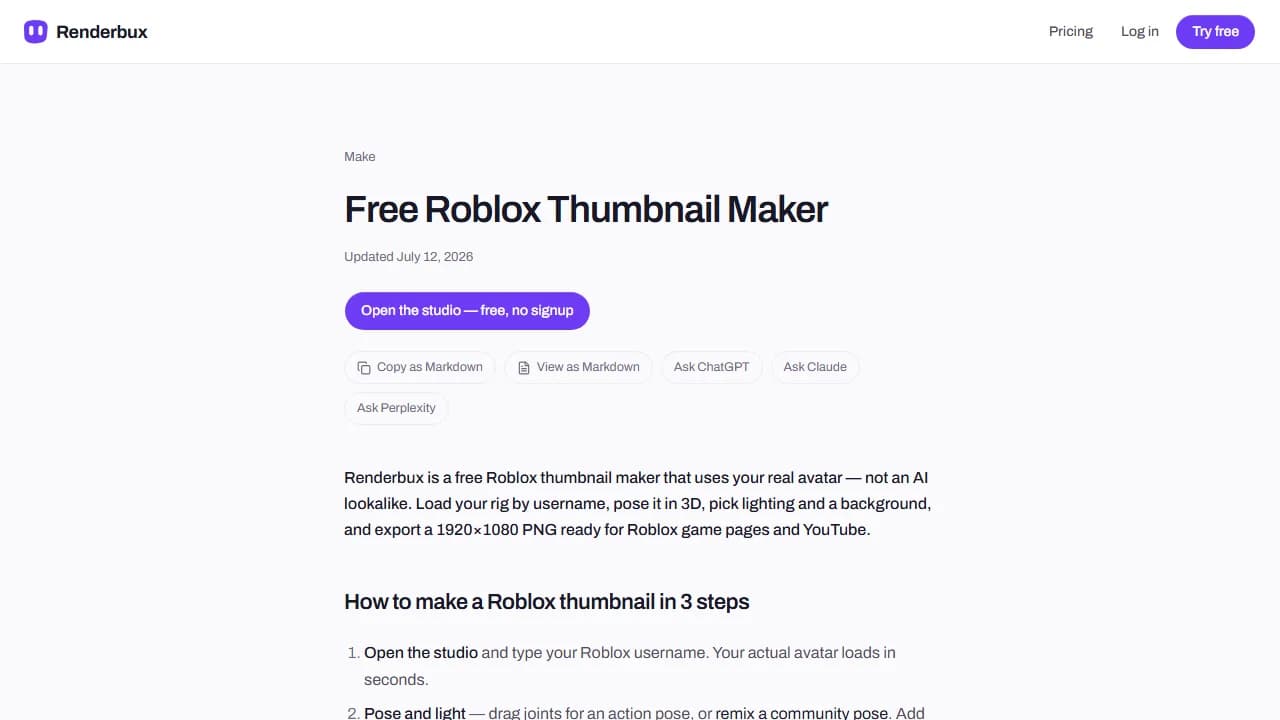
Renderbux is a 3D render studio for your real Roblox avatar, and the only tool here that shows the avatar itself. Type your Roblox username and it loads your real rig into a 3D studio in the browser; you pose it, pick lighting and a background, and export. Its own FAQ is plain about what it is not: "Is this an AI thumbnail generator? No." An AI image of "a Roblox character" is a lookalike; Renderbux renders the avatar your viewers know. It exports 1920 × 1080 for game pages, 512 × 512 for icons and 1280 × 720 for YouTube. Text goes on in another editor.
Key features
- Your real avatar, loaded by username
- Posing, lighting and GFX backgrounds in a free 3D studio
- 1920 × 1080, 512 × 512 and 1280 × 720 exports
Best for
- Creators whose avatar is their brand
- Game developers who want the real character on the game page
Pricing
- Free: 1 export a week signed out, 5 with an account, 720p with a watermark
- Pro $9.99/mo, or $90 billed once a year: unlimited exports up to 4K, no watermark
- Renderbux says the amount is adjusted for your country at checkout
Pros
- The real avatar, not an AI guess at it
- Try it with no account and no card
Cons
- No AI scene and no text: the background and the words are yours to make
- Free exports are 720p and watermarked
3. RoVisuals, best for the cheapest AI plan for game pages
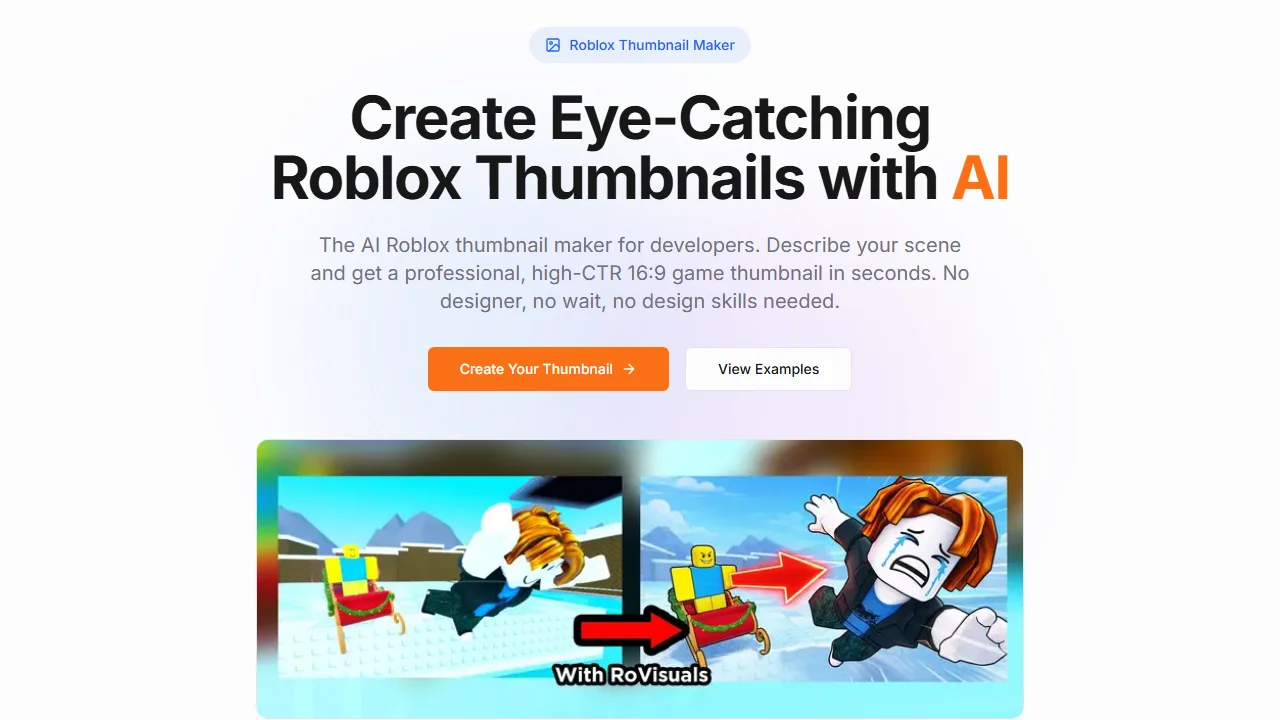
RoVisuals makes Roblox game assets with AI: thumbnails, icons, UI vectors and logos. You upload reference images or screenshots from your game, describe the scene, and get a 16:9 PNG, up to 4K. Its tool page says what the thumbnail is for: "upload to your Roblox game page". At $7 a month for 40 credits it has the lowest listed monthly price on this list, credits don't expire, and you can pay with Robux in the game. It also has a free Update Icon tool that adds an hourglass and timer overlay to an icon.
Key features
- Thumbnails, icons, vectors and logos from a prompt and reference images
- 16:9 PNG, up to 4K
- A free Update Icon tool
- Payment by card or in Robux
Best for
- Developers updating a game's thumbnails and icon on a small budget
- Teams that already have screenshots to start from
Pricing
- Free: 2 credits, plus 3 for verifying Discord
- Starter $7/mo (40 credits), Pro $15 (120), Studio $30 (300)
- "Thumbnails cost 2/3 credits", per its FAQ; credits don't expire
Pros
- The lowest listed monthly price here
- A full commercial license on every plan, per its FAQ
Cons
- Not made for YouTube: no 1280 × 720 or Shorts format mentioned
- The free credits run out after two or three thumbnails
4. vidIQ, best for free AI thumbnails with no account
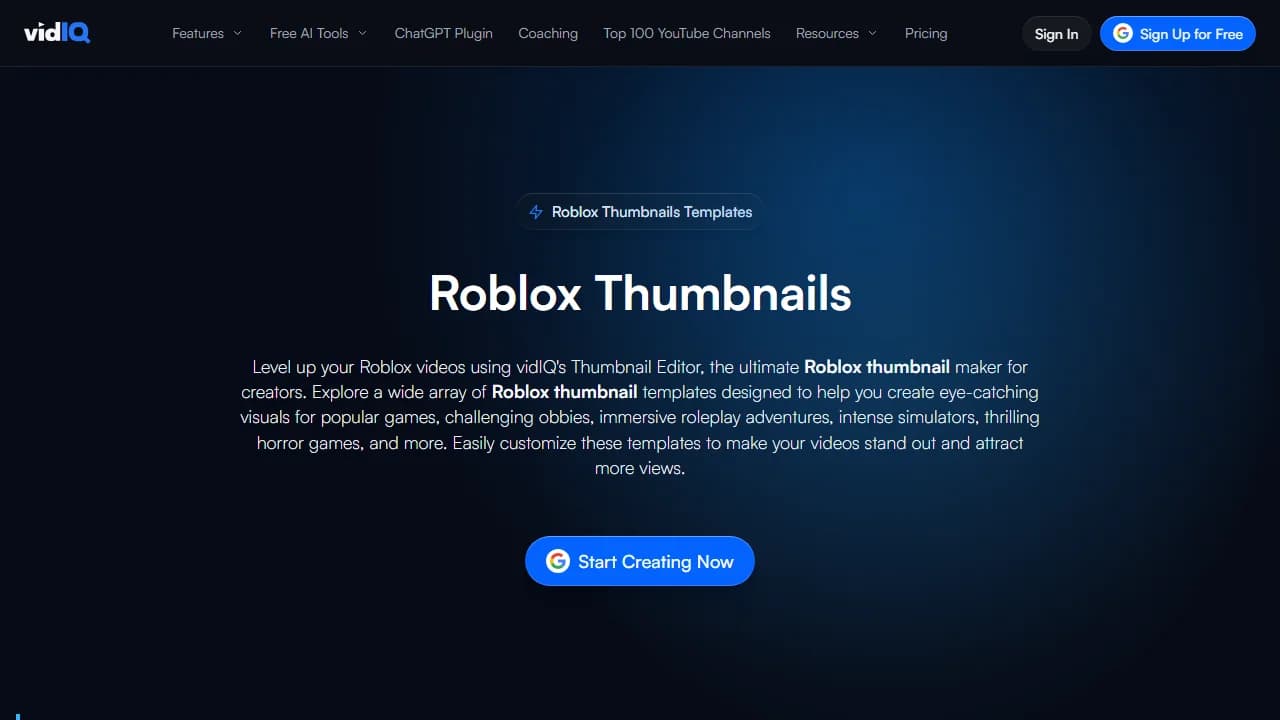
vidIQ's Roblox page is a set of templates for YouTube videos: challenges and parkour, roleplay, simulators, mystery and horror. Pick one, press Generate, and its AI builds a design you can change in its editor. Behind the button is vidIQ's AI thumbnail maker, which also takes a prompt, a video upload or a YouTube link. Its FAQ says you can try it with no account; free generation is "limited", without a number, and you need an account to edit and download. The download is a 1376 × 768 JPEG with no watermark.
Key features
- Roblox templates by video type
- AI generation from a template, a prompt, a video or a link
- An editor for fonts, backgrounds and characters
Best for
- Trying an AI Roblox thumbnail before paying anything
Pricing
- Free to generate, with an account to edit and download
- vidIQ's paid plans were not checked for this post
Pros
- No account to see a first result
- No watermark, signed in or not
Cons
- The free limit isn't published
- The download is 1376 × 768, not YouTube's 1280 × 720, so it gets scaled on upload
5. RoThumbs, best for game thumbnails from your screenshots
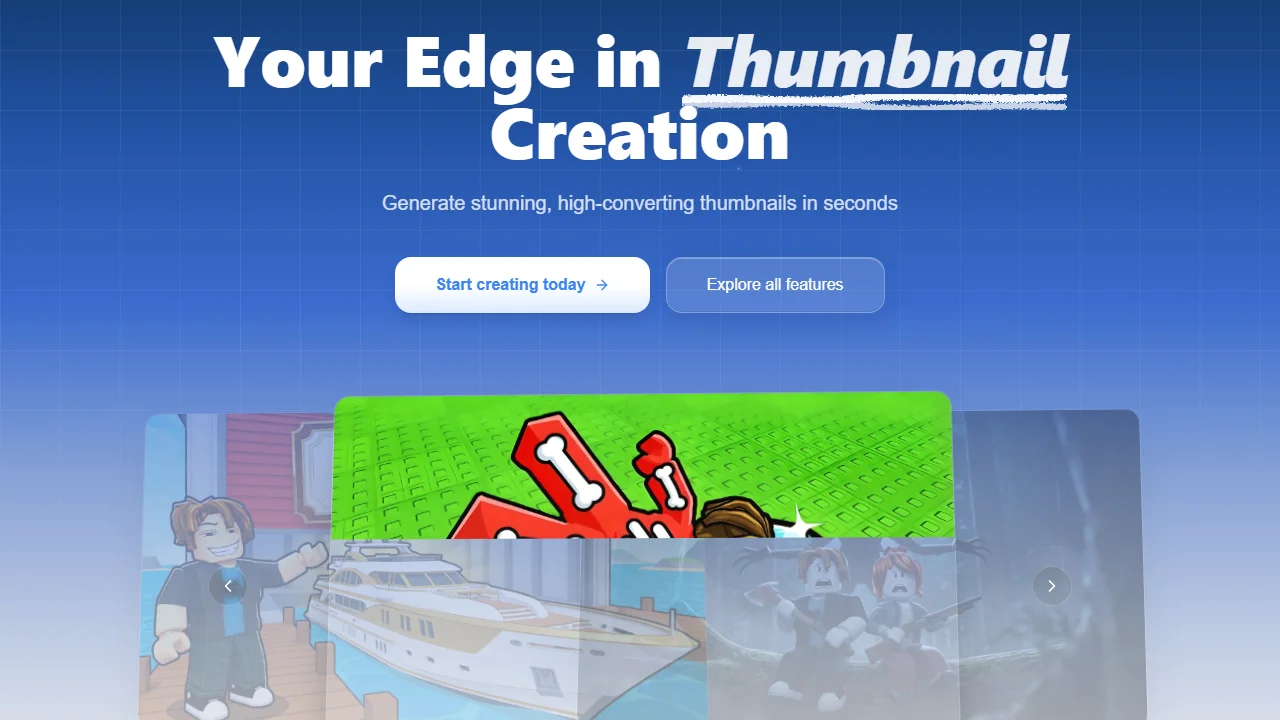
RoThumbs is built "by Roblox devs, for Roblox devs", and nothing on its page mentions YouTube. You either describe the image or drop in your game's screenshots and let it turn them into something more clickable, for icons, thumbnails and banners. Pro is $12.99 a month billed yearly for 100 credits; Enterprise, at $64.99, shares projects between five people, each with their own credits. The free plan gives 3 credits, basic quality and 16:9 only.
Key features
- Generate from a description or transform your own screenshots
- Icons, thumbnails and banners
- Team projects and group chats on Enterprise
Best for
- Studios with several people working on one game
- Developers who start from in-game screenshots
Pricing
- Free: 3 credits, up to 1 credit a month, 16:9 only
- Pro $12.99/mo billed yearly (100 credits), Enterprise $64.99/mo billed yearly (500 credits, 5 users)
- Monthly-billed prices and credits per thumbnail were not shown
Pros
- Built around the screenshots a developer already has
- A plan for small teams
Cons
- No YouTube format
6. RBLX/ai, best for paying in Robux
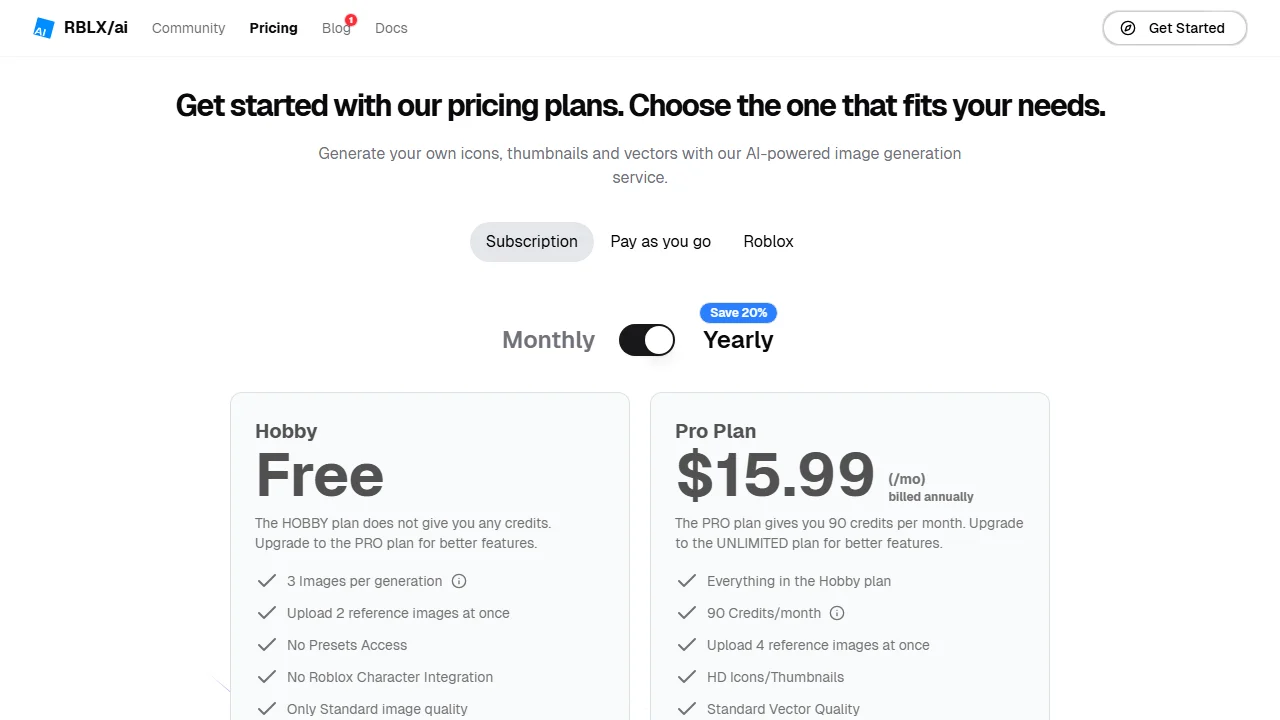
RBLX/ai makes icons, thumbnails, vectors and logos for Roblox games, plus a code assistant for scripting. Its free Hobby plan "does not give you any credits", so you pay before the first image, but you can pay in Robux: 10 credits for 999 Robux, or one-time packs from $2.49 for 12 credits. From Pro, a Roblox user ID can be passed so the main character has that user's characteristics.
Key features
- Presets: Default, Cartoon and Realistic
- A Roblox character from a user ID (Pro and up)
- An API for developers
Best for
- Developers who would rather pay in Robux than by card
- Buying a few credits at a time instead of a subscription
Pricing
- Pro $15.99/mo billed yearly (90 credits), Unlimited $23.99/mo billed yearly (180 credits)
- Pay as you go from $2.49 for 12 credits; Robux packs from 999 Robux for 10
Pros
- Robux and one-time packs, no subscription needed
- The character can follow a real Roblox user
Cons
- The free plan makes nothing
- Credits per thumbnail and output size aren't stated
7. VisualKit, best for a score and edits by instruction
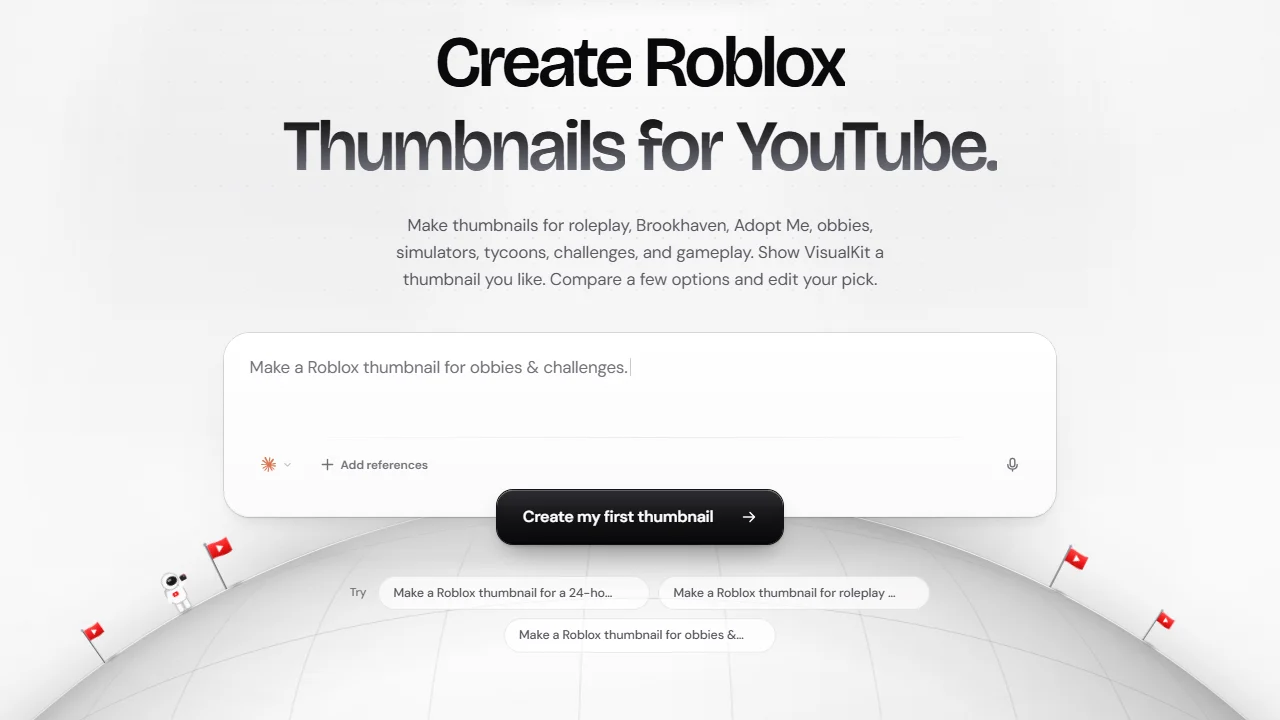
VisualKit makes YouTube thumbnails for Roblox videos: roleplay, Brookhaven, Adopt Me, obbies, simulators, tycoons. Describe the video, add references such as a game screenshot or an avatar, compare a few options and edit your pick by instruction ("Ask for a bigger face or shorter text"). Every thumbnail gets a score out of 100 with a suggested fix. It exports at YouTube's 1280 × 720.
Key features
- Generation from a description and references
- A score out of 100 for each thumbnail
- Edits by instruction
- 1280 × 720 export
Best for
- Roblox YouTubers who want a number before they upload
Pricing
- Starter $20/mo (500 credits), Pro $40 (1,500), Ultra $80 (4,000)
- A "Start Free Trial" button, with no trial terms on the page
Pros
- Built only for YouTube, at the right size
- References let you bring your own avatar image
Cons
- The highest entry price on this list
- Credits per thumbnail aren't published
8. Kapwing, best for a free 1920 × 1080 template
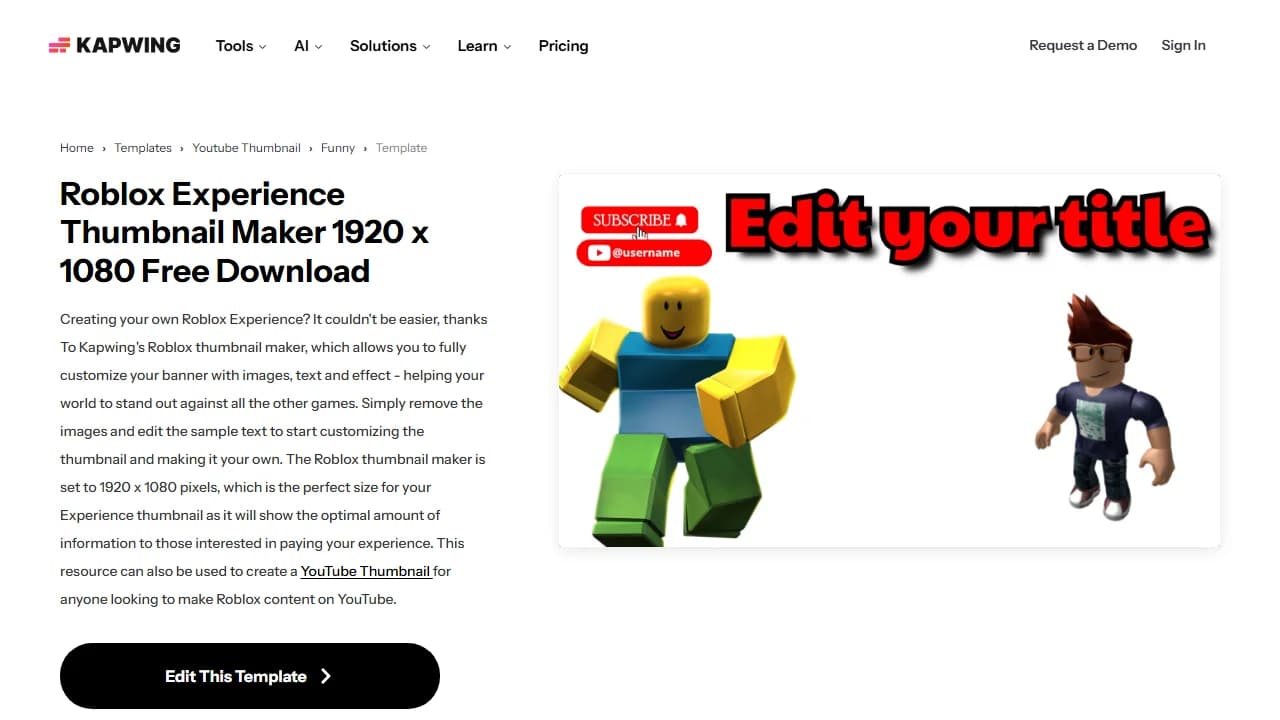
Kapwing's Roblox Experience Thumbnail Maker is a template, not a generator: a 1920 × 1080 image with 7 layers that you open in Kapwing's browser editor, swap the images and edit the sample text. Kapwing sets it up for the game page and says the same file works as a YouTube thumbnail. Free exports carry a watermark; Pro removes it.
Key features
- A 1920 × 1080 template with 7 layers
- A browser editor with PNG and JPG export
Best for
- Developers who want the Creator Hub size without thinking about it
- Anyone who prefers to place every element by hand
Pricing
- Free: exports with a watermark, 10 credits
- Pro $16 (1,000 credits a month), Business $50; the page didn't label which billing period these are
- No free trial of the paid plans
Pros
- The exact game-page size, ready to edit
- What you place is what you export
Cons
- All the design work is yours
- The free version watermarks your export
How to choose a Roblox thumbnail maker
Is it for a YouTube video or a Roblox game?
Answer this first: it rules out half the list. For YouTube, look at ThumbnailMaker, vidIQ and VisualKit, which make 16:9 thumbnails for the feed. For a game page, look at RoVisuals, RoThumbs and RBLX/ai, which make experience thumbnails and icons. Renderbux and Kapwing do both. The YouTube thumbnail size guide covers the YouTube side.
Does your avatar have to be in it?
If viewers recognise your avatar, an AI lookalike won't do. Renderbux renders the real one by username. RBLX/ai can follow a Roblox user from its Pro plan, VisualKit takes your avatar as a reference, and ThumbnailMaker can edit a screenshot you upload. The others draw a generic character.
How many thumbnails do you make a month?
A channel posting twice a week needs about 9 thumbnails a month, plus the ones that didn't make it. ThumbnailMaker's Starter is 40. RoVisuals' Starter is 40 credits, so 13 to 20 thumbnails at 2 or 3 credits each. Renderbux Pro has no export limit.
Who puts the words on?
ThumbnailMaker draws the words into the image and checks the spelling. Kapwing and Renderbux leave the text to you, in an editor: the free thumbnail text editor does it in the browser, with 14 fonts and no account. For a game page, keep text away from the bottom edge: Roblox's thumbnail docs warn that the player count can cover it.
Frequently asked questions
What is the best free Roblox thumbnail maker?
For a YouTube thumbnail, vidIQ generates one for free with no account, though you need one to download. For your real avatar, Renderbux gives one free export a week signed out. For a game page, Kapwing's 1920 × 1080 template is free with a watermark.
What size is a Roblox thumbnail?
On a Roblox game page, 16:9, ideally 1920 × 1080 per Roblox's docs, in JPG, PNG, GIF, TGA or BMP, and under 3 MB for Home page personalization; you can show up to 10 per game. On YouTube, 16:9 at 1280 × 720 or larger. A game icon is square, at least 512 × 512.
What do Roblox YouTubers use to make thumbnails?
Among the tools here there are two routes. One is an image of the avatar or the game with big words on top: Renderbux for the avatar, an editor for the words. The other is an AI tool such as ThumbnailMaker, vidIQ or VisualKit that makes the whole thumbnail from a description or the video. The best gaming thumbnail makers list covers tools for other games too.
How do you make a good Roblox thumbnail?
One avatar or one object, big enough to read on a phone, and three to five words that make a promise the video keeps. Keep the bottom-right corner clear on YouTube, where the duration sits, and the bottom edge clear on Roblox, where the player count sits. Then look at it small before you upload.
Can AI make a Roblox thumbnail?
Yes. ThumbnailMaker, vidIQ and VisualKit make YouTube thumbnails for Roblox videos; RoVisuals, RoThumbs and RBLX/ai make thumbnails for game pages. An AI tool draws a blocky character in the Roblox look, not your own avatar, unless it takes your avatar as a reference or a user ID.
Can ChatGPT make a Roblox thumbnail?
ChatGPT can generate an image from a description, which is enough to sketch an idea. It draws a lookalike rather than your avatar, and image models can misspell the words. Check that the image is 16:9 and every word is right before you upload it.
Do Roblox game thumbnails need approval?
Yes. Roblox moderates every uploaded thumbnail and icon against its Community Rules before others can see it, so check its rules before you upload a crowded or edgy image.
Pick by the thumbnail you need
For a YouTube video about Roblox, start from the video: paste its link in ThumbnailMaker and the brief is written for you. For your own avatar, open Renderbux. For a game page on a budget, try RoVisuals. Whichever you use, check it at feed size before you upload.
ThumbnailMaker is an independent product and is not affiliated with, sponsored by, or endorsed by Roblox Corporation, Renderbux, RoVisuals, vidIQ, RoThumbs, RBLX/ai, VisualKit or Kapwing. Roblox, Renderbux, RoVisuals, vidIQ, RoThumbs, RBLX/ai, VisualKit and Kapwing are trademarks of their respective owners, named here only to compare publicly documented features. Details were accurate when written and may have changed since.
ThumbnailMaker Team — Guides from the people building ThumbnailMaker: thumbnail design, CTR, and what happens under the hood of an AI generator. Every number is checked against YouTube's own pages and dated.
Try it on your next video
Paste the video's link: the brief is written for you, then you generate with a plan from $12 a month.