6 Best Gaming Thumbnail Makers for YouTube (2026)
By ThumbnailMaker Team · · 17 min read
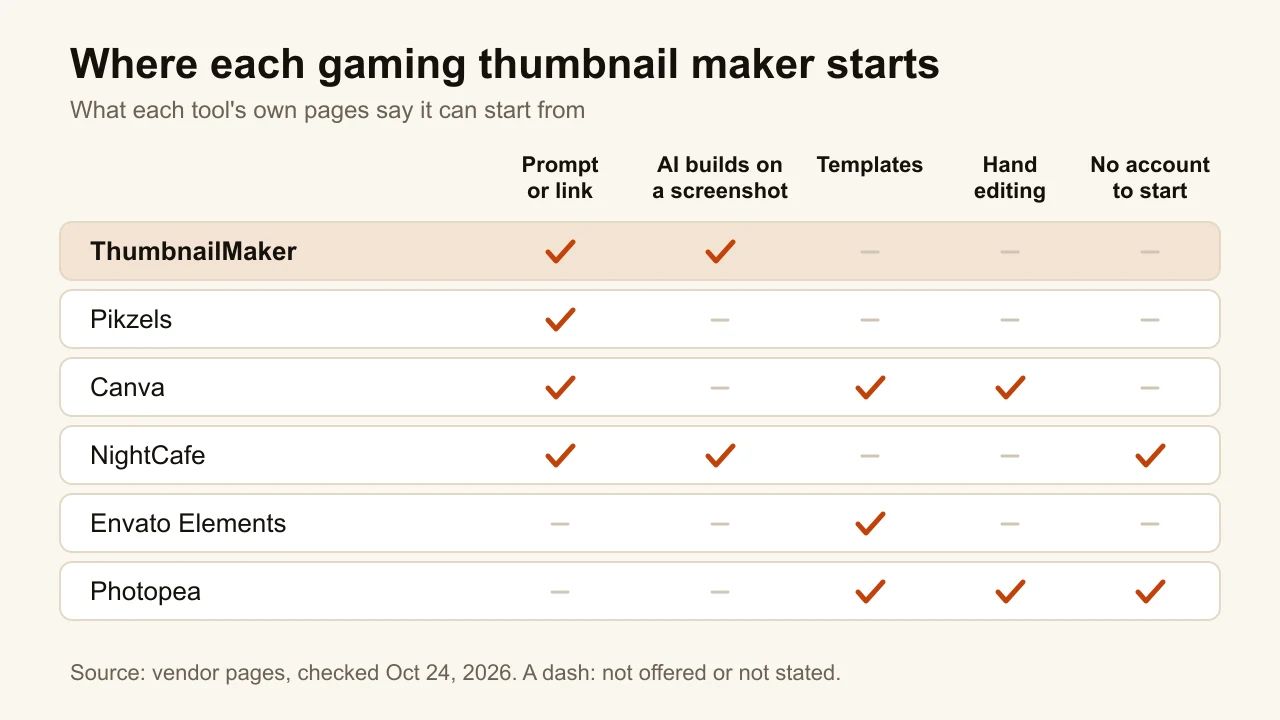
Quick answer: ThumbnailMaker is the best gaming thumbnail maker if you want a finished thumbnail made from your video's link, with the game title or the "1 HP" claim spelled right: it writes the brief, draws the words in, reads them back and checks the image at feed size, from $12 a month for 400 credits, or 40 thumbnails. Pikzels is the pick for recreating a format that already worked on another gaming video, and it scores a thumbnail before you publish. Canva has gaming templates to edit by hand, on a free plan. NightCafe's Fortnite generator makes game-art scenes with no account and free daily credits, but leaves the text to you. Envato Elements sells layered gaming templates with unlimited downloads. Photopea is a free browser editor that opens those files. Every price below was checked on the vendor's own page on October 24, 2026.
ThumbnailMaker is our product, so it is ranked first for one job: a finished gaming thumbnail from a link or a sentence, with words that read at feed size. The other five are described from their own pages, dated, not from testing. We did not run them, so their output quality is the vendor's claim, not ours. Where a page left something out, the entry says so.
Gaming is a hard niche for a thumbnail. Search any popular game and you get a wall of thumbnails for the same game, in the same colours, all fighting for the same click. The words have to read at 168 pixels wide. The choice of tool comes down to where your thumbnail starts: a sentence, a gameplay screenshot, a template, or a blank canvas. If you make videos about one game, the gaming thumbnail maker page is the place to start: it shows the look for Minecraft, Roblox, Fortnite and Gorilla Tag. This page compares the tools.
Which kinds of gaming thumbnail makers are there?
The six tools fall into three families:
- AI generators that finish the thumbnail: ThumbnailMaker and Pikzels. You give a link or a sentence and get the whole image, words included.
- AI art generators: NightCafe. It makes the game scene; you add the text somewhere else.
- Templates and editors: Canva, Envato Elements and Photopea. You start from someone's layout and swap in your screenshot and your words.
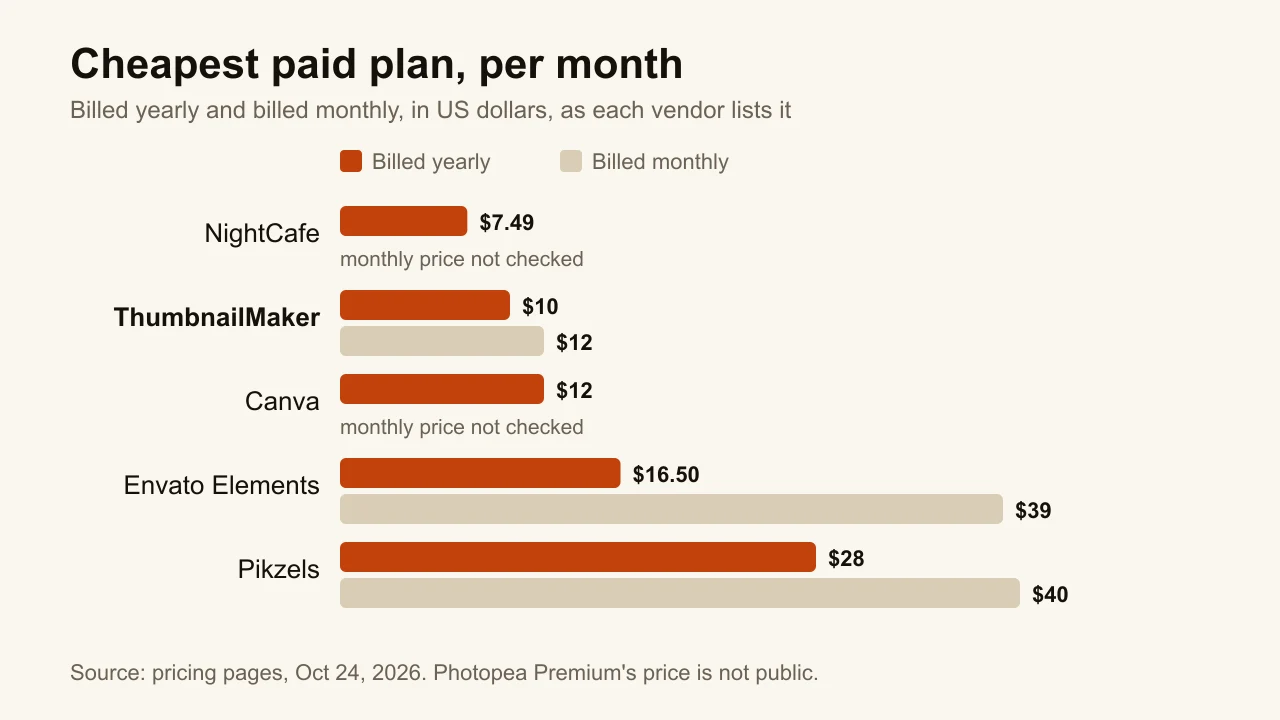
Checked on each vendor's pricing page, October 24, 2026.
| Tool | Best for | Cheapest paid plan | Free option | How it makes the thumbnail |
|---|---|---|---|---|
| ThumbnailMaker | Readable game titles from your video's link | $12/mo for 400 credits (40 thumbnails) | Brief from a link and eight tools; generating takes a plan | Video link, a sentence, or your uploaded screenshot |
| Pikzels | Recreating a format that already works | $28/mo billed yearly, or $40 monthly | Free trial, terms not published | Prompt, YouTube link, photos of you |
| Canva | Gaming templates edited by hand | US$144/yr, about $12/mo (Pro) | Free plan, up to 20 AI uses a month | Templates, then the editor |
| NightCafe | Game-art scenes with no account | $7.49/mo billed yearly | 5 credits a day, no account to start | Prompt, or image-to-image from a screenshot |
| Envato Elements | Layered templates and assets | $16.50/mo billed yearly, or $39 monthly | None on its pricing page | Download a template, edit it in another app |
| Photopea | A free editor for template files | Premium removes ads, price not public | Free with ads | Open a PSD or a screenshot, edit the layers |
1. ThumbnailMaker, best for readable game titles from your video's link
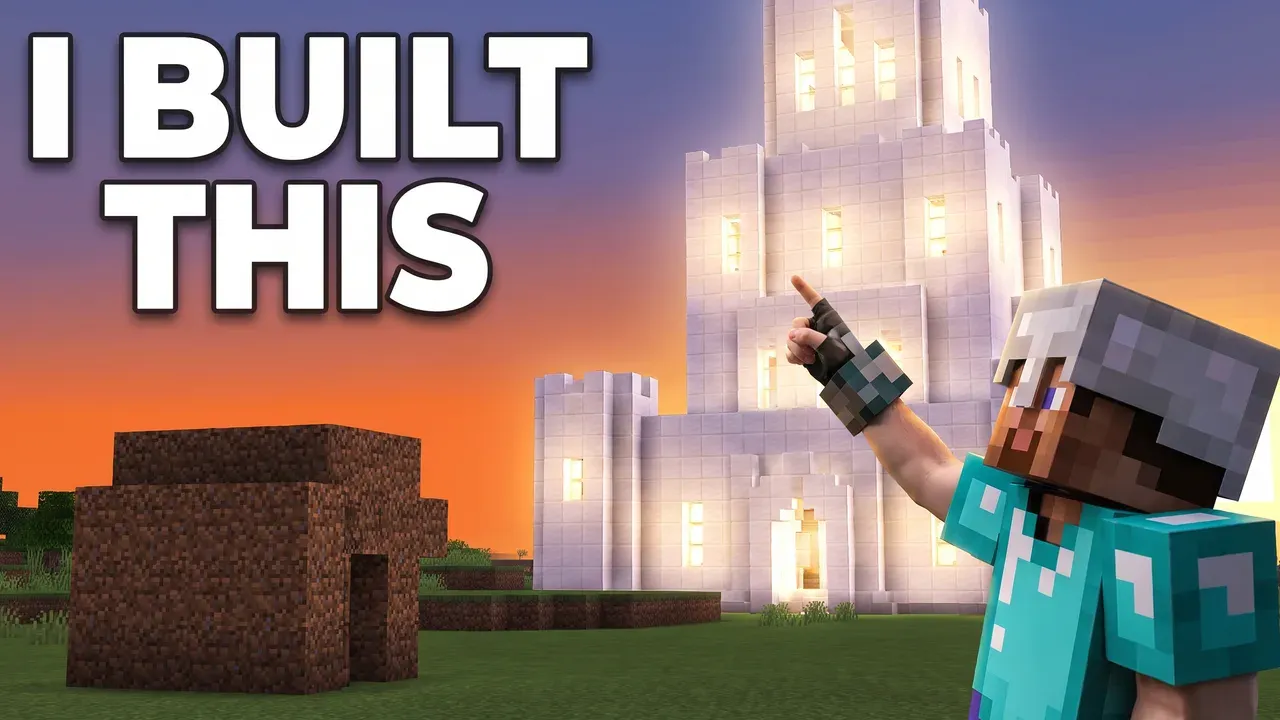
ThumbnailMaker turns a YouTube link or a one-line description into a finished 16:9 thumbnail, or a 1080 × 1920 one for Shorts. With a link, it reads the video and writes the brief: the scene, the words on the image and the style. The words are drawn into the image, then read back and redrawn if a letter came out wrong. That matters in gaming, where a title is often a made-up word, a number or both: "1 HP", "Day 100", a boss name. Every image is checked at feed size, with the duration-badge corner kept clear. If a result is close, you correct it in a sentence, "make the sword bigger", instead of starting over. It is our product.
Key features
- Three angles for the brief, from the video's link: its title, current thumbnail and description, plus the transcript if you paste one
- Before the video is out: a brief from its title and script, or from your own sentence
- Text drawn in, read back and corrected when wrong
- Feed-size check, with the bottom-right corner kept clear for the duration badge
- Upload your own gameplay screenshot and edit it by instruction
- A pack of three concepts for YouTube's A/B test (Pro)
- 1280 × 720 or 1080 × 1920, optional 3840 × 2160
Best for
- Gaming channels that post every week and want a thumbnail in a minute
- Thumbnails built on a short claim: a challenge, a number, a rank
- Creators who would rather describe the image than design it
Pricing
- Starter $12/mo for 400 credits, Pro $39/mo for 1,000, Studio $99/mo for 3,000; yearly is $120, $384 and $984
- One image is 10 credits, corrections included at the same price; a 4K image is 20
- So Starter is 40 thumbnails a month, or 20 thumbnails with one correction each
Pros
- Words you can read at feed size, checked before you see them
- A correction keeps everything that already worked
- Eight free tools with no account, including a thumbnail tester and a text editor
Cons
- No free generation: you pay for a plan before the first thumbnail
- No layers or drag-and-drop, so you can't nudge one element by hand
- The three-concept A/B pack is a Pro feature
- No pre-publish score of the kind Pikzels gives
How you'd do it here. Paste the video's link, read the brief, change a word if you want, pick a style and generate. If you already have a gameplay screenshot you like, upload it and ask for the change you want. To see how your current thumbnail looks next to other videos before you change anything, the free YouTube thumbnail tester shows it in a mock feed with no account. The plans are on one pricing page.
2. Pikzels, best for recreating a format that already works
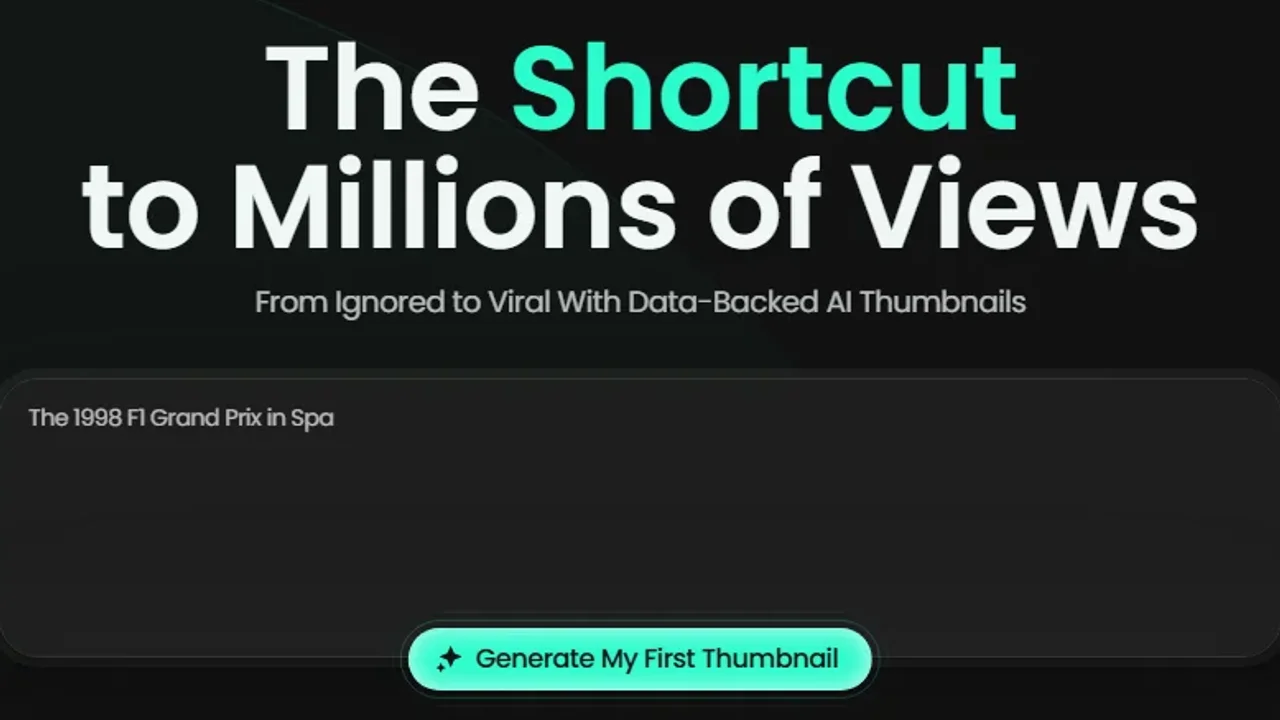
Pikzels is built around one credit system for most of the thumbnail job: generating from a prompt, recreating a thumbnail format from a YouTube link, editing by text notes, fixing and writing titles. Recreate is the part that fits gaming best. Gaming formats repeat: the reaction face next to a giant item, the before-and-after base, the tier list. If one worked on another channel, you paste its link and get the same structure for your video. The Pikzels Score then rates a thumbnail and title on virality, clarity, idea, curiosity and emotion before you publish.
Key features
- Prompt to thumbnail
- Recreate a format from a YouTube link
- Edit by text notes and a one-click fix
- Pikzels Score on five axes
- Trainable styles, and face training from photos of you
Best for
- Gaming channels that copy proven formats on purpose
- Creators who want a score to check against before upload
Pricing
- Premium $28/mo billed yearly ($336), or $40 billed monthly
- Ultimate $56/mo billed yearly, or $80 billed monthly
- A thumbnail costs 10 to 20 credits depending on the model, so Premium yearly is up to 1,800 thumbnails a year
Pros
- Recreate turns a working thumbnail into a starting point in one step
- The score gives a second opinion before you publish
Cons
- No free plan listed, and the trial's terms are not published on its pricing page
- The cheapest monthly plan is more than three times ThumbnailMaker's Starter
3. Canva, best for gaming templates you edit by hand
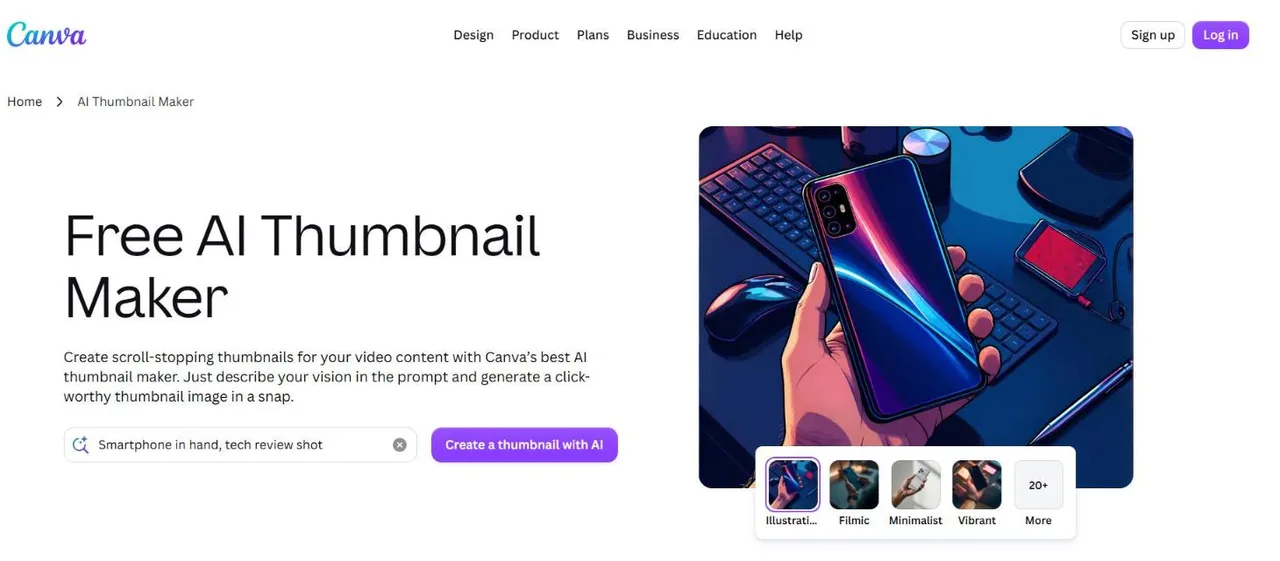
Canva is a design editor with millions of templates, a gaming section among them, and AI tools added on top. You pick a layout, drop in your gameplay screenshot, retype the title and move things until they look right. Its AI Thumbnail Maker also makes an image from a prompt and a style, which then opens in the same editor. Nothing is decided for you, which is the point: if you like placing every element yourself, Canva lets you.
Key features
- Gaming YouTube thumbnail templates
- Drag-and-drop editor with layers and fonts
- AI image from a prompt and a style preset
- A Pro plan with more templates and AI uses
Best for
- Creators who want full control over the layout
- Channels that also need banners, end screens and social posts
Pricing
- Free: up to 20 AI uses a month and 1.6M+ templates
- Pro US$144/yr, about $12/mo: 3.6M+ templates and up to 200 Premium AI uses a month
- Free trial on Pro
Pros
- A free plan you can keep using
- The editor does every kind of design, not only thumbnails
Cons
- Popular templates are used by other channels in the same game
- The time goes into the editing: AI makes a part of the image, you build the rest
4. NightCafe, best for game-art scenes with no account
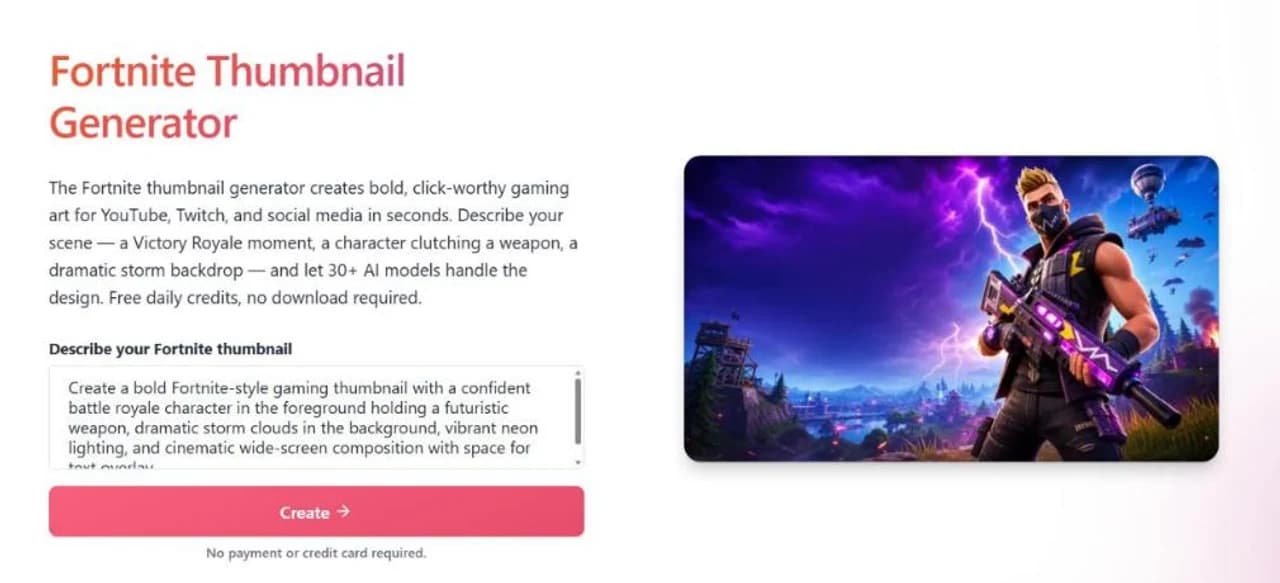
NightCafe is an AI art generator with more than 30 models, including GPT Image, Flux, Nano Banana and Seedream, and a Fortnite thumbnail generator page among its tools. Its page says no account is needed to start: you describe the scene, a Victory Royale or a storm backdrop, and generate. It can also build on a screenshot from your own gameplay with image-to-image. What it does not do is finish the thumbnail. The page says it plainly: export the result and add text in any editor you prefer.
Key features
- 30+ image models in one place
- A Fortnite thumbnail generator page
- Image-to-image from your own gameplay screenshot
- Daily challenges that earn free credits
Best for
- Dramatic game-art backgrounds you will letter yourself
- Trying several models on the same scene before paying anything
Pricing
- Free: 5 credits each day you log in or use the app, plus 3 for entering and voting in the daily challenge
- Cheapest PRO plan $7.49/mo billed yearly, 200 fast credits a month that roll over
- Some PRO plans add unlimited base generations on a set of models
Pros
- Its page says plainly that you can generate with no account
- The lowest paid price on this list
Cons
- No text on the image: the title is a second job in another app
- Not made for thumbnails first: no feed-size check, and no YouTube size stated on the page
5. Envato Elements, best for layered gaming templates and assets
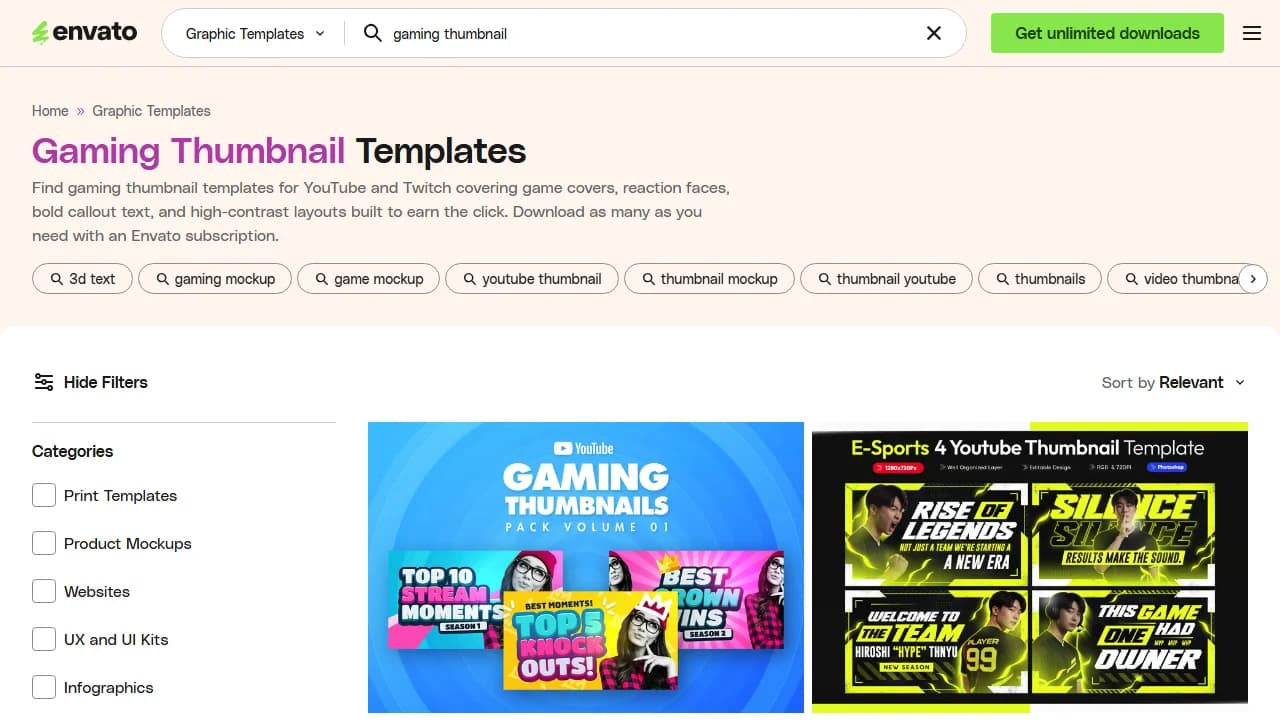
Envato Elements is a stock library sold by subscription: one plan, unlimited downloads from more than 29 million assets. Its gaming thumbnail templates come as layered files for Photoshop, Illustrator, Figma, Affinity and Canva, and the search page describes them as game covers, reaction faces, bold callout text and high-contrast layouts. You download a pack, open it in your editor and replace the screenshot and the words. Fonts and graphics for the same thumbnail are in the same library.
Key features
- Gaming thumbnail templates as layered files
- Unlimited downloads of templates, fonts, graphics and audio
- 20 AI credits a month on Core
- Templates for Photoshop, Illustrator, Figma, Affinity and Canva
Best for
- Editors who already work in Photoshop or Photopea
- Channels that also need music and sound for the video itself
Pricing
- Core $16.50/mo billed yearly, or $39 billed monthly
- Plus $39/mo billed yearly, or $59 billed monthly, with 200 AI credits
- No free plan on the pricing page; canceled subscriptions are not refunded
Pros
- One subscription covers the thumbnail and the video's assets
- Items you licensed stay usable in finished projects after you cancel
Cons
- You still need an editor, and the skill to use it
- Monthly billing at $39 costs more than twice the yearly rate
6. Photopea, best free editor for template files
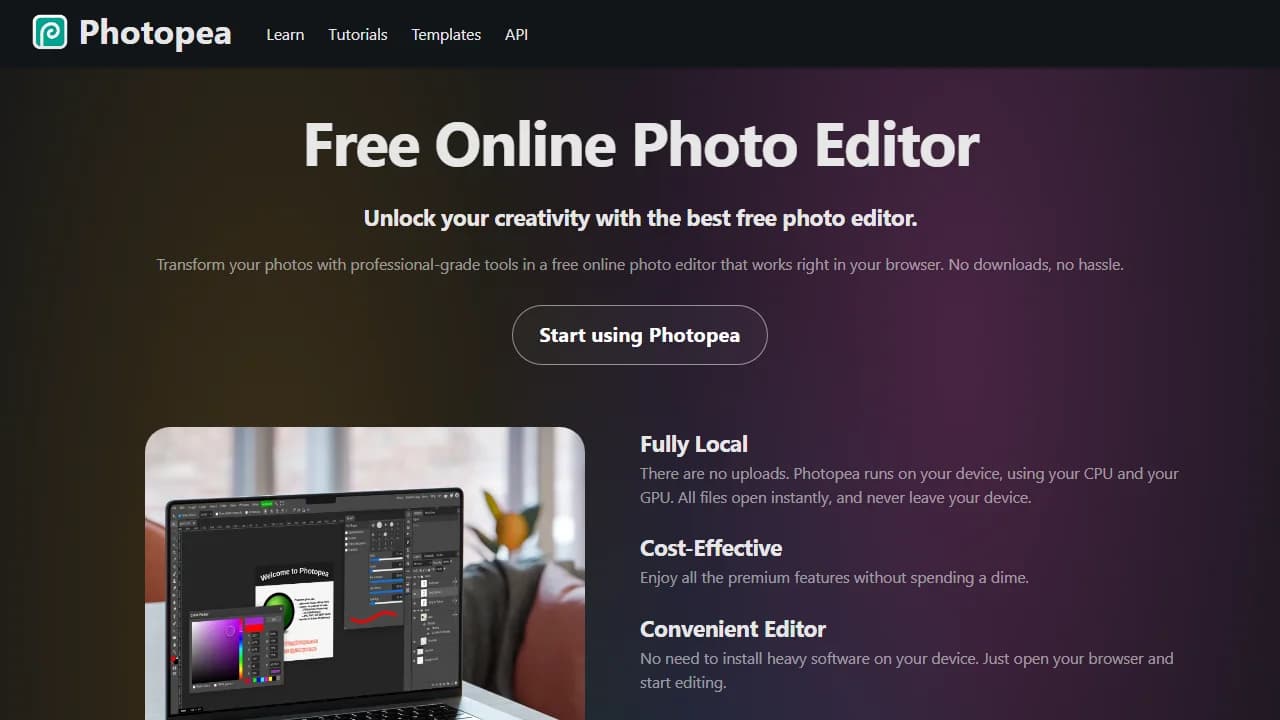
Photopea is a free photo editor that runs in the browser, close to Photoshop in layout. It opens PSD files, so a template from Envato or any other source works here without buying Photoshop. Files stay on your device: the page says Photopea runs on your own CPU and GPU, with no uploads. It also has AI background removal and replacement, useful for cutting your character out of a gameplay screenshot. It is free with ads; a Premium account removes them.
Key features
- Opens and saves PSD files
- Layers, masks, blend modes and text tools
- AI background removal and replacement
- Runs locally in the browser, no install
Best for
- Creators who bought or downloaded PSD gaming templates
- Anyone who wants Photoshop-style editing without the subscription
Pricing
- Free with ads
- Premium removes the ads; its price is not shown on the pages we checked
Pros
- Free, with the editing depth of a desktop editor
- Your files never leave your device
Cons
- No AI that makes the thumbnail: the design is yours to do
- The learning curve of Photoshop comes with the Photoshop layout
How to choose a gaming thumbnail maker
Do you want to describe it, or design it?
If you would rather type a sentence and get the finished image, pick ThumbnailMaker or Pikzels. If you want to place every element yourself, Canva, or an Envato template opened in Photopea, gives you a full editor. NightCafe sits in between: AI makes the scene, you add the words.
Does your thumbnail start from a gameplay screenshot?
Many gaming thumbnails do, because the real moment is the hook. ThumbnailMaker edits your uploaded screenshot by instruction. NightCafe builds on one with image-to-image. Canva and Photopea let you place it in a layout by hand. Pikzels starts from a prompt or a link instead.
How many videos do you post a month?
Translate credits into thumbnails before you compare prices. A channel posting twice a week needs 8 or 9 thumbnails a month, plus the ones that did not make it. ThumbnailMaker's Starter is 40 thumbnails. Pikzels' Premium yearly is up to 150 a month at its lowest credit cost. Envato and Photopea have no limit, because you make each one by hand.
Who puts the words on?
This is the question most comparisons skip. A gaming title is often a number or a made-up word, the two things image models get wrong most. ThumbnailMaker draws the words in and checks them. NightCafe leaves them to you. With Canva, Envato and Photopea you type them yourself, so they are spelled right but the design is your job. Keep it to five words or fewer either way: the best fonts for YouTube thumbnails shows which ones still read at feed size.
Frequently asked questions
What is the best free gaming thumbnail maker?
For a free start, Canva has a free plan with templates and up to 20 AI uses a month, and Photopea is a free editor that opens PSD templates. NightCafe gives 5 free credits a day for AI scenes, without text. ThumbnailMaker has no free generation; its brief from a video link and its eight tools are free.
Can I make a gaming thumbnail without an account?
NightCafe's Fortnite generator says no account is needed to start. Photopea opens in the browser and works without signing in. ThumbnailMaker's free tools, such as the thumbnail text editor, need no account; generating a thumbnail needs a plan.
Can AI make a Minecraft or Fortnite thumbnail?
Yes, but a game's own look is where AI fails first. Left to its defaults, an image model renders Minecraft smooth and photorealistic, which no longer reads as Minecraft in a feed. The Minecraft thumbnail maker and Fortnite thumbnail maker pages show real outputs that keep each game's style.
Can I use my own gameplay screenshot?
Yes. ThumbnailMaker edits an uploaded screenshot by instruction, NightCafe builds on one with image-to-image, and Canva, Envato templates and Photopea let you place it by hand. A real moment from your video is also the most honest thumbnail you can make.
How much text should a gaming thumbnail have?
Five words or fewer, and fewer is often better. The text should add what the image can't show, such as "1 HP" or "Day 100", not repeat it. If the image tells the story on its own, leave the text off.
Do AI thumbnail makers spell game names right?
Not always. Made-up words, boss names and numbers are where AI images most often drop or double a letter. Check the text at feed size before you upload, or use a tool that reads it back for you.
Pick by where your thumbnail starts
If your thumbnail starts as a video link or one sentence and the words on it matter, start with ThumbnailMaker's AI YouTube thumbnail maker. If a proven format is your starting point, Pikzels' Recreate is built for it. If you want to build each thumbnail by hand, Canva is the free way in, and an Envato template in Photopea is the Photoshop way. If you only need the game scene, NightCafe makes it for free.
Prices and features were checked on each vendor's own pages on October 24, 2026: Pikzels, Canva, NightCafe, Envato Elements and Photopea.
ThumbnailMaker is an independent product and is not affiliated with, sponsored by, or endorsed by Pikzels, Canva, NightCafe, Envato or Photopea. Pikzels, Canva, NightCafe, Envato Elements and Photopea are trademarks of their respective owners, named here only to compare publicly documented features. Minecraft and Fortnite are trademarks of their respective owners. The other tools' descriptions come from their own pages, not from our testing. Details were accurate when written and may have changed since.
ThumbnailMaker Team — Guides from the people building ThumbnailMaker: thumbnail design, CTR, and what happens under the hood of an AI generator. Every number is checked against YouTube's own pages and dated.
Try it on your next video
Paste the video's link: the brief is written for you, then you generate with a plan from $12 a month.