Recreate a thumbnail's look for a new video
Thumbnail Recreator
This thumbnail recreator takes the look of a thumbnail you like, its composition, colours and mood, and makes a new one about your own video. Upload the image or paste the video's link, then say what your video is about.
Recreate is part of Pro, $39 a month for about 100 thumbnails.


A look is the part of a thumbnail you can reuse. Where the face sits, where the words go, one light in the dark, two colours that fight: that is what makes a series recognisable in the feed. ThumbnailMaker's thumbnail recreator keeps that from an image or a video's link and draws a new picture for your subject, with your own words read back at feed size. Faces, words and logos from the reference are never copied.
Three references, three new thumbnails
Real results: the image on the left was the upload, the sentence under it the new video, the image on the right what came back.

“A cooking challenge: the biggest bowl of ramen ever”
Kept: The layout: words top left, a reacting face on the right, the subject between them. The face is a new one.

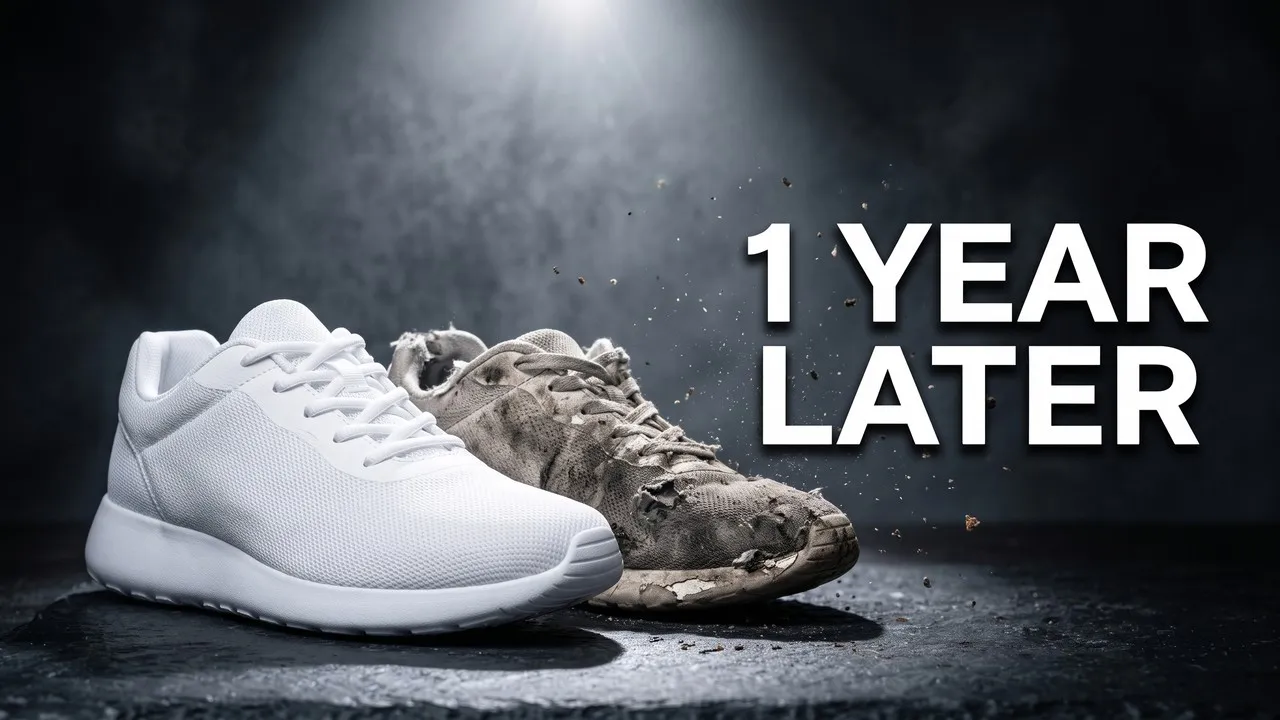
“Running shoes after a year of daily runs”
Kept: The spotlight, the dark slate, the before and after side by side, the words on the right.

“Surviving 100 days alone in a desert”
Kept: The night palette, one warm light in the dark and the words bottom left. The new subject has no person, so none was added.
How the thumbnail recreator works
Step 1
Give it the look
Upload the thumbnail whose look you want in Edit an image and choose Recreate, or, in From an idea, pick Match a video and paste the video's link.
Step 2
Say what your video is about
One sentence about your own subject. The reference gives the composition, the colours and the mood; your sentence gives what is in the picture.
A cooking challenge: the biggest bowl of ramen ever, steaming on a kitchen counter
Step 3
Type your words
Two to four words in Text. They are drawn into the image, read back, and redrawn if a letter is wrong. The reference's words are never copied.
Step 4
Check it small, then download
The result is graded at the size YouTube's feed shows it. Download it at 1280 × 720, or 4K, and keep the reference for the next episode.
When to recreate a thumbnail
A series that looks like one
Episode 12 should look like episode 1. Recreate from your own best thumbnail and change only the subject and the words.
"Same look as my last video, now: day 30 of learning guitar"
A look you saw in your niche
A format works in your niche: the face on the right, one object lit in the dark. Match the look from the video's link and make it about your video.
"My budget gaming PC build, under $500"
Your old thumbnail, a new video
A thumbnail that did well last year is the best reference you have. Upload it and give the new topic.
"The same, for my one-year update"
What it won't do
Copy someone's face
When the reference shows a real person, only a description of its composition and colours reaches the image model, never the picture. The people in the result are new.
Copy the words, logos or characters
The reference's text is never reused, and the image model is told to leave out logos and known characters. Your words and your subject make it yours.
Clone a thumbnail pixel for pixel
It recreates a look and draws a new picture. To change one thing in a thumbnail you already own, the thumbnail editor keeps everything else as it was.
Thumbnail recreator questions
Guides: thumbnail editor · YouTube thumbnail ideas
Start from a thumbnail you like
Keep the look, change the video.
No reference yet? The thumbnail generator starts from a sentence or your video's link, with fourteen styles to pick from.