Thumbnail templates as 14 AI styles
YouTube Thumbnail Templates
These YouTube thumbnail templates are 14 AI styles, each shown below as a finished thumbnail. They are not drag-and-drop templates: you describe the video or paste its link, pick a style, and the style does the layout.
Your first 3 thumbnails are free with an account, no card, in any style. Then a plan from $12 a month for about 40.
A template saves you the layout; it doesn't make the picture. A gallery template still needs your photo, your words and a round of moving layers, and the channels that picked the same one look alike. ThumbnailMaker's 14 styles keep what a template is good for, a layout that works at feed size, and draw the image new for each video: your subject, your words spelled right, one focal point, the bottom-right corner left for the video's length. Pick the look here, then describe the video.
14 thumbnail templates, as styles
Every example is the same invented character, so what changes from one to the next is the style: the layout, the light and the colours. The words and their lettering were chosen for each one.
People
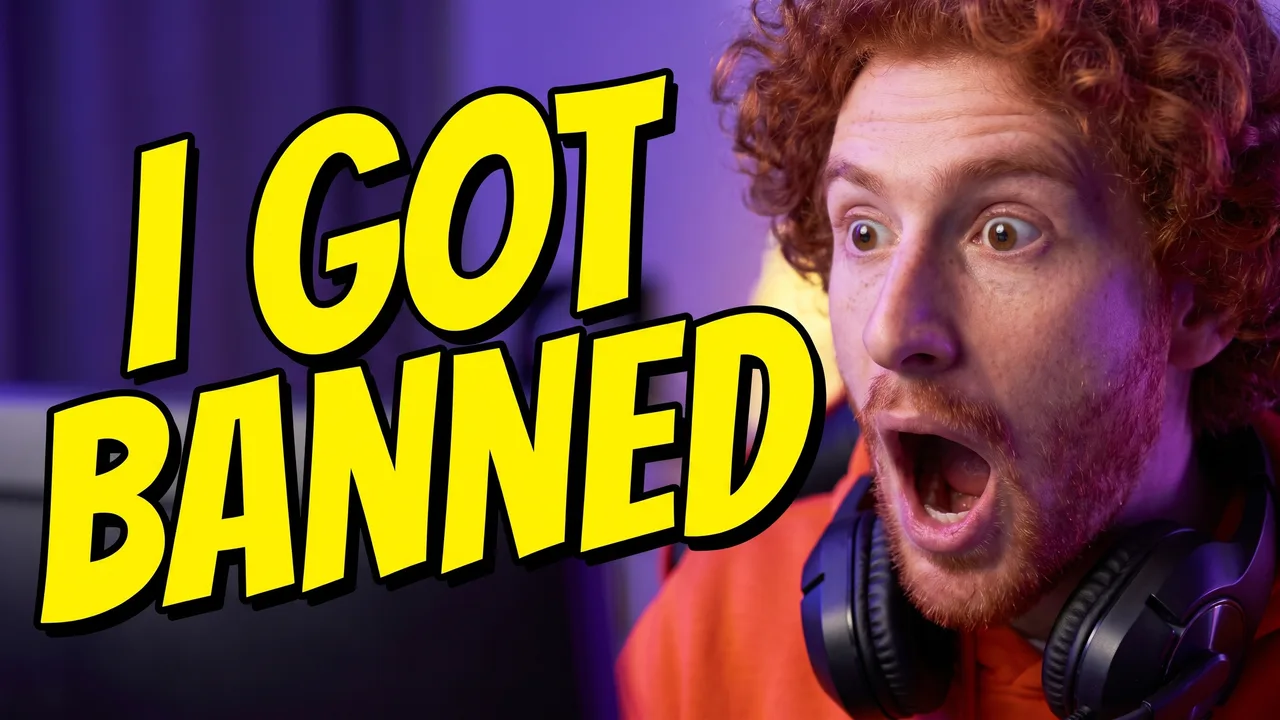
Shocked Reaction
Reactions, challenges and reveals: one face, close and tight on one side, the other side left open for the words.
People
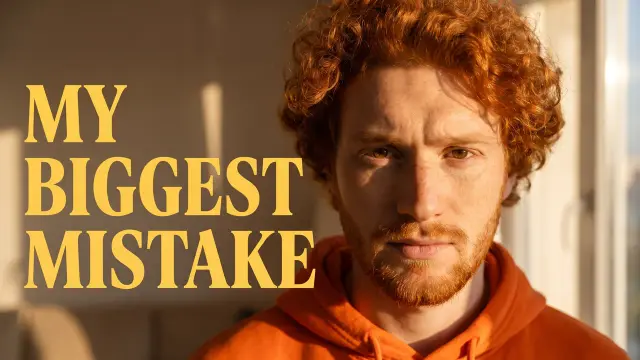
Expressive Close-up
Stories, advice and confessions: a calm face filling most of the frame, warm light, the background soft.
People
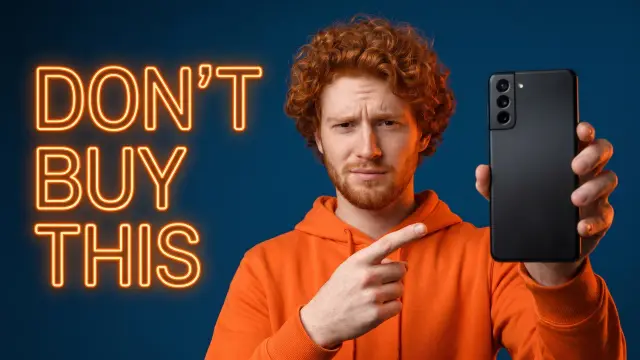
Tech / Review
Reviews, unboxings and buying advice: the product sharp and large, a plain background and one vivid accent.
People
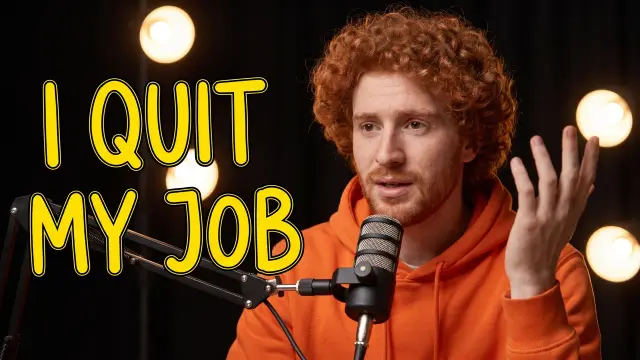
Podcast
Interviews and episodes: one or two people at microphones in a studio, warm lights behind them.

People
Sports Action
Highlights, training and match videos: the peak of the action under floodlights, the crowd a dark blur.
Gaming
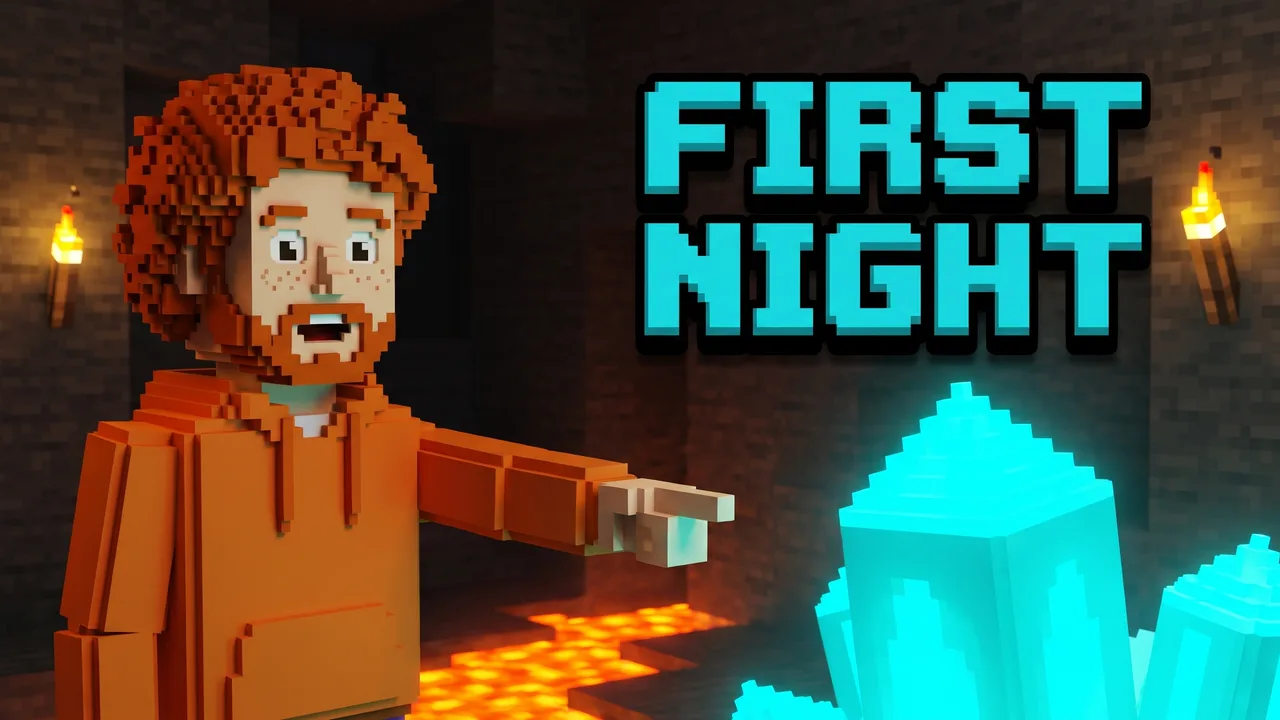
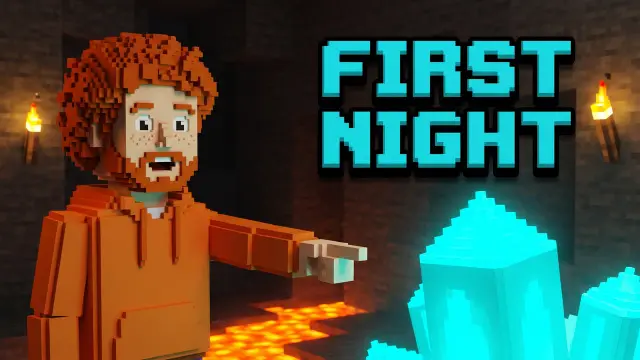
Blocky World
Block-building games such as Minecraft: survival nights, builds and caves, drawn in voxels with torch and lava light.
Gaming
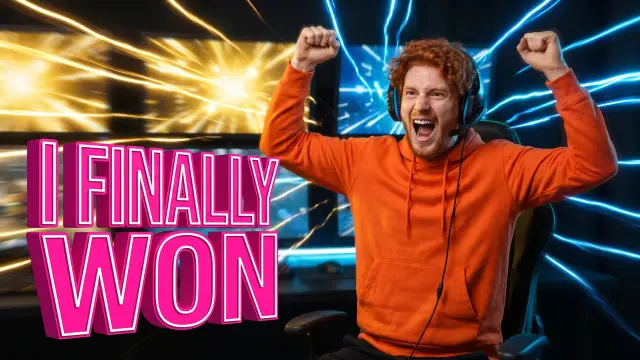
Victory Moment
Wins, clutches and first victories: arms up at the peak moment, a bright flash behind, very high contrast.
Gaming
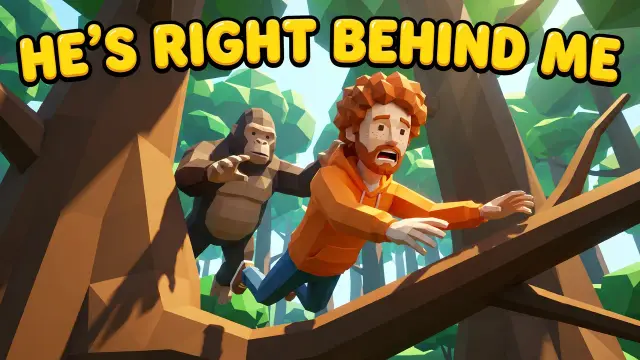
VR Chase
VR movement games such as Gorilla Tag: a leap or a swing through a simple low-poly world, panic on the face.
Gaming
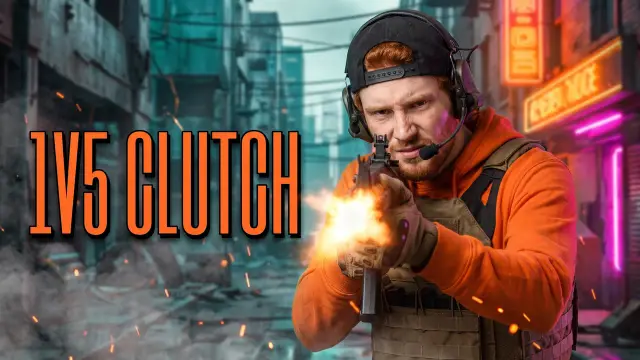
Tactical Shooter
Shooters: clutches, ranked games and loadouts, in tactical gear, smoke and one hot muzzle flash.
Gaming
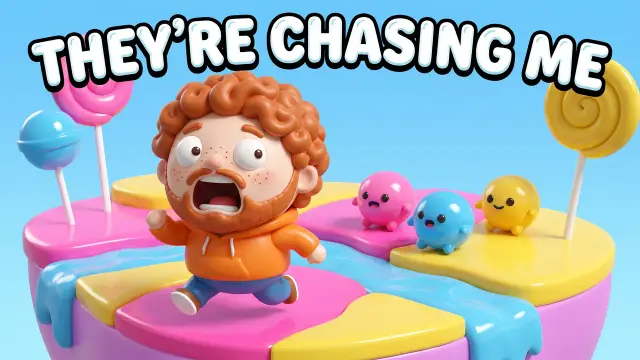
Cute 3D
Cute mobile and party games: round, toy-like 3D characters with big emotions, in candy colours.
More looks
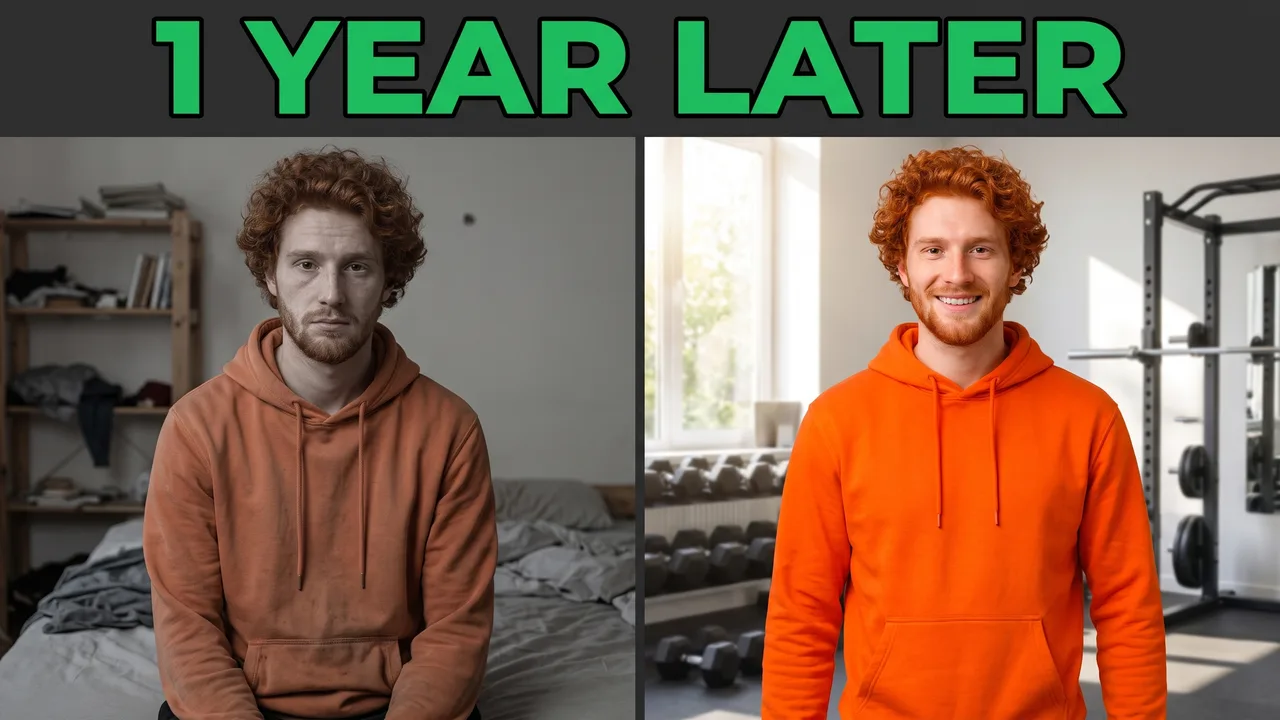
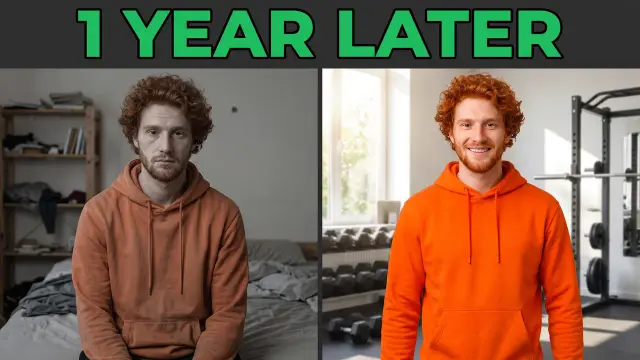
Before/After
Transformations: a body, a room, a skill, a year. The same subject twice, dull on one side and bright on the other.
More looks
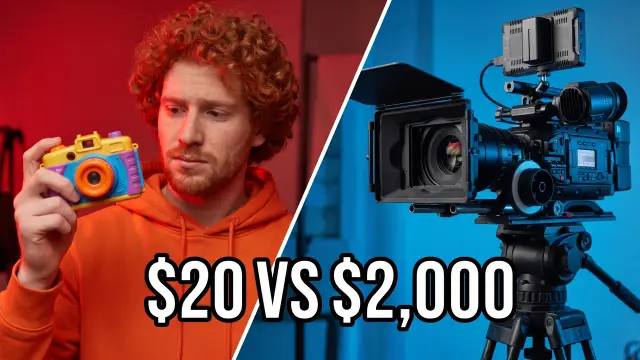
Versus
Comparisons: two things at the same size across a sharp split, cheap against expensive, one side against the other.
More looks
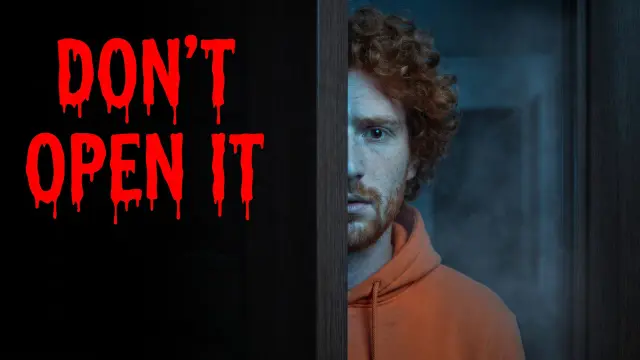
Horror / Mystery
Horror, mysteries and unexplained stories: one lit detail in a frame that is mostly dark.
More looks
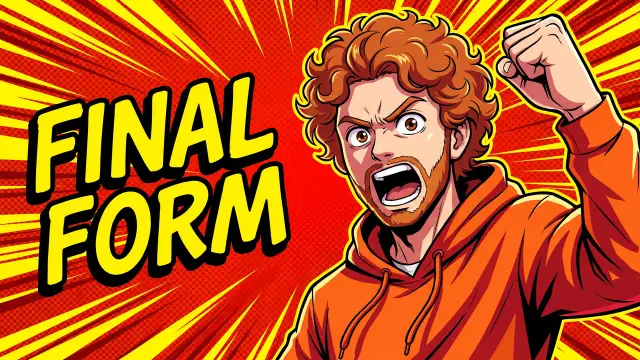
Comic / Anime
Anime topics, drawn stories and any video that should look illustrated rather than photographed.
How a style differs from a template
Four differences that decide whether this is what you came for.
A template is a layout you fill in
A gallery template is a finished design with a photo slot and placeholder words. You drop in your picture, type your title, and move the layers until they fit.
A style is a set of rules
Each style here is written as composition, light, palette and expression. Your thumbnail is drawn new from your video, with your words in it, following those rules.
Your description wins
When the style and your video disagree, your sentence decides. Podcast on a video with no host puts a microphone on a desk; it never invents a person to sit behind it.
No layers to drag
You can't nudge one element by ten pixels. You say it instead, "make the text bigger", and the rest of the image stays as it was. The example shows the look, not the picture you will get.
How to use a thumbnail template here
Step 1
Describe the video, or paste its link
In Describe, one sentence about the video is enough. In Video link, the brief is written from the video's title, description and current thumbnail.
"Me trying to survive my first night in a cave"
Step 2
Pick the style
In Describe, the 14 styles sit under the field; the buttons on this page open it with yours picked. From a link, the brief suggests a style and the Style option changes it.
Step 3
Set the words
Put them in quotes so they are drawn exactly as written, five words or fewer. The lettering is its own choice, apart from the style. From a link, the brief offers three angles, each with its words.
"FIRST NIGHT"
Step 4
Generate and read the checks
The words are read back and redrawn once if a letter is wrong, the image is graded at the 336 px a feed shows it, and the corner YouTube covers with the video's length is kept clear.
Your own template: a brand kit
The 14 styles are shared by everyone. A brand kit is the part that is only your channel's, applied on top of whichever style you pick.
What goes in it
Up to three colours, a text style, a mood in a sentence, and up to three of your own best thumbnails. Their shared look is read from them and recreated, without copying any one of them.
How it works with a style
The style still sets the composition and the light. The kit's colours take over the style's palette, and its lettering applies unless you pick another one for that thumbnail.
Pro and Studio
Which plan has it
One brand kit on Pro, $39 a month. Three on Studio, $99 a month, one per channel. Starter and the free thumbnails use the 14 styles without a kit.
Off for a one-off
The kit applies to every image while it is selected. Pick None for a thumbnail that should not look like the channel, and pick it again after.
YouTube thumbnail templates questions
Guides: YouTube thumbnail ideas · Canva alternatives for thumbnails · how to make thumbnails for YouTube
Start from a style
Pick the look, skip the layout.
Already have a thumbnail to change? The thumbnail editor takes the change in a sentence. Starting from the video itself? See video to thumbnail.