7 Best Canva Alternatives for YouTube Thumbnails (2026)
By ThumbnailMaker Team · · 16 min read
Quick answer: The right Canva alternative for YouTube thumbnails depends on whether you want to keep designing or stop. To stop, ThumbnailMaker writes the thumbnail from your video's link or one sentence, with the text drawn in and checked at feed size, from $12 a month for 40 thumbnails and four free previews with no card. To keep designing in something close to Canva, Adobe Express is the like-for-like swap: templates, a 1280 × 720 canvas and a free plan with no card. Photopea is a free, Photoshop-style layer editor in the browser. Snappa is the simplest template tool, Pro at $10 a month billed yearly. Thumbmagic builds from your footage, vidIQ generates with no account, and Pikzels adds a score before you publish. Every price was checked on the vendor's own page on October 21, 2026.
Canva is good at thumbnails the way a Swiss army knife is good at opening wine. It works, and it was not built for it. Most people who search for an alternative are not unhappy with Canva itself; they are tired of rebuilding the same template every week, or of AI images whose text needs fixing by hand.
This post is a roundup of seven alternatives. For a one-to-one comparison of ThumbnailMaker and Canva on workflow and price, see ThumbnailMaker vs Canva. ThumbnailMaker is our product; the other six are described from their own pages, not our testing.
What does Canva do well, and why do people look elsewhere?
Canva's strength is range. It has a large library of YouTube thumbnail templates, a drag-and-drop editor that anyone can use in minutes, a text editor with lots of font styles, and AI image generation inside the same editor. The free plan is real, and Pro is US$144 a year for one person (US$18 billed monthly). If you also make social posts, slides and print, nothing on this list replaces all of that.
People look elsewhere for thumbnails specifically because:
- You still do the design. A template is a starting point; the composition, the cut-out and the text placement are your evening.
- The AI is a general image tool. It does not know about the feed size, the duration badge or the 16:9 crop, and nothing reads the text back.
- Every week looks the same. Teams that reuse one template find their thumbnails blur together in the feed.
- You pay for everything else too. If thumbnails are the only thing you design, Pro covers a lot you won't use.
Which kinds of Canva alternatives are there?
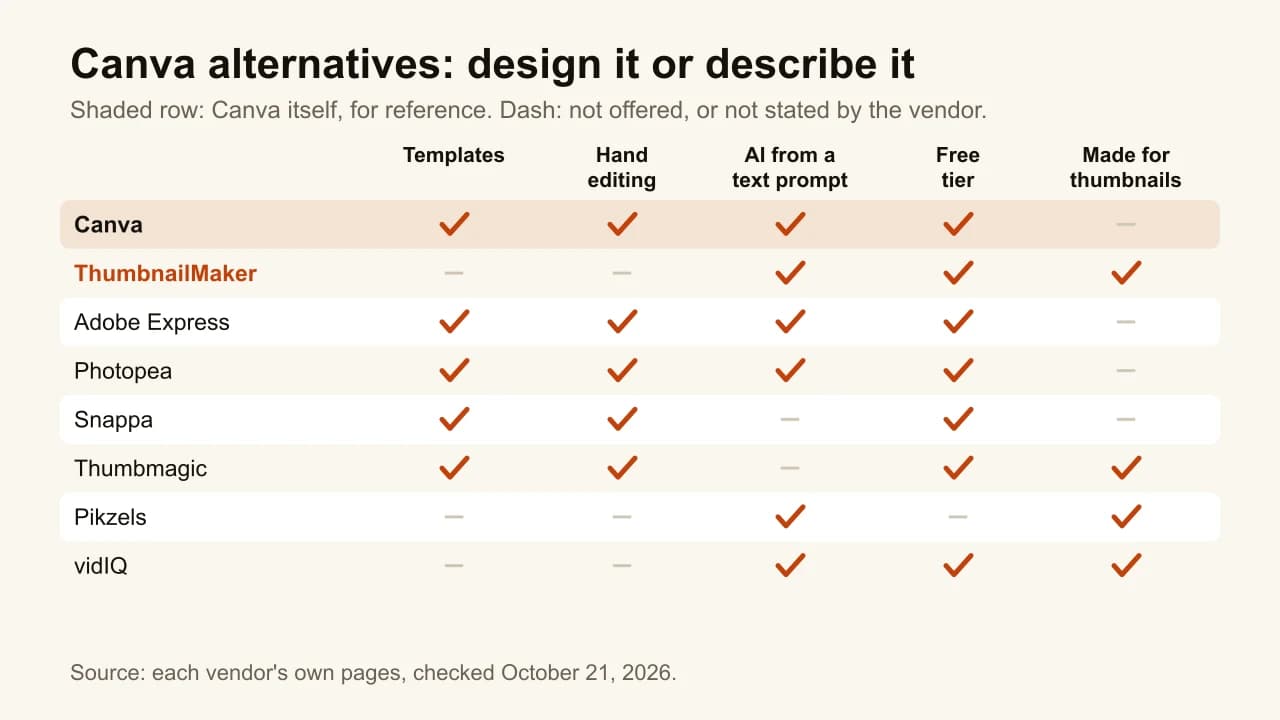
The seven tools fall into three families:
- Design editors, like Canva: Adobe Express, Photopea and Snappa. You keep designing, in a different tool.
- Generators that design it for you: ThumbnailMaker, vidIQ and Pikzels. You describe or link; the tool returns the image.
- A hybrid: Thumbmagic. It builds from your footage, then hands you templates and an editor.
Checked on each vendor's own pages, October 21, 2026.
| Tool | Best for | Cheapest paid plan | Free option | Design left to you |
|---|---|---|---|---|
| ThumbnailMaker | Describing the thumbnail instead of designing it | $12/mo for 40 thumbnails | 4 previews, no card; 7-day trial to download | None; correct by instruction |
| Adobe Express | The closest like-for-like swap | US$9.99/mo (Premium) | Free plan, no card | All of it, with templates |
| Photopea | Free layered editing in the browser | Free; Premium sold for AI use | Free, with ads | All of it, with layers |
| Snappa | The simplest template workflow | $10/mo, billed yearly | 3 downloads a month | All of it, with templates |
| Thumbmagic | Templates built from your own footage | $17/mo, billed yearly | 3 free thumbnails, no card | Text and layout tweaks |
| vidIQ | Free AI thumbnails with no account | $19/mo, or $199/yr | A first few with no account | Light edits by typing |
| Pikzels | AI generation with a pre-publish score | $40/mo, or $28/mo yearly | Free trial, terms not on its pricing page | Edits by notes |
1. ThumbnailMaker, best for describing the thumbnail instead of designing it
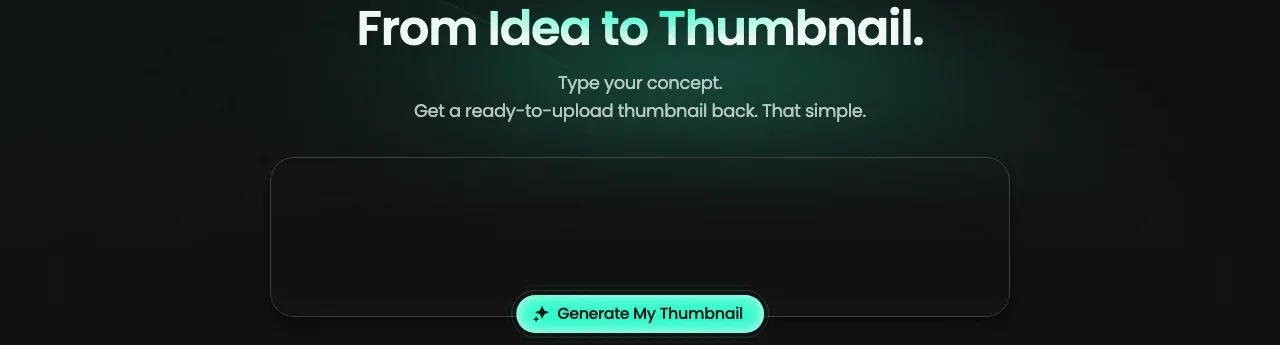
ThumbnailMaker removes the part of Canva that takes the time. Paste your video's link and it writes the brief: the scene, the words on the image, the style. Or describe the thumbnail in a sentence. It returns a finished 16:9 or 9:16 image with the text drawn in, reads the text back and redraws it if a letter is wrong, and grades the image at the 336-pixel size of the feed with the duration-badge corner kept clear. If something is off, you type the change, "move the text left", instead of dragging it. It is our product.
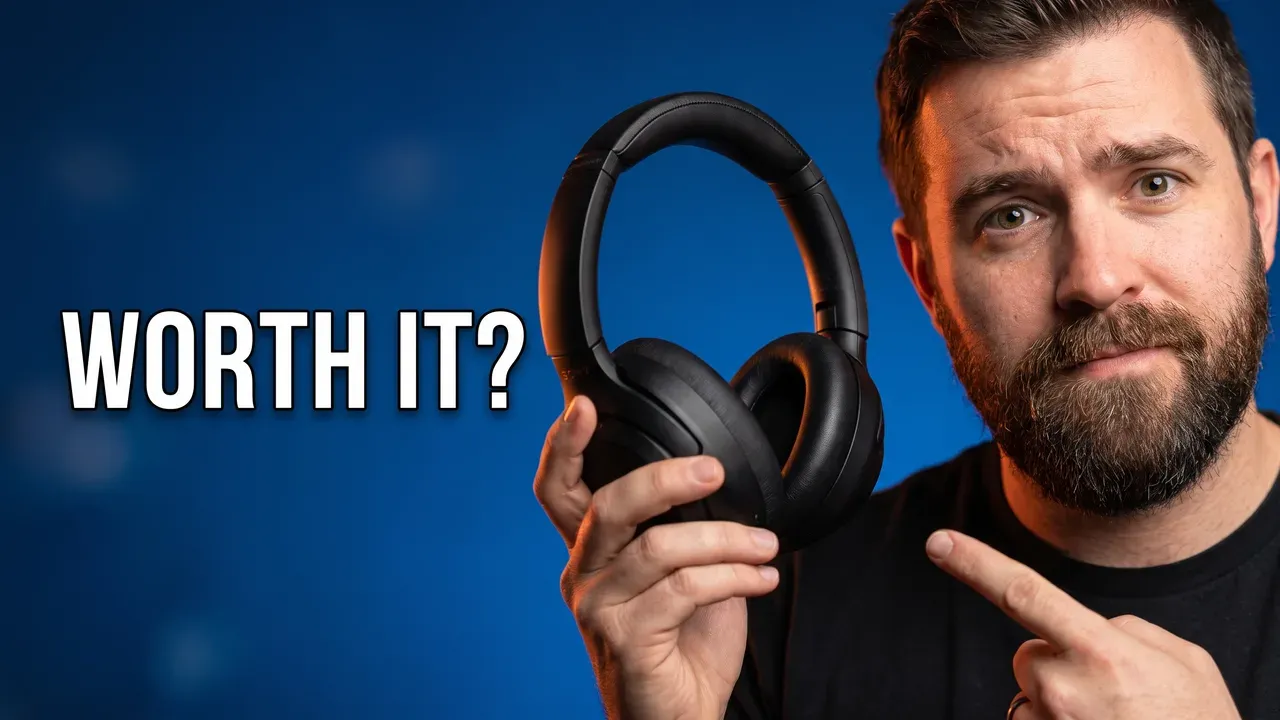
Key features
- Brief written from the video's link, or your own sentence
- Four styles: Shocked Reaction, Before/After, Expressive Close-up, Tech/Review
- Text drawn in, read back and corrected
- Feed-size check and a clear duration-badge corner
- Brand kit with your palette and lettering (Pro)
- 1280 × 720 or 1080 × 1920, optional 3840 × 2160
Best for
- Creators who open Canva only to make thumbnails
- Weekly channels that want each thumbnail to be a new image, not the same template
Pricing
- Starter $12/mo for 40 thumbnails, Pro $39/mo for 100, Studio $99/mo for 300; yearly is ten months' price
- One image counts as one thumbnail, corrections included; 4K counts as two
- Four free previews with no card; downloading starts a 7-day free trial of Starter or Pro
Pros
- No design work and no template to rebuild
- Text checked before you see the image
- No watermark, full commercial rights
Cons
- No layers or drag-and-drop: if you like placing things by hand, you'll miss it
- Thumbnails only; Canva still does your social posts and slides
- Free previews stay locked until the trial starts, and the trial takes a card
How you'd do it here. Paste the link, read the brief, change a word if you want, pick a style, generate. If you'd rather keep your own photo and only add the words, the free thumbnail text editor does that in the browser with no account. The plans are on one pricing page.
2. Adobe Express, best for the closest like-for-like swap
If you like how Canva works and want a different vendor, Adobe Express is the nearest thing. Its YouTube thumbnail page offers "thousands of professionally-designed templates", a canvas that defaults to 1280 × 720, uploads of photos, video, PSD or AI files, and generative AI to create an image or a whole template from a prompt, add text effects, or insert and remove objects. A Brand Kit saves your logo, colours and fonts. The one-to-one comparison with our tool is in ThumbnailMaker vs Adobe Express.
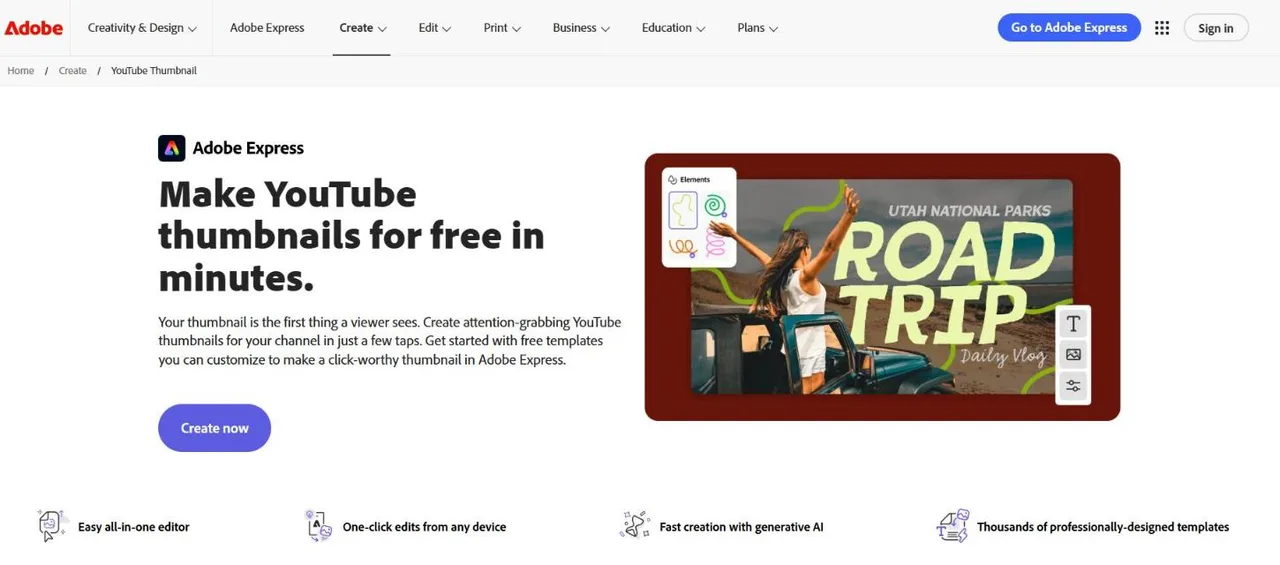
Key features
- Thousands of YouTube thumbnail templates
- Generate an image or a template from a prompt
- PSD and AI file import, Adobe Stock
- Brand Kit for logo, colours and fonts
Best for
- Canva users who want the same workflow elsewhere
- Creators who already work in Photoshop or Illustrator files
Pricing
- Free plan: "Free to use. No payment card required."
- Premium US$9.99/mo, 250 generative credits a month, 30-day free trial
- Firefly Pro US$19.99/mo, 4,000 generative credits
Pros
- Almost no learning curve coming from Canva
- Opens layered PSD and AI files
Cons
- Same trade-off as Canva: you assemble the thumbnail
- The number of free daily generations isn't published
3. Photopea, best for free layered editing in the browser
Photopea is a Photoshop-style editor that runs in the browser for free. It has layers, masks, layer styles, smart objects, adjustment layers and full PSD support, and it opens files locally: "There are no uploads." Its AI can remove a background in one click or "replace any part of an image with a new content through a text description". Its community template library has a YouTube category with several hundred templates. It suits creators who outgrew Canva's simplicity.
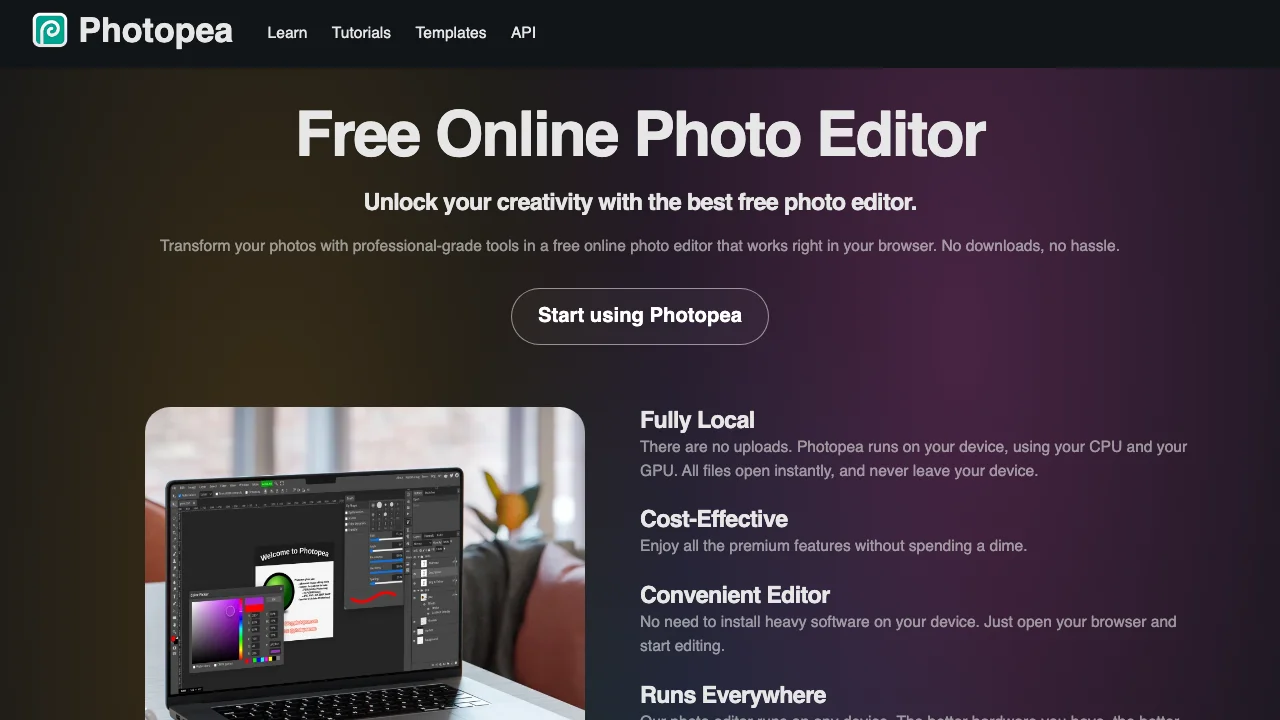
Key features
- Layers, masks, blending, smart objects
- Opens and saves PSD; reads 40+ other formats
- AI background removal and Magic Replace by text
- Community templates, including a YouTube category
Best for
- Creators who want Photoshop-level control without paying for it
- Anyone with existing PSD thumbnail templates
Pricing
- Free to use, supported by ads
- A Premium account is sold; Photopea's own tutorial says it lets you use the AI features "hundreds of times per month"
Pros
- The most control of any free tool here
- Files stay on your device
Cons
- A steeper learning curve than Canva
- Templates are community-made, so quality varies
4. Snappa, best for the simplest template workflow
Snappa does less than Canva, on purpose. Click "YouTube Thumbnail" for the right dimensions, pick a template or start blank, drop in a frame from your video or one of its "5,000,000+" stock photos, edit the text and shapes, download. Its page promises a thumbnail "in under 60 seconds". Its pages describe no AI image generation. For a creator who found Canva's breadth distracting, that narrowness is the point.
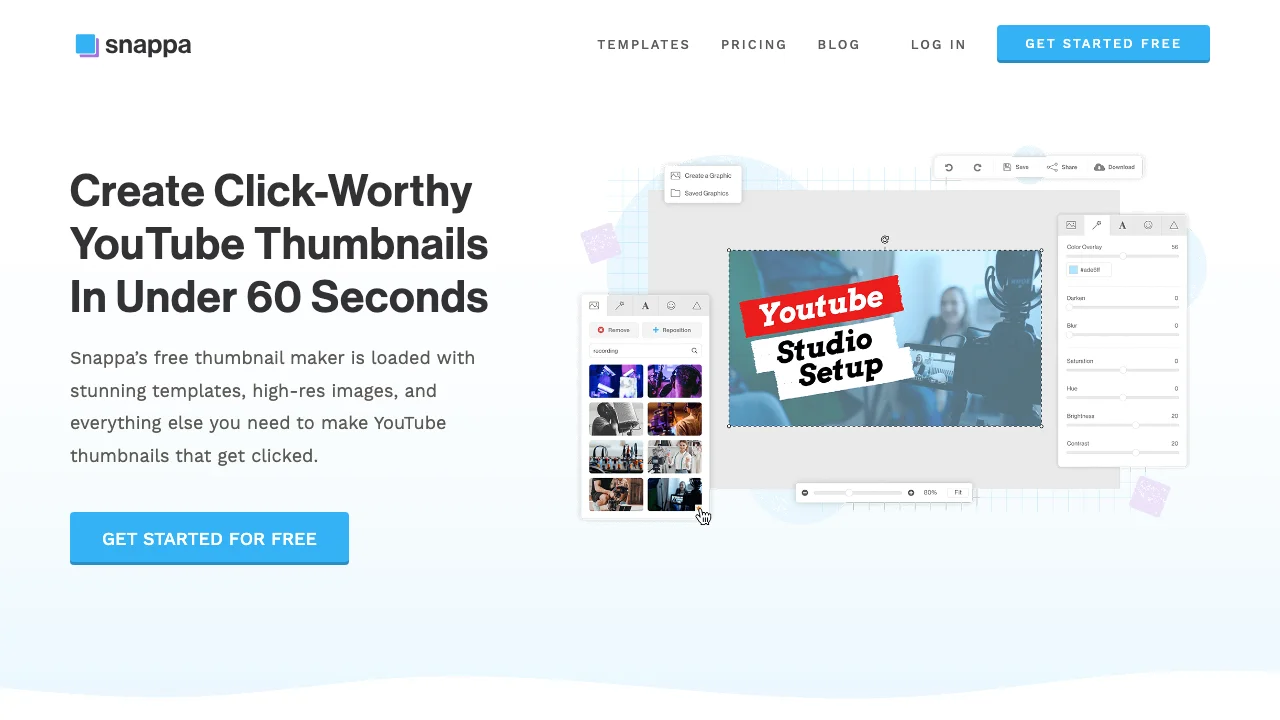
Key features
- YouTube thumbnail size preset
- 6,000+ templates, 5,000,000+ royalty-free photos
- Upload video snapshots as backgrounds
- Custom fonts and background removal on Pro
Best for
- Creators who want a template tool with fewer menus than Canva
- Small teams sharing one brand look
Pricing
- Free: 3 downloads a month, no card
- Pro $10/mo billed yearly, unlimited downloads; Team $20/mo billed yearly for 5 users
Pros
- Fast to learn, fast to use
- Royalty-free stock included
Cons
- No AI image generation
- The free plan's 3 downloads a month is less than one a week
5. Thumbmagic, best for templates built from your own footage
Thumbmagic sits between a generator and an editor. Paste a YouTube link or upload the video, and it "analyzes your footage, detects faces, and generates two thumbnail variants", then lets you choose a template and adjust the text, colours and background. An expression changer turns one face photo into six expressions. Compared with Canva, the frame selection and the layout start done; compared with a pure generator, the text stays editable as a layer.
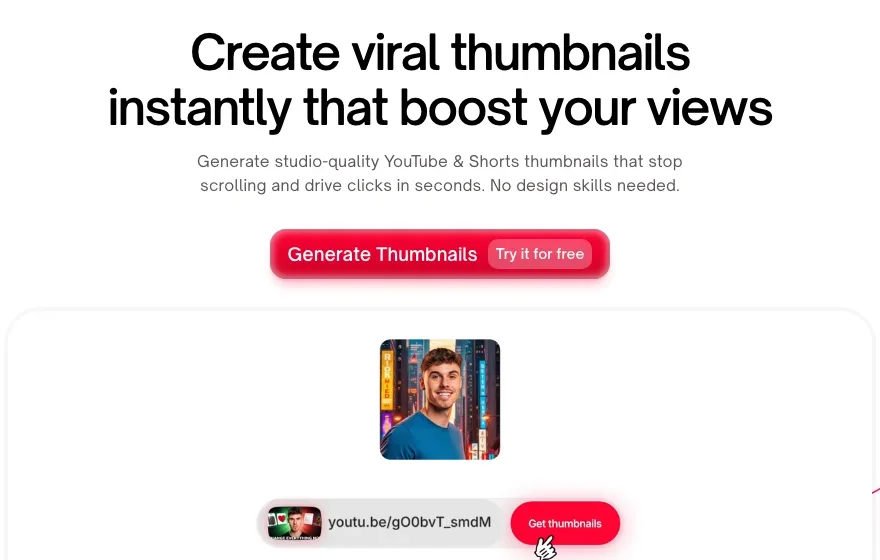
Key features
- From a YouTube link or an uploaded video
- Templates and an editor for text, colours and background
- Avatars and an expression changer
- Two variants per generation
Best for
- Canva users who build thumbnails from video frames
- Talking-head channels with strong moments in the footage
Pricing
- Starter $17/mo billed yearly, 100 thumbnails a month
- 3 free thumbnails, no card; 30-day money-back guarantee
Pros
- Starts from your real frames, with an editor after
- Plans counted in thumbnails
Cons
- Sign-up is Google only
- Text comes in six fonts, far fewer than Canva
6. vidIQ, best for free AI thumbnails with no account
vidIQ's thumbnail maker is the quickest way to see what an AI generator does differently from a template. You can describe the thumbnail, paste a YouTube link or upload a video up to 200 MB, and generate a first few without signing up. Its FAQ says there is no watermark "even on the free plan". Edits are typed ("make it brighter"), and a selfie or a reference thumbnail can steer the result.
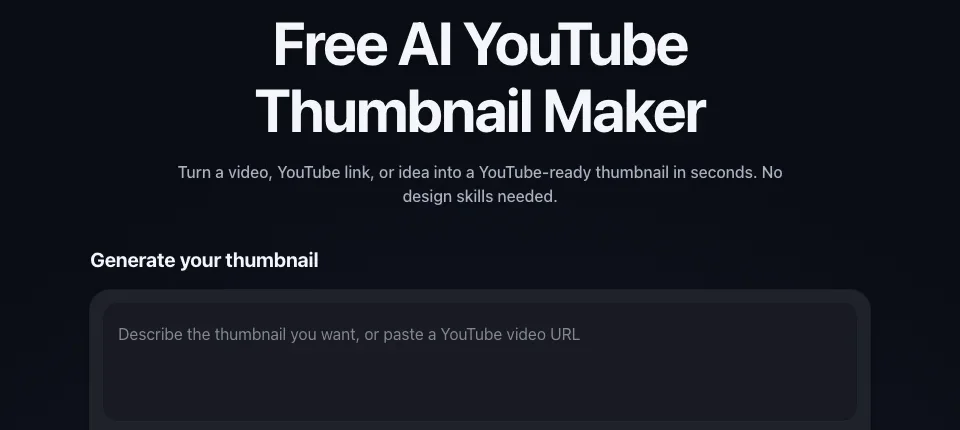
Key features
- Prompt, YouTube link or video upload
- Selfie placement and reference matching
- Edit by typing
- 1280 × 720 PNG
Best for
- Canva users curious about AI generation, without signing up for anything
- Creators already using vidIQ's research tools
Pricing
- Free plan with 150 AI credits a month
- Boost $19/mo or $199/yr; Max $49/mo or $468/yr
Pros
- No account and no watermark to try it
- Three inputs in one box
Cons
- No template or layer editing
- Credits per thumbnail not published
7. Pikzels, best for AI generation with a pre-publish score
Pikzels is a generator built only for YouTube packaging. It makes thumbnails from a prompt, recreates a format from a YouTube link, edits by plain-language notes, writes titles, and scores a thumbnail and title on virality, clarity, idea, curiosity and emotion. Personas train on three photos; Styles keep a channel's look consistent, which is the job a Canva brand template does by hand.
Key features
- Prompt, Recreate from a link, Edit by notes
- Pikzels Score on five axes, One-Click Fix
- Personas and trained Styles
Best for
- Creators who want a consistent look without a template
- Channels that want a score before publishing
Pricing
- Premium $40/mo, or $28/mo billed yearly at $336
- A thumbnail costs 10 to 20 credits
- Its terms say "All purchases on Pikzels are final."
Pros
- The widest set of AI features here
- A score that Canva has no equivalent for
Cons
- No free plan on its pricing page, and no refunds
- No hand editing of layers
How to choose a Canva alternative for thumbnails
Do you want to keep designing, or stop?
Keep designing: Adobe Express if you want Canva's workflow, Photopea if you want more control for free, Snappa if you want fewer menus. Stop designing: ThumbnailMaker, vidIQ or Pikzels. In between: Thumbmagic.
Is the text the slow part?
In a template editor, you place and style the text yourself. AI generators draw it into the image, which looks more natural but can misspell. ThumbnailMaker reads the text back and redraws it; with the others, check it at feed size. A thumbnail's text works best at five words or fewer; thumbnails that get clicks explains why.
Do you need anything besides thumbnails?
If you also design social posts, slides or print, keep Canva for those and use a thumbnail tool next to it. Dropping Canva entirely makes sense only if thumbnails were most of what you made there.
How much do you want to spend?
Photopea is free. Snappa Pro is $10 a month billed yearly. Adobe Express Premium is US$9.99 a month. ThumbnailMaker's Starter is $12 a month for 40 finished thumbnails, or $10 billed yearly. Canva Pro, for comparison, is US$144 a year.
Will it fit YouTube's frame?
Whatever you use, design at the shape YouTube shows: 16:9, with 3840 × 2160 now recommended and 1280 × 720 still accepted, and keep the bottom-right corner clear for the duration badge. The YouTube thumbnail size guide has the full rules.
Frequently asked questions
Is there a free Canva alternative for YouTube thumbnails?
Yes. Photopea is free, with ads, and works on layered PSD files. Adobe Express has a free plan with no card. Snappa's free plan allows 3 downloads a month. vidIQ generates a first few AI thumbnails with no account. ThumbnailMaker previews four for free with no card.
What is better than Canva for YouTube thumbnails?
It depends on what Canva leaves to you. For a finished thumbnail without designing, an AI generator such as ThumbnailMaker. For more control than Canva, Photopea. For the same workflow from a different vendor, Adobe Express.
Is Adobe Express better than Canva for thumbnails?
They work the same way: templates, an editor and generative AI. Adobe Express adds PSD and AI file import and Adobe Stock; its Premium plan is US$9.99 a month. Canva has the larger ecosystem for other designs. For thumbnails alone, the difference is small.
Can AI make YouTube thumbnails as well as Canva templates?
For the composition, often better, because the image is made for your video rather than adapted from a template. For text, it depends on the tool: image models misspell words unless something checks them. YouTube judges a thumbnail by whether the video delivers what it shows, not how it was made, as covered in clickbait thumbnails.
Do I need Photoshop to make good thumbnails?
No. Photopea gives you Photoshop-style layers free in the browser, and template tools or AI generators cover most channels without layers at all.
Can I use my Canva designs in another tool?
Exported images, yes: any editor here opens a PNG or JPG. Editable Canva files don't carry over to other tools. Photopea and Adobe Express both open PSD files, so a Photoshop source moves more easily than a Canva one.
Pick by how much design you want to do
None: try ThumbnailMaker's free previews on the AI YouTube thumbnail maker. The same amount, elsewhere: Adobe Express. More, for free: Photopea. Less, with templates: Snappa. For AI tools ranked against each other, see the best AI thumbnail makers.
Prices and features were checked on each vendor's own pages on October 21, 2026: Canva, Adobe Express, Photopea, Snappa, Thumbmagic, vidIQ and Pikzels.
ThumbnailMaker is an independent product and is not affiliated with, sponsored by, or endorsed by Canva, Adobe, Photopea, Snappa, Thumbmagic, vidIQ or Pikzels. Canva, Adobe Express, Photopea, Snappa, Thumbmagic, vidIQ and Pikzels are trademarks of their respective owners, named here only to compare publicly documented features. The other tools' descriptions come from their own pages, not from our testing. Details were accurate when written and may have changed since.
ThumbnailMaker Team — Guides from the people building ThumbnailMaker: thumbnail design, CTR, and what happens under the hood of an AI generator. Every number is checked against YouTube's own pages and dated.
Try it on your next video
Paste the video's link: the brief is written for you, then you generate. Previews are free, then a 7-day free trial.