Picture to thumbnail: resize it free, or change it with AI
Image to thumbnail
Image to thumbnail, two ways. If your picture is already the thumbnail, resize it to YouTube's 1280 × 720 for free, in your browser. If it needs work, upload it and say what to change: the words, the background, a number. The rest stays as it is.
The resizer is free with no account. Editing takes a plan, from $12 a month for about 40 thumbnails.
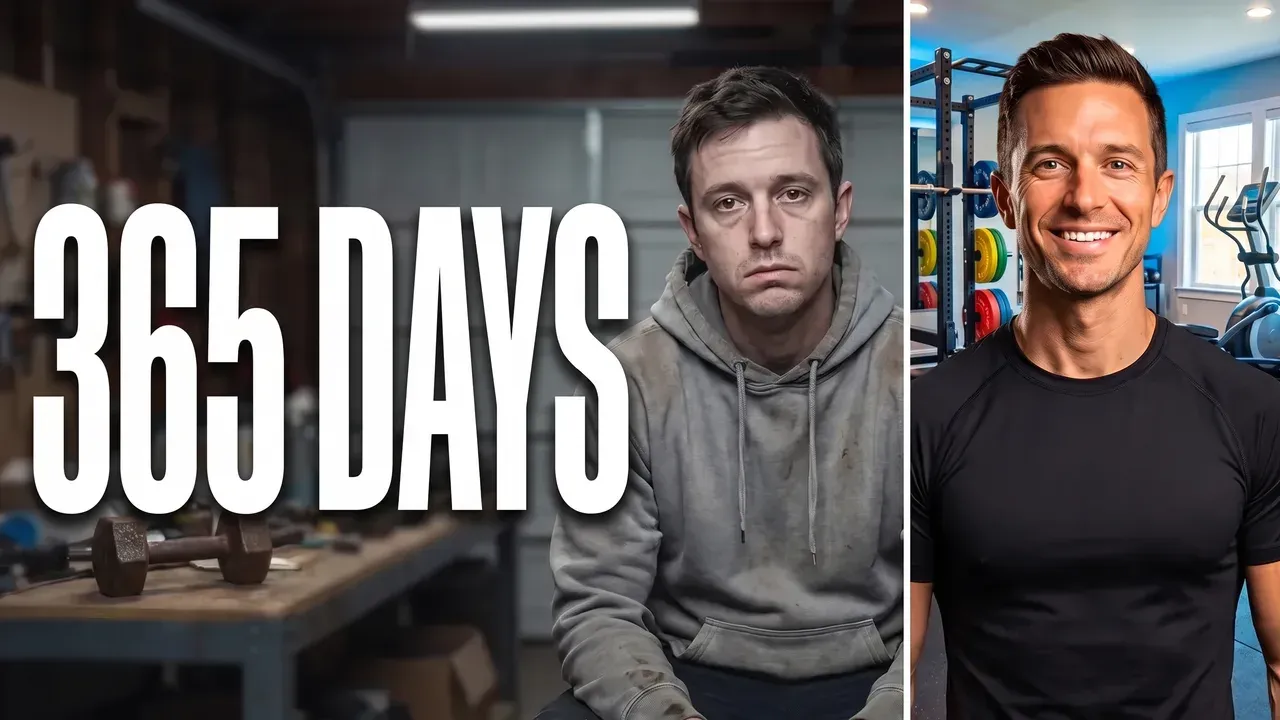
Any image can be a YouTube thumbnail once it has the right shape. It needs to be 16:9, at least 640 pixels wide, under 2 MB if it goes up from the phone app, and readable at 168 pixels, the width of a thumbnail in a phone feed. A photo that already has one clear subject only needs resizing. A picture that needs words, a darker background or a different number needs editing, and that is the part ThumbnailMaker does from a sentence, keeping everything you don't name.
Two ways from your image to a thumbnail
Resize it, free
Your image is already the thumbnail and only needs the right size. The resizer runs in your browser, with no account and nothing uploaded.
- “1280 × 720, cropped to fill”
- “Fit the whole picture, no crop”
- “1080 × 1920 for a Short”
Turn it into a thumbnail
Upload the image and say what to change. The parts you don't name stay as they are, so a good picture keeps what made it good.
- “Change 90 to 365”
- “Make the background darker so the product stands out”
- “Add the words WORTH IT? in yellow on the left”
One sentence, one change
A real correction: the same image before and after one instruction. The scene, the light and the two men are untouched.
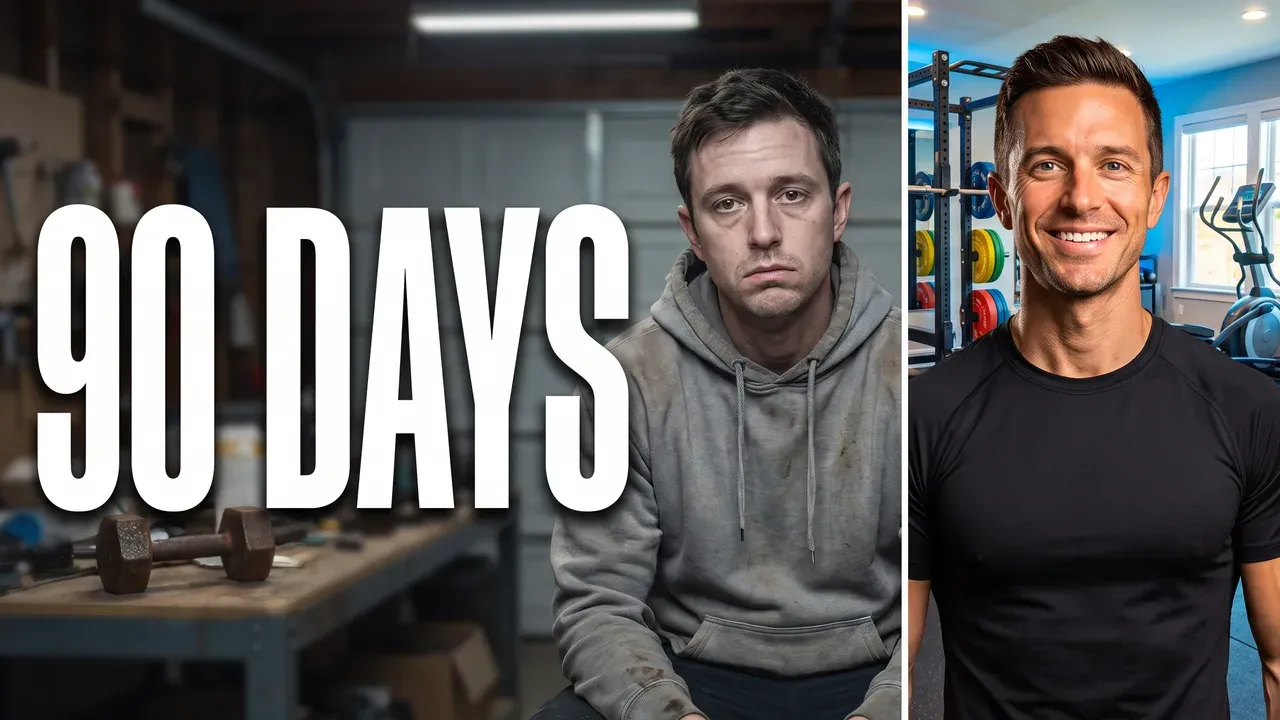
“Change 90 to 365”
What you can do with your image
Resize it to YouTube's size
1280 × 720 for a video or 1080 × 1920 for a Short, cropped to fill or fitted whole, with the height, the shape and the file size checked before you download.
Free, no account: the YouTube thumbnail resizer
Change it in a sentence
Upload a JPEG, PNG or WebP up to 12 MB and describe the change: bigger words, a darker background, a new number. The rest of the image stays as it is.
"Change 90 to 365" → 365 DAYS, the rest untouched
Place it in a new scene
In From an idea, add your own picture to the sentence: an object or a product is placed in the scene as it is, and the thumbnail is built around it.
"My new keyboard on a desk lit by neon" + your photo of the keyboard
Keep its look, make a new one
On Pro, Recreate makes a new thumbnail with the composition, the colours and the mood of the image you upload, for a series that should look like one.
One upload → a new thumbnail in the same spirit
Mistakes when you use an image as a thumbnail
Most of them only show at feed size. The free YouTube thumbnail tester puts yours next to real videos before you upload it.
A square photo stretched to 16:9
Stretching makes faces wide and text fat. Crop to 16:9 instead, or fit the whole picture: the resizer does both.
A small image blown up
A 400-pixel picture enlarged to 1280 looks soft at full size. Start from the largest version you have.
Words that only read at full size
A thumbnail is about 168 pixels wide in a phone feed. Four large words read there; a sentence doesn't. Check it in the free thumbnail tester before you upload.
Something under the badge
YouTube draws the video's length in the bottom-right corner. A face, a price or a word there is covered in every feed.
Image to thumbnail questions
Guides: YouTube thumbnail size · how to add a custom thumbnail to YouTube
Start with the image you have
Upload the image, say what to change.
No image yet? Make one from the video itself on the video to thumbnail page, or from a sentence with the thumbnail generator.