Anime Thumbnail: How to Make One for YouTube (2026)
By ThumbnailMaker Team · · 13 min read
Quick answer: an anime thumbnail is a YouTube thumbnail drawn in the anime or manga look: one character, bold ink outlines, cel shading and flat saturated colours. AMV and edit channels use it, and so do anime reviews, rankings, reactions and channels that tell their own stories in an anime style. What makes one work: one character large enough to fill a third of the frame, an exaggerated expression you can read at feed size, speed lines or a halftone burst behind, and two to four heavy, outlined words. Keep the bottom-right corner clear, because YouTube draws the duration badge there. The common failure is a busy episode screenshot with five small faces and the subtitles still burnt in. A screenshot or an official character is also someone else's copyright, used at your own risk; an original character drawn in the anime style is not a copy of any series.
ThumbnailMaker's Comic / Anime style draws that look from your video's link, with an original character and your words drawn in, so the AI YouTube thumbnail maker does the part you would otherwise draw by hand or borrow from an episode. Your first thumbnail is a free preview; plans start at $12 a month for 40 thumbnails.
What is an anime thumbnail?
An anime thumbnail is a YouTube thumbnail in the visual language of Japanese animation and manga. It is drawn, not photographed. Outlines are inked, shadows have hard edges, colours are laid on flat, and faces are pushed further than any real face could go.
The term covers two kinds of image. Some are frames taken from a series, cropped and lettered. Others are original drawings in the same style. This guide recommends the second kind, for two reasons covered below: they read better at feed size, and they are not someone else's property.
One note on words. Comic artists also say "thumbnail" for the small rough sketches drawn before a page, so a search for "comic thumbnail" often lands on those. This guide is about the YouTube kind.
Which channels use anime thumbnails?
Any channel whose subject is anime, and a growing number whose subject isn't but whose look is. Six kinds of channel use the style most:
| Channel | What the thumbnail shows | Example words |
|---|---|---|
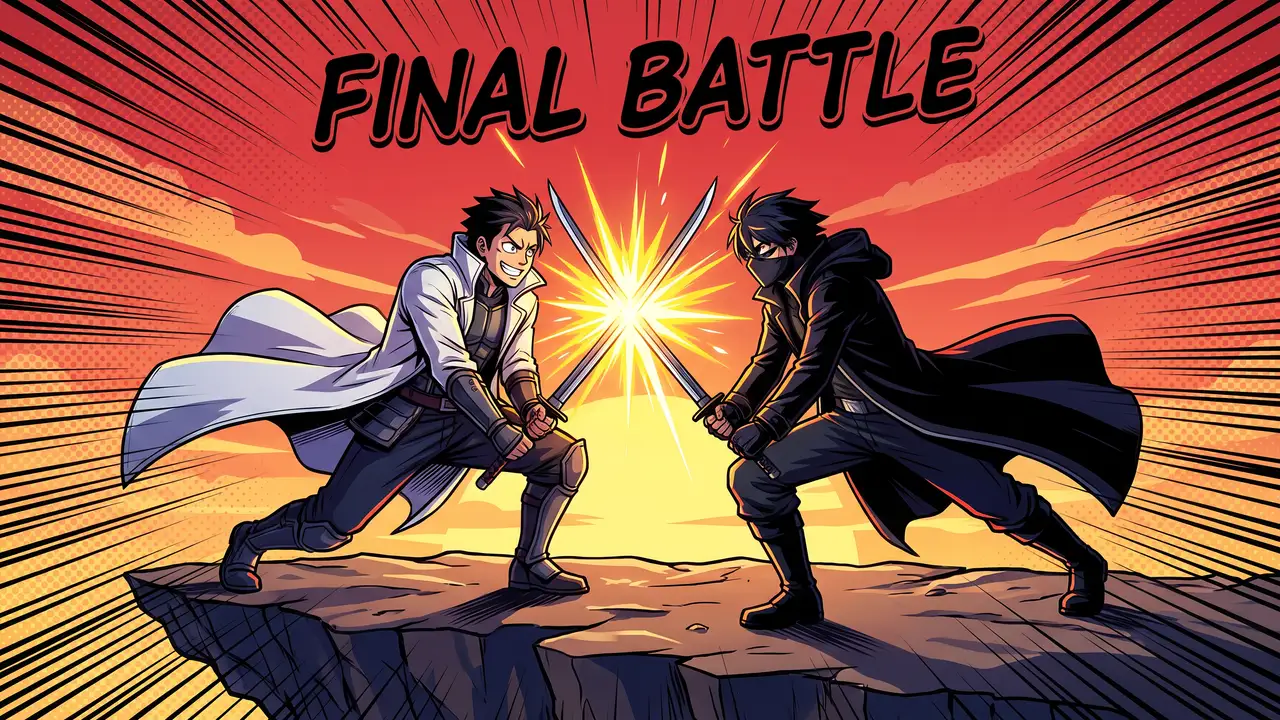
| AMVs and edits | One or two characters at the peak of a fight, a dramatic sky | "FINAL BATTLE" |
| Reviews and explainers | A character reacting to the thing being explained | "WORTH IT?" |
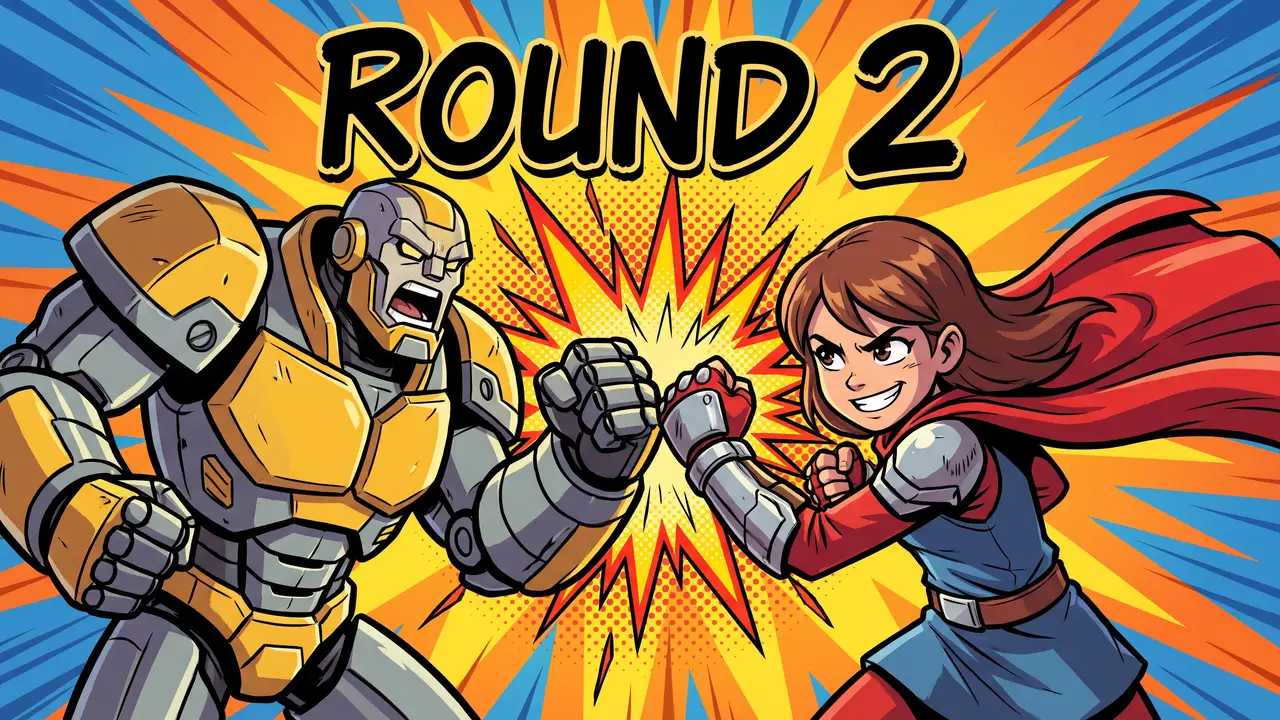
| Rankings and "who would win" | Two characters squaring off | "ROUND 2" |
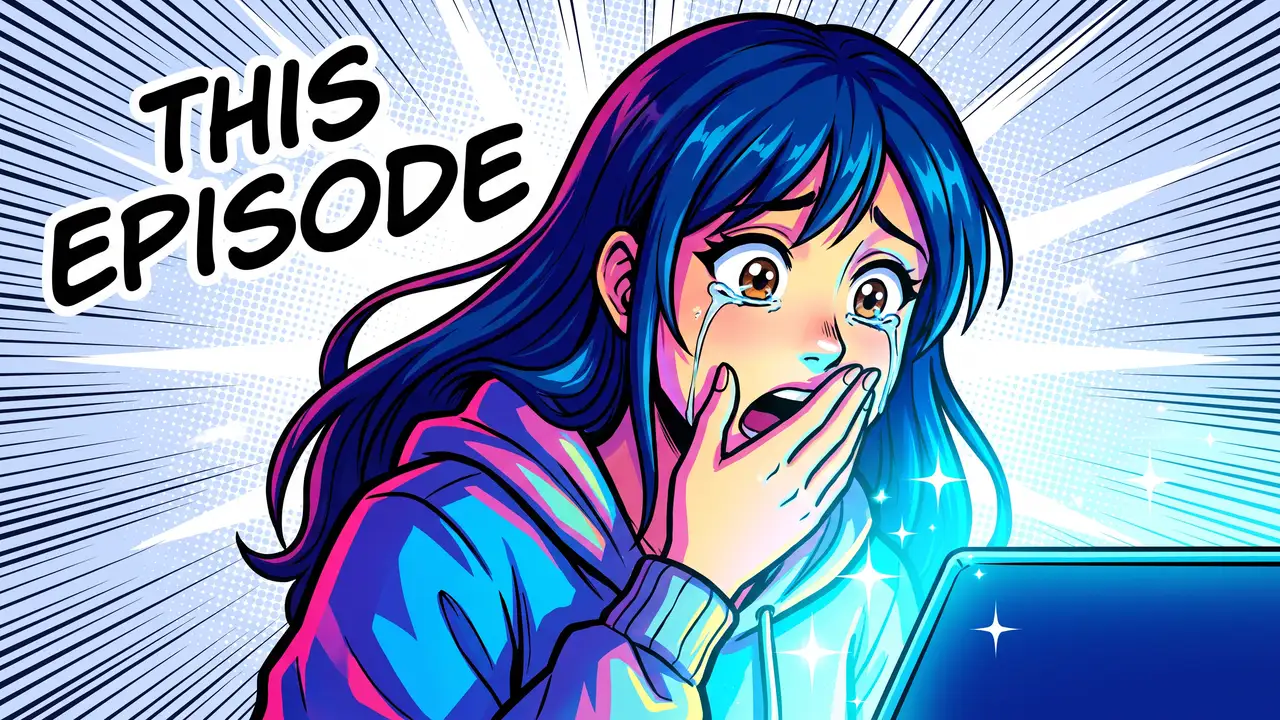
| Reactions | A face lit by the screen it is watching | "THIS EPISODE" |
| Original stories | Your own character at the turning point | "I GOT EXPOSED" |
| VTubers | The VTuber's own avatar, mid-reaction | "FIRST TIME" |
AMVs (anime music videos) are fan edits that cut a series' footage to a song, and their thumbnails have usually been a frame from that footage. Reviews and reactions tend to do the same. The last two rows are where the style is growing: story-time and animation channels that draw their own characters, and VTubers, whose avatar is already drawn and already theirs.
What makes a good anime thumbnail?
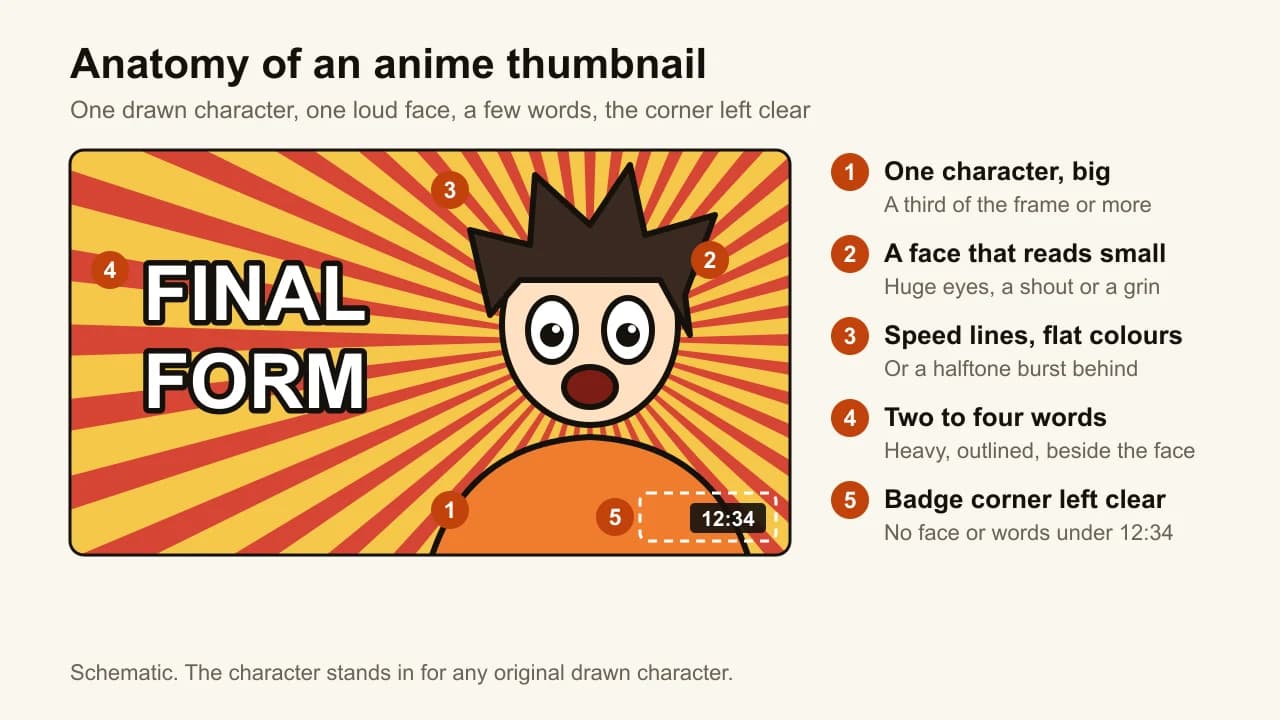
A good anime thumbnail is one drawn character the viewer can read in the time it takes to scroll past. The style helps, because anime was built to read fast: big eyes, simple shapes, strong outlines. Six things decide it.
- One character, large. A third of the frame or more, in a three-quarter pose that leans into the shot. Two characters only when the video is about two, a fight or a ranking.
- An expression that reads at 168 pixels. That is the width of a thumbnail in YouTube's suggested column on desktop. Anime exaggerates faces on purpose: huge eyes, a mouth open in a shout, a sweat drop, tears. Use all of it. A calm face in an anime thumbnail wastes the one thing the style does best.
- Flat, saturated colours in a pair. Red and yellow, or cyan and magenta. Cel shading means hard-edged shadows, not soft gradients, so the shapes stay separate when the image shrinks.
- Speed lines or a halftone burst. Lines radiating from behind the character say motion or shock without adding another object to the frame.
- Two to four words, heavy and outlined. "FINAL FORM", "THIS EPISODE". Put them beside the face, never across it.
- The bottom-right corner left clear. YouTube draws the video's duration badge there on every video thumbnail, whatever is underneath. A sleeve can sit under it. A face or a word can't.
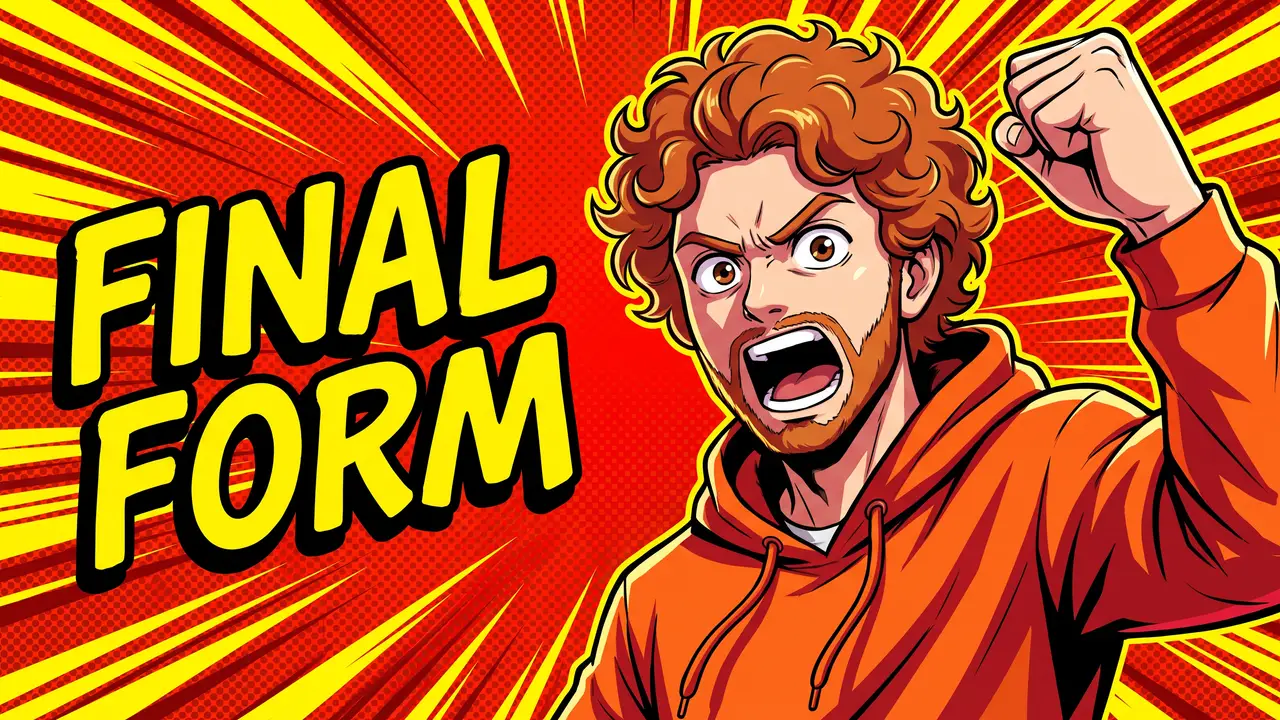
The picture on the Comic / Anime tile in ThumbnailMaker's style picker follows the same five parts: one shouting character on one side, red and yellow speed lines, two words on the other side, and nothing but a hoodie under the badge.
Can you use anime screenshots or official characters in a thumbnail?
You can, but the risk is yours, and it is larger than it looks. A frame from an episode, a character's official art or a poster belongs to the studio or publisher that made it. Putting it on your thumbnail without permission is using someone else's copyrighted work.
YouTube's page on fair use lists the four factors US courts weigh, and two of them lean against a typical anime thumbnail. Using material from purely fictional works is less likely to be fair use than using factual ones. Copying without adding new expression or meaning is less likely to be fair use than transforming it. The same page says credit and disclaimers don't change that: "I do not own" and "no infringement intended" are not magic words. Outside the US the rules differ; in the EU, for example, the use has to fit specific categories such as quotation, review or parody.
Courts decide fair use case by case, so nobody can promise a given screenshot is safe, and this guide doesn't. One thing can be said plainly: commentary and criticism are among the uses fair use exists for, so a review that discusses the episode it shows stands on firmer ground than an edit that only reuses it.
An original character drawn in the anime style is a different matter. Big eyes, ink outlines, cel shading and speed lines are a visual language shared by thousands of artists. What a studio owns is its characters and its frames: a specific face, hairstyle, outfit and name. Your own character drawn in that language copies no series, as long as it isn't someone else's character with the colours swapped.
A reaction channel doesn't need the episode on screen either. The screen can glow toward the viewer, and the face in front of it carries the whole story.
What are the most common anime thumbnail mistakes?
The most common anime thumbnail mistakes come from treating a frame of the show as a finished thumbnail. Each one shows up the moment the image is shrunk to feed size.
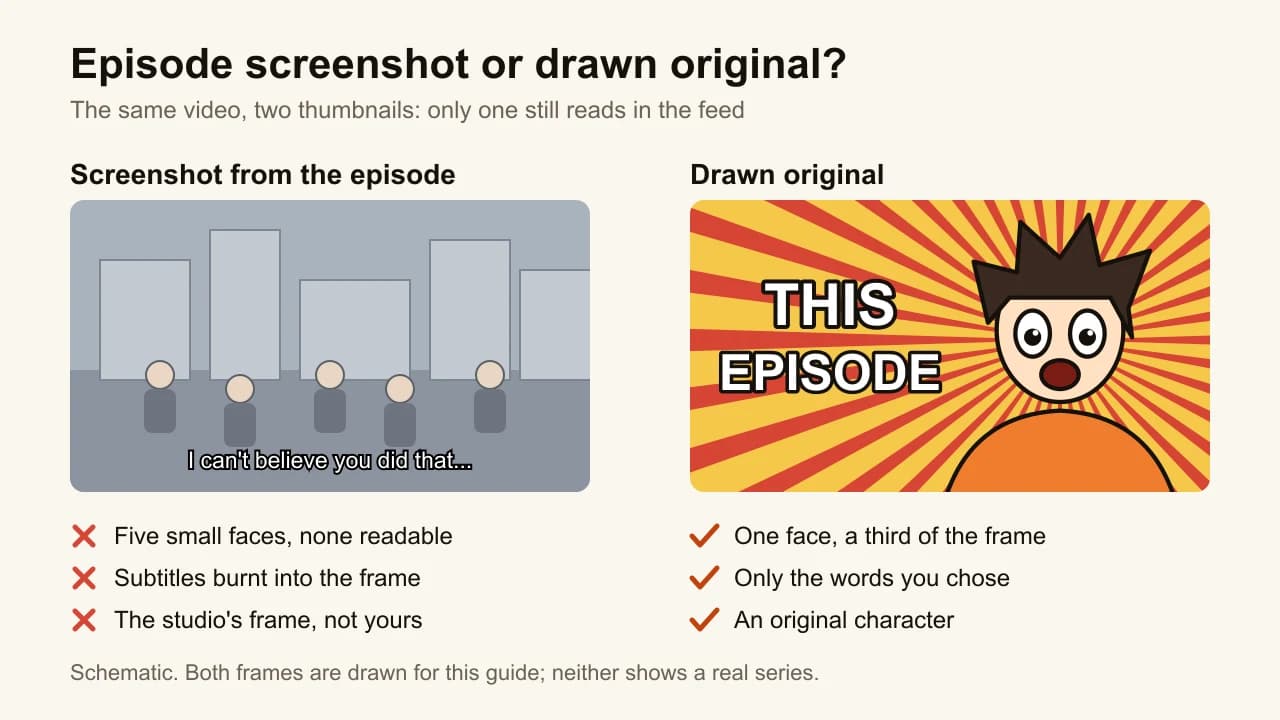
- A busy screenshot with tiny faces. Episode frames are composed for a TV, wide, with characters small inside a scene. At 168 pixels wide, five faces become five dots.
- Subtitles burnt in. A frame grabbed from a subtitled episode carries a line of dialogue along the bottom: small, unreadable, and partly under the duration badge.
- Too many words. "MY HONEST REVIEW OF EPISODE 12" is a title. "WORTH IT?" is a thumbnail. Five words is the ceiling for any thumbnail; this style needs fewer, because the face does the talking.
- A pale frame. Pastel skies and soft evening light are beautiful on a TV and grey in a feed. Push one saturated colour pair and keep the shadows hard.
- The wrong lettering. A thin, elegant face over a fight scene, or a jagged comic face over a quiet slice-of-life review. Comic-book faces such as Bangers suit action; our comparison of the best fonts for YouTube thumbnails shows each one at 168 pixels.
- An official character redrawn. Asking any image tool for a named series character gives you the screenshot's copyright problem back, with extra steps.
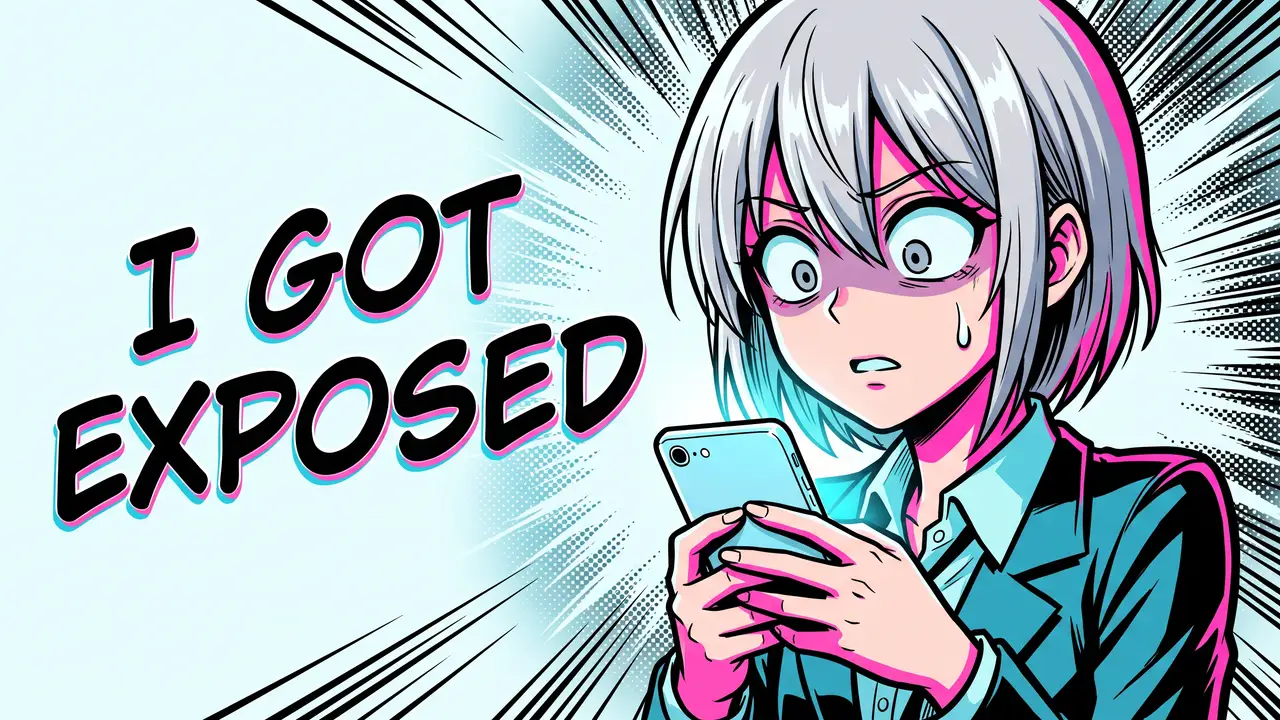
The face in that thumbnail is the shocked close-up, the first of our twelve thumbnail ideas, drawn instead of photographed. It works for the same reason: one face, one reaction, a question the video answers.
How do you make an anime thumbnail in PixelLab, Canva or Photopea?
In an editor, an anime thumbnail is assembled from parts: a character, a background effect and the words. Many anime thumbnail tutorials on YouTube use PixelLab, a free Android app for text on pictures, with 3D text and stickers. Canva has a page of anime templates, not all of them sized for YouTube. Photopea is a free editor in the browser that opens Photoshop files. The workflow is the same in all three:
- Start a 1280 × 720 canvas, or a 16:9 YouTube thumbnail template.
- Place the character: a drawing you made or paid for, or art you have the right to use. Cut it out and scale it to a third of the frame or more.
- Add speed lines or a halftone burst behind it, in one saturated colour pair.
- Type two to four words in a heavy face with a thick outline, beside the face.
- Move anything that matters out of the bottom-right corner, then export.
The hard part is step 2. Tutorials that make this look quick usually start from a screenshot or official art, which brings the copyright question back. If you draw, or pay an artist who does, an editor gives you full control over every line. If you don't, the character is the part you need from somewhere else.
How do you make an anime thumbnail with ThumbnailMaker?
In ThumbnailMaker the character is the part it draws. The Comic / Anime style gives the image model one set of instructions: drawn, not photographed; one character in a dynamic three-quarter pose filling one side of the frame; bold ink outlines; speed lines or a halftone burst behind; cel shading with hard-edged shadows and one bright rim highlight; flat saturated colours in a primary pair; an expression exaggerated enough to read at a glance. It also rules out any recognisable character from an existing anime, manga or comic, and any speech bubble or caption you didn't ask for.
- Sign up and open Create with the Comic / Anime style already picked, then paste your video's link. The brief is free with an account, and your first thumbnail is a free preview. No video yet? Switch to Describe and write the scene in a sentence: "a girl with silver hair staring at her phone in shock".
- Read the brief: three angles, each with a scene, the words and a style. Change any word, and describe your character the way you want it drawn: hair, outfit, colours. Describe it by its look, never by a series character's name.
- Choose Video 16:9, or Shorts 9:16 for a Short's cover.
- Type the words in "Text on the image", for example "THIS EPISODE".
- Click Generate. Under the image, the checks say whether the text is exact, readable in the feed and clear of the badge corner. The words are drawn into the image and read back; on a plan, a wrong letter gets one automatic redraw.
- If something is off, type it under "What should we fix?", for example "make her hair blue and the speed lines red", and click Correct. Then download it.
For a ranking or a "who would win" video, write two characters into the scene, facing each other. That is a versus layout drawn in this style, and the versus thumbnail guide covers the split, the colours and the words in the gap.
ThumbnailMaker refuses prompts that identify a real person, so an anime version of a real creator isn't something it will draw. Before you upload, the free YouTube thumbnail tester puts your image in a mock feed at both feed sizes, next to a title, with the duration badge in place. It is the quickest way to see whether the face still reads at 168 pixels.
Frequently asked questions
Where can I find an anime thumbnail template?
Canva has a page of anime templates, and PixelLab tutorials on YouTube share their own layouts; check that what you pick is 16:9 before you start. A template gives you the burst, the colours and the lettering. The character is still yours to supply. ThumbnailMaker has no templates: the Comic / Anime style is the template, applied to whatever your video is about.
Can I use AI to make an anime thumbnail?
Yes, and the result is only as safe as what you ask for. An original character described by its look copies no series. A named character from a series, drawn by any tool, is still that series' character. ThumbnailMaker's Comic / Anime style is built for the first case.
Does an anime thumbnail need text?
Not always. A face with a strong enough expression can carry the thumbnail alone, especially for reactions. When you add text, keep it to two to four words that say what the face can't: the stakes, the episode, the verdict.
Can I make an anime cover for a YouTube Short?
Yes. Choose Shorts 9:16 in ThumbnailMaker and the character and the words are composed for a 1080 × 1920 cover. A Short's cover has no duration badge, but Shorts draws its title and buttons over the bottom and the right edge, so the words belong in the middle.
What should you make first?
Pick the one moment your video is about, give it one original character with a face that's impossible to misread, and write two to four words that say what the face can't. If you would rather not draw it yourself, ThumbnailMaker can make it from your video's link in the Comic / Anime style, with the words drawn in and checked at feed size.
ThumbnailMaker Team — Guides from the people building ThumbnailMaker: thumbnail design, CTR, and what happens under the hood of an AI generator. Every number is checked against YouTube's own pages and dated.
Try it on your next video
Paste the video's link: the brief is written for you and your first thumbnail is a free preview. Plans from $12 a month.