Edit a YouTube thumbnail in plain words
Thumbnail Editor
This thumbnail editor changes the thumbnail you already have from one sentence. Pick it from your Library or upload it, type “make the text bigger” or “change 90 to 365”, and the parts you didn't name stay as they are.
Your first 3 edits are free with an account, no card. Then a plan from $12 a month for about 40.
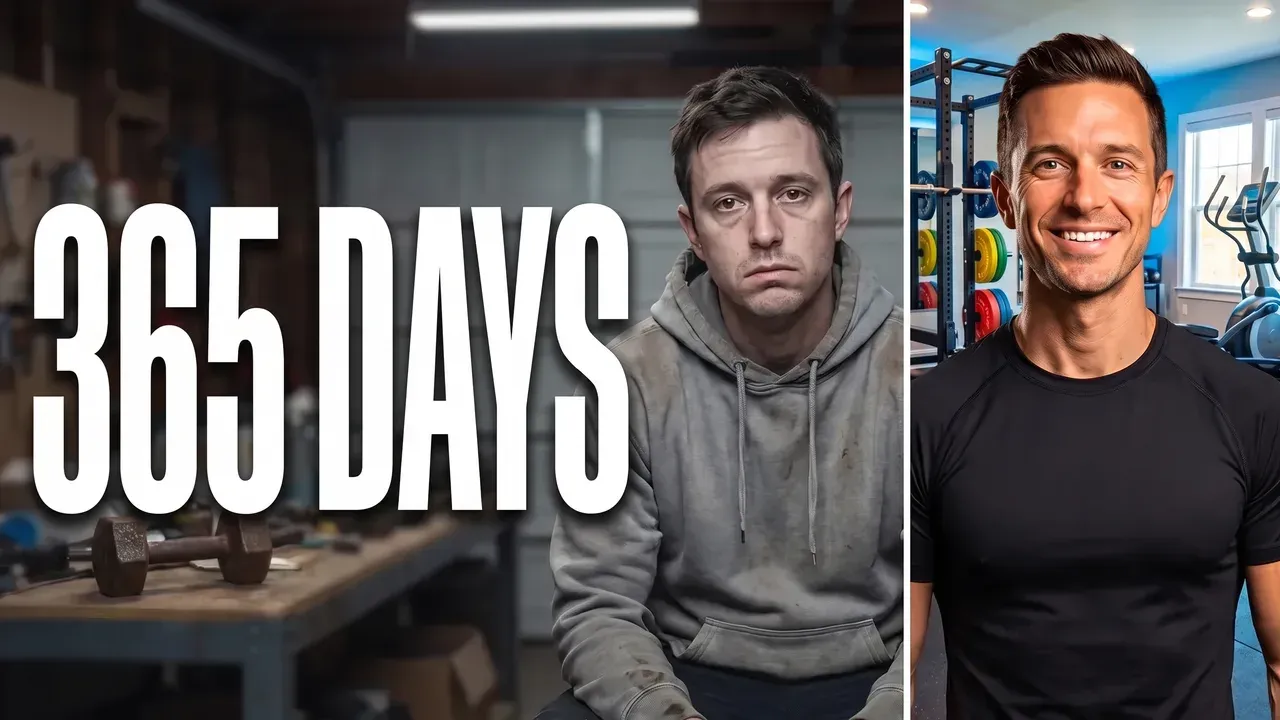
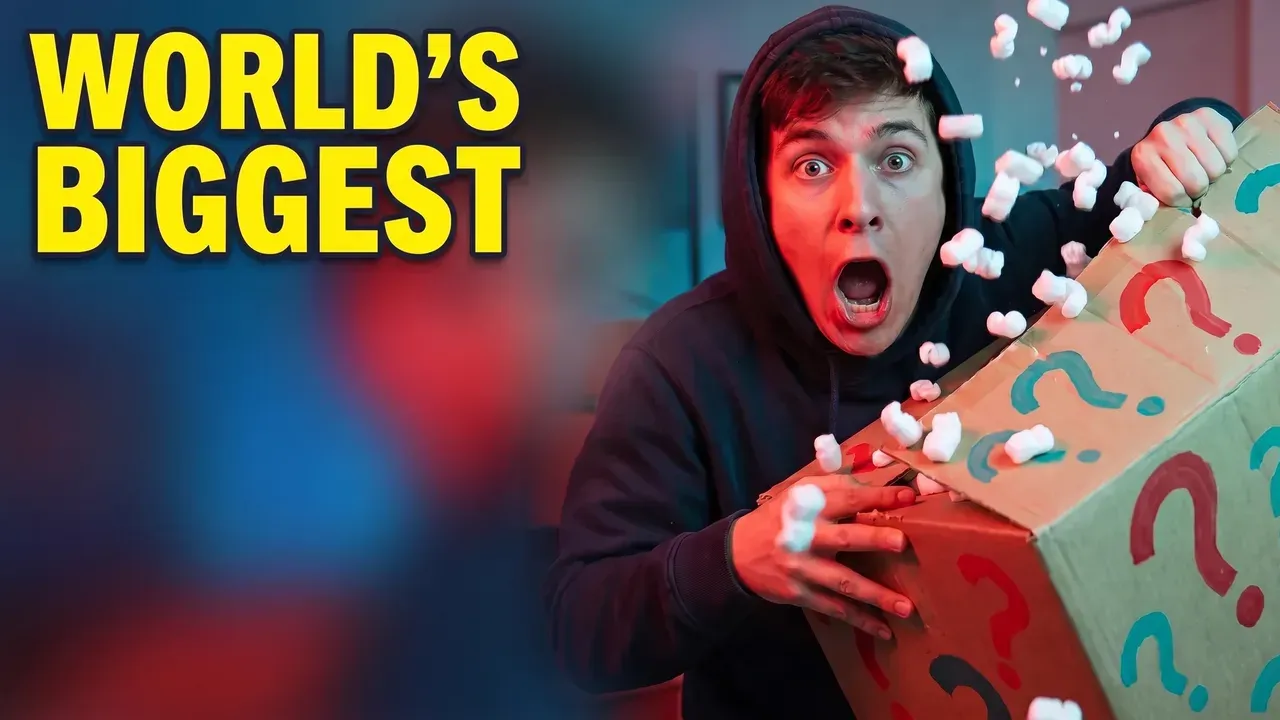
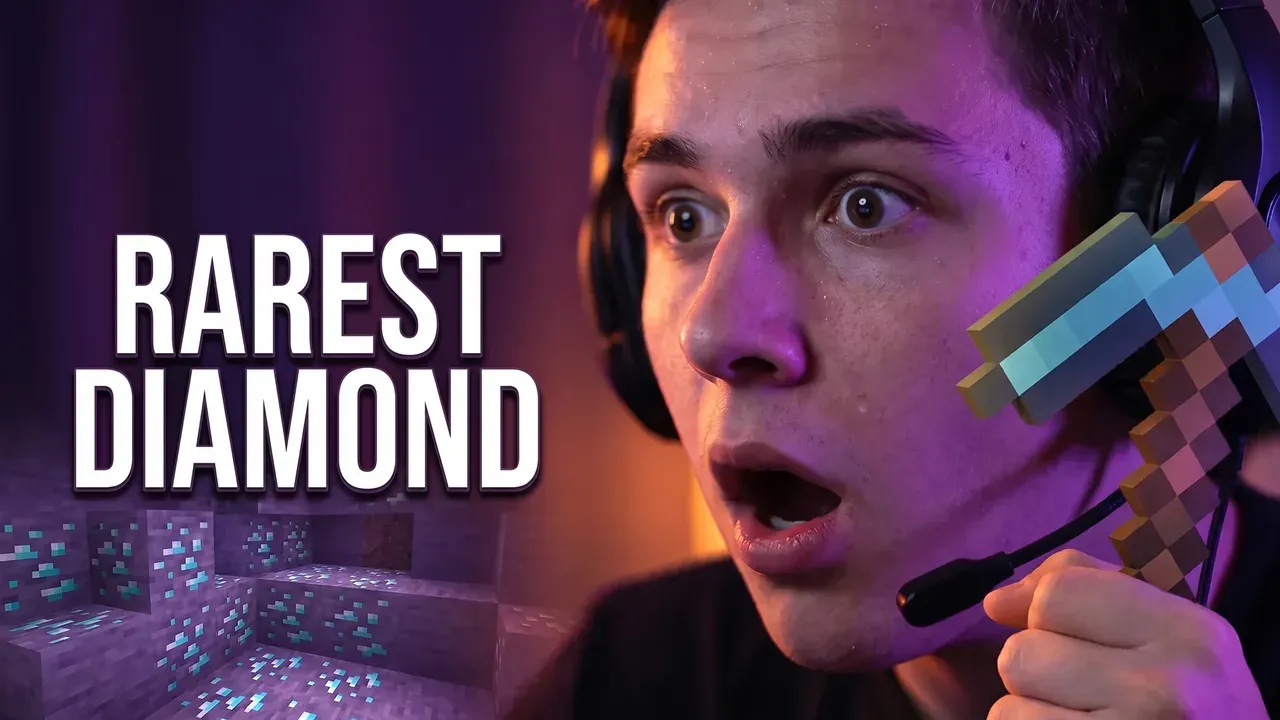
Most thumbnails don't need a new start, they need one thing changed. The number is out of date, the title is too small to read on a phone, the text colour sinks into the background. A layer editor makes you find the layer; a template makes you rebuild it. ThumbnailMaker's thumbnail editor takes the change as a sentence, redraws only that, and checks the result again at the size YouTube's feed shows it. The original stays in your Library.
Three edits, one sentence each
Real results, each from the sentence between the two images. Everything the sentence didn't name is the same before and after.
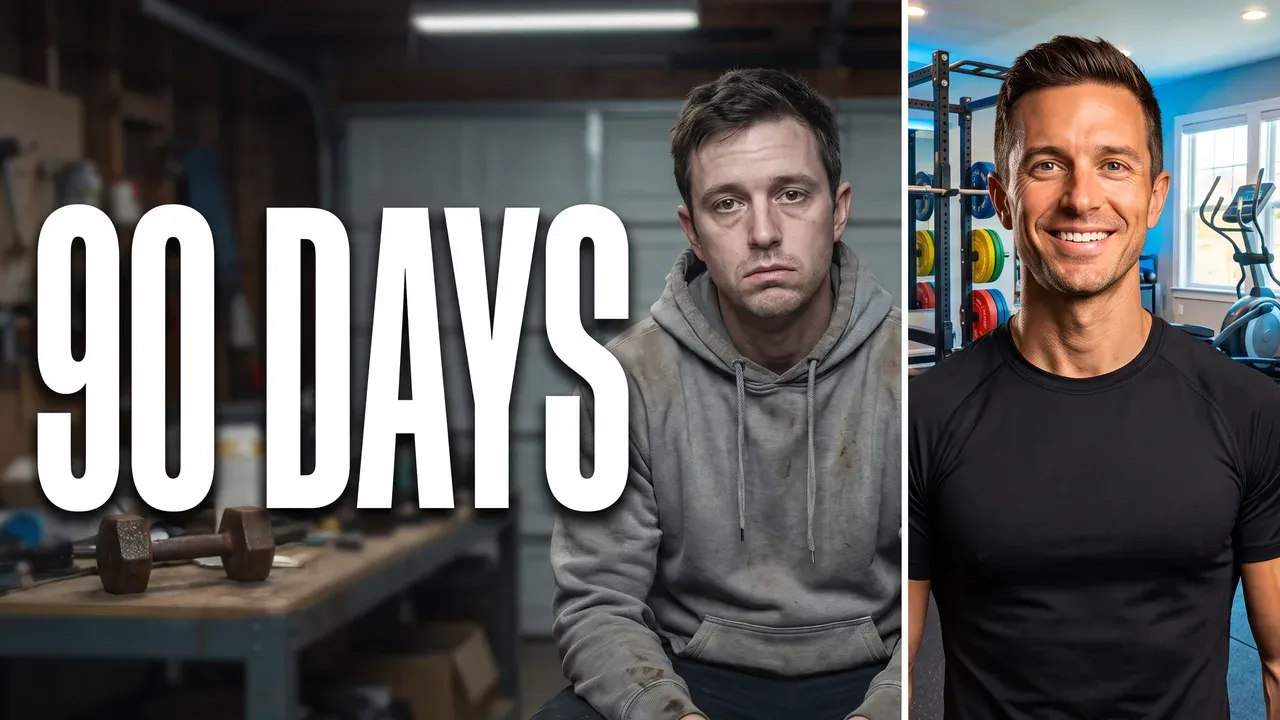
“Change the text to 365 DAYS”
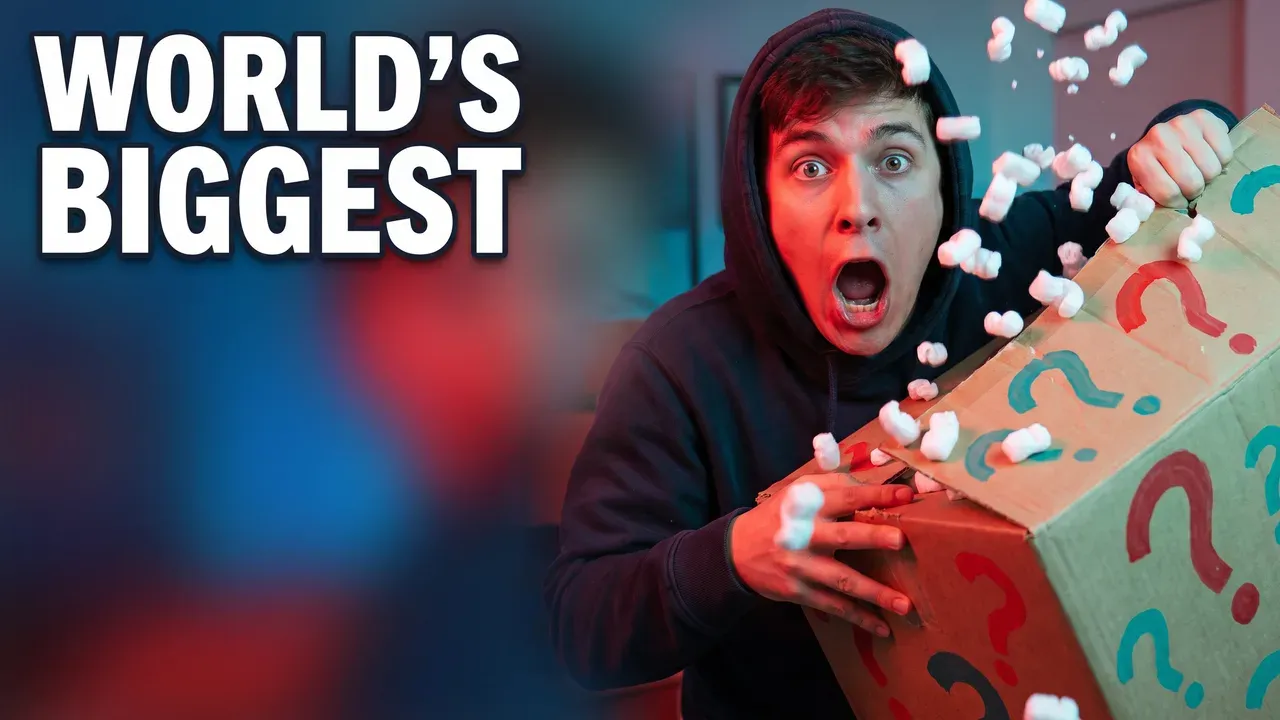
“Make the text yellow”
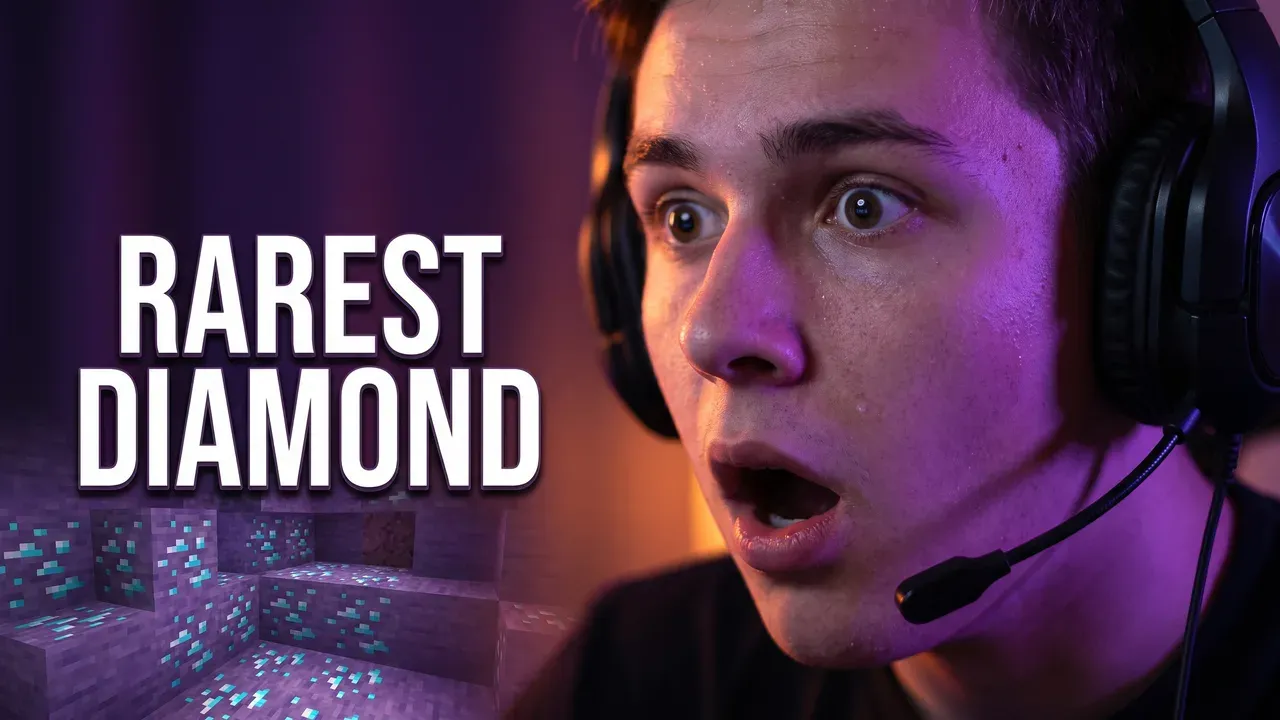
“Put a diamond pickaxe in his hand”
How the thumbnail editor works
Step 1
Open the thumbnail
In Create, choose Edit an image. Pick a thumbnail from your Library, or upload a JPEG, PNG or WebP up to 12 MB.
Step 2
Say the one change
Type it under the image as you would say it to a designer. Put new words in quotes so they are spelled exactly as you wrote them.
Change the title to "I QUIT" and make it bigger
Step 3
Read the checks
The edited image comes back with the same checks as a new one: whether the text is exact, readable in the feed, and clear of the video-length corner.
Step 4
Download, or change the next thing
The original stays in your Library. If one more thing is off, type it: each round starts from the last image.
What you can change
One change a round reads best. Name the part and what it should become.
The words
A new number, a shorter title, bigger letters. Quoted words are drawn exactly and read back after the edit.
"Change 90 to 365" · "Make the text bigger"
The colours
The text, the background, the light on the subject. Name the part and the colour; the rest keeps its own.
"Make the text yellow" · "Make the background darker"
Something added
An object in a hand, a prop on the desk, an arrow toward the thing the video is about.
"Put a diamond pickaxe in his hand"
Something taken out
A cluttered background, a second caption, a logo you no longer use. One focal point reads at feed size; three don't.
"Remove the arrow"
Other ways to fix a thumbnail
Pro
Auto-Polish
One click instead of a sentence: it reviews the thumbnail at feed size and fixes the one thing that hurts it most. Nothing is charged when it finds nothing to fix. Starter gets one free run.
Free report first
Fix a video's thumbnail from its link
Paste the video's link and its current thumbnail is scored for free. Then write the fix: it keeps the layout and colours and changes what the report found. Any person in it is redrawn as someone new.
Pro
Recreate from an upload
A new thumbnail with the composition, colours and mood of an image you upload, for a series that should look like one. No face is copied from it.
What it won't do
Some of it is the rules, some of it is the tool. For a new size, the free YouTube thumbnail resizer is the right one.
Edit a photo of a real person
Every upload is checked first. A photo that shows a real, identifiable person, a public figure included, is never edited. Recreate on Pro makes a new thumbnail in its spirit, with no face from it.
Make someone look like a celebrity
The sentence is checked too. A change that asks for a real person's likeness is refused, whatever the image.
Change the shape
A 16:9 thumbnail stays 16:9 and a Short's 9:16 cover stays 9:16. To crop or fit an image to another size, the free YouTube thumbnail resizer does it in your browser.
Explicit content or a minor
An upload with sexual content or a minor in it is refused before anything else happens.
Thumbnail editor questions
Guides: how to change a thumbnail on YouTube · thumbnail apps compared
Start with the thumbnail you have
Say what to change, keep the rest.
Starting from a picture that isn't a thumbnail yet? Turn it into one on the image to thumbnail page, or make a new one from the video on video to thumbnail.