7 Best YouTube Shorts Thumbnail Makers (2026)
By ThumbnailMaker Team · · 18 min read
Quick answer: The best YouTube Shorts thumbnail maker depends on where you start. ThumbnailMaker is the pick if you start from the video itself: paste the Shorts link, get a written brief for free, and generate a 1080 × 1920 cover on a plan from $12 a month. Fliki is the best free AI option: it makes 9:16 thumbnails with no sign-up and no watermark, with commercial rights on paid plans. Wayin.ai builds several covers from a link with no prompt at all. Canva is the one for designing by hand, with more than 2,700 Shorts templates. Picsart stretches a 16:9 image into 9:16 with Outpaint. FlexClip makes the Short and its cover in the same editor. YouTube Studio costs nothing: pick a frame, or upload your own 9:16 image from a computer. Every claim below was checked on the vendor's own pages on October 24, 2026.
A Shorts thumbnail is not a long-form thumbnail turned on its side. YouTube asks for a 9:16 image for Shorts, recommends 2160 × 3840, and only lets you upload one from YouTube Studio on a computer. Upload a 16:9 image to a vertical video and YouTube swaps it for an automatic 4:5 thumbnail on the home, explore and subscriptions pages. So this list only includes tools whose own pages say they export a vertical image. That rule left out vidIQ, Pikzels and Thumbmagic.
ThumbnailMaker is our product and it is ranked first. Its section lists what it doesn't do as plainly as the others, including that generating needs a paid plan.
What makes a Shorts thumbnail different from a video thumbnail?
Three rules from YouTube's own help page decide what a Shorts cover has to be:
- The shape is 9:16. "For Shorts, try to upload a thumbnail with an aspect ratio of 9:16," at 2160 × 3840 if you can, and at least 640 pixels tall.
- A 16:9 image gets replaced in the places that matter most. On a vertical video, a 16:9 custom thumbnail is swapped for an auto-generated 4:5 one on the home, explore and subscriptions pages. Your 16:9 image only survives on the watch feed, watch history and desktop.
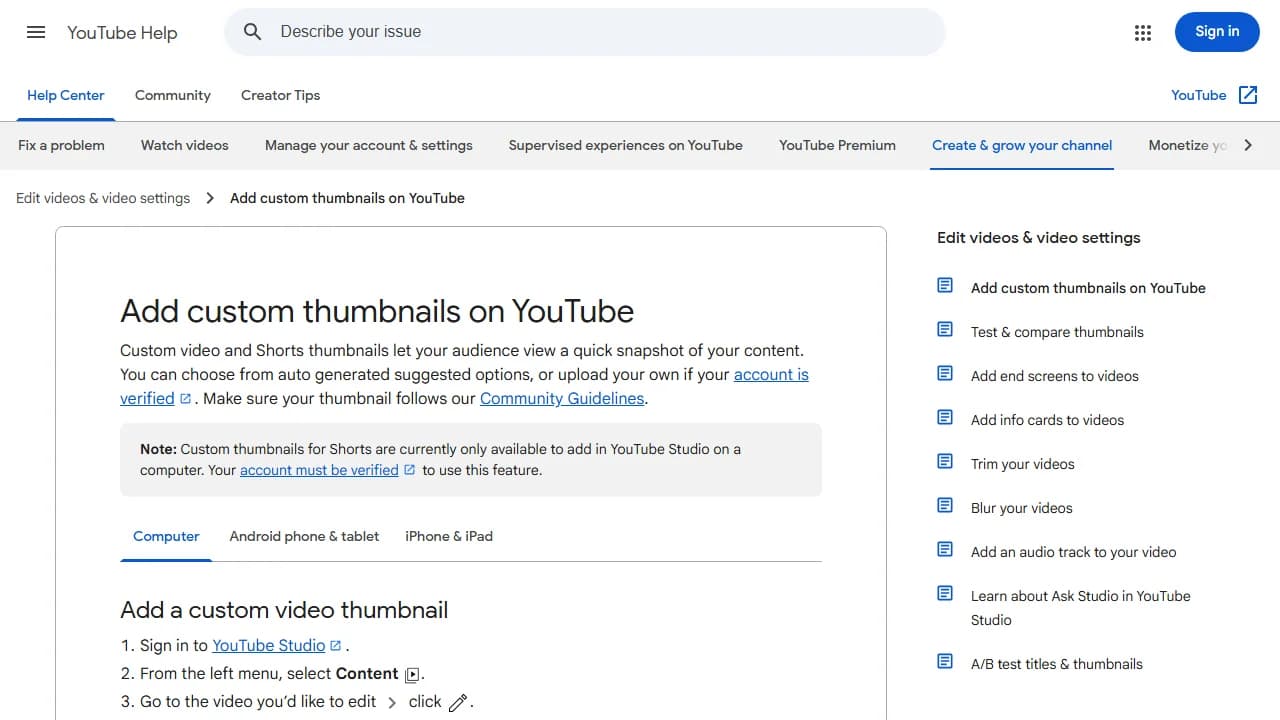
- Uploads happen on a computer. Custom Shorts thumbnails can only be added in YouTube Studio on a computer, from a verified account. In the mobile app you can pick a frame from the video, not upload an image.
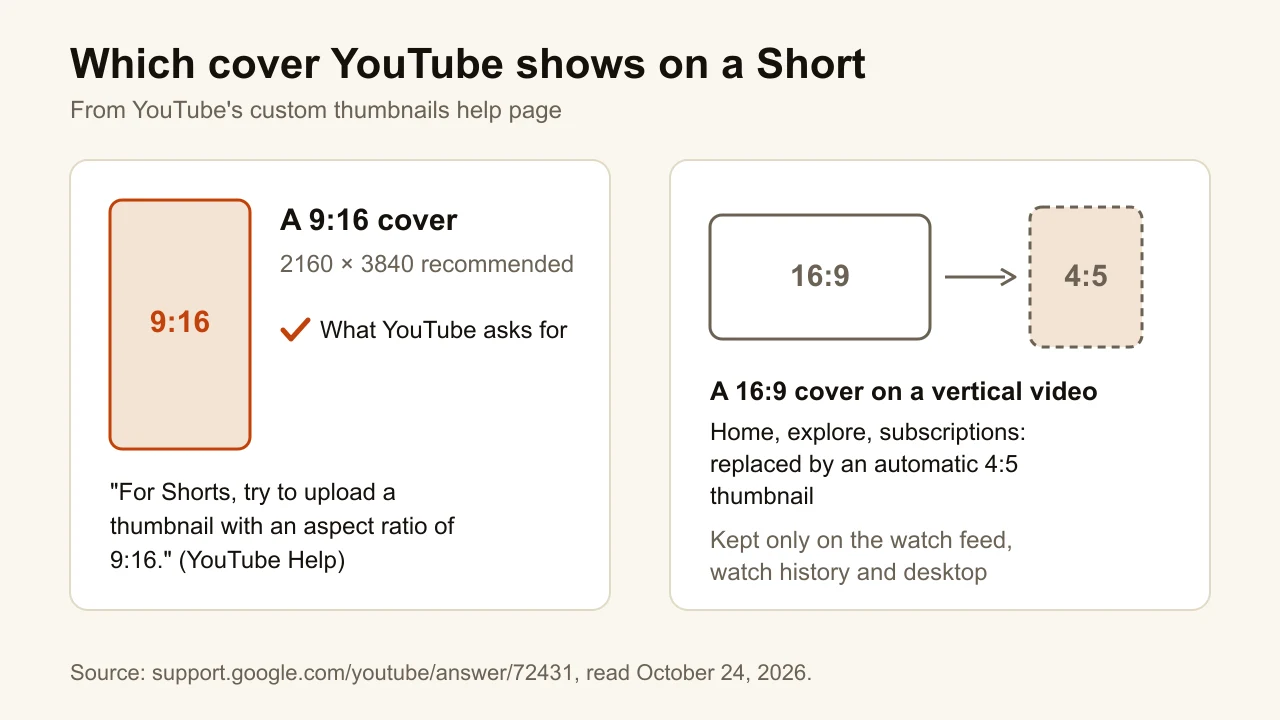
The practical consequence: make the cover in 9:16 from the start instead of reusing the long-form image. A Short is mostly seen as a small tile on a phone, so one subject and a few large words do more than detail. The YouTube thumbnail size guide has the long-form numbers next to these.
What kinds of Shorts thumbnail makers are there?
The seven tools fall into four families:
- AI generators that start from the video: ThumbnailMaker and Wayin.ai read the link; Fliki reads an uploaded file.
- Template editors: Canva and FlexClip. You design the cover yourself, starting from a vertical template.
- An AI image editor: Picsart, which can generate a vertical image or extend an existing one to 9:16.
- The built-in option: YouTube Studio, which lets you pick a frame or upload a finished image.
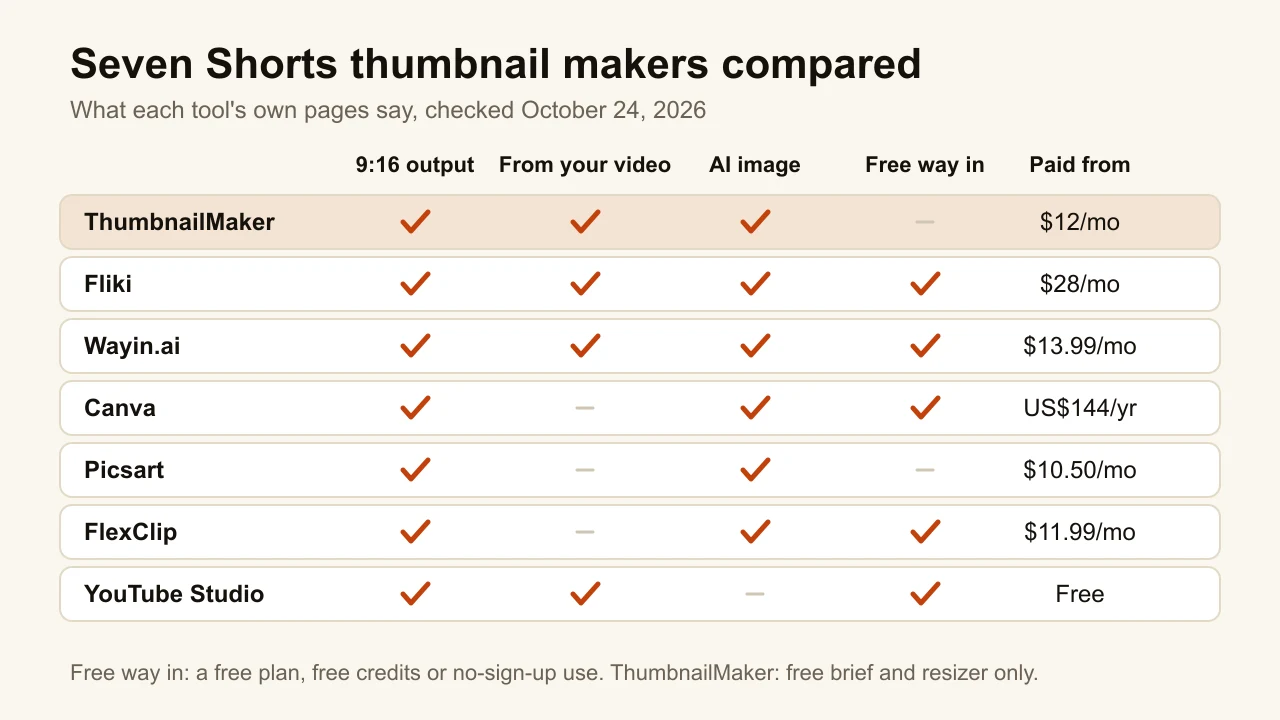
Checked on each vendor's own pages, October 24, 2026.
| Tool | Best for | 9:16 output | Starts from your video | Cheapest paid plan |
|---|---|---|---|---|
| ThumbnailMaker | A cover written from the Short's link | 1080 × 1920, 4K 2160 × 3840 | Yes, the link | $12/mo for 40 thumbnails |
| Fliki | A free AI cover with no sign-up | 9:16, 16:9 and 1:1 | Yes, an uploaded file | $28/mo (Standard) |
| Wayin.ai | Several covers from a link, no prompt | Switch from 16:9 to 9:16 | Yes, a link or a file | $13.99/mo, or $4.99/mo yearly (promo) |
| Canva | Designing the cover by hand | Shorts templates | No | Pro, US$144/year |
| Picsart | Turning a 16:9 image into 9:16 | Outpaint ratio chips | No | Pro, $10.50/mo billed yearly |
| FlexClip | The Short and its cover in one editor | 9:16 preset | No | Plus, $11.99/mo billed yearly |
| YouTube Studio | A free frame, no extra tool | Your video's own frames | Yes, its frames | Free |
1. ThumbnailMaker, best for a cover written from the Short's link
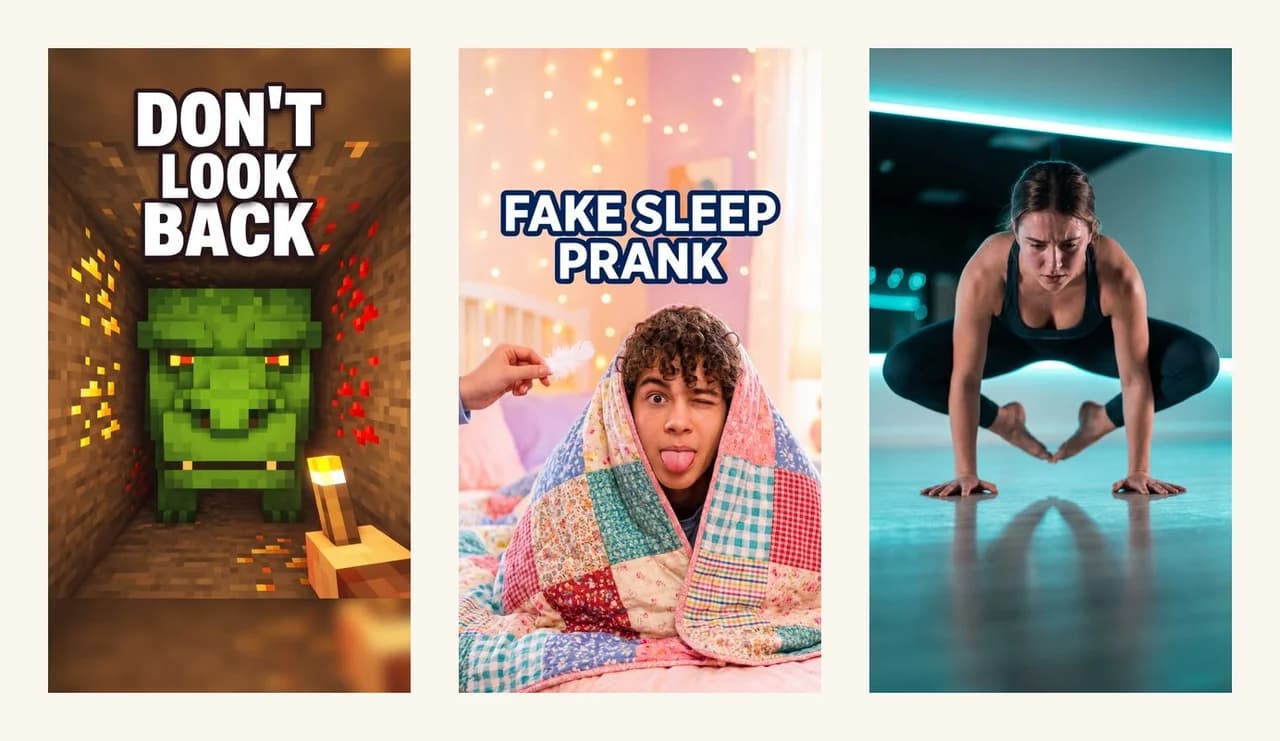
ThumbnailMaker is an AI thumbnail generator built for YouTube, and it starts from the Short's link, not from a prompt you have to write. Paste the Short's link (youtube.com/shorts links work) and it writes a brief from the title, the channel, the current thumbnail and the video's description: what the cover should show, and the few words it should say. That brief is free with an account. Set the format to Shorts 9:16 and it generates a 1080 × 1920 cover, or 2160 × 3840 in 4K, which is the size YouTube recommends. Already made a 16:9 thumbnail for the long version? One click after it sets up the Shorts version of the same idea as a new generation. Batch mode has a 9:16 tab too, for a week of Shorts at once.
The free tools need no account at all. The thumbnail resizer turns any image into a 1080 × 1920 Shorts cover and checks YouTube's width and file-size limits in the browser, and the thumbnail text editor puts up to three lines of text on a 720 × 1280 Shorts frame.
Key features
- A brief from the Shorts link: what the cover shows and what it says
- Shorts 9:16 at 1080 × 1920, or 2160 × 3840 in 4K
- Text and faces kept out of the bottom quarter and the right edge, where Shorts shows the title and the buttons
- A Shorts version of an existing long-form thumbnail
- Free resizer and text editor with Shorts sizes, no account
Best for
- Creators who post the same idea as a long video and a Short
- Channels that post several Shorts a week
Pricing
- Starter $12/mo, 400 credits: 40 thumbnails a month
- Pro $39/mo, 1,000 credits (100 thumbnails); Studio $99/mo, 3,000 credits (300)
- A thumbnail is 10 credits; 4K and an extra variation are 10 more each
- The brief and the free tools cost nothing; all plans are on the pricing page
Pros
- The only tool here that reads the Short's link and writes the brief before any image is made
- Outputs the exact size YouTube recommends for Shorts, in 4K
- Long-form and Shorts covers from the same idea, in one place
Cons
- No free generation: making a thumbnail needs a plan, from $12 a month
- Not a design editor: you correct a result with an edit request, not by moving layers
2. Fliki, best for a free AI cover with no sign-up
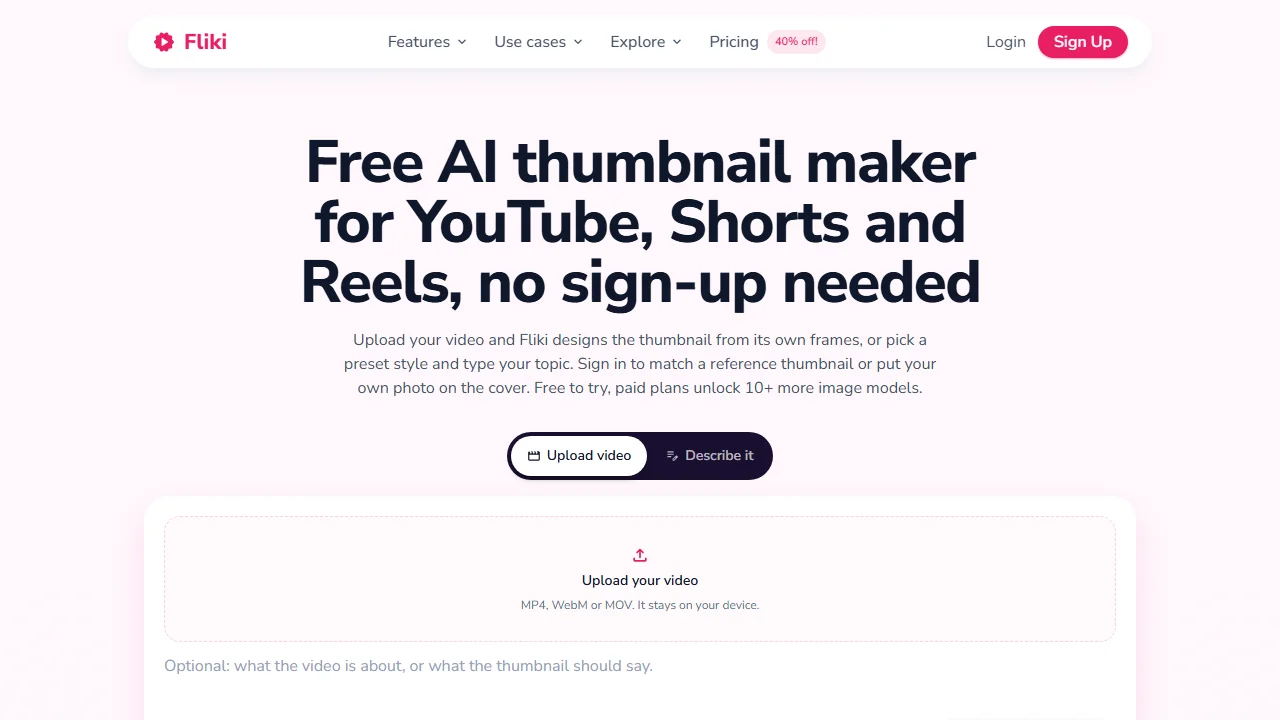
Fliki is an AI video platform, and its free thumbnail page is aimed squarely at this job: its headline offers thumbnails "for YouTube, Shorts and Reels, no sign-up needed." You can drop in an MP4, MOV or WebM file up to 500 MB, and Fliki reads its frames in your browser without uploading the video, or pick one of more than 50 preset styles and describe the topic. It exports 9:16, 16:9 or 1:1, and downloads come without a watermark. It's the easiest way on this list to see an AI vertical cover before giving anyone an email.
Key features
- 9:16, 16:9 and 1:1 output
- Starts from a video file or from 50+ preset styles
- The video is read in the browser, not uploaded
- No watermark on downloads
Best for
- Trying an AI Shorts cover with no account
- Creators who already use Fliki to make their Shorts
Pricing
- Free plan with 3 credits a month; the thumbnail page itself works without an account
- Standard is $28/mo, or $252 a year, according to Fliki's own comparison page
Pros
- No sign-up and no watermark for the first covers
- Video upload without the video leaving your computer
Cons
- Commercial use is only on paid plans, and a monetized channel is commercial use
- It starts from the file, not the link, so you need the video on your computer
3. Wayin.ai, best for several covers from a link, no prompt
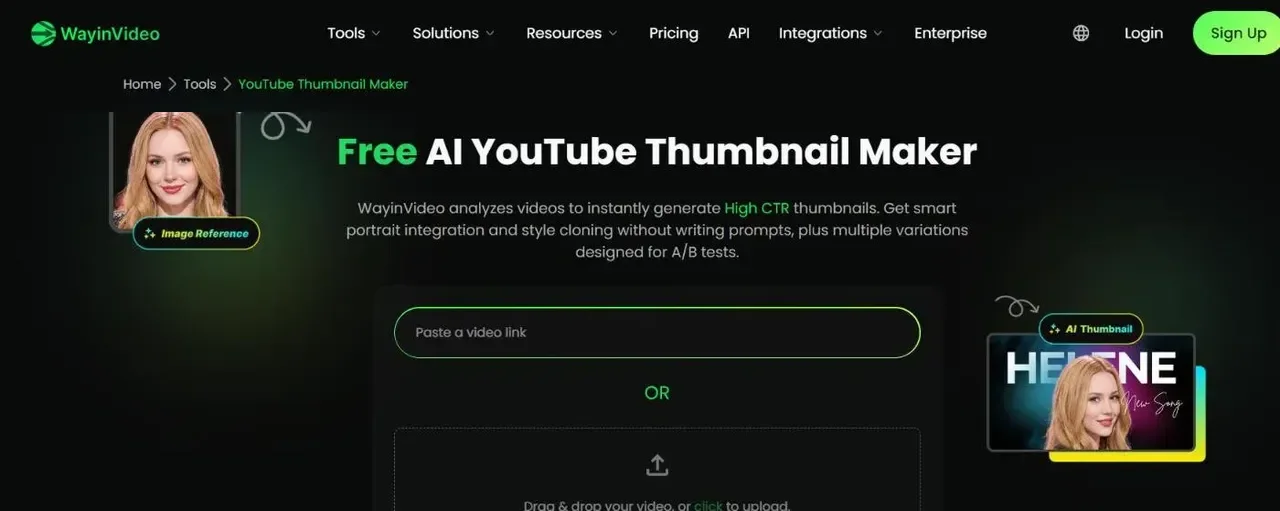
Wayin.ai's thumbnail maker skips the prompt entirely. Paste a YouTube link or upload a video and it generates several thumbnail options from it; the page says there are "no prompts to write." The default output is 1280 × 720, and a one-click ratio switch includes 9:16, so a vertical cover is one step more than a long-form one. Its page title promises "No Sign Up" for the first generations.
Key features
- A link or a video in, several thumbnails out
- Ratio switch to 9:16, 1:1 and 4:5
- Style cloning from a reference thumbnail
Best for
- Getting a few vertical options from a published Short in one go
- Creators who would rather pick than describe
Pricing
- Free credits on sign-up, one time, not monthly
- Starter $13.99/mo billed monthly, or the equivalent of $4.99/mo billed yearly ($59.88 for the first year, shown as a time-limited discount)
Pros
- No prompt, no brief to write
- Several candidates per video, so you choose instead of iterating
Cons
- 16:9 is the default; you switch the ratio for each Short
- Its own pages disagree on the free allowance: the pricing FAQ says 100 credits on sign-up, the tool page says 200
4. Canva, best for designing the cover by hand
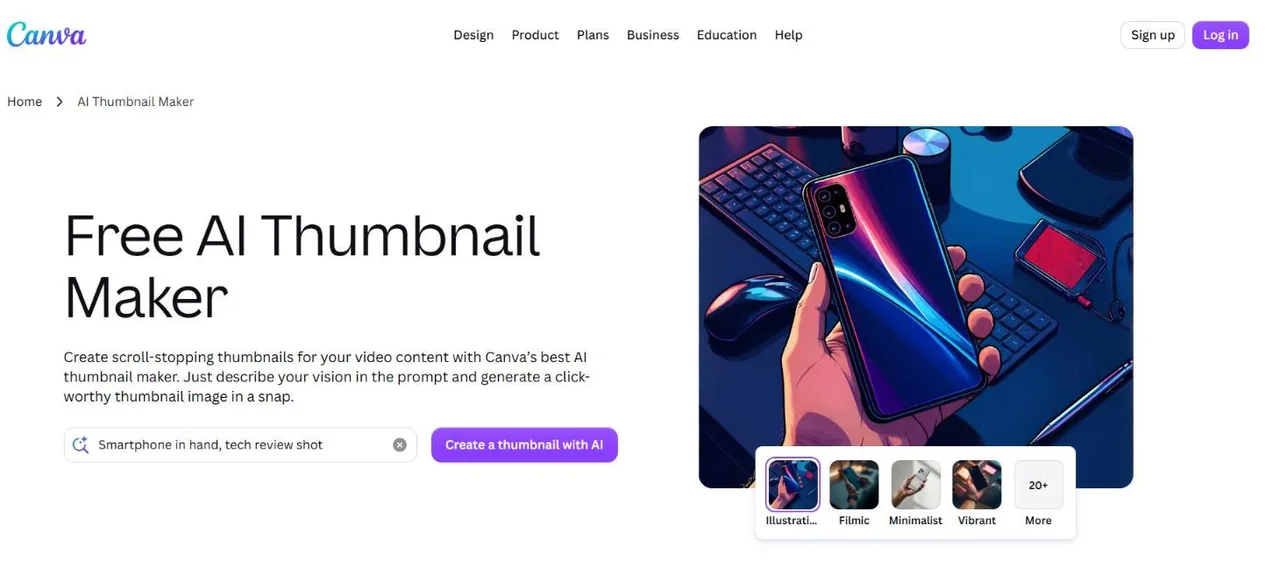
Canva is the design editor most creators already have open, and it has more than 2,700 YouTube Shorts templates, including a set of Shorts thumbnail designs. You pick one, swap the photo and the words, and export. It also has an AI thumbnail maker, and the Free plan includes up to 20 AI uses. Canva doesn't start from your video and doesn't decide what the cover should say; you do.
Key features
- 2,700+ YouTube Shorts templates, with Shorts thumbnail designs among them
- Full drag-and-drop editor with your own photos, fonts and colors
- An AI thumbnail maker in the same account
Best for
- Channels with a recognizable cover style they repeat every week
- Creators who want to place every word themselves
Pricing
- Free plan, with up to 20 AI uses
- Pro US$144/year; Business US$250/year per person
Pros
- The most control over layout and type of any tool here
- A large set of vertical templates to start from
Cons
- Nothing is read from your video: the idea and the words are yours to find
- Template covers can look like other channels using the same template
5. Picsart, best for turning a 16:9 image into 9:16
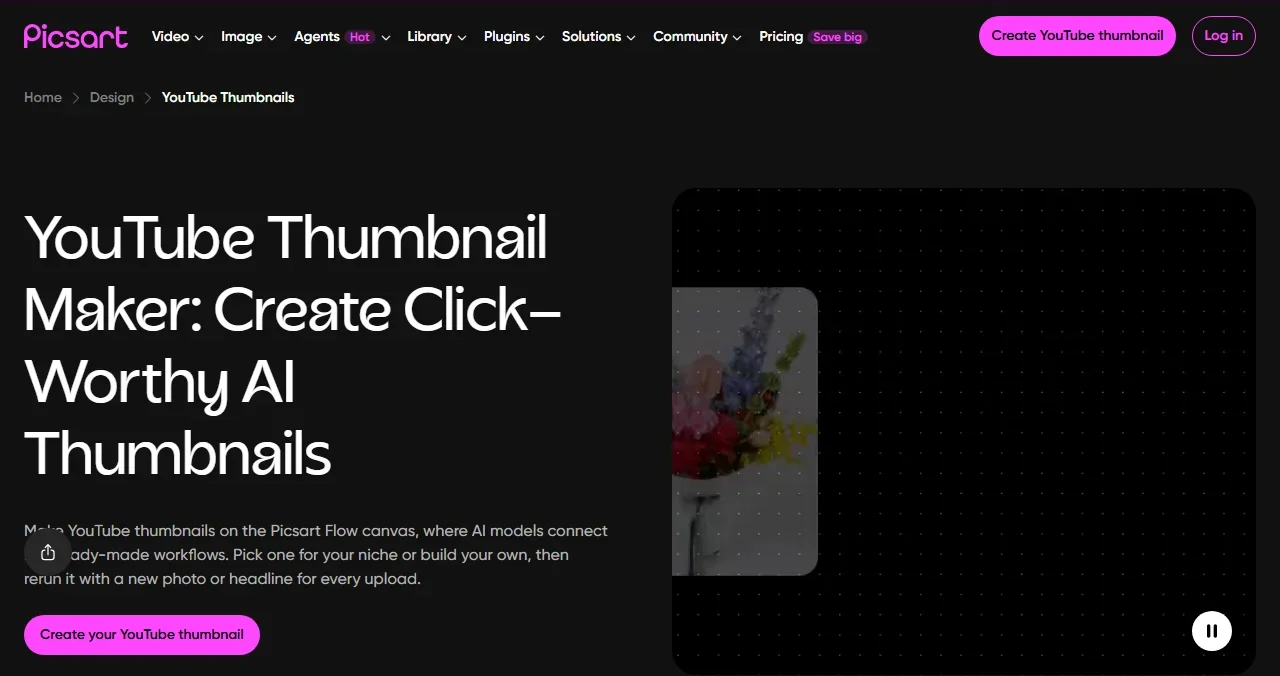
Picsart is an AI photo and video editor, and the useful part for Shorts is Outpaint. In Picsart Flow, the ratio chip under the prompt starts at 16:9; switch it to 9:16 and the AI extends the picture above and below instead of cropping it. That solves the most common Shorts problem: you already have a good horizontal thumbnail or still, and need a vertical one without cutting the subject's head off.
Key features
- Outpaint to 9:16 from an existing image
- AI generation from a prompt or a photo
Best for
- Turning a long-form thumbnail into its Shorts version
Pricing
- Pro $10.50/mo billed yearly ($15 before the discount shown), with AI credits included
Pros
- Extends a picture to 9:16 instead of cropping it
Cons
- Nothing is read from your video; you bring the image or the prompt
- The Ultra price differed between two Picsart pages on the same day, so check it at checkout
6. FlexClip, best for the Short and its cover in one editor
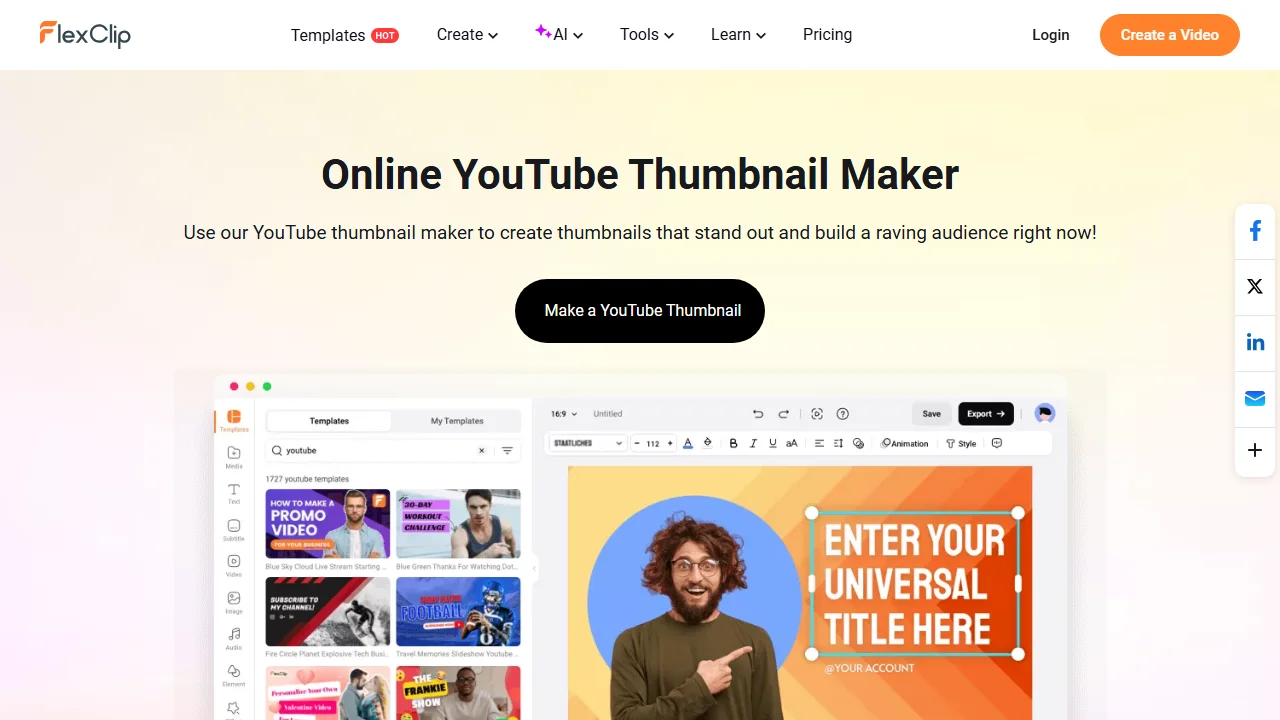
FlexClip is an online video editor first. Its thumbnail maker offers a 9:16 preset next to 16:9, 1:1 and 4:5, and the same account has an AI image generator and a vertical video maker. If you cut your Shorts in FlexClip, the cover gets made in the same place, with the same fonts and colors, without exporting anything to a second tool.
Key features
- 9:16, 16:9, 1:1 and 4:5 presets
- AI image generator in the same editor
- Vertical video editing for the Short itself
Best for
- Creators who edit their Shorts in FlexClip
- Keeping the cover's style identical to the video's captions
Pricing
- Free plan: $0, 720p exports, a trial of the AI features
- Plus $11.99/mo billed yearly ($143.88), or $19.99 monthly
- Business $19.99/mo billed yearly ($239.88), or $29.99 monthly
Pros
- One tool for the video and the cover
- A free plan to try it
Cons
- The free plan exports at 720p, below YouTube's recommended 2160 × 3840
- Not a thumbnail specialist: the cover is a template you fill in, not an idea built from the video
7. YouTube Studio, best for a free frame, no extra tool
You don't need any tool to give a Short a cover. On a computer, YouTube Studio offers three suggested frames for a Short; in the mobile app you can scrub to any frame of the video. Verified accounts can also upload a custom image, on a computer only. YouTube's July 2026 announcement opened custom Shorts thumbnails to Partner Program creators first, with more to follow. It recommends 9:16 at 2160 × 3840. YouTube's own thumbnail suggestions in Ask Studio are for long-form videos only.
Key features
- Pick a frame: three suggestions on desktop, any frame in the app
- Custom 9:16 upload from a computer, for verified accounts
Best for
- Shorts where one frame of the video already tells the story
- Creators who post from their phone
Pricing
- Free
Pros
- Zero cost and zero extra steps
- The frame is guaranteed to match the video
Cons
- A frame has no added words, and the best moment of a Short is rarely a clean still
- Custom upload is desktop-only and not yet open to every channel
The full upload steps, desktop and mobile, are in our guide to adding a custom thumbnail on YouTube.
How to choose a YouTube Shorts thumbnail maker
Start from what you already have, not from the feature list.
- You have the published Short and no idea yet: ThumbnailMaker writes the idea from the link before it makes anything; Wayin.ai skips the idea and gives you several candidates to pick from.
- You have the video file and no budget: Fliki, with no sign-up. Check the licence before you use it on a monetized channel.
- You have a long-form thumbnail already: Picsart's Outpaint extends it to 9:16, or ThumbnailMaker makes a Shorts version of the same idea.
- You have a house style: Canva, or FlexClip if the Short is edited there too.
- You have nothing and want nothing extra: pick a frame in YouTube Studio.
Whatever you use, check two things before you publish. First, the size: 9:16, ideally 2160 × 3840, never a 16:9 image on a vertical video. Second, the phone: look at the cover at the size of a thumb and make sure the face and the words still read. If the long-form side needs work too, the list of free thumbnail makers with no sign-up covers it.
Frequently asked questions
Should you make thumbnails for YouTube Shorts?
Yes, if your Shorts are found anywhere other than the swipe feed. In the Shorts player, viewers swipe straight into the video, but the cover is what people see on your channel's Shorts tab, in search and on the home page. A frame picked in YouTube Studio is the minimum; a designed 9:16 cover with a few words says what the Short is about before anyone taps.
Why can't I edit the thumbnail for my YouTube Shorts?
Most likely because you're on your phone, or your account isn't eligible yet. YouTube's help page says custom Shorts thumbnails can only be added in YouTube Studio on a computer, and uploads need a verified account. YouTube opened custom Shorts thumbnails to Partner Program creators first in July 2026, with more channels to follow. In the mobile app you can still choose a frame from the video.
What size is a YouTube Shorts thumbnail?
YouTube recommends 9:16 at 2160 × 3840 pixels, with a minimum height of 640 pixels. 1080 × 1920 is the common working size and is also 9:16. Avoid a 16:9 image on a vertical video: YouTube replaces it with an automatic 4:5 thumbnail on the home, explore and subscriptions pages.
Can I use my long-form thumbnail for a Short?
You can upload it, but YouTube won't show it in most places. A 16:9 custom thumbnail on a vertical video is replaced by an auto-generated 4:5 thumbnail on the home, explore and subscriptions pages. Turn it into a 9:16 version instead: extend it with Picsart's Outpaint, or generate a Shorts version of the same idea in ThumbnailMaker.
Can ChatGPT create thumbnails for Shorts?
ChatGPT can generate images from a description, but it only knows your video from what you tell it about it. Before uploading, check that the result is 9:16 and resize it to 1080 × 1920 or 2160 × 3840, which a free resizer does in a few seconds. A tool built for thumbnails starts from the video and exports the size YouTube asks for, so both steps go away.
How do you make a good Shorts thumbnail?
Use one subject, close up, in the middle of the frame, and no more than a few words, large enough to read on a phone. Make it 9:16 from the start rather than cropping a horizontal image. Then look at it at phone size before you upload it: if the words need a second look, cut one.
Which Shorts thumbnail maker to start with
If you post Shorts every week and the cover is the slowest part, start from the link: ThumbnailMaker's AI YouTube thumbnail maker writes the brief for free and makes the 9:16 cover on a plan from $12 a month. If you want to try an AI cover before paying anyone, Fliki works with no sign-up. If you design by hand, Canva has the templates. And if a frame from the video is enough, YouTube Studio already has everything you need.
Details were checked on each vendor's own pages on October 24, 2026: Fliki's thumbnail maker, Fliki's plan comparison, Wayin.ai's thumbnail maker, Wayin.ai's pricing, Canva's Shorts templates, Canva's AI thumbnail maker, Canva's pricing, Picsart's thumbnail maker, Picsart's guide to extending a photo, Picsart's pricing, FlexClip's thumbnail maker and FlexClip's pricing. YouTube's Shorts rules are on its custom thumbnails help page.
ThumbnailMaker is an independent product and is not affiliated with, sponsored by, or endorsed by Fliki, Wayin, Canva, Picsart, FlexClip, Google or YouTube. Fliki, Wayin.ai, Canva, Picsart, FlexClip, YouTube and YouTube Studio are trademarks of their respective owners, named here only to compare publicly documented features. The other tools' descriptions come from their own pages, not from our testing. Details were accurate when written and may have changed since.
ThumbnailMaker Team — Guides from the people building ThumbnailMaker: thumbnail design, CTR, and what happens under the hood of an AI generator. Every number is checked against YouTube's own pages and dated.
Try it on your next video
Paste the video's link: the brief is written for you, then you generate with a plan from $12 a month.