6 Free YouTube Thumbnail Makers, No Sign-Up (2026)
By ThumbnailMaker Team · · 17 min read
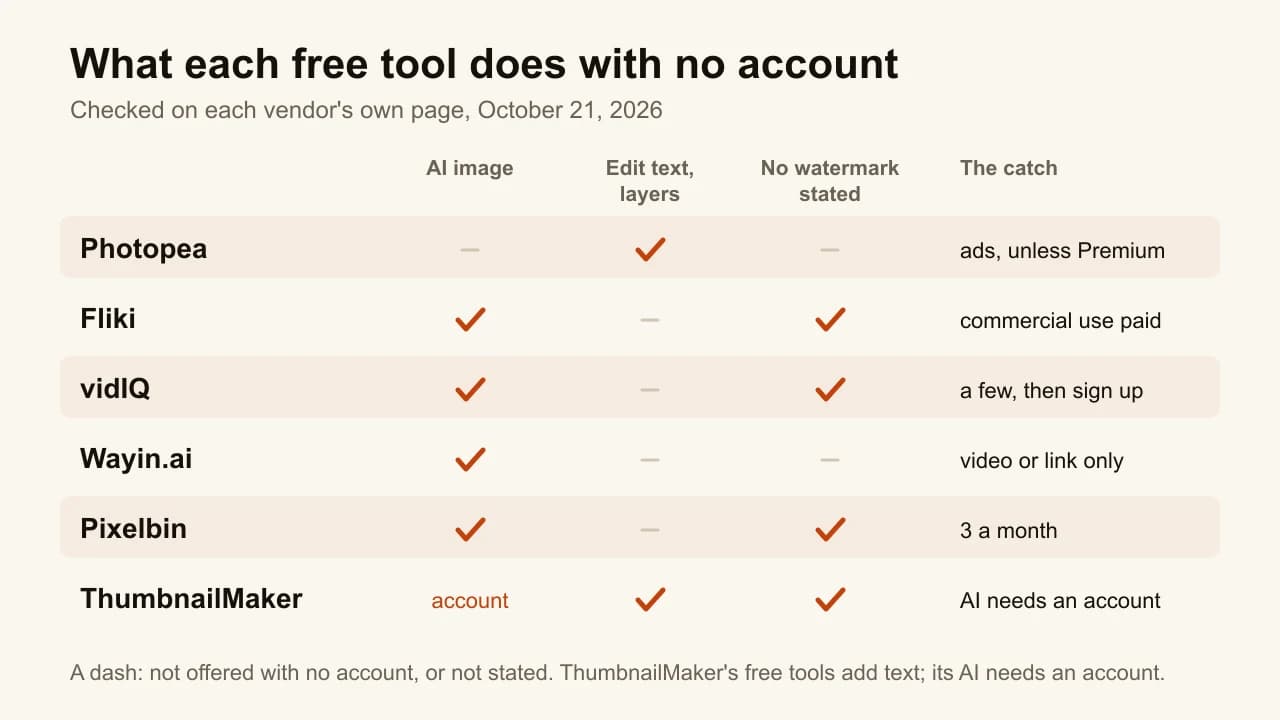
Quick answer: Six free YouTube thumbnail makers work with no sign-up. Photopea is the best of them if you want to build the thumbnail yourself: a full layered editor in the browser that opens and saves PSD files, free with ads. Fliki is the best AI option with no account: upload a video or pick one of 50+ styles and download without a watermark, though commercial use needs a paid plan. vidIQ makes your first few thumbnails from a prompt, a YouTube link or a video before asking you to sign up. Wayin.ai builds several candidates from a video with no prompt at all. Pixelbin restyles a photo with a prompt, three a month. ThumbnailMaker's AI generator needs an account, but its four free tools do not: a text editor, a feed tester, a resizer and a thumbnail downloader. Every claim below was checked on the vendor's own page on October 21, 2026.
"No sign-up" is the most overused phrase on thumbnail tool landing pages. It usually means one of three things: the whole tool is free with no account, the first few images are free and then a sign-up wall appears, or the page asks for an email the moment you click download. This list only includes tools whose own pages say you can make and download something without an account, and each entry says where the catch is.
ThumbnailMaker is our product. Its AI generator is not on the no-account side of that line, so it is not ranked first here. Its free tools are, and they are listed for exactly what they do.
What kinds of free no-sign-up thumbnail makers are there?
The six tools fall into three families:
- A browser image editor: Photopea. You design the thumbnail by hand, with layers, the way you would in Photoshop.
- AI generators with a no-account allowance: Fliki, vidIQ, Wayin.ai and Pixelbin. They make the image for you, and each one stops at a different point before asking for an email.
- Single-job free tools: ThumbnailMaker's text editor, tester, resizer and downloader. Each does one step of the job, with no account and no limit stated.
Checked on each vendor's own pages, October 21, 2026.
| Tool | Best for | Works with no account | The catch | Cheapest paid plan |
|---|---|---|---|---|
| Photopea | Designing by hand, with layers | The whole editor | Ads, unless you buy Premium | Premium, price shown in the app |
| Fliki | An AI thumbnail with no account | Video or style to thumbnail, download | Commercial rights are on paid plans | $28/mo (Standard) |
| vidIQ | AI from a link or a video | Your first few thumbnails | Then a free account; browser check first | $16.58/mo, billed yearly |
| Wayin.ai | A thumbnail from a video, no prompt | Several thumbnails per video | Video or link only; limit not published | $13.99/mo, or $4.99/mo yearly (promo) |
| Pixelbin | Restyling a photo with a prompt | Up to three thumbnails a month | Its pages disagree on the free limit | $15/mo (Creator) |
| ThumbnailMaker | Text, a feed check and the right size | Four free tools | The AI generator needs an account | $12/mo for 40 thumbnails |
1. Photopea, best for designing by hand, with layers
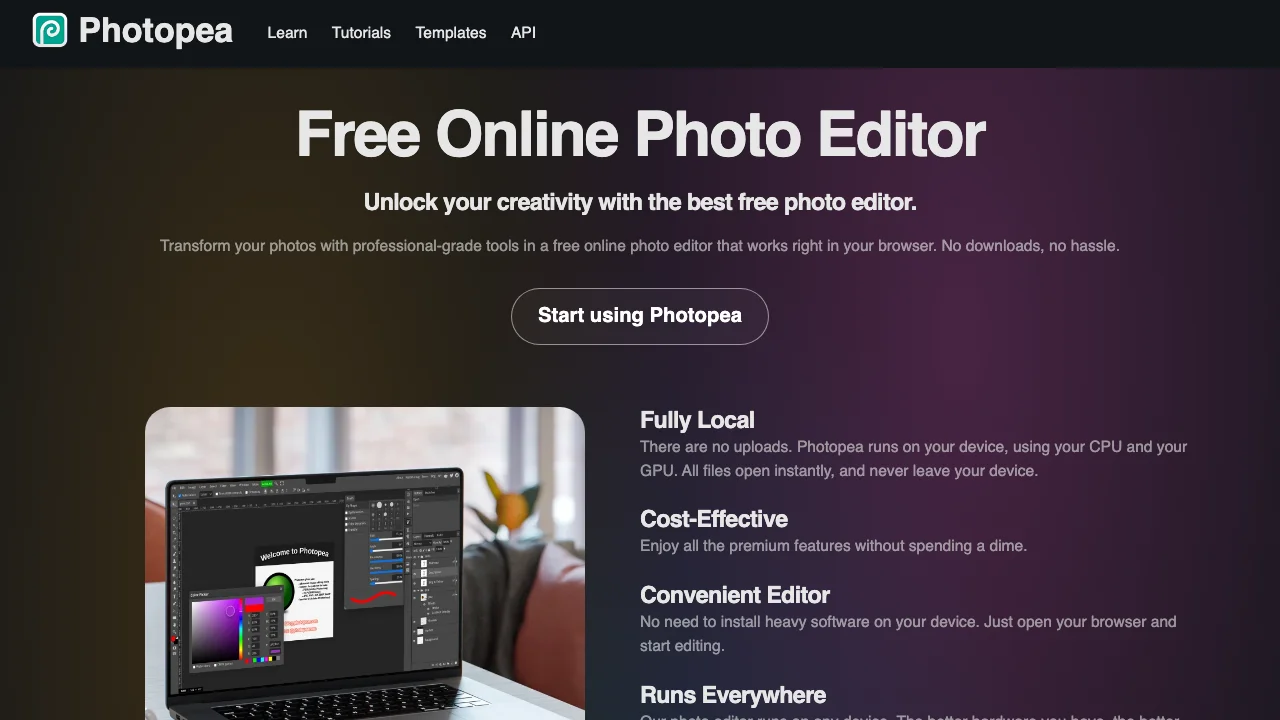
Photopea is a full image editor that runs in the browser, with layers, text and filters, and an interface that will look familiar to anyone who has used Photoshop. It opens and saves PSD files natively, and its homepage lists more than 50 other formats, from PNG and WebP to Figma and AI files. Nothing is uploaded: the page says the editor runs on your device and files never leave it. There is no account to make before you start. It is free, paid for by the ads shown while you edit; a Premium account removes them. For a creator who already knows what the thumbnail should look like and wants control over every pixel, nothing else on this list comes close.
Key features
- Layers, text and filters
- Opens and saves PSD, plus PNG, JPG, WebP and 40+ other formats
- Runs locally: files stay on your device
- A Templates section in the main menu
Best for
- Creators who already design in Photoshop and want the same workflow for free
- Editing a layered thumbnail a designer sent you as a PSD
Pricing
- Free, with ads
- Premium removes the ads; Photopea shows the price inside the app's Account window, not on a public page
Pros
- The most complete editor here, with no account at all
- Your PSD files open with their layers intact
Cons
- You build everything by hand; there is no AI thumbnail generator in the free, no-account offer
- A blank canvas is slow if you don't already know Photoshop
2. Fliki, best for an AI thumbnail with no account
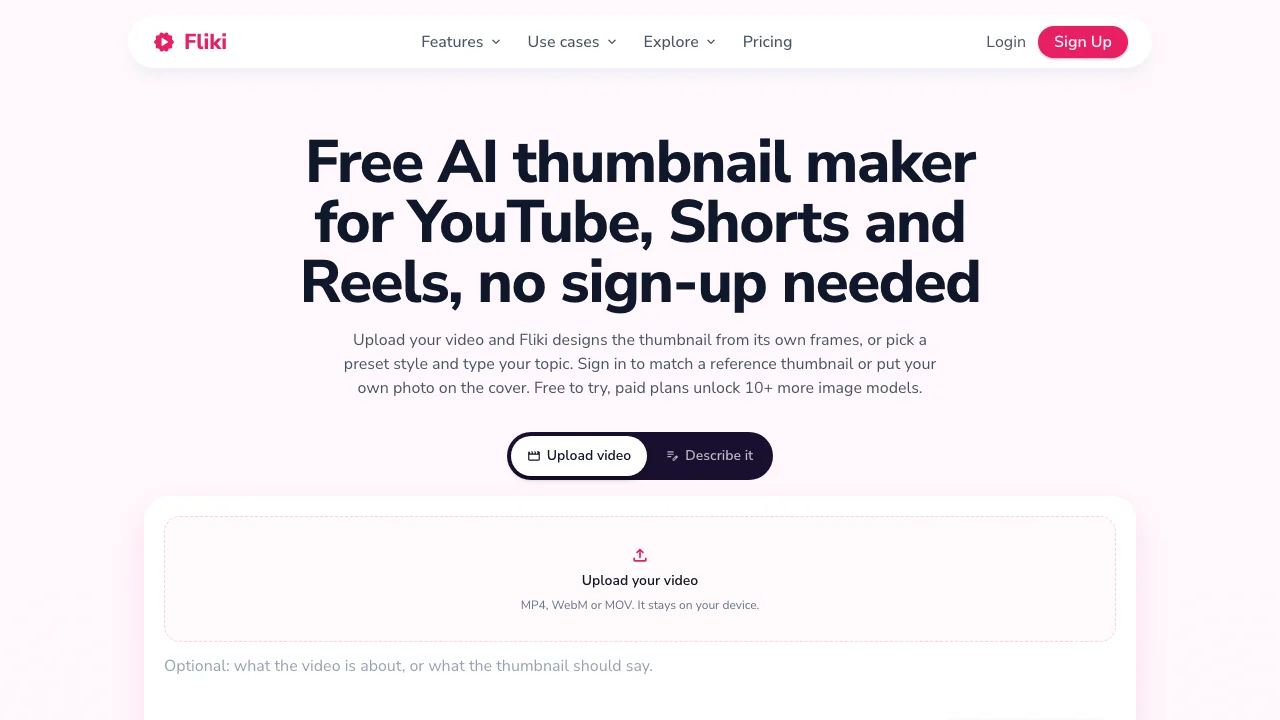
Fliki is an AI video platform with a free thumbnail maker page that works without logging in, including the download. You start one of two ways. Upload an MP4, MOV or WebM file up to 500 MB, and Fliki reads its frames in your browser, so the video itself is not uploaded. Or pick one of more than 50 preset styles and type your topic. Downloads come without a watermark, in 16:9, 9:16 or 1:1, up to 3840 × 2160 for YouTube. The no-account page runs on one fast model; signing in adds ten more models, reference thumbnails and photo overlays.
Key features
- Thumbnail from a video's own frames, read in the browser
- 50+ preset styles with a topic
- 16:9, 9:16 and 1:1, up to 3840 × 2160
- PNG, JPG or WebP download, no watermark
Best for
- Trying an AI thumbnail in under a minute without giving an email
- Shorts and Reels creators who need 9:16 covers as well as 16:9
Pricing
- Free plan with 3 credits a month and no card, once you have an account
- Standard $28/mo, or $252 a year, with 180 credits a month, per Fliki's own comparison page
Pros
- The cleanest no-account AI flow on this list, download included
- Up to 3840 × 2160, matching YouTube's recommended size
Cons
- Commercial rights are on paid plans only, and a monetized channel is commercial use
- The number of free generations before the sign-up prompt is not stated
3. vidIQ, best for AI from a link or a video
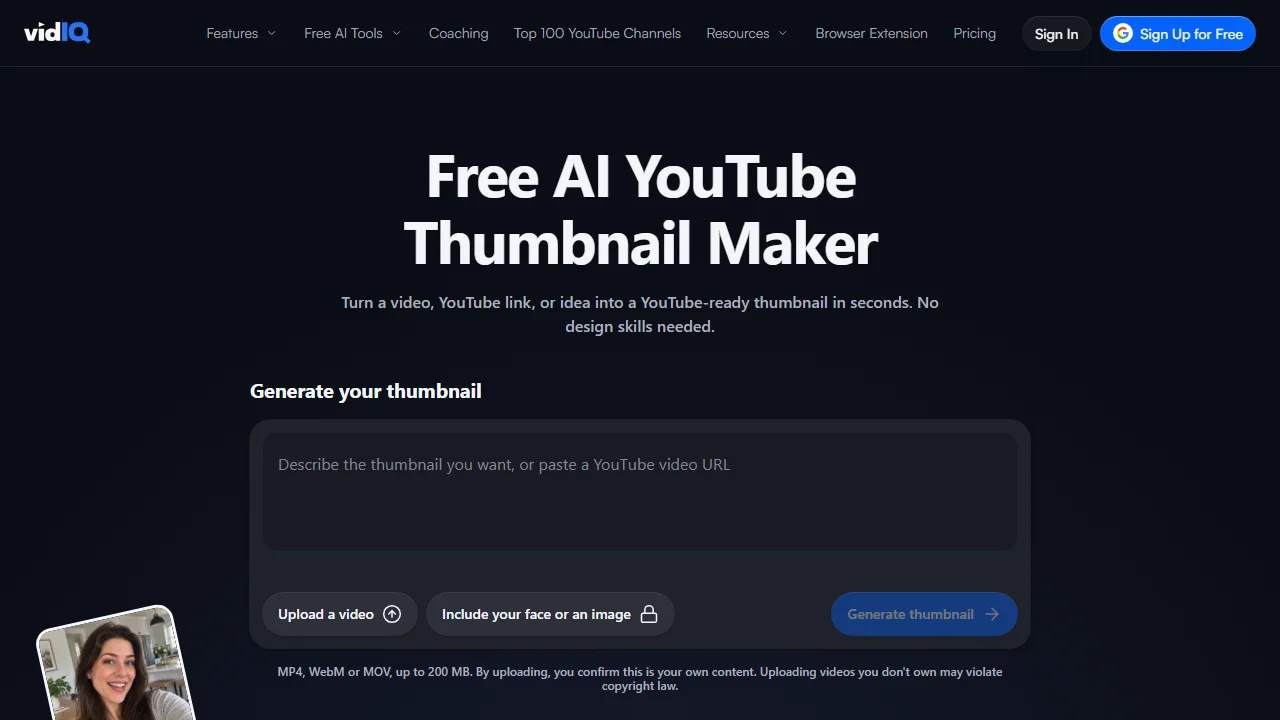
vidIQ's AI thumbnail maker takes a description, a YouTube link or an uploaded video, and its page says your first few thumbnails need no account. After that, a free account keeps you generating, editing and downloading in HD. The output is a 1280 × 720 PNG, and vidIQ states there is no watermark, even on the free plan. The generator sits behind a browser check, a "verify you are human" box, before the first run. It belongs to vidIQ's wider YouTube toolkit of keyword research, titles and channel analytics, all on the same credit balance.
Key features
- Prompt, YouTube link or video upload
- 1280 × 720 PNG, ready for YouTube Studio
- No watermark, free plan included
- Edit by typing once signed in
Best for
- Turning an existing video's link into a first thumbnail draft
- Channels that may end up using vidIQ's research tools anyway
Pricing
- Free plan with 150 AI credits a month, with an account
- Boost $16.58/mo, billed $199 a year, 2,000 AI credits; Max $39/mo, billed $468 a year, 6,000
Pros
- Three ways in, all available before signing up
- No watermark on anything you download
Cons
- "A few" free thumbnails is the only limit given
- Output is 1280 × 720 only, below YouTube's recommended 3840 × 2160
4. Wayin.ai, best for a thumbnail from a video, no prompt
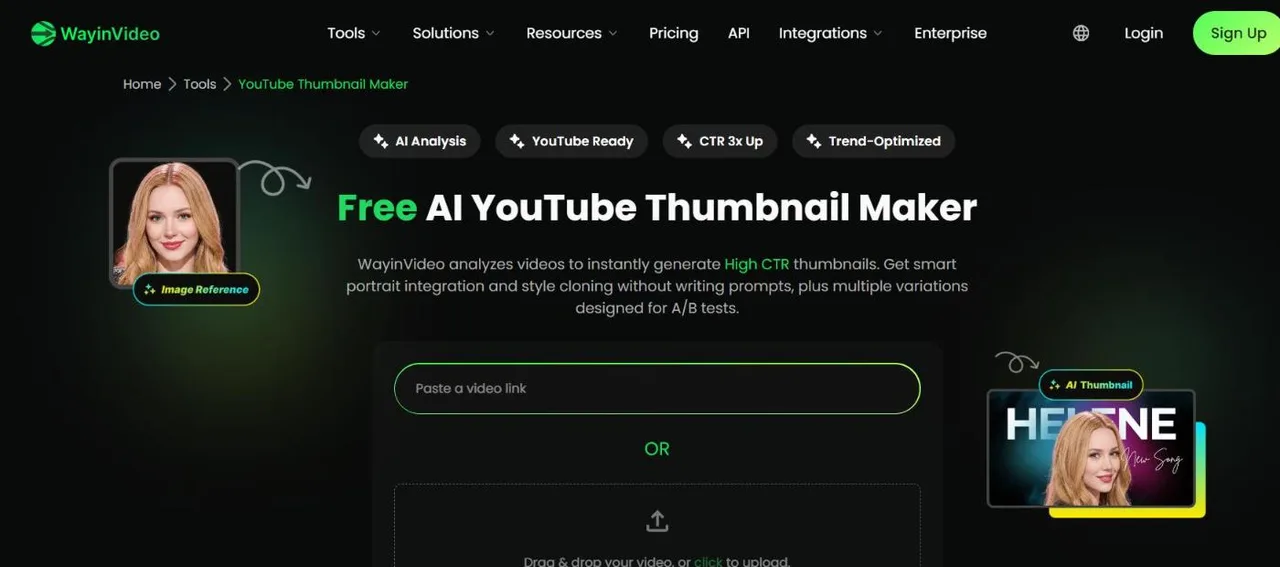
Wayin.ai is a video clipping platform with a promptless thumbnail maker. Paste a video link or upload a file, and it analyses the scenes and faces, then offers several thumbnail options for the same video. Its FAQ answers the question directly: "You can generate multiple Video thumbnails for free without signing up." An account adds 100 one-time free credits. Output follows YouTube's 1280 × 720, with one-click switches to 9:16, 1:1 and 4:5 for Shorts, TikTok and Instagram. A reference thumbnail can be dropped in to copy its layout.
Key features
- No prompt: a link or a video in, several options out
- 1280 × 720, plus 9:16, 1:1 and 4:5
- Reference-thumbnail style cloning
- Part of a clipping tool that cuts long videos into Shorts
Best for
- Creators who would rather not write a prompt at all
- Posting one video to YouTube, TikTok and Instagram with matching covers
Pricing
- 100 one-time credits on sign-up, which do not renew
- Starter $13.99/mo billed monthly, or the equivalent of $4.99/mo billed yearly during a 65%-off promotion with a countdown
Pros
- Several candidates per video, no account
- Four aspect ratios from the same source
Cons
- Nothing to start from if your video isn't made yet
- The no-account limit is not published, and paid plans are sized in minutes of video, not thumbnails
5. Pixelbin, best for restyling a photo with a prompt
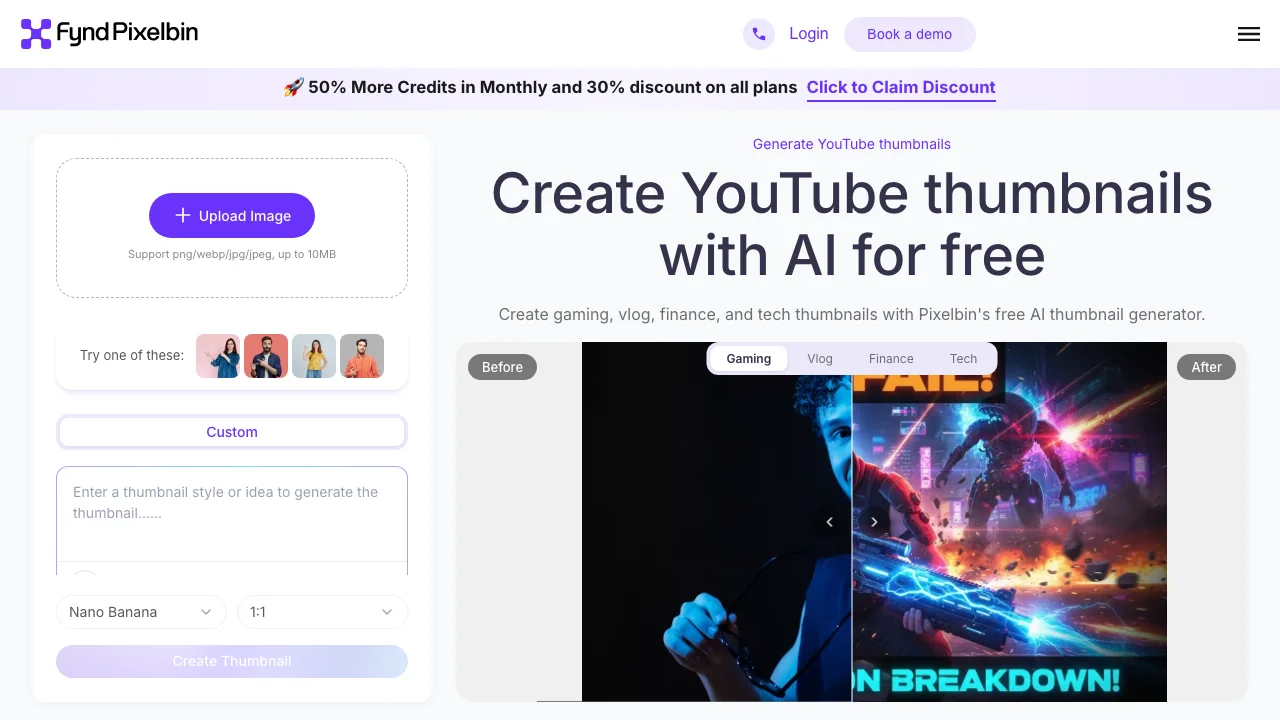
Pixelbin's YouTube thumbnail generator takes an image, a PNG, JPG or WebP up to 10 MB, and a short prompt, then restyles it into a thumbnail. You can pick the model, Nano Banana by default, and the aspect ratio. The tool page says "No sign-up required" and promises a free HD download with no watermark. The same page also describes a free plan of up to three thumbnails a month, while the pricing page offers 10 free credits on sign-up, so the exact free allowance without an account is unclear.
Key features
- An uploaded image plus a short prompt
- Choice of model and aspect ratio
- HD download, no watermark stated
Best for
- Turning a photo you already took into a stylised thumbnail
- Gaming, vlog, finance and tech channels, the four styles its page shows
Pricing
- Up to three free thumbnails a month, per the tool page
- Creator $15/mo for 250 credits, Lite $25/mo for 600, Pro $60/mo for 1,500, billed monthly
Pros
- Starts from your own image, not an invented scene
- The model picker gives a choice most no-account tools hide
Cons
- Three a month is the smallest free allowance here
- The tool page and the pricing page describe the free offer differently
6. ThumbnailMaker, best for text, a feed check and the right size
ThumbnailMaker's AI generator writes a brief from your video's link and makes the thumbnail, but it needs an account, so it does not belong at the top of a no-sign-up list. Its four free tools do belong here. None of them asks for an account, and none states a limit. Each covers one step that the AI makers above skip.
- The free thumbnail text editor adds up to three lines of text to an image or to a video's current thumbnail, with 14 fonts, and downloads a 1280 × 720 PNG, or 720 × 1280 for Shorts. The image never leaves the browser.
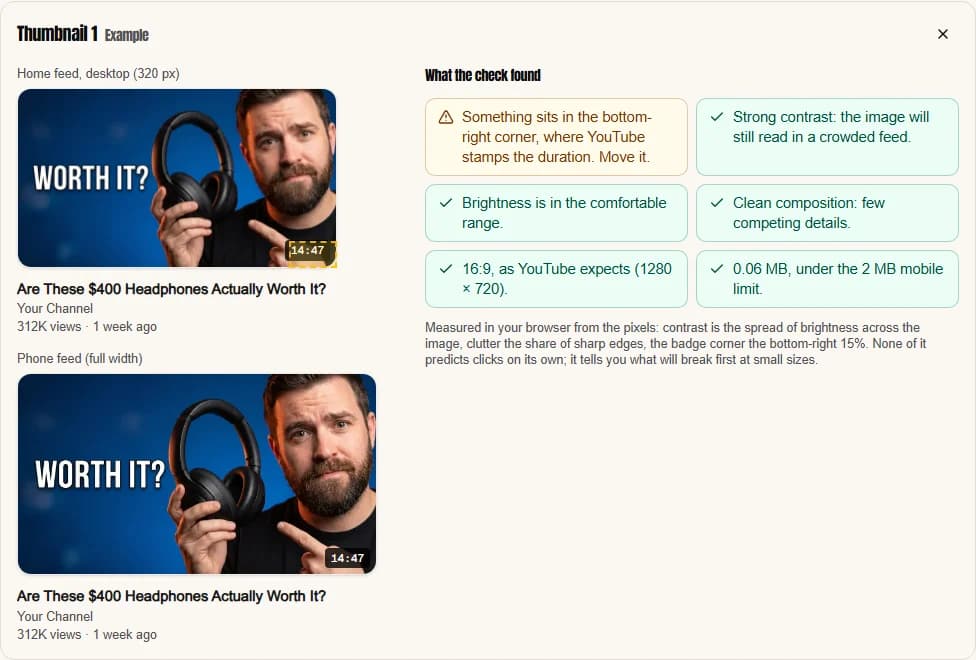
- The YouTube thumbnail tester shows a thumbnail in a mock home feed, on a phone and at 168 pixels, compares up to three, and flags anything sitting where the duration badge goes.
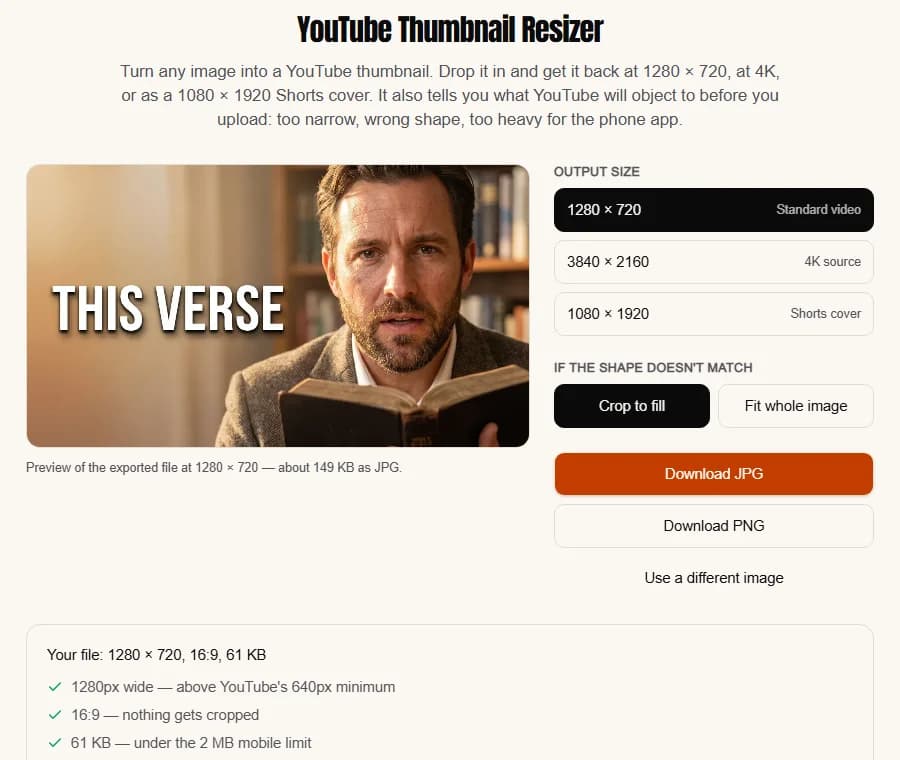
- The YouTube thumbnail resizer turns any image into 1280 × 720, a 4K file or a 1080 × 1920 Shorts cover, and checks it against YouTube's width and file-size limits.
- The YouTube thumbnail viewer downloads any video's thumbnail in every size YouTube stores, up to 1280 × 720.
Key features
- Text editor, feed tester, resizer and downloader, all with no account
- Everything runs in the browser; nothing is uploaded by the editor, tester or resizer
- The AI generator, with an account: a brief from your video's link, text drawn in and read back, a feed-size check on every image
Best for
- Putting a readable headline on a frame you already have
- Checking any thumbnail, made anywhere on this list, before it goes live
Pricing
- The four tools are free with no account
- The generator: up to four free previews with an account and no card; downloading them starts a 7-day free trial of Starter or Pro, card required, nothing charged for seven days
- Starter $12/mo for 40 thumbnails, Pro $39/mo for 100, Studio $99/mo for 300; no watermark on any plan
Pros
- The only tools here that check a thumbnail at the size YouTube actually shows it
- No account, no email, no stated limit
Cons
- No AI image without an account, and downloading the AI previews needs a card for the trial
- The free tools don't design the image; they finish and check one
How you'd use it with the tools above. Make the image anywhere on this list. Put the headline on it in the text editor, three to five words in a heavy font, and keep the bottom-right corner empty. Drop the result into the tester next to the thumbnail you used last time and look at both at 168 pixels. If the file came out the wrong shape, the resizer fixes it before YouTube crops it for you.
How to choose a free thumbnail maker with no sign-up
Do you want to design it, or have it made?
If you know what the thumbnail should look like and want to place every element, use Photopea: it is the only full editor on this list that needs no account. If you want the image made for you, pick an AI generator: Fliki, vidIQ, Wayin.ai or Pixelbin. ThumbnailMaker's free text editor sits between the two: it designs nothing, but puts a clean headline on any image in a minute.
Is your video already made?
Wayin.ai needs a video or a link, and builds the thumbnail from its frames. vidIQ and Fliki accept a video too, but also work from a description, so they suit a thumbnail you want before the edit is done. Pixelbin starts from a photo. Photopea starts from nothing.
Is your channel monetized?
Then read the licence before the feature list. Fliki's own page says commercial rights are on paid plans, and a monetized YouTube channel or a sponsored video is commercial use. The other pages checked here don't restrict commercial use of free output in the same plain terms, so check each one's terms for the use you have in mind.
How many thumbnails do you need?
A channel posting twice a week needs 8 or 9 thumbnails a month, plus the drafts that don't make it. That is past every no-account allowance here: Pixelbin's is three a month, vidIQ's is "a few", and Fliki and Wayin.ai don't publish theirs. If you are past that point, the honest answer is a free account somewhere, or a paid plan. Our comparison of the best AI thumbnail makers covers the tools built for that volume.
Will it still read in the feed?
Free or paid, a thumbnail is judged at a few hundred pixels wide on a phone, and at 168 pixels in the suggested column. None of the AI makers above checks that for you. Run the result through the free tester before you upload it, whichever tool made it.
Frequently asked questions
Is there a free YouTube thumbnail maker with no sign-up?
Yes. Photopea is a full editor with no account, paid for by ads. Fliki, vidIQ, Wayin.ai and Pixelbin each let you generate AI thumbnails before asking for an email, with different limits. ThumbnailMaker's text editor, tester, resizer and downloader are free with no account.
Which free thumbnail maker has no watermark?
Fliki, vidIQ and Pixelbin each state that free downloads have no watermark. ThumbnailMaker adds none to anything, free tools included. Photopea's homepage and Wayin.ai's tool page don't mention a watermark either way.
Can I make an AI thumbnail without an account?
Yes, with a limit. Fliki generates and downloads with no login, vidIQ allows your first few, Wayin.ai says you can make multiple from a video, and Pixelbin allows up to three a month. All four ask for an account after that.
Can I use a free AI thumbnail on a monetized channel?
Check the tool's terms first. Fliki states that commercial rights come with paid plans only, and a monetized channel counts as commercial use. A thumbnail you design yourself, from your own photos and text, doesn't depend on an AI tool's licence.
What size should a free thumbnail be?
YouTube recommends 3840 × 2160 for a video thumbnail and still accepts 1280 × 720, at 16:9. Several free tools here export 1280 × 720 only, which YouTube accepts. The YouTube thumbnail size guide has the full rules and file limits.
Does ThumbnailMaker work without signing up?
Its free tools do: the text editor, the tester, the resizer and the thumbnail viewer need no account. The AI generator needs one: up to four free previews with no card, then a 7-day free trial to download them. The plans are on the pricing page.
Which free thumbnail maker to start with
For a thumbnail you design, open Photopea. For an AI thumbnail with no email, try Fliki first, then vidIQ if you have a YouTube link. Whatever you make, put the words on it with the free text editor and look at it at feed size before it goes live. If you end up needing a thumbnail every week, the free allowances run out fast, and an account with a generator built for YouTube is the cheaper use of your time: ThumbnailMaker's AI YouTube thumbnail maker writes the brief from your video's link.
Details were checked on each vendor's own pages on October 21, 2026: Photopea, Photopea accounts, Fliki's thumbnail maker, vidIQ's thumbnail maker, vidIQ's plans, Wayin.ai's thumbnail maker, Wayin.ai's pricing, Pixelbin's generator and Pixelbin's pricing. YouTube's size guidance is on its custom thumbnails help page.
ThumbnailMaker is an independent product and is not affiliated with, sponsored by, or endorsed by Photopea, Fliki, vidIQ, Wayin or Pixelbin. Photopea, Fliki, vidIQ, Wayin.ai and Pixelbin are trademarks of their respective owners, named here only to compare publicly documented features. The other tools' descriptions come from their own pages, not from our testing. Details were accurate when written and may have changed since.
ThumbnailMaker Team — Guides from the people building ThumbnailMaker: thumbnail design, CTR, and what happens under the hood of an AI generator. Every number is checked against YouTube's own pages and dated.
Try it on your next video
Paste the video's link: the brief is written for you, then you generate. Previews are free, then a 7-day free trial.