Kick banner and offline banner, made with AI
Kick Banner Maker
A Kick banner maker for streamers: type your channel name and one sentence about the streams, and get a banner with the name drawn in and spelled right, cut to Kick's shape. Plans start at $12 a month.
Streaming on Twitch too? The same banner downloads for it.
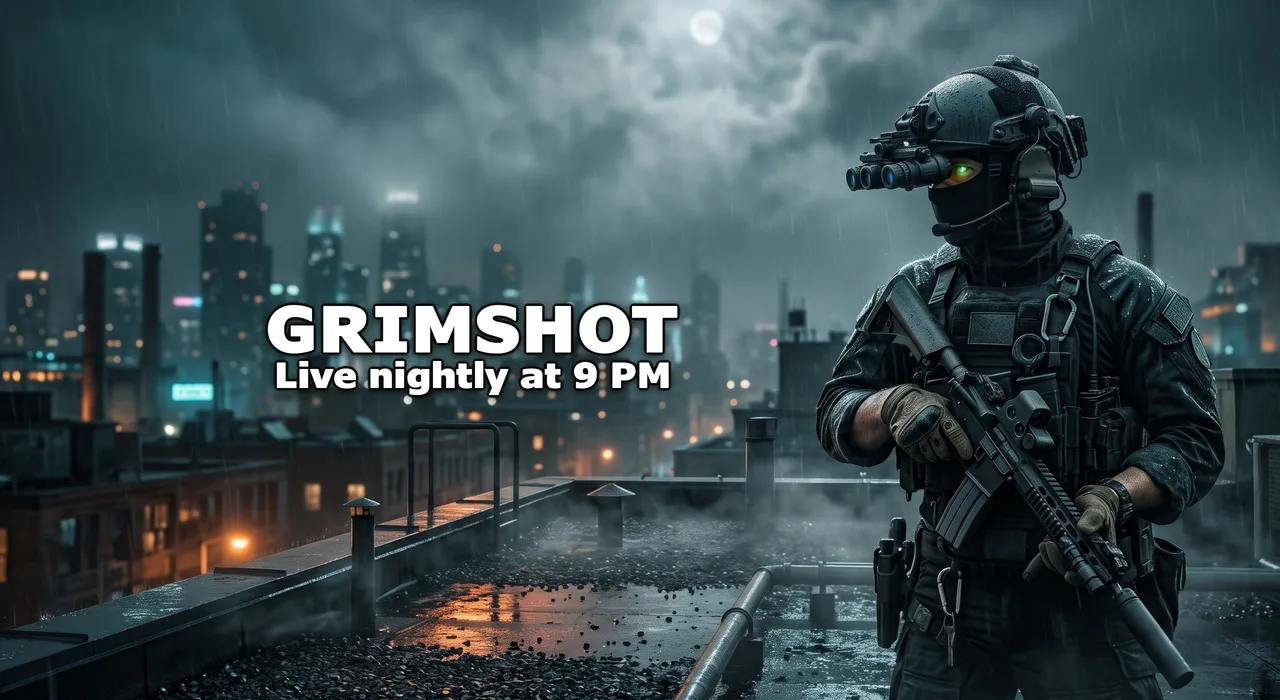

A Kick banner is the first thing a viewer sees when you are offline. Kick asks for at least 1280 × 700 and does not say how it crops the image on every screen, so the channel name and the one line under it belong in the centre, large enough to read on a phone. ThumbnailMaker makes the banner from your channel name and a sentence, keeps the words in that centre, and downloads it at 2560 × 1400 for Kick, plus the 1920 × 1080 offline banner from a 16:9 image.
How to make a Kick banner
Step 1
Name the channel
Type the channel name and one sentence about the streams. The name is set in the image exactly as you typed it.
GRIMSHOT: late-night tactical shooter streams, ranked and viewer games
Step 2
Add one line
The schedule or what the channel is about, under the name: Live nightly at 9 PM. Short is better: the name stays large.
Step 3
Pick Kick
The button below opens Create on the Banner format with Kick chosen. The scene and the words are kept in the centre, so they survive whatever cut the page makes.
Step 4
Download for Kick
The main download is the Kick banner, 2560 × 1400, twice Kick's 1280 × 700 minimum. The same banner also downloads for YouTube, Twitch, Discord and X.
Kick banners made from one sentence
Two invented channels, each from its name, one sentence and one line. These are the Kick cuts, as they download.
“GRIMSHOT. Late-night tactical shooter streams. Live nightly at 9 PM” “Mossy Den. Cozy farming and life-sim streams. Mon, Wed and Fri”
What works on a Kick banner
A shooter or competitive channel
Kick's own colour is a bright green, and a dark banner with one neon accent reads at a glance next to it. One masked character or a single weapon light is enough.
"An original masked operator with a neon-green visor, smoke on black"
A cozy or just-chatting stream
Warm light, one object that says what the stream is (a desk, a cat, a cup of tea) and the schedule under the name. Viewers who land offline learn when to come back.
"A cozy desk at night with a pixel farm on the monitor and a sleeping cat"
The same look on every platform
Multistreaming? Make the banner once and download it for Kick, Twitch, YouTube, Discord and X. Each file is cut from the same image, so the name sits in the same place everywhere.
Kick banner maker questions
Guides: Twitch banner maker · Twitch banner size
Start with your channel name
Your Kick banner starts with one sentence.
Need the round picture too? The profile picture maker makes it in the same look.
ThumbnailMaker is an independent product and is not affiliated with, sponsored by or endorsed by Kick. Kick is named here only to describe where the banner goes.