Quick answer: Twitch recommends 1200 × 480 pixels for a profile banner, a 5:2 image. Twitch scales the banner to 480 pixels high and stretches it when a viewer's window is wider than the image, so its help page gives two more pieces of advice: make the image "as wide as possible" and "concentrate the graphics on the left". Keep your channel name and any line of text clear of the edges. Twitch gives no size for the offline (video player) banner; a 16:9 image such as 1920 × 1080 is the usual choice. Panel images can be up to 320 × 300 and under 2.9 MB, and the profile picture must be a JPEG, PNG or GIF of 10 MB or less. Twitch's help states no file limit for the banner itself. Every figure here comes from Twitch's Channel Page Setup help, read on November 11, 2026.
To make the banner itself, the Twitch banner maker draws your channel name and one line into a scene, reads the words back, and downloads it at 1200 × 480: a new account's first 3 images are free, then plans start at $12 a month. To fit a picture you already have, the free banner resizer set to Twitch does it in your browser, with no account.
What size is a Twitch banner?
The Twitch profile banner, the wide image across the top of your channel page, is 1200 × 480 pixels, the size Twitch recommends on its Channel Page Setup help page. That is a 5:2 shape: two and a half times as wide as it is tall.
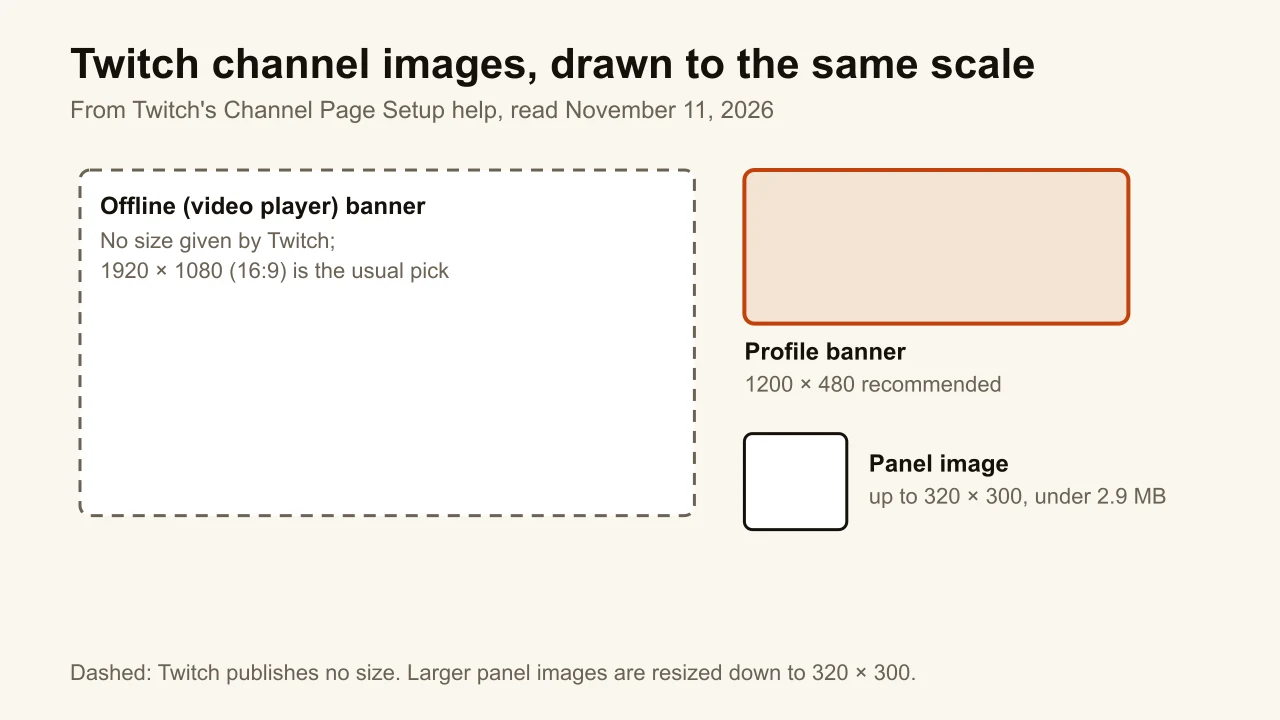
Twitch's channel images, side by side:
| Image | Size | What Twitch's help says |
|---|---|---|
| Profile banner | 1200 × 480 | Recommended size; scaled to 480 px high |
| Offline (video player) banner | Not given | Shown when you're offline; animated ones aren't supported |
| Panel image | Up to 320 × 300 | Under 2.9 MB; larger images are resized down |
| Profile picture | Not given | JPEG, PNG or GIF, 10 MB at most |
What does Twitch do to a banner on a wide screen?
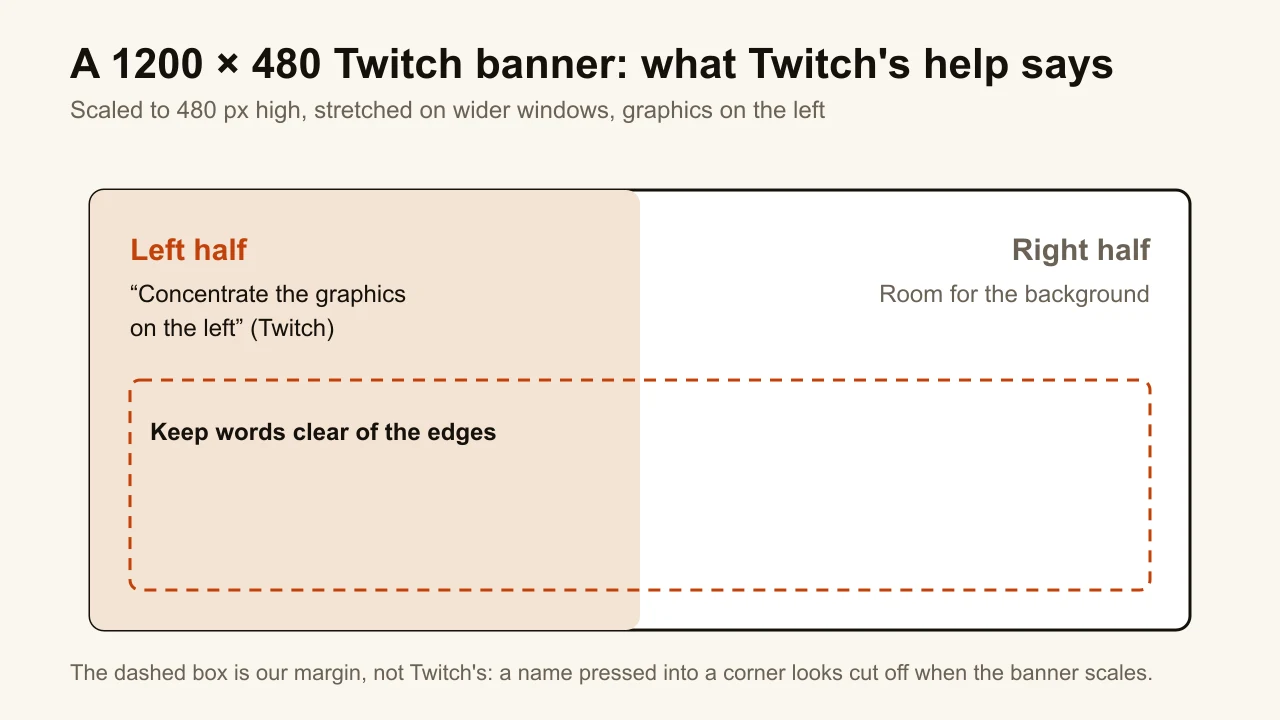
Twitch resizes the banner to fit each viewer's window. In its own words, images "shorter or taller than 480px will be scaled to 480px high", and they "will also be stretched if a user's browser window is open wider than the width of the image".
So the 1200 × 480 file is a starting point, not a pixel-exact frame. On a wide monitor the same banner is shown larger than you made it. That has two consequences you can plan for:
- Small files soften. A banner narrower than 1200 pixels is stretched even more. Upload 1200 × 480 or larger, never smaller.
- Edges move. What sits right at an edge on your screen can look cramped or cut on someone else's. Keep anything that matters inside a margin.
Twitch's answer is to go wide: "make your image as wide as possible". A wider file, such as the 1920 × 480 that Canva's Twitch FAQ suggests, follows that advice; it is still scaled to 480 pixels high.
Where should text go on a Twitch banner?
Away from the edges, and towards the left. Twitch's help says to "concentrate the graphics on the left" for "a consistent look across all monitor resolutions". Your channel name is the one element that must stay readable, so give it a margin on every side.
Three habits that hold on every screen:
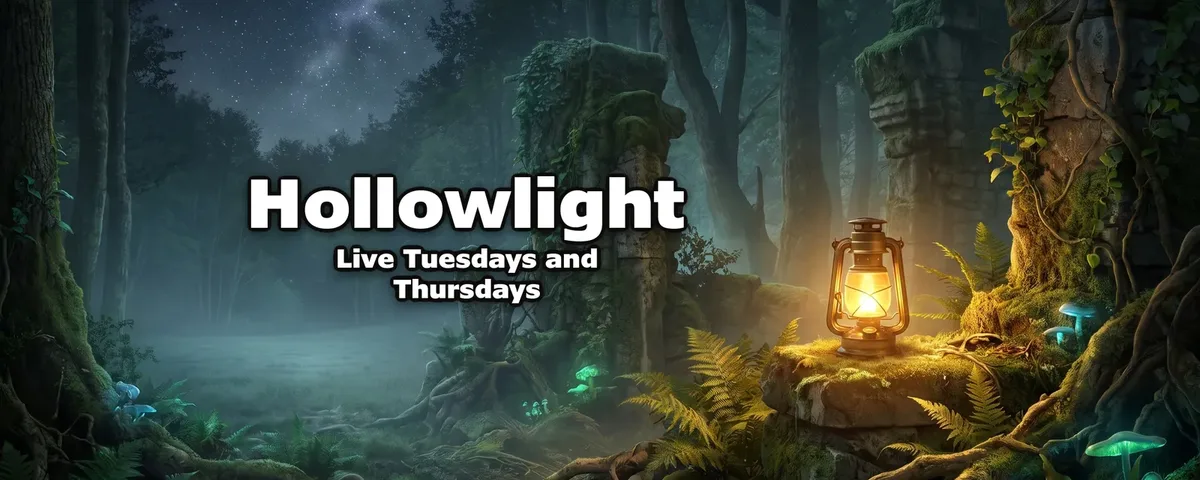
- One name, one line. The channel name and, at most, a schedule ("Live Tuesdays and Thursdays") or a tagline. A banner full of social handles reads as noise once it is scaled.
- A margin on all four sides. Nothing that matters within about a tenth of the width or height of an edge.
- A background that can stretch. Sky, gradient, landscape: anything that still looks right when it grows wider.
What size is the Twitch offline banner?
Twitch gives no size for it. The offline banner, which Twitch's help calls the video player banner, is shown in your player when you are not live, and "animated video player banners are not natively supported", so use a still image. Because it fills a video player, a 16:9 image at 1920 × 1080 is the usual choice: it matches the shape of the stream itself.
What size are Twitch panels and the profile picture?
Panels are the boxes of information under your stream. Panel images "must be under 2.9 MB, and should be no larger than 320px wide and 300px high"; larger images are resized down to those maximums. The profile picture "must be JPEG, PNG, or GIF and cannot exceed 10MB"; Twitch's help gives no pixel size for it.
How do you change your Twitch banner?
On Twitch, in the order its help gives:
- Click your profile picture in the top right and open the Creator Dashboard.
- Go to Settings, then Channel, and select the Brand tab.
- Under Profile Banner, click Update, and upload the image from your computer.
The offline banner is set on the same Brand tab, under the video player banner.
How do you make a Twitch banner at the right size?
If you already have a picture, crop it rather than redraw it. The free banner resizer, with Twitch chosen under Size for, crops or fits any image to 1200 × 480 and shows the JPG weight before you download. Nothing leaves your browser.
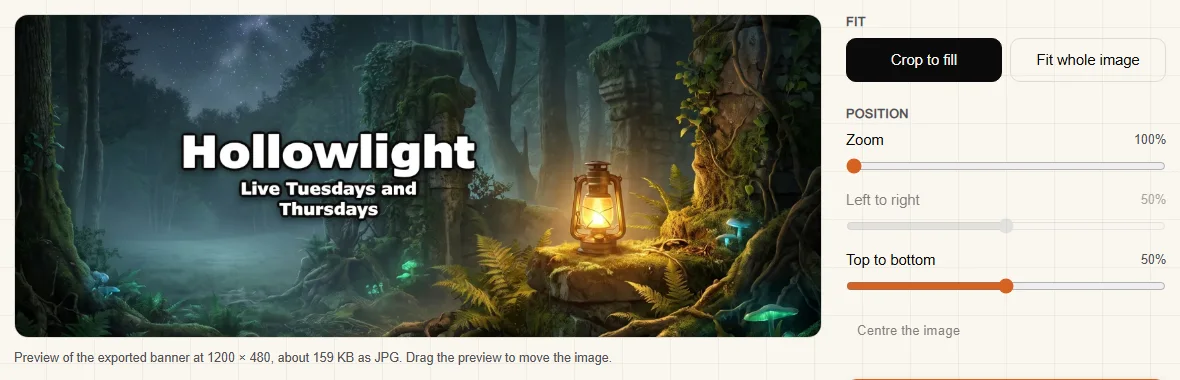
If you don't have a picture yet, ThumbnailMaker makes one from your channel name and a sentence about what you stream. It paints the scene with no letters in it, sets your name and one line in code, reads them back, and cuts the Twitch version at 1200 × 480. It centres the name, rather than putting it on the left as Twitch's help suggests, so it never touches an edge. The same banner also downloads for a Discord profile banner, which has the same 5:2 shape.
Comparing tools first? The best Twitch banner makers list checks six of them, from free template editors to AI.
Make the banner without designing it
The size is the easy part; the picture is what viewers see first on your channel page. If yours isn't made yet, ThumbnailMaker's Twitch profile banner maker draws your name and one line into a scene, reads the words back and downloads it at 1200 × 480, with Discord, X and YouTube sizes from the same image. A new account's 3 free images can be banners; after those, ThumbnailMaker's plans start at $12 a month.
ThumbnailMaker is an independent product and is not affiliated with, sponsored by, or endorsed by Twitch Interactive. Twitch is a trademark of its owner, named here only to describe publicly documented features. Details were accurate when written and may have changed since.
ThumbnailMaker Team: Guides from the people building ThumbnailMaker: thumbnail design, CTR, and what happens under the hood of an AI generator. Every number is checked against YouTube's own pages and dated.