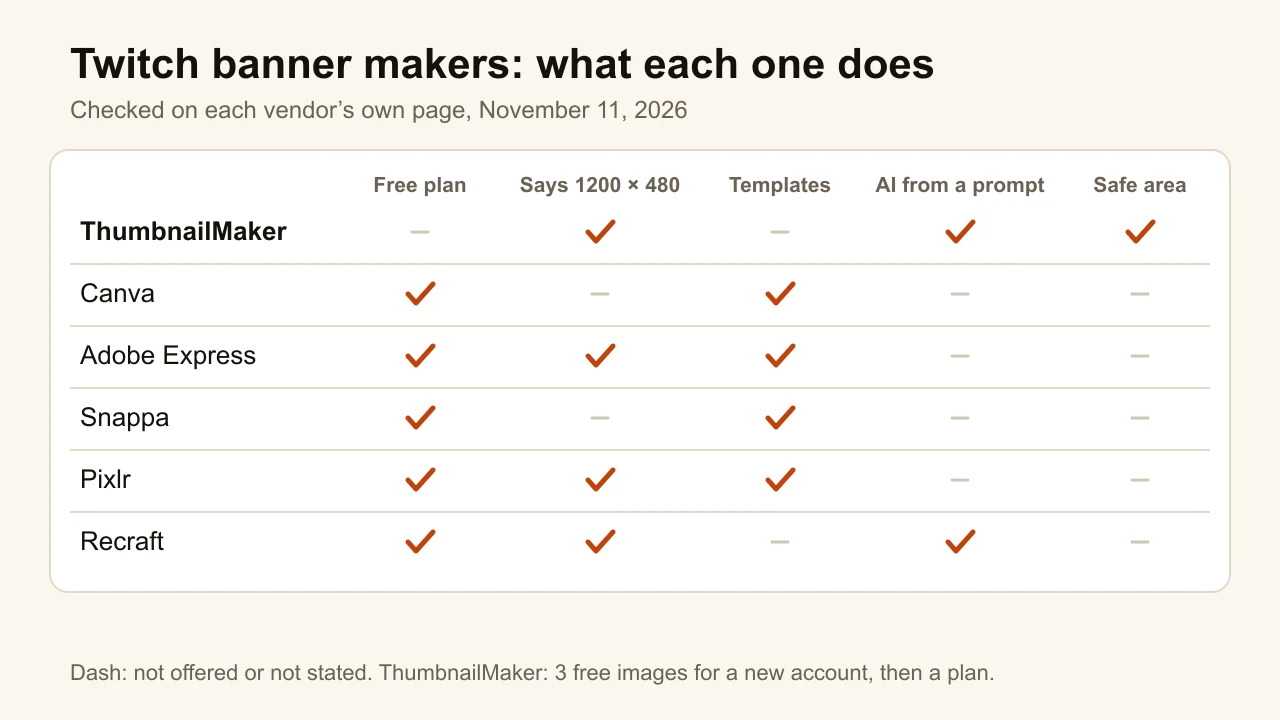
Quick answer: the best Twitch banner maker for a banner with your channel name spelled right is ThumbnailMaker: you type the name and what you stream, and it downloads a 1200 × 480 profile banner with the words set by code, clear of the edges. A new account's first 3 images are free. For a free template, Adobe Express is the strongest pick: its Twitch page gives the right 1200 × 480, and its free plan has 345,000+ templates. Pixlr's Twitch templates come at 1200 × 480 too, with paid plans from $2.49 a month. Canva has the biggest library; its Twitch FAQ says 1920 × 480, wider than the size Twitch names. Snappa's free plan stops at 3 downloads a month. Recraft paints a banner from a prompt, 30 free images a day, though free images belong to Recraft. Every claim was checked on the vendor's own page on November 11, 2026.
If you would rather not design it at all, ThumbnailMaker's Twitch banner maker builds it from your channel name and a sentence: the first 3 images are free, then plans start at $12 a month.
A Twitch profile banner is 1200 × 480, according to Twitch's own Channel Page Setup help. Twitch scales it to 480 pixels high and stretches it when the browser window is wider than the image. Its advice: make the image "as wide as possible" and "concentrate the graphics on the left". That sorts the tools below better than any feature list: which ones know the size, and which ones keep your name readable when the banner stretches.
ThumbnailMaker is our product, so it is listed first. It makes the profile banner only: no offline screen, no panels, no animated banner, no templates. Where another tool does something better, its entry says so.
What kinds of Twitch banner makers are there?
The six tools fall into two families:
- Template editors: Canva, Adobe Express, Snappa and Pixlr. You pick a Twitch banner template, change the name and colours, and download. Each has a free plan.
- AI generators: ThumbnailMaker and Recraft. You describe the banner and the model paints it. Recraft lets the model draw the words; ThumbnailMaker paints the scene with no letters, then sets your name in code.
| Tool | Best for | Size it gives | Free option | Cheapest paid plan |
|---|---|---|---|---|
| ThumbnailMaker | A finished banner from your name, inside the safe area | 1200 × 480 cut from 2560 × 1440 | 3 free images for a new account | $12/mo (10 credits a banner) |
| Canva | The biggest template library, with matching emotes and panels | 1920 × 480 in its FAQ | Free plan, 1.6M+ templates | Pro US$144/yr |
| Adobe Express | Free Twitch templates at the right size | 1200 × 480 | Free plan, 345,000+ templates | Premium US$9.99/mo |
| Snappa | A quick preset and a few downloads a month | Preset, size not stated | 3 downloads a month | Pro $10/mo billed yearly |
| Pixlr | Cheap paid templates at 1200 × 480 | 1200 × 480 | Free with ads | Plus $2.49/mo |
| Recraft | Illustrated AI banners from a prompt | 1200 × 480 recommended | 30 free images a day, owned by Recraft | Basic $10/mo billed yearly |
1. ThumbnailMaker, best for a banner with your channel name spelled right
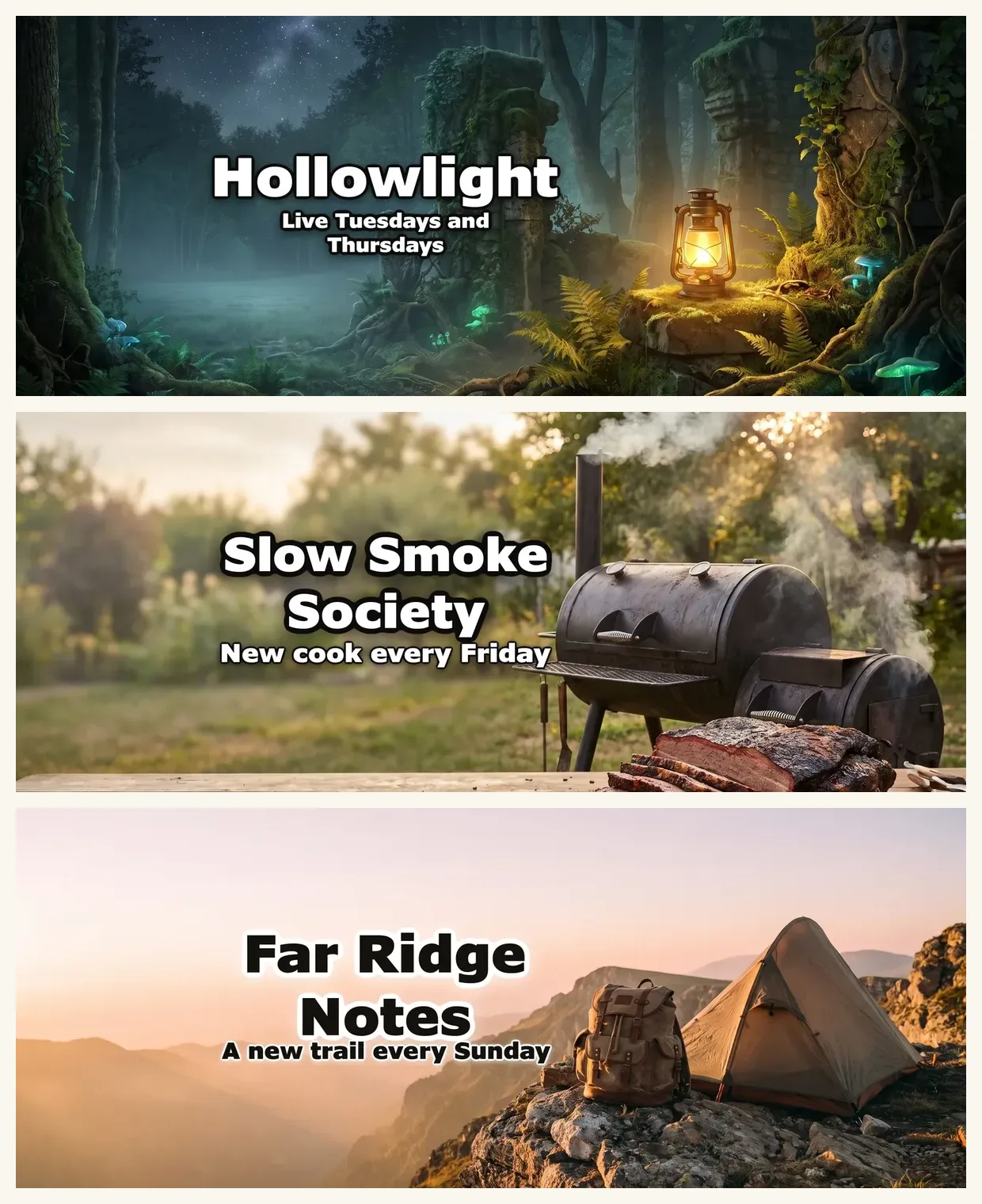
ThumbnailMaker is an AI banner and thumbnail maker. For Twitch, you pick Banner under Format, then Twitch, type your channel name and what you stream, and it paints a scene with no letters in it. Then code sets your name and one line, a schedule or a tagline, in a centred safe area, reads them back, and cuts the Twitch version around that area at 1200 × 480. The same image also downloads for Discord, an X header and YouTube: the Discord banner maker, Twitter header maker and YouTube banner maker pages show those sizes. It is our product.
Twitch stretches the banner with the window, so a name that touches an edge is the first thing to look wrong. Every other tool here leaves the edges to you, and that is the part ThumbnailMaker's banner maker does: a finished banner from your channel link, with your name inside the safe area.
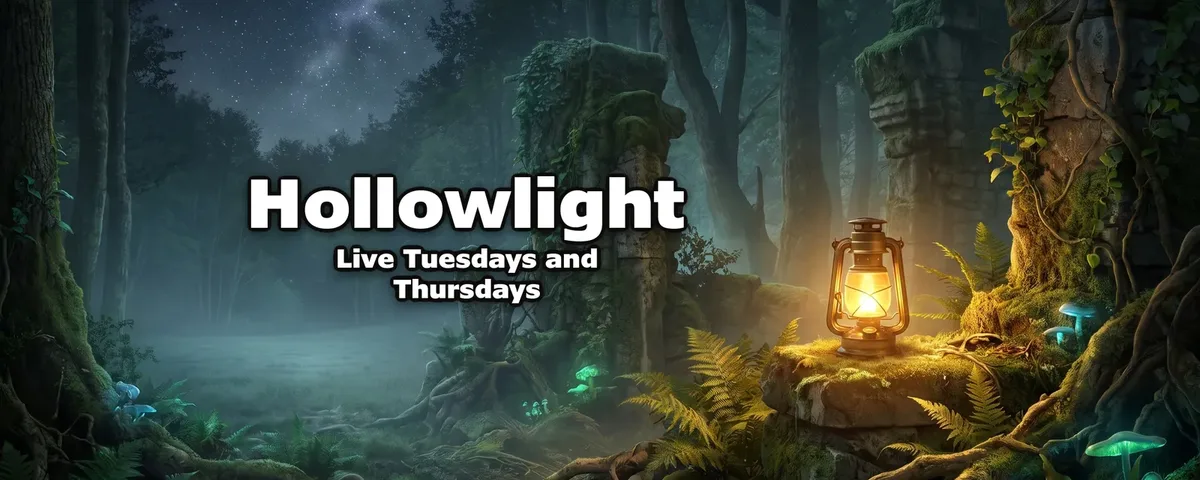
- From your channel link: paste your channel's link (or switch to Describe it and type the name and one sentence on the channel) and the brief is written for you: the scene, the style, your channel name spelled as YouTube has it, and an optional second line such as your upload schedule. A second line it proposes is kept only if that sentence is in your channel's description. A Twitch link isn't read, so Describe it is the way in: "Hollowlight" and "cozy horror games, live twice a week".
- Inside the safe area: the scene is painted with no letters in it, then code sets your name in the centred 1546 × 423 area every screen shows, beside the subject, at the largest size that fits. The name is read back as a last check. You get a 2560 × 1440 JPEG of 6 MB or less. The Twitch cut keeps that whole area.
- Change it in a sentence: "make the name smaller" or "set the name in yellow" is redone in code, with no new picture; a change to the scene ("make the sky orange") repaints only the picture, and the words are set on it again.
A new account's 3 free images can be banners; after those, banners are 10 credits each, on every plan from $12 a month. The banner resizer and the banner size guide are free.
How to make a Twitch banner with ThumbnailMaker
- Sign up: a new account's 3 free images can be banners, and after those banners are on every plan, from $12 a month. In Create, choose Banner under Format, then Twitch.
- Switch to Describe it and type your channel name and what you stream. Add a Second line if you want one, such as "Live Tuesdays and Thursdays".
- Click Write my brief. Read the scene, the name and the style it proposes, and change any word.
- Click Generate.
- Turn on Show the safe area to see where the words sit.
- If something is off, type it under "What should we fix?" and click Correct.
- Under Also sized for, pick Twitch and click Download for Twitch.
The Twitch page on this site shows the crop beside Discord's and X's. Already have a picture? The free banner resizer cuts any image to 1200 × 480 with the safe area drawn on top, with no account.
Key features
- 1200 × 480 Twitch download, cut from a 2560 × 1440 master
- Discord and X sizes from the same image, with no new charge
- An "Inside the safe area" check under every banner
Best for
- A streamer who wants the Twitch banner to match the YouTube channel
- A channel name in Latin letters that has to come out exactly as typed
Pricing
- Starter $12 a month for 400 credits, about 40 banners; Pro $39 for 1,000; Studio $99 for 3,000
- Yearly $120, $384 and $984, paid up front; the first yearly payment is refunded in full within 14 days, the first monthly payment within 7
- A banner is 10 credits, like a thumbnail; a correction is 10 too
- The banner resizer and the banner size guide are free, with no account
Pros
- The name is set by code and read back, never redrawn by the model
- The name never touches an edge of the 1200 × 480 file
- One banner for Twitch, Discord, X and YouTube
Cons
- Profile banner only: no offline screen, panels, emotes or GIF
- The name is centred, while Twitch's own help advises keeping the graphics on the left
- No templates and two typefaces (Anton, Archivo Black); a name in a non-Latin script is drawn by the model instead
- No free plan beyond a new account's 3 free images: after those, every banner takes a plan, from $12 a month
2. Canva, best for the biggest template library with matching emotes and panels
Canva's Twitch banner page calls it a "free Twitch banner maker": search "Twitch Banners", pick a template, change the name and download. The library is the largest here, 1.6 million templates on the free plan, and the page points to matching emotes, panels and overlays made in the same editor. That is the real reason to pick it: a whole channel kit in one style. Its FAQ gives "1920 x 480 px" as the common size and tells you to keep images on the left. Twitch names 1200 × 480 but also says to make the image as wide as possible, so the wider canvas works; check the size you pick before you export.
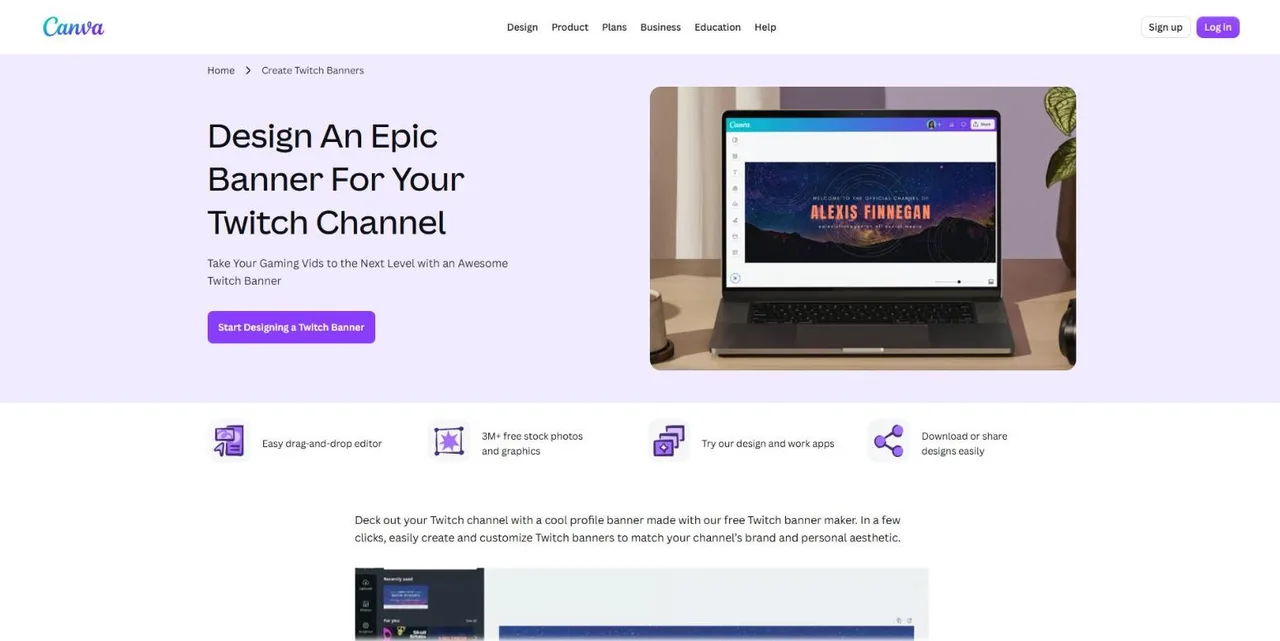
Key features
- Twitch banner templates in a drag-and-drop editor
- 3M+ free stock photos and graphics on the page
- Emotes, panels and overlays in the same style
Best for
- A new streamer building a full channel kit in one evening
- Creators who already design in Canva
Pricing
- Free plan: 1.6M+ templates, 5 GB, limited AI
- Pro: US$144 a year for one person, 3.6M+ templates and ten times the AI (Canva pricing)
Pros
- The largest library, and matching assets for the whole channel
- A free plan with no download cap stated
Cons
- Its FAQ gives 1920 × 480, not the 1200 × 480 Twitch names
- The Twitch page names no AI feature for banners
For thumbnails, ThumbnailMaker vs Canva compares the two side by side.
3. Adobe Express, best for free Twitch templates at the right size
Adobe Express's Twitch banner page gets the size right, "Twitch banners are 1200px by 480px", and offers "thousands of professionally designed Twitch banner templates". The free plan is generous: 345,000+ templates, 5,000+ Adobe Fonts and 5 GB, with no card to start. Like Canva, and like Twitch's own help, it suggests putting the key visuals on the left. The page names no AI feature for banners; the free plan's generative credits are "limited", with no number.
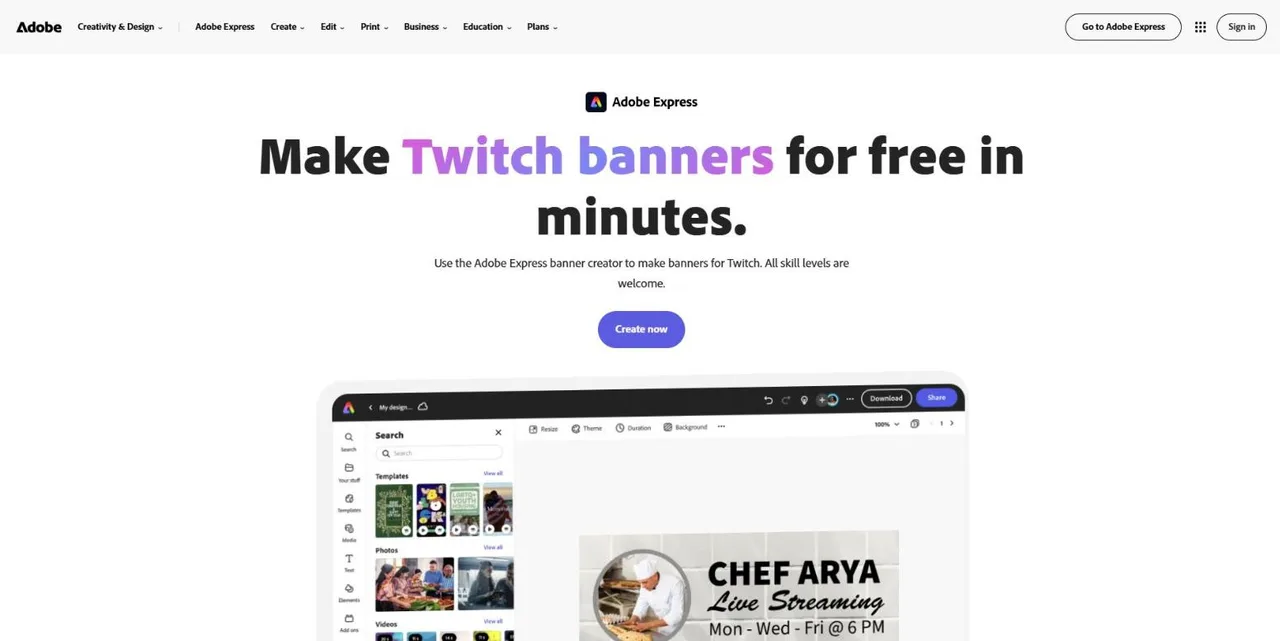
Key features
- Twitch banner templates at 1200 × 480
- Adobe Fonts in the free plan
- A blank canvas if you'd rather start from nothing
Best for
- A free template that fits Twitch without resizing
- Anyone who wants better typography than a basic editor
Pricing
- Free: 345,000+ templates, 5,000+ fonts, limited generative credits, 5 GB
- Premium: US$9.99 a month, 250 generative credits a month (Adobe Express pricing)
Pros
- The right size, stated on the page
- The strongest free plan of the template editors here
Cons
- The Twitch page names no AI feature for banners
- No stated number of free AI credits
The ThumbnailMaker vs Adobe Express page covers the two for thumbnails.
4. Snappa, best for a quick preset and a few downloads a month
Snappa's Twitch banner page promises a banner "in under 60 seconds": Twitch is a preset, so one click opens a canvas at the right shape, and Twitch templates fill it. The free plan has 6,000+ templates and is free "for as long as you like", but it stops at 3 downloads a month. That is enough for one banner and two tries. Background removal is a Pro feature.
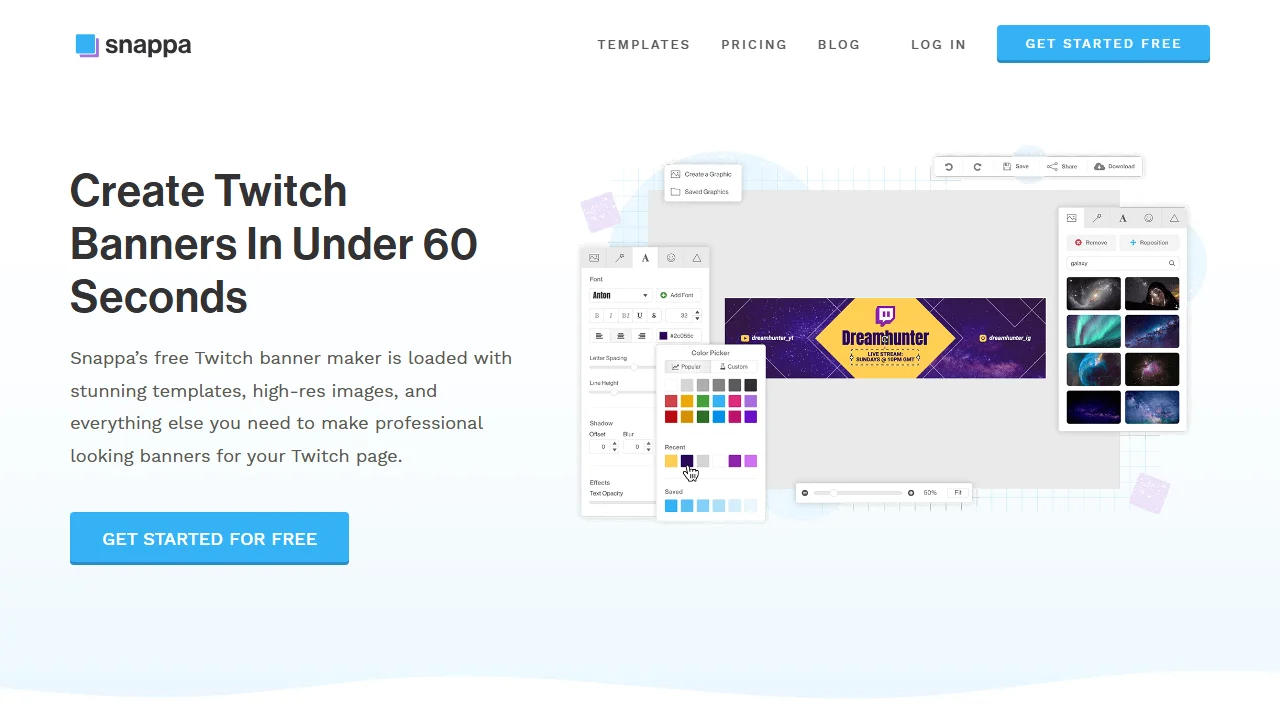
Key features
- A Twitch preset in one click
- 6,000+ templates on the free plan
- Automatic resizing to other formats
Best for
- One banner, made once, in a simple editor
- Small teams who also make social posts
Pricing
- Free: 3 downloads a month
- Pro $15 a month, or $10 a month billed yearly; Team $30, or $20 billed yearly (Snappa pricing)
Pros
- The simplest editor here
- A free plan with no time limit
Cons
- 3 downloads a month on the free plan
- The page doesn't state the preset's pixel size
5. Pixlr, best for cheap paid templates at 1200 × 480
Pixlr is a browser photo editor with a Twitch banner maker whose templates are "pre-sized to the ideal Twitch banner size of 1200 x 480 pixels". It is free to use, with premium features for advanced designs, and exports JPG, PNG, WebP or PDF. Its paid plans start lowest of any tool here: Plus at $2.49 a month removes the ads and lifts the save limit. Premium adds the big template and font library and 1,000 AI credits a month.
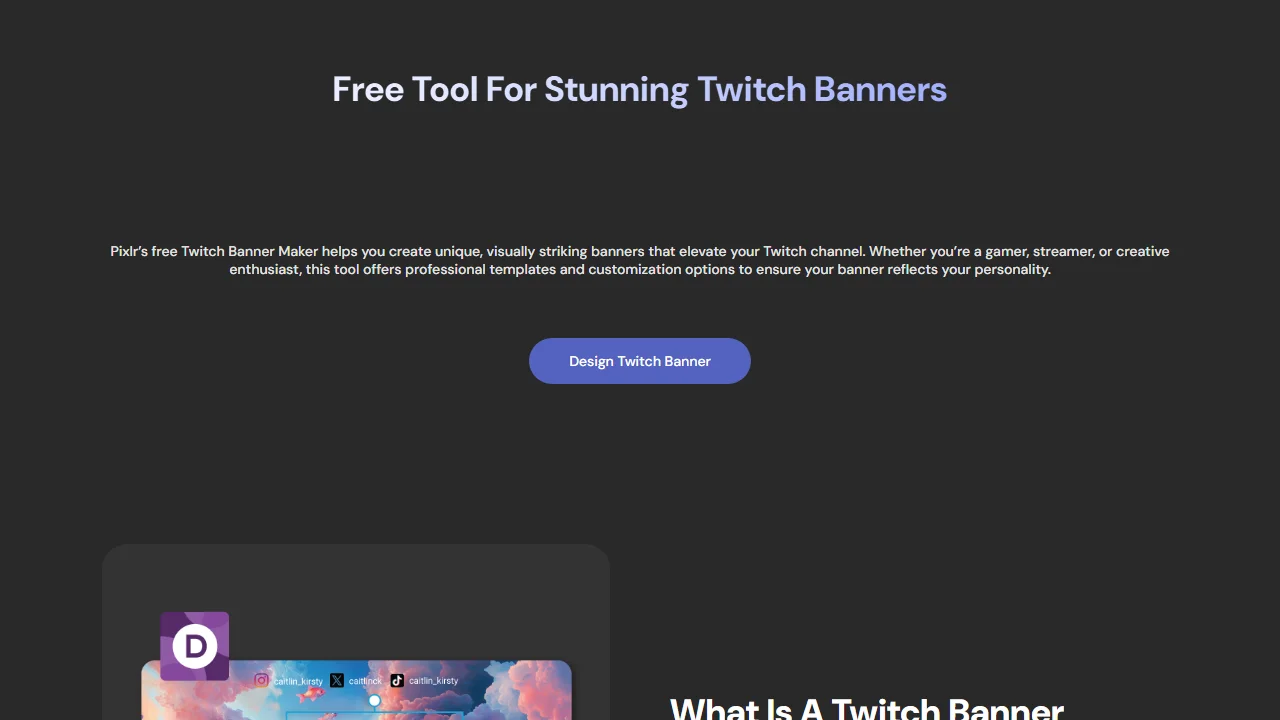
Key features
- Templates at 1200 × 480
- JPG, PNG, WebP or PDF export
- Separate AI tools (image generator, background removal) in the same account
Best for
- A template banner on the smallest budget
- People who also edit photos in the browser
Pricing
- Free with ads; Plus $2.49 a month ($1.99 billed yearly): ad-free, unlimited saves, 80 AI credits
- Premium $9.99 a month: 1,000 AI credits and the full template library (Pixlr pricing)
Pros
- The right size, stated on the page
- The cheapest paid plan here
Cons
- Free use comes with ads and a save limit
- The pricing page doesn't spell out the free tier
6. Recraft, best for illustrated AI banners from a prompt
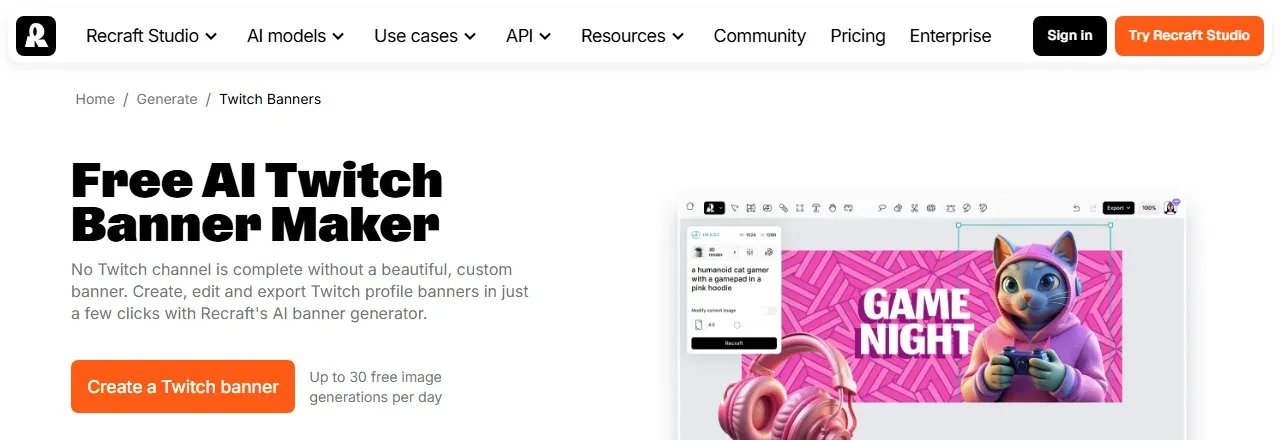
Recraft is an AI image and vector tool, and its Twitch banner page works from a prompt: describe the banner, adjust the palette and the detail, and export JPG or PNG. It recommends 1200 × 480 and supports text in the image. The free side is generous on volume, "Up to 30 free image generations per day" with no card. The terms are the catch: free images are public and "remain the property of Recraft", so they aren't licensed for commercial use. A channel banner is your channel's branding.
Key features
- Text-to-image banners with palette and detail controls
- Vector styles as well as raster images
- 1200 × 480 recommended on the page
Best for
- An illustrated or vector-style banner
- Trying many ideas before paying
Pricing
- Free: up to 30 images a day; images public and owned by Recraft
- Basic: $12 a month, or $10 a month billed yearly ($120), with full ownership (Recraft's free plan terms)
Pros
- The most free images a day here
- Styles the template editors don't have
Cons
- Free images aren't yours to use commercially
- The model draws any words, and nothing checks the spelling
How to choose a Twitch banner maker
Does the tool use Twitch's real size?
Start there. Adobe Express, Pixlr and Recraft state 1200 × 480, and ThumbnailMaker downloads at that size. Canva's FAQ says 1920 × 480, which follows Twitch's advice to go wide, and Snappa doesn't state its preset's size. Whatever you use, upload at 1200 × 480 or larger.
Where does your name sit?
Away from the edges. Twitch's help says to concentrate the graphics on the left, and Canva and Adobe Express repeat it; in a template editor, keep the name left of centre and clear of the corners. ThumbnailMaker centres the name in a safe area instead, so it never touches an edge.
Template or prompt?
A template is faster if you like one of them: Adobe Express for the right size for free, Canva for a matching channel kit. A prompt gives a scene nobody else has: Recraft for illustrated styles, ThumbnailMaker for a scene with your name set exactly.
Do you need it for Discord and YouTube too?
ThumbnailMaker cuts the same banner for Twitch, Discord, X and YouTube. Our best Discord banner makers list covers the tools for that platform alone.
ThumbnailMaker Team: Guides from the people building ThumbnailMaker: thumbnail design, CTR, and what happens under the hood of an AI generator. Every number is checked against YouTube's own pages and dated.