Quick answer: the best Discord banner maker for a profile banner with your name spelled right is ThumbnailMaker: you type your name and one line about you, and it downloads a 1200 × 480 banner, twice Discord's 600 × 240 minimum, with the words in the middle where your avatar can't cover them. A new account's first 3 images are free. For an animated GIF with no account, pick Creavite: 36 free templates already at 600 × 240, no signup and no watermark. Kapwing is the full editor for a 960 × 540 server banner, and it exports GIFs. Dreamina, Pixazo and Lovart paint a banner from a prompt; Dreamina is free to start, Pixazo asks for a card first. Two rules hold whichever tool you use: the profile banner is a Nitro feature, and Discord asks for no text on a server banner. Every claim below was checked on the vendor's own page on November 11, 2026.
If you would rather not design it at all, ThumbnailMaker's Discord banner maker builds it from your name and a sentence: the first 3 images are free, then plans start at $12 a month.
Discord has two banners, and most tools only make one of them. The profile banner sits on top of your profile card, at least 600 × 240, and your round avatar covers its lower left. The server banner is 16:9, at least 960 × 540, it needs a server Boost, and Discord asks for no logos or text on it. A tool that shows "Discord banner" without saying which one is guessing for you. The sizes on the pages below don't even agree: 600 × 240, 680 × 240, 960 × 540. Discord's own Per-Server Profiles help page sets the profile minimum. Our Discord banner size guide has the numbers from Discord's own help pages.
ThumbnailMaker is our product, so it is listed first. It makes still profile banners only: no GIF, no server banner, no templates. Where another tool does something better, its entry says so.
What kinds of Discord banner makers are there?
The six tools fall into two families:
- AI generators: ThumbnailMaker, Dreamina, Pixazo and Lovart. You describe the banner and the model paints it. ThumbnailMaker sets your name in code after the picture is painted; the other three let the model draw the words.
- Templates and editors: Creavite, with ready-made animated profile banners, and Kapwing, a general editor with a Discord preset and GIF export.
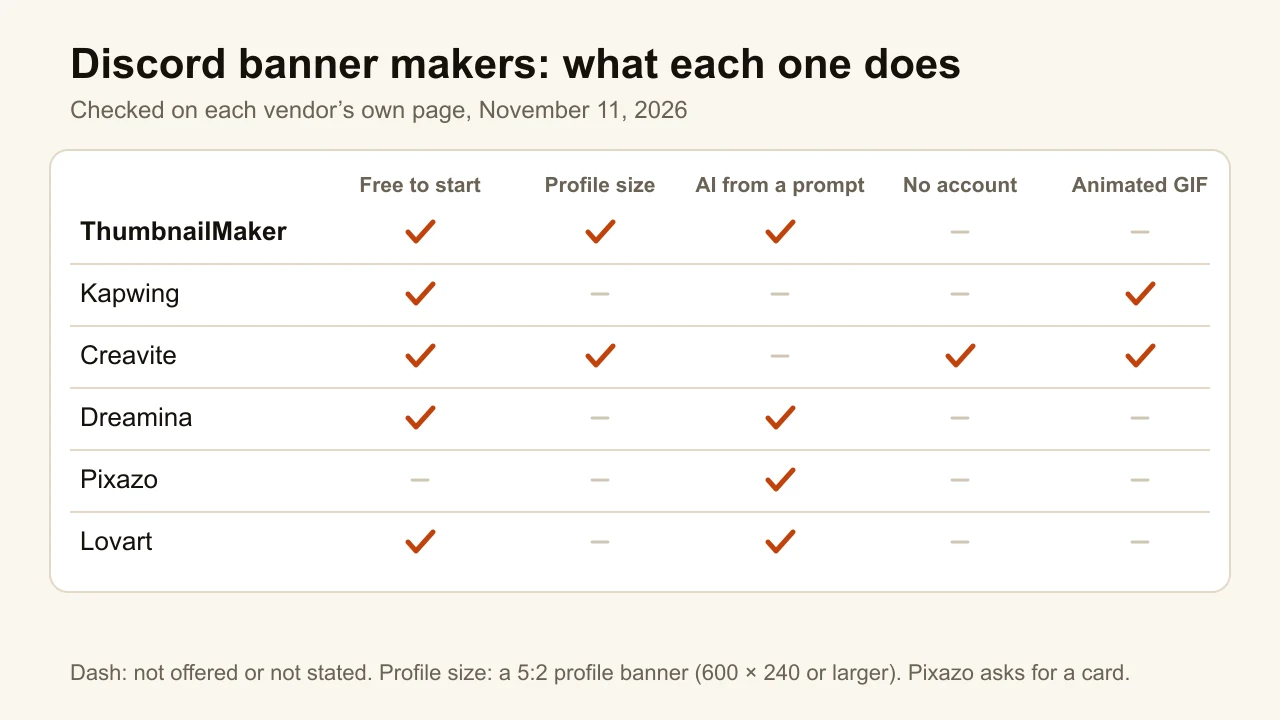
| Tool | Best for | Banner it makes | Free option | Paid from |
|---|---|---|---|---|
| ThumbnailMaker | A finished banner from your name, inside the safe area | Profile, 1200 × 480 still | 3 free images for a new account | $12/mo (10 credits a banner) |
| Kapwing | Server banners and GIFs in a full editor | Server, 960 × 540, JPEG or GIF | Free plan, exports watermarked | Pro $16/mo |
| Creavite | Animated profile banners with no account | Profile GIF, 600 × 240 | 36 free templates, no signup | $0.99 icon background; premium templates |
| Dreamina | AI banner art, free to start | 16:9 AI image | Free access, allowance not stated | Not published (pricing page 404) |
| Pixazo | AI server banners in five style directions | 960 × 540 AI image | 7-day trial, card required | Pro $15/mo or $120/yr |
| Lovart | Changing one element of an AI banner | Server, 960 × 540 | "Start free", limits not stated | Not shown on its pricing page |
1. ThumbnailMaker, best for a profile banner with your name spelled right
ThumbnailMaker is an AI banner and thumbnail maker. For Discord, you pick Banner under Format, then Discord, type your name and one line about you, and it paints a scene with no letters in it. Then code sets your name and your line in a centred safe area, reads them back, and cuts the Discord version around that area at 1200 × 480. The avatar takes the lower left of your profile card, so nothing you typed goes there. The same image also downloads for Twitch, an X header and YouTube: the Twitch banner maker, Twitter header maker and YouTube banner maker pages show those sizes. It is our product.
A profile card is small and your avatar covers a corner of it, so the name has to sit in the middle, spelled the way you typed it. Every other tool here leaves the avatar and the edges to you, and that is the part ThumbnailMaker's banner maker does: a finished banner from your channel link, with your name inside the safe area.
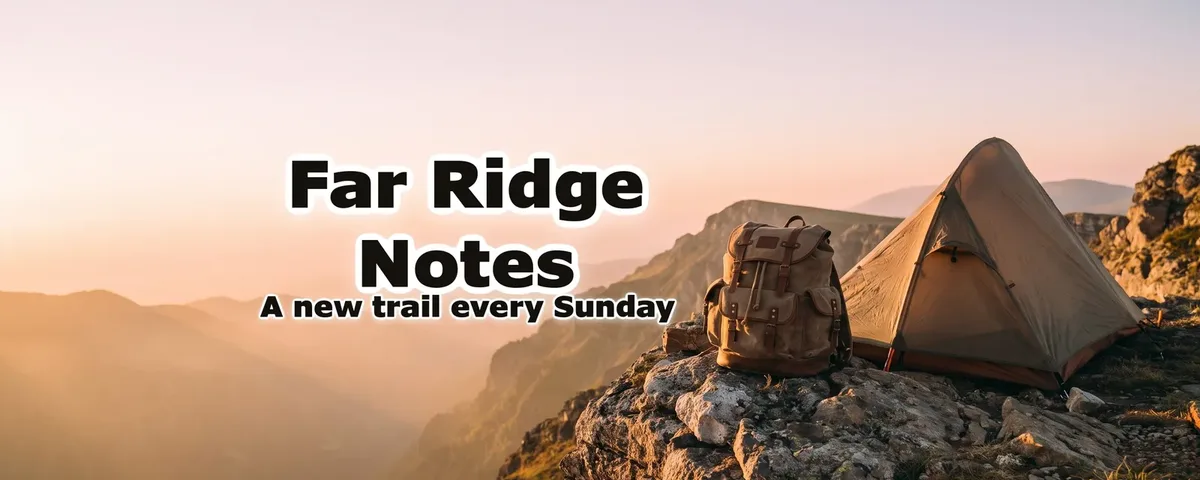
- From your channel link: paste your channel's link (or switch to Describe it and type the name and one sentence on the channel) and the brief is written for you: the scene, the style, your channel name spelled as YouTube has it, and an optional second line such as your upload schedule. A second line it proposes is kept only if that sentence is in your channel's description. With no YouTube channel, Describe it is the way in: "Far Ridge Notes" and "a hiker's tent on a ridge at sunrise".
- Inside the safe area: the scene is painted with no letters in it, then code sets your name in the centred 1546 × 423 area every screen shows, beside the subject, at the largest size that fits. The name is read back as a last check. You get a 2560 × 1440 JPEG of 6 MB or less. The Discord cut keeps that whole area, so the avatar never sits on a letter.
- Change it in a sentence: "make the name smaller" or "set the name in yellow" is redone in code, with no new picture; a change to the scene ("make the sky orange") repaints only the picture, and the words are set on it again.
A new account's 3 free images can be banners; after those, banners are 10 credits each, on every plan from $12 a month. The banner resizer and the banner size guide are free.
How to make a Discord banner with ThumbnailMaker
- Sign up: a new account's 3 free images can be banners, and after those banners are on every plan, from $12 a month. In Create, choose Banner under Format, then Discord.
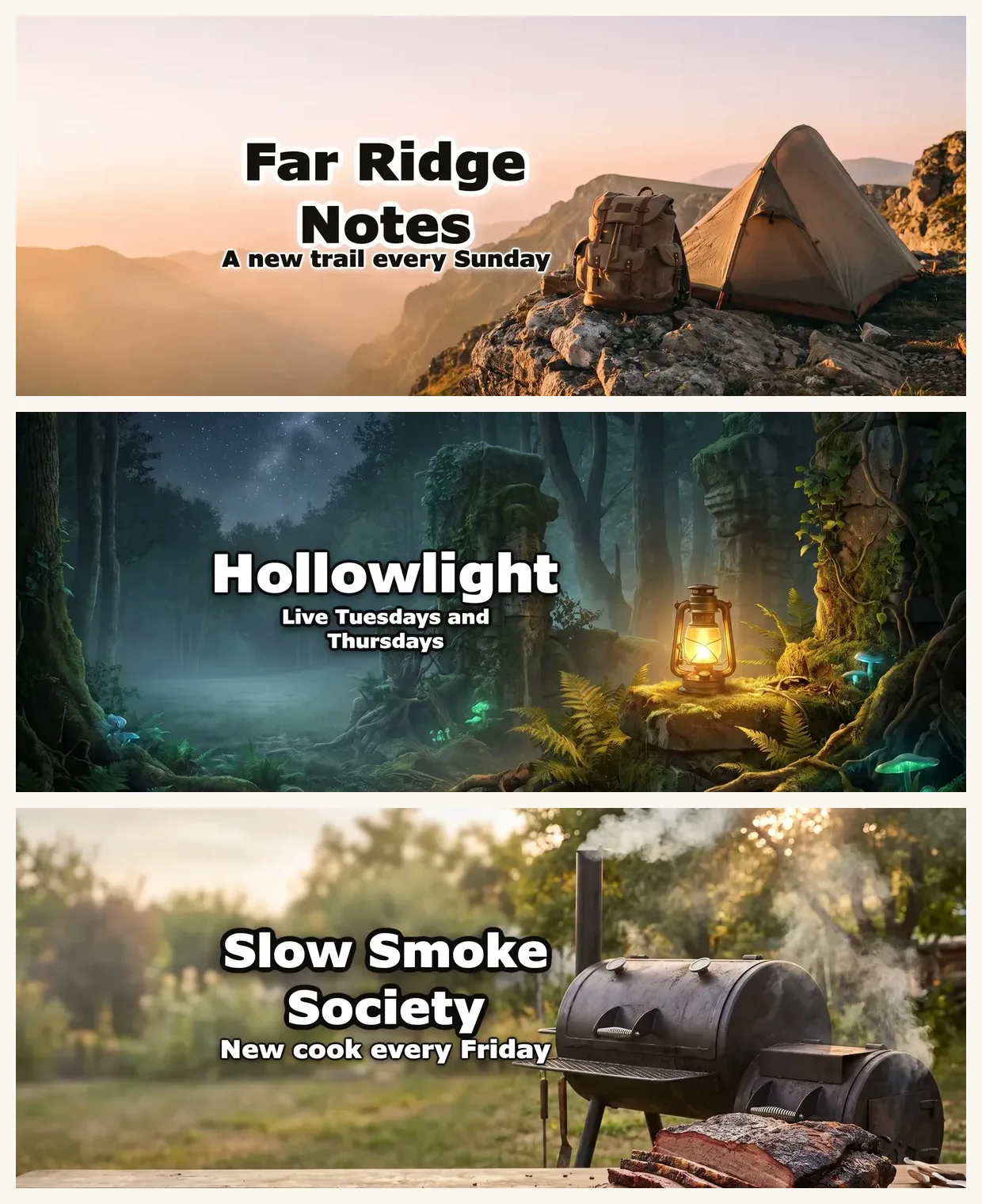
- Switch to Describe it and type your name and what you or your server are about. Add a Second line if you want one, such as "Live Tuesdays and Thursdays".
- Click Write my brief. Read the scene, the name and the style it proposes, and change any word.
- Click Generate.
- Turn on Show the safe area to see where the words sit.
- If something is off, type it under "What should we fix?" and click Correct.
- Under Also sized for, pick Discord and click Download for Discord.
The Discord page on this site shows the crop beside Twitch's and X's. Already have a picture? The free banner resizer cuts any image to the platform sizes with the safe area drawn on top, with no account.
Key features
- 1200 × 480 Discord download, cut from a 2560 × 1440 master
- Twitch and X sizes from the same image, with no new charge
- An "Inside the safe area" check under every banner
Best for
- A Nitro profile you want to look like your YouTube or Twitch channel
- A name in Latin letters that has to come out exactly as typed
Pricing
- Starter $12 a month for 400 credits, about 40 banners; Pro $39 for 1,000; Studio $99 for 3,000
- Yearly $120, $384 and $984, paid up front; the first yearly payment is refunded in full within 14 days, the first monthly payment within 7
- A banner is 10 credits, like a thumbnail; a correction is 10 too
- The banner resizer and the banner size guide are free, with no account
Pros
- The name is set by code and read back, never redrawn by the model
- The words stay clear of the avatar's corner by construction
- One banner for Discord, Twitch, X and YouTube
Cons
- No GIF and no server banner: still profile banners only
- No templates and two typefaces (Anton, Archivo Black); a name in a non-Latin script is drawn by the model instead
- No free plan beyond a new account's 3 free images: after those, every banner takes a plan, from $12 a month
2. Kapwing, best for server banners and GIFs in a full editor
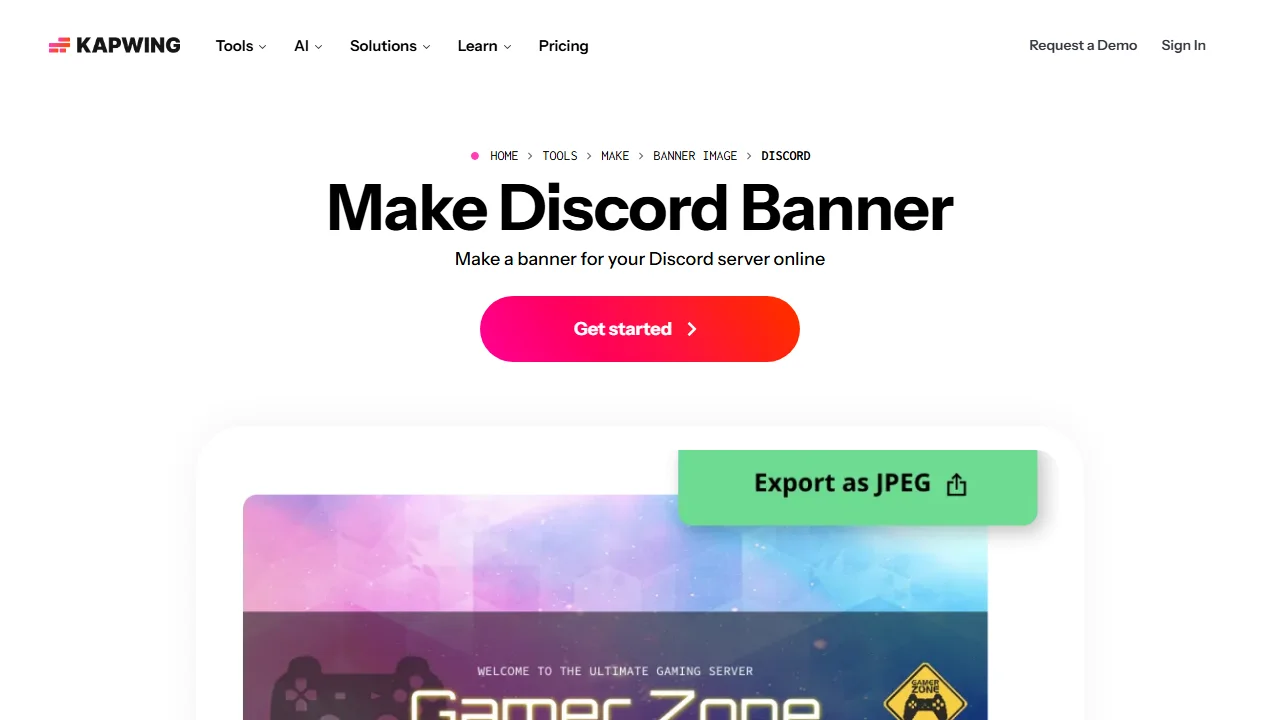
Kapwing is an online video and image editor, and its Discord banner page is about the server banner: "Make a banner for your Discord server online", at a recommended 960 × 540. You start from a template, a preset size or your own dimensions, add images, video clips or GIFs from its library, and export a JPEG or a GIF. The page spells out Discord's rules for animated server banners: Boosting Level 3, about 6 seconds, 15 at most, under 10 MB. That is the most useful guidance of any page here for a server owner. It is a general editor, so the layout is yours to make.
Key features
- Discord preset at 960 × 540, or any custom size
- JPEG or animated GIF export
- A library of copyright-free images, videos and GIFs
Best for
- A server owner with Boost Level 3 who wants an animated banner
- People who already edit video in Kapwing
Pricing
- Free plan; the pricing page lists its exports as watermarked, at 720p, with 10 AI credits
- Pro $16 a month; Business $50 a month (Kapwing pricing)
Pros
- Clear, specific guidance for animated server banners
- GIF export in the same editor as stills
Cons
- The page is about server banners; no profile-banner size is given
- The free plan's watermark: the pricing page doesn't say whether it spares a still image
3. Creavite, best for animated profile banners with no account
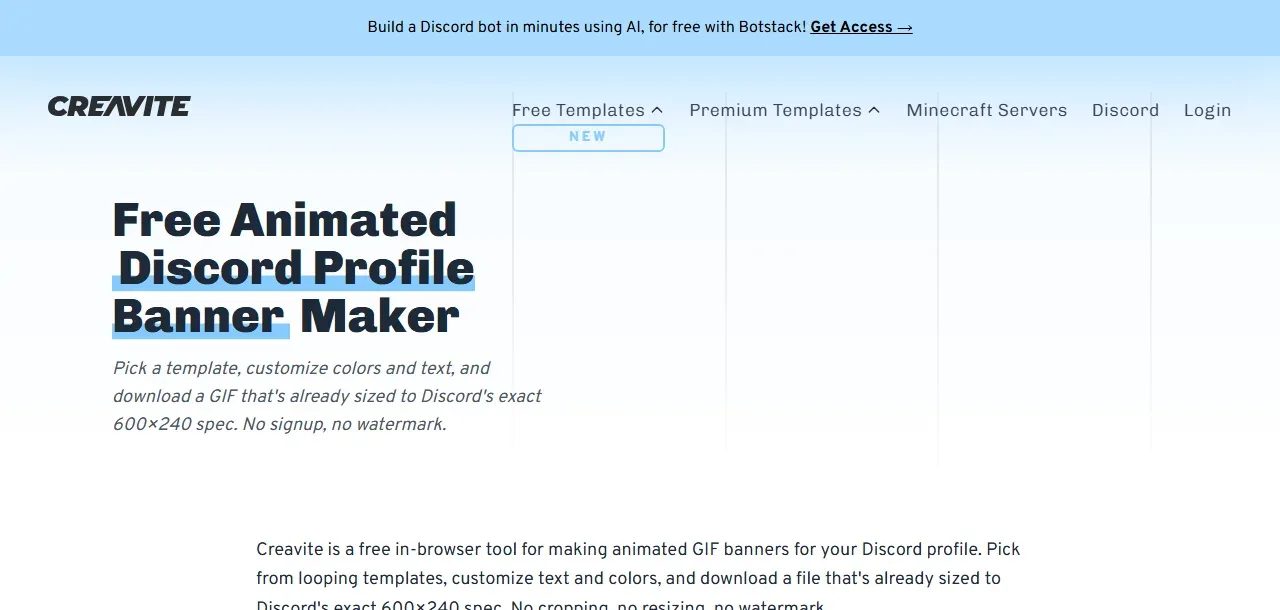
Creavite makes one thing: animated GIF banners for a Discord profile. The page lists 36 free templates, hand-made in After Effects "without any AI", each already at 600 × 240. You type your name, pick a colour with a slider, and download a GIF under 10 MB. "No signup, no watermark", the page says. Discord's side is the catch: an animated profile banner needs Nitro or Nitro Basic, though a static one works for every user. For a moving banner in under a minute with no account, nothing else here comes close.
Key features
- 36 free animated profile templates
- 600 × 240 GIF, PNG or JPG, 10 MB at most
- A colour slider on most templates
Best for
- A Nitro user who wants a moving banner tonight
- Anyone who won't make an account for a banner
Pricing
- Free templates, no signup
- $0.99 to add a background to the icons; premium templates are sold separately, with no price on the page
Pros
- The only tool here with no account and no watermark
- Sized for the profile banner, not the server one
Cons
- You pick from 36 designs; you can't describe your own scene
- Some templates don't take a colour change, by Creavite's own blog
4. Dreamina, best for AI banner art that is free to start
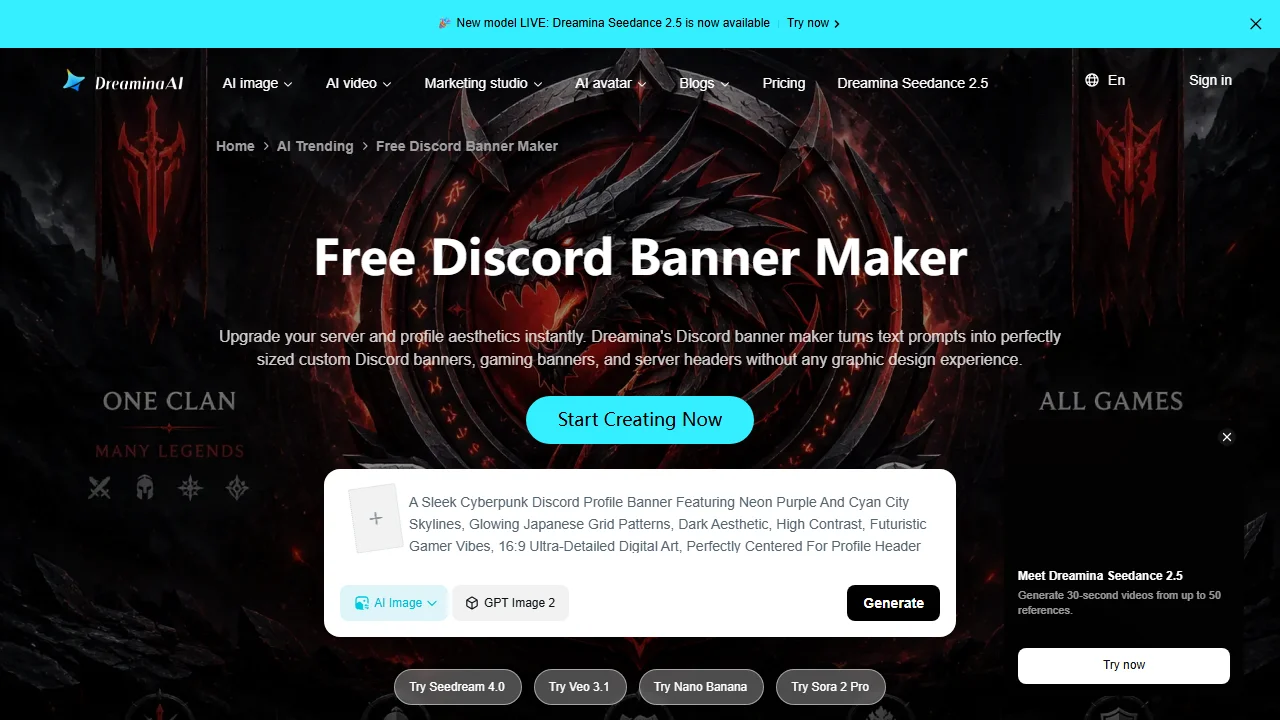
Dreamina is CapCut's AI image tool, and its Discord banner page turns "text prompts into perfectly sized custom Discord banners, gaming banners, and server headers". It runs several models, Seedream 5.0 Pro, GPT Image 2 and Nano Banana among them. The steps are short: log in, choose AI Image, set the ratio to 16:9 and describe the banner. The FAQ gives the right profile size, 600 × 240, but the steps generate at 16:9, so a profile banner needs a crop afterwards. Free access is stated; the allowance isn't.
Key features
- Text-to-image with several named models
- A creative upscale for high-resolution downloads
- Gaming banners and server headers from the same page
Best for
- Illustrated server art with no words in it
- Trying several models on one idea
Pricing
- Free access to its models; the daily allowance isn't on the page
- The pricing page answered 404, so no paid price is given here
Pros
- Several strong image models in one place
- Free to start
Cons
- Generates at 16:9: a profile banner means cropping to 5:2 yourself
- The model draws any words, and nothing checks them
5. Pixazo, best for AI server banners in five style directions
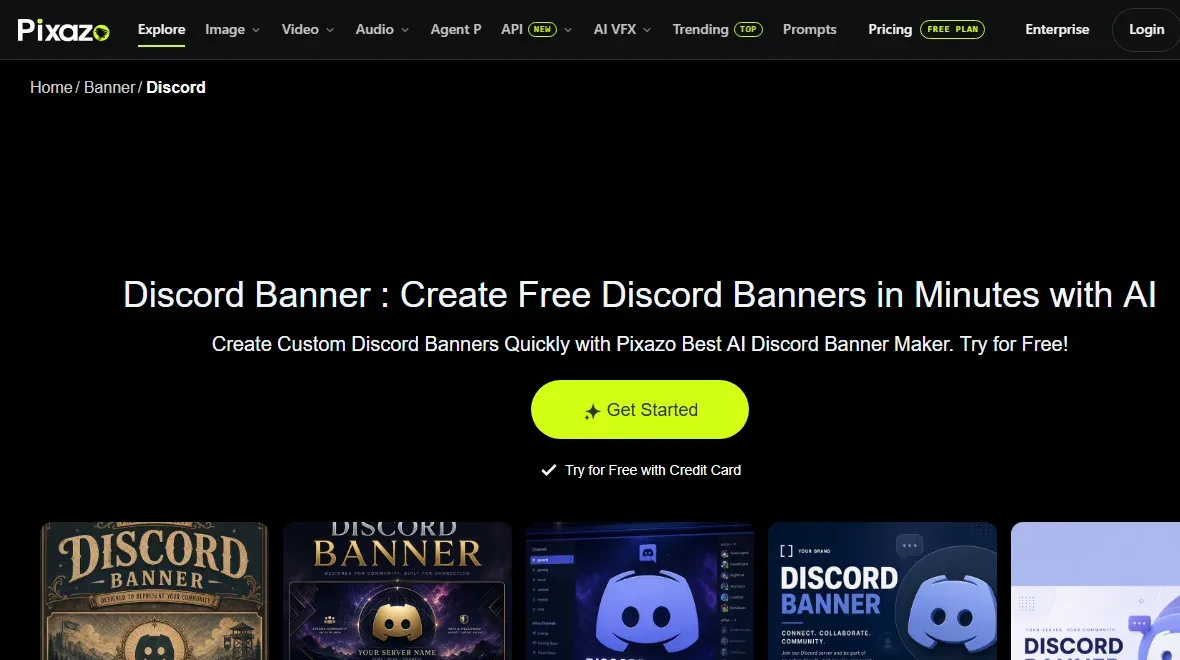
Pixazo is an AI image site with a Discord banner page: describe the look, generate, and "download at 960×540". It groups prompts into five directions (Classic, Minimalist, High-Contrast, Contemporary, Atmospheric) and offers copy-paste prompt examples. Its profile size, 680 × 240, isn't Discord's 5:2 shape, so stick to it for server banners. Pixazo is "free to start with a credit card": a 7-day trial with 100 credits, then Pro.
Key features
- Five style directions and ready prompt examples
- 960 × 540 downloads for server banners
- Unlimited variations per session, per the page
Best for
- A server banner in a clear style, quickly
- People who will use the credits on other images too
Pricing
- 7-day trial with 100 credits; a card is required, and it renews unless cancelled
- Pro $15 a month or $120 a year, 300 credits a month (Pixazo pricing)
Pros
- Style directions narrow the prompt for you
- Commercial use on paid plans
Cons
- A card before the first image
- The profile size it gives, 680 × 240, doesn't match Discord's 5:2
6. Lovart, best for changing one element of an AI banner
Lovart is an AI design agent, and its Discord banner page reads like an essay on why most AI banners look the same. It recommends 960 × 540, the server banner, and warns that the invite embed shows a narrower part of it. Its edge is Touch Edit: change the text or swap one object and keep the rest. The page's author reports about 40 seconds an edit. Prices and the free allowance weren't on the pricing page we read.
Key features
- Touch Edit for one element at a time
- Server banner guidance at 960 × 540
- A note on the narrower area the invite embed shows
Best for
- Iterating on one AI banner without starting over
- Designers who work on a canvas
Pricing
- "Start free"; the free limits aren't stated
- Paid prices weren't shown on its pricing page when read
Pros
- Edits keep the rest of the composition, per the page
- Good advice on the invite crop
Cons
- No published price or allowance
- Server size only; no profile preset
How to choose a Discord banner maker
Profile banner or server banner?
Decide this first. A profile banner is 5:2, at least 600 × 240, and needs Nitro; ThumbnailMaker and Creavite make that shape. A server banner is 16:9, at least 960 × 540, needs a Boost level and should carry no text; Kapwing, Pixazo and Lovart are built for it.
Do you want it to move?
Then Creavite for a profile (no account, 36 GIF templates) or Kapwing for a server (GIF export, Boost Level 3). The AI tools here make still images only.
Does your name have to be exact?
If the banner carries your name, use a tool that sets it as text. In Creavite and Kapwing you type it into a template. In ThumbnailMaker code sets it and reads it back. In Dreamina, Pixazo and Lovart the model draws it, and a letter can come out wrong.
Do you want one banner for every platform?
ThumbnailMaker cuts the same image for Discord, Twitch, X and YouTube, so your profiles match. With the others you make or crop each size yourself, or run a finished picture through the free banner resizer linked above.
ThumbnailMaker Team: Guides from the people building ThumbnailMaker: thumbnail design, CTR, and what happens under the hood of an AI generator. Every number is checked against YouTube's own pages and dated.