Quick answer: the Twitter header size is 1500 × 500 pixels, a 3:1 image. That is the size X's Help Center recommends for the header photo, which it also calls the banner, so the Twitter banner size and the X banner size are the same number. X also warns that "60 pixels on the top and bottom could be cropped" on some monitors and browsers. That leaves a safe middle of 1500 × 380 for your name and anything else that has to stay readable. Upload a JPG, PNG or still GIF: X does not support animated GIFs for header images. The profile photo is a separate image, 400 × 400 recommended, a JPEG, GIF or PNG of 2 MB at most. X's help gives no file limit for the header itself, so staying under the same 2 MB is the safe choice. Every figure here comes from two X Help Center pages, checked November 14, 2026.
To make the header itself, the Twitter header maker paints a scene from your name and one line, sets the words in a font inside the safe middle, and downloads it at 1500 × 500. A new account's 3 free images can be banners; after those, a plan from $12 a month. To fit a picture you already have, the free banner resizer set to X crops it to 1500 × 500 in your browser, with no account.
What size is a Twitter header?
A Twitter header is 1500 × 500 pixels, three times as wide as it is tall. X gives that figure on two of its help pages, How to customize your profile and Help with uploading a profile photo, both as "recommended dimensions". The help pages now say X; a Twitter header and an X header are the same image.
The two images on an X profile, side by side:
| Image | Size X recommends | Files X accepts | File limit X states |
|---|---|---|---|
| Header photo (banner) | 1500 × 500 (3:1) | JPG, GIF or PNG; no animated GIF | None given |
| Profile photo | 400 × 400 (1:1) | JPEG, GIF or PNG; no animated GIF | 2 MB |
A picture of another shape can't fill a 3:1 slot without losing part of itself. Cut to 3:1, a 16:9 photo loses about 40% of its height. Making the image at 1500 × 500 from the start is the only way to decide what stays.
Is the Twitter banner size the same as the header size?
Yes. Header and banner are two names for one image, the wide picture at the top of your profile. X's own help calls it the "Header photo, also known as a 'banner'". So the Twitter banner size, the X banner size and the X header size are all 1500 × 500 pixels.
The only other picture on the profile is the profile photo, and it has its own size: 400 × 400. Don't make one image and expect it to serve as both. A square cut from the middle of a 3:1 banner keeps a third of its width.
Which part of a Twitter header gets cropped?
The top and bottom edges. X's help page on uploading explains that even a header at the recommended size can look cut, "because of the way these images are displayed on different monitor sizes and in different browsers (60 pixels on the top and bottom could be cropped)."
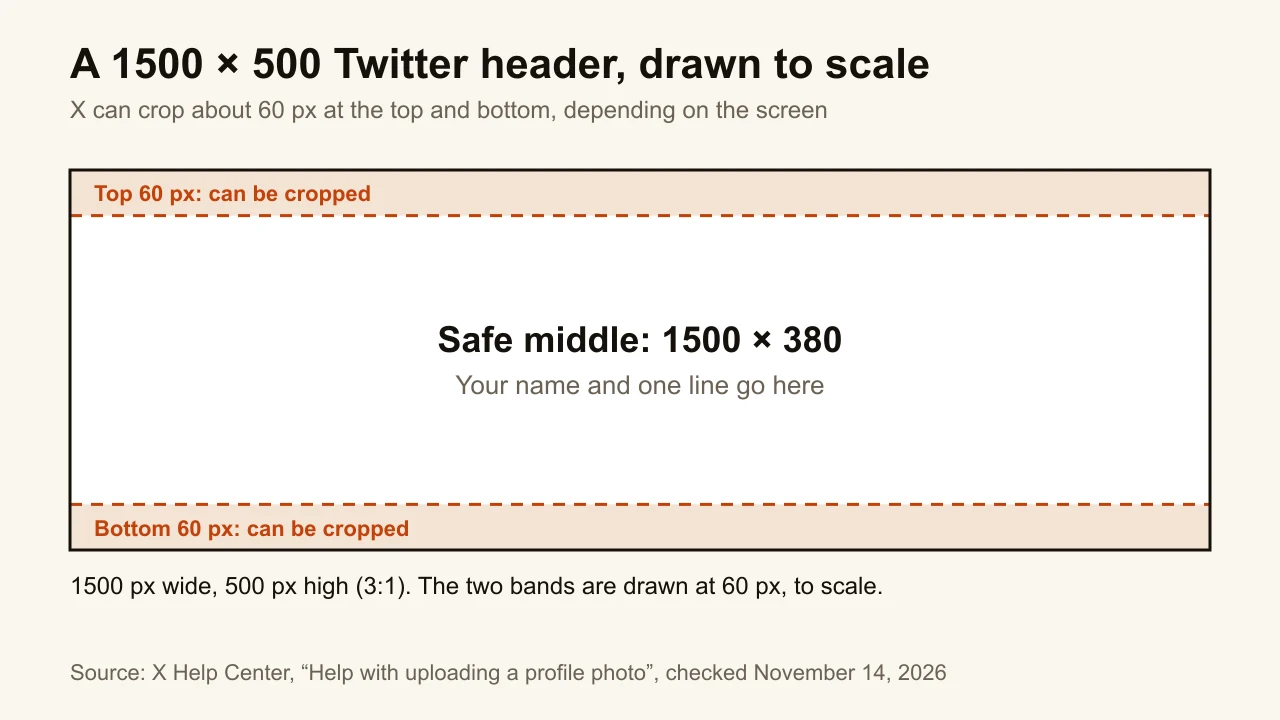
Take the 60 pixels away from both edges and 380 of the 500 rows are left. That band is the safe middle. It covers three quarters of the height, so the rule costs less than it sounds: a name and one line fit in it with room to spare.
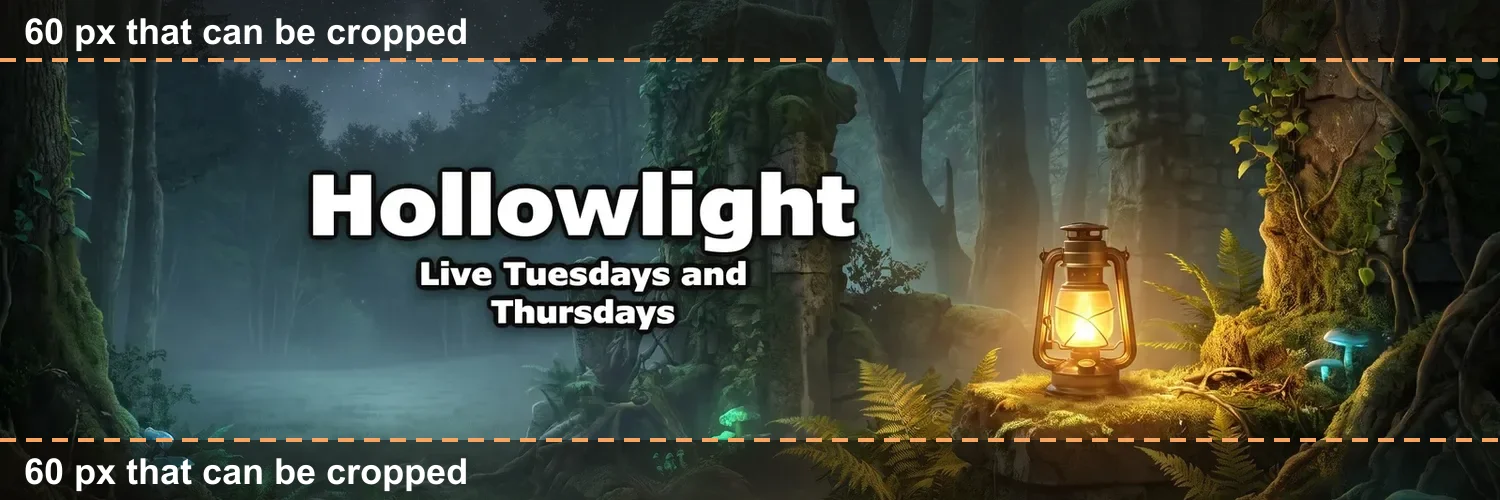
Here is a real header with the two bands shaded. The name and the schedule line sit well inside the middle, so a screen that trims both edges still shows every word.
Where should text go on a Twitter header?
In the middle band, and away from the left and right edges too. X only warns about the top and bottom, but a name pressed against the side of a wide image reads as cut off even when it isn't. Three habits that hold on every screen:
- Your name and one line. A tagline or a schedule ("A new trail every Sunday"). A list of handles, links and hashtags turns into noise at profile size.
- Nothing that matters in the top or bottom 60 pixels. Sky, ground, texture: anything that can lose a strip without losing the point.
- Check it where people see it. After saving, open your profile on a phone and in a desktop window, and look at both.
X's help adds that a problem with the crop is "most likely" the screen or the browser, not your file. So if the header looks trimmed on one device and fine on another, that is the 60 pixels at work, not a broken upload.
What file types and sizes does X accept?
X accepts JPG, GIF and PNG for both the header and the profile photo, and it "does not support animated GIFs for profile or header/banner images." A GIF is fine as long as it is a still.
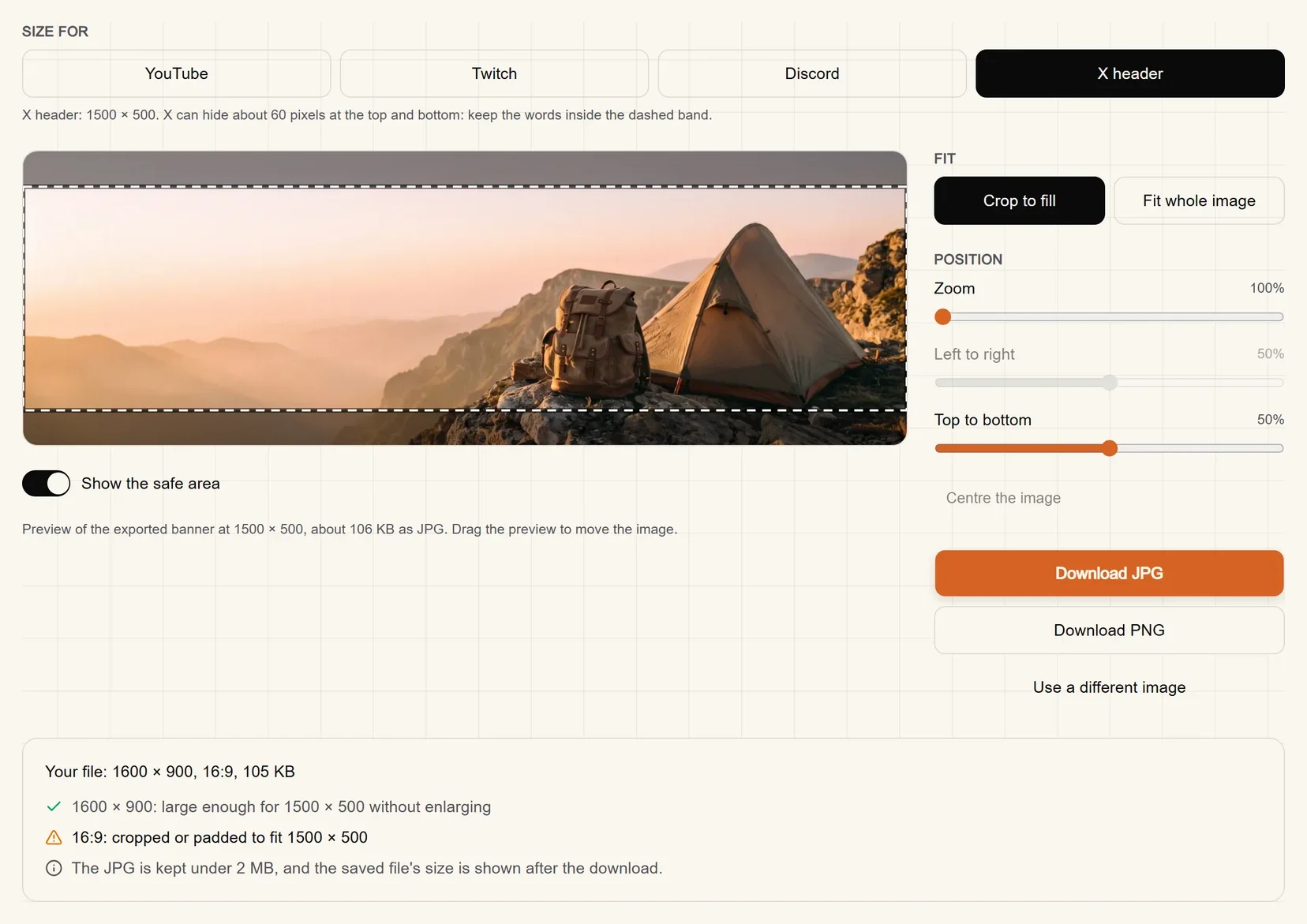
On file weight, X's help is specific about only one image: the "maximum file size for profile photos is 2MB." The same pages give no limit for the header. Since we could not find a number for it on any X page, we would not trust one from anywhere else either. The practical answer is to keep the header under 2 MB as well, which costs nothing: the 1500 × 500 JPG of a mountain scene in the resizer capture below weighs about 106 KB, a twentieth of that.
Use a JPG for a photo or a painted scene, and a PNG for flat colour and sharp edges, such as a logo on a plain background.
How do you change your Twitter header?
You change it from Edit profile, on x.com or in the X app for iOS or Android. These are the steps from X's How to customize your profile page:
- Sign in to x.com or open the X app, and go to your profile.
- Click or tap Edit profile.
- Click or tap the camera icon on the header and select Upload photo.
- Click Apply. X's help is blunt about it: "Your image won't save until you do."
- Click or tap Save.
Remove in the same menu takes the header off. X's help also notes that a new account only sees the option to change its display name once a profile and header photo are uploaded.
How do you make a Twitter header at the right size?
Crop a picture you already have, or make one from your name. Either way, end with a file that is exactly 1500 × 500, so X has nothing to cut but the 60-pixel strips it always may.
If you already have a picture, the free banner resizer crops it to X's size in your browser. With X header picked under Size for, it shows the 60-pixel bands as a dashed line, lets you drag the picture so the subject sits in the middle, and can also fit the whole image with a blurred copy or a plain colour around it. It shows the JPG's weight before you download, keeps the JPG under 2 MB, and never uploads the file anywhere.
If you have a YouTube banner, you already have a header. A YouTube banner is 2560 × 1440 with its text inside a centred safe area of about 1546 × 423 (the YouTube banner size guide has the details). A centred 3:1 cut of it is 2560 × 853, taller than that safe area, so the name survives the cut whole. Scaled down, that cut is your 1500 × 500 header.
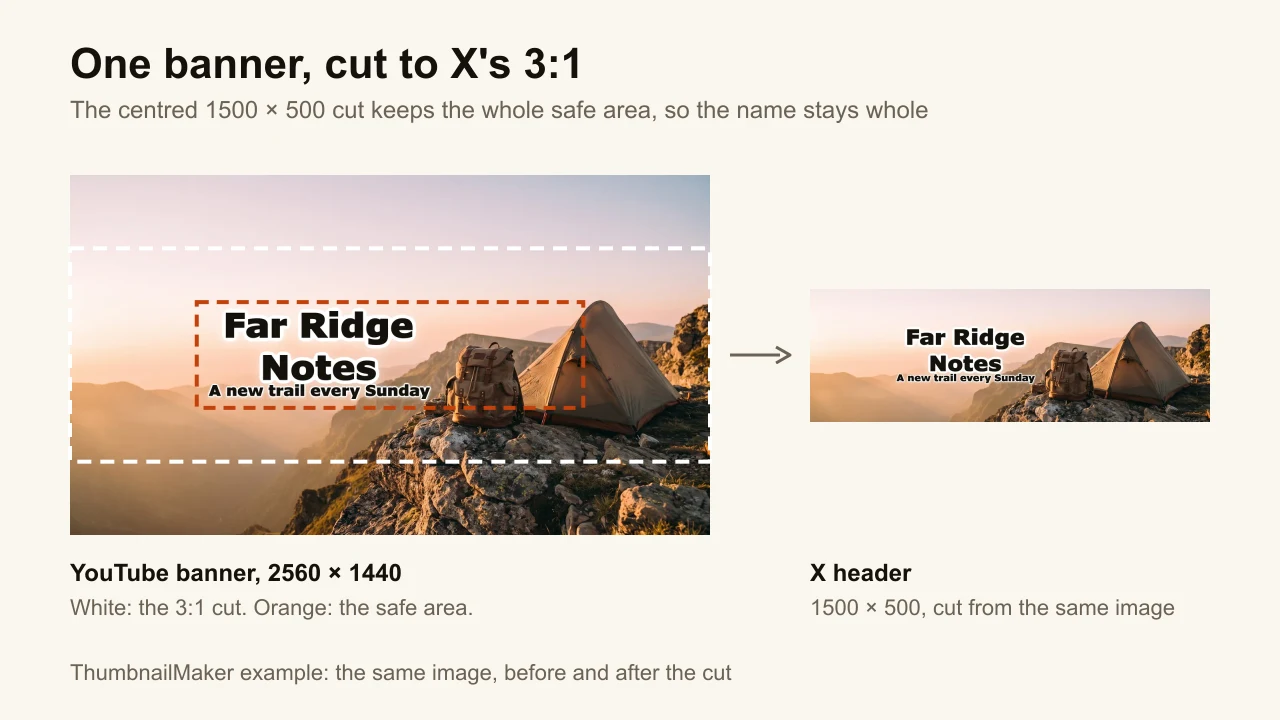
If you have neither, ThumbnailMaker makes one from your name and a sentence about what you post. It paints the scene with no letters in it, sets your name and one line in a font inside the safe area, and cuts the X version at 1500 × 500 around the words. The same image downloads as a Twitch profile banner or a Discord profile banner at 1200 × 480, and as the full YouTube banner.
Make the header without designing it
The size is the easy part; the picture is what people see first when they open your profile. If yours isn't made yet, ThumbnailMaker makes an X header from your name and one line, sets the words where X won't trim them and downloads it at 1500 × 500, with Twitch, Discord and YouTube sizes from the same image. A new account's 3 free images can be banners; after those, ThumbnailMaker's plans start at $12 a month.
ThumbnailMaker is an independent product and is not affiliated with, sponsored by, or endorsed by X Corp. X and Twitter are trademarks of their owner, named here only to describe publicly documented features. Details were accurate on November 14, 2026, and may have changed since.
ThumbnailMaker Team: Guides from the people building ThumbnailMaker: thumbnail design, CTR, and what happens under the hood of an AI generator. Every number is checked against YouTube's own pages and dated.