7 Best Photoshop Alternatives for YouTube Thumbnails (2026)
By ThumbnailMaker Team · · 17 min read
Quick answer: Photopea is the best Photoshop alternative for YouTube thumbnails: it runs in the browser, opens and saves PSD files, has layers, masks and blend modes, and is free with ads, no account needed. Affinity is the best free desktop editor since Canva made it free for individuals, with a Canva account to download it. Canva is the fastest route if you want a template rather than a blank canvas. GIMP is free, open source and runs on Linux. Adobe Express opens your PSD layers on a 1280 × 720 canvas. Pixlr is a light browser editor with cheap AI credits. ThumbnailMaker is the odd one out: it skips the editor and generates the finished thumbnail from a video link or a sentence. For a thumbnail you design by hand, start with Photopea; for one you would rather not design at all, try ThumbnailMaker. Every price below was checked on the vendor's own pages on October 21, 2026.
A thumbnail uses a sliver of Photoshop. You need layers, a cut-out, an outline on heavy text, a colour boost and an export at the right size. You do not need a subscription billed every month for the rest of it. Adobe's own plans page lists Photoshop as an annual plan billed monthly, after a 7-day trial, and that is the bill most creators are trying to cancel.
The real question is not "what is the free Photoshop". It is how much of the work you want to do by hand. Some tools below copy Photoshop closely, some trade it for templates, and one replaces the editing with a description. ThumbnailMaker is our product, so it is ranked where it belongs on this list: last as a Photoshop replacement, first if you never wanted to open an editor.
Which kinds of Photoshop alternatives are there?
The seven tools fall into three families:
- Photoshop-style layer editors: Photopea, Affinity, GIMP and Pixlr. A canvas, layers, masks and selections. The closest to what you already know.
- Template editors: Canva and Adobe Express. You start from a finished design and change it. Fewer pixel tools, much faster for a weekly upload.
- A generator instead of an editor: ThumbnailMaker. You describe the thumbnail or paste the video link, and the image comes back finished, text included.
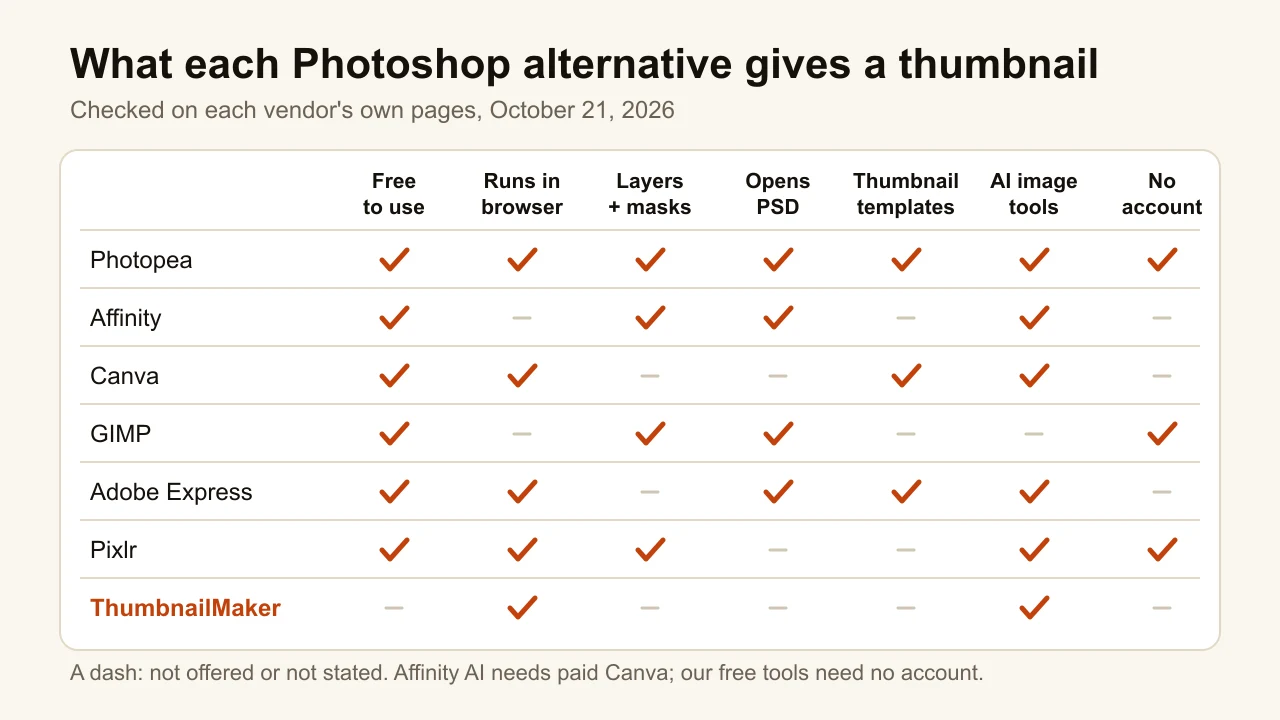
Checked on each vendor's pages, October 21, 2026.
| Tool | Best for | Price to start | Runs on | PSD files |
|---|---|---|---|---|
| Photopea | A Photoshop clone in the browser | Free with ads; Premium from €5/mo | Browser | Opens and saves |
| Affinity | A full desktop editor at no cost | Free for individuals; AI with paid Canva | Windows, macOS | Opens, layers kept |
| Canva | Templates you edit in minutes | Free; Pro US$144/yr | Browser, apps | Not stated |
| GIMP | Open source, Linux included | Free (GPLv3) | Windows, macOS, Linux | Imports |
| Adobe Express | Adobe templates without Photoshop | Free; Premium US$9.99/mo | Browser | Imports with layers |
| Pixlr | A light editor with cheap AI credits | Free; Plus $2.49/mo | Browser | Simple files only |
| ThumbnailMaker | Skipping the editor entirely | Free previews; $12/mo for 40 thumbnails | Browser | Not an editor |
1. Photopea, best for a Photoshop clone in the browser
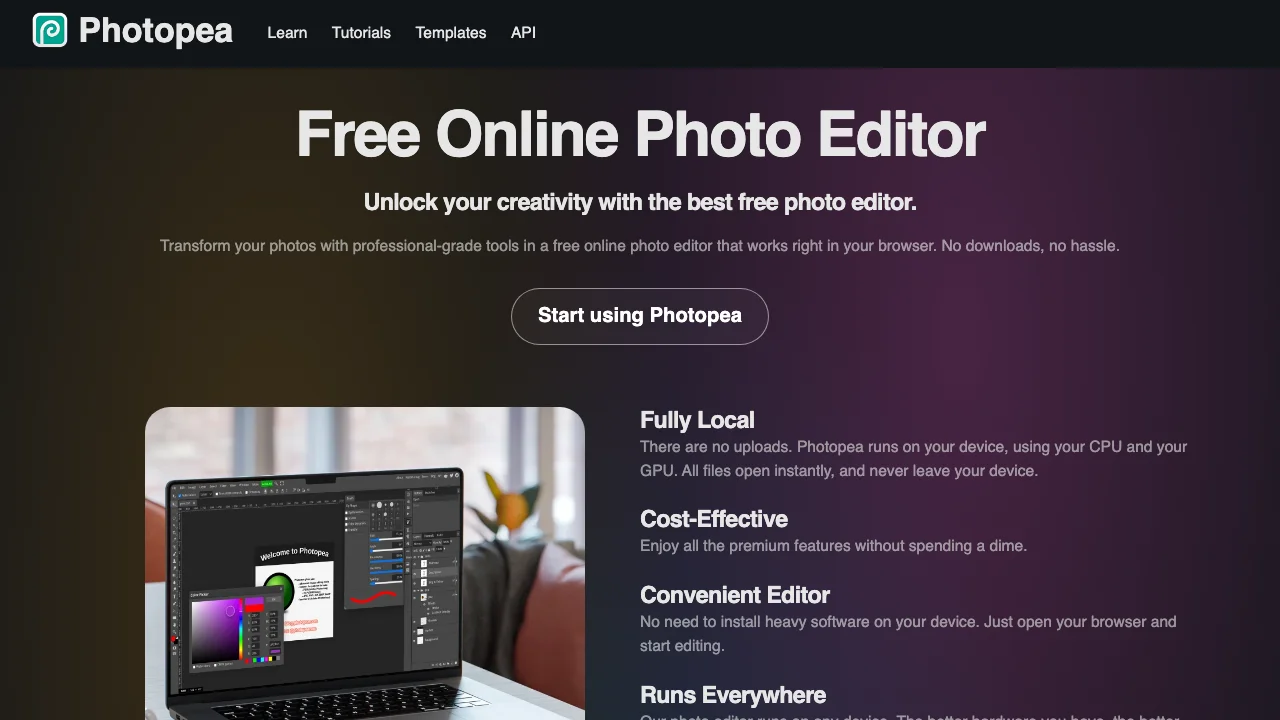
Photopea is the closest thing to Photoshop that costs nothing. It runs in a browser tab, and the processing happens on your own machine: "There are no uploads," its homepage says. PSD is its main format, for opening and saving, so a template a designer built in Photoshop opens with its layers. The menus, the layers panel and the shortcuts follow Photoshop's, which means the muscle memory carries over. It also opens Figma files, AI files, RAW photos and about 40 other formats, and removes a background in one click.
Key features
- Opens and saves PSD, with layers, masks and blend modes
- Runs in the browser, files stay on your device
- One-click background removal
- A templates library inside the editor
- No account needed to start
Best for
- Creators leaving Photoshop who want the same workflow
- Anyone editing a PSD thumbnail template on a borrowed laptop
Pricing
- Free: every feature, with ads and 0.5 GB of cloud storage
- Premium from €5 a month at our location: no ads, 3,000 AI credits a month, 5 GB of storage, twice the undo history
- Premium is sold as one-time payments, not a subscription
Pros
- The most Photoshop-like tool here, PSD in and PSD out
- Nothing to install, nothing to sign up for
Cons
- The free plan shows ads around the canvas
- A browser tab has less memory than a desktop app; heavy files slow it down
2. Affinity, best for a full desktop editor at no cost
Affinity used to be three paid apps: Photo, Designer and Publisher. Canva now ships them as one app with vector, pixel and layout tools, and it is "free for individuals". For a thumbnail that means a real desktop photo editor with layers, masks and live adjustments, plus vector tools for clean text outlines and shapes. It opens PSD and AI files with their layers. The AI features, such as generative fill, need a paid Canva plan. The catch is the account: downloading Affinity requires a free Canva account, and there is no iPad version yet.
Key features
- Pixel, vector and layout tools in one desktop app
- Opens PSD and AI files with layers kept
- Runs on Windows 10 or 11 and macOS 10.15 or later
- Canva AI tools inside the app on a paid Canva plan
Best for
- Creators on a desktop who want a professional editor with no monthly bill
- Channels whose thumbnails mix photos with sharp vector text and shapes
Pricing
- Free for individuals
- AI features with a Canva premium plan (Canva Pro is US$144 a year)
Pros
- A full desktop editor for nothing
- Vector tools make text outlines and arrows cleaner than a pixel editor does
Cons
- Needs a Canva account to download and activate
- No browser version, and the iPad app is only announced
- No thumbnail templates of its own
3. Canva, best for templates you edit in minutes
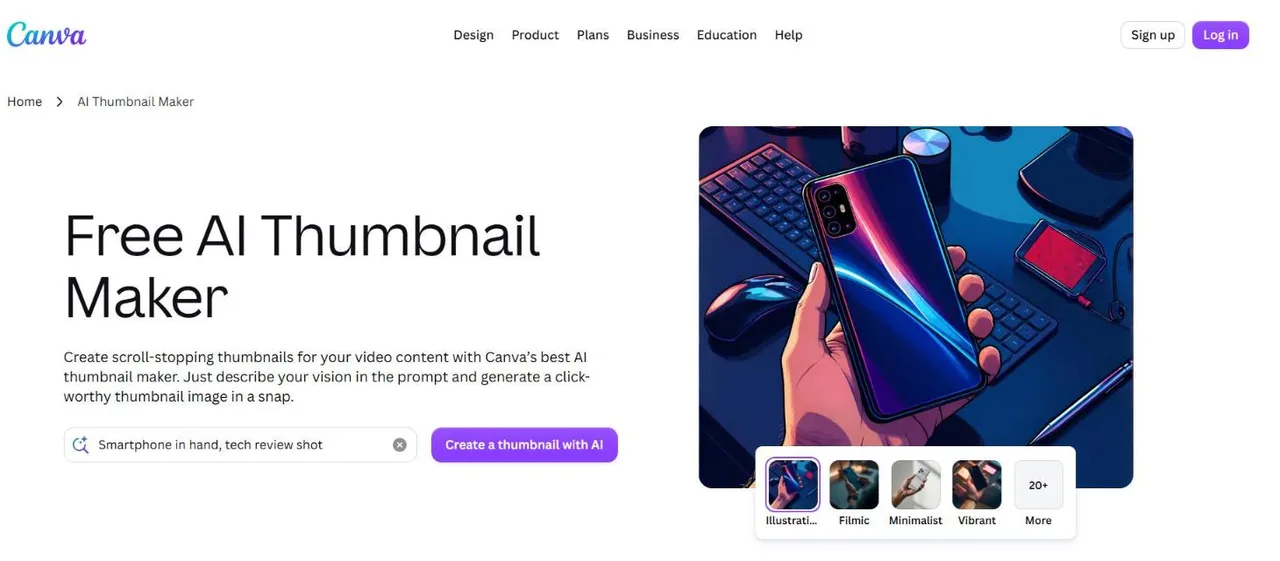
Canva is not a Photoshop clone, and that is the point. You pick one of its YouTube thumbnail templates, drop in your photo, change the words and export. Its thumbnail page counts more than a million templates and repeats YouTube's own limits: 1280 × 720 pixels, at least 640 wide, 2 MB at most. The free plan includes up to 20 Standard or Premium AI uses a month; the background remover is a Pro tool. Canva owns Affinity, and its free plan now lists access to it. The head-to-head with our generator is on ThumbnailMaker vs Canva.
Key features
- A large YouTube thumbnail template library
- Drag-and-drop editor, brand kit, stock photos
- AI image generation, with a monthly allowance
- Background remover on Pro
Best for
- Weekly uploaders who reuse one layout with new words
- Teams that already make every graphic in Canva
Pricing
- Free: 1.6M+ templates, up to 20 AI uses a month
- Pro US$144 a year for one person; Business US$250 a year per person
Pros
- The fastest route from nothing to a passable thumbnail
- One subscription covers thumbnails and every other graphic
Cons
- No pixel-level tools: masks, curves and selections are limited
- Template thumbnails look like other people's template thumbnails
4. GIMP, best for open source, Linux included
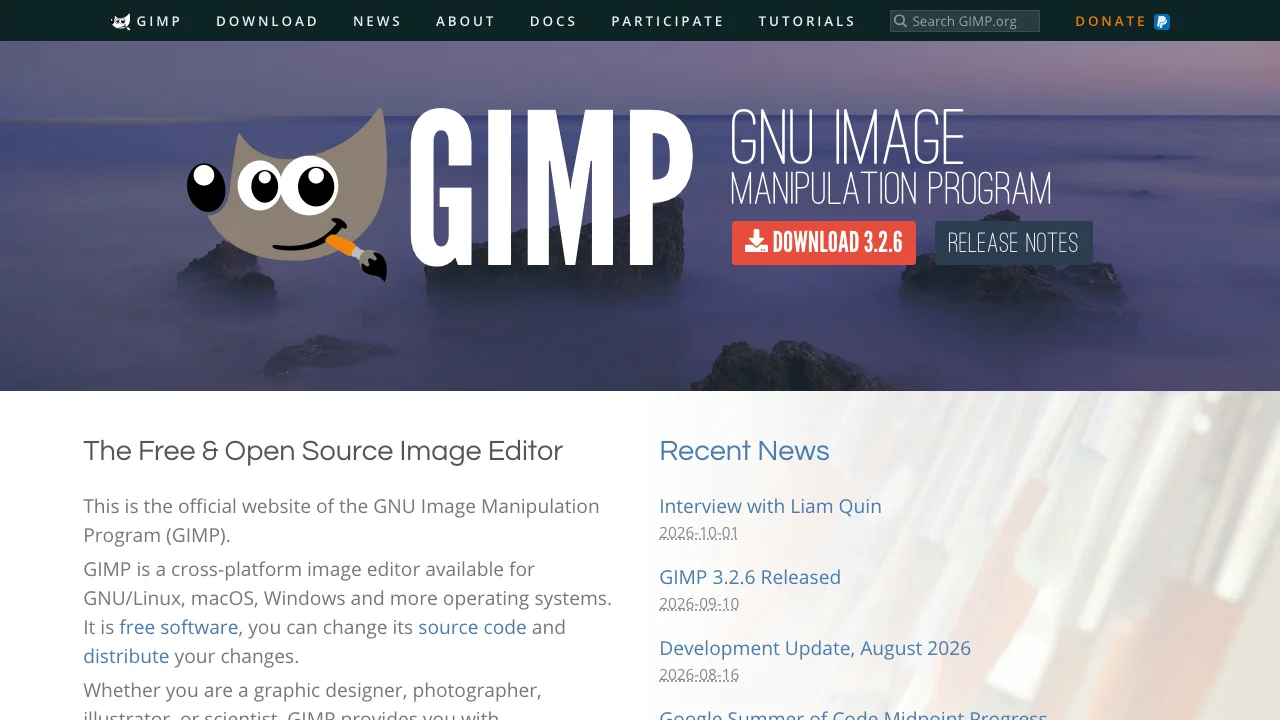
GIMP is the oldest free answer to Photoshop and the only one here that is open source. Version 3.2.6 came out on September 10, 2026, and the 3.2 series added non-destructive link, vector and text layers, a better on-canvas text editor with outer and centred outlines, and PSD layer styles such as drop shadow and outer glow on import. It runs on Windows, macOS and Linux, needs no account, and costs nothing. The interface is its own, not Photoshop's, so expect a week of looking for menus.
Key features
- Layers, masks, selections and filters, now partly non-destructive
- Text outlines, drop shadows and glows for thumbnail lettering
- Imports PSD, including some layer styles
- Windows, macOS and Linux
Best for
- Linux users, who have no other desktop option on this list
- Creators who want software no company can put behind a paywall
Pricing
- Free, open source, GPLv3; donations welcome
Pros
- Free forever, no account, no ads
- The only desktop editor here on Linux
Cons
- The steepest learning curve on this list
- No templates and no AI image tools built in
5. Adobe Express, best for Adobe templates without Photoshop
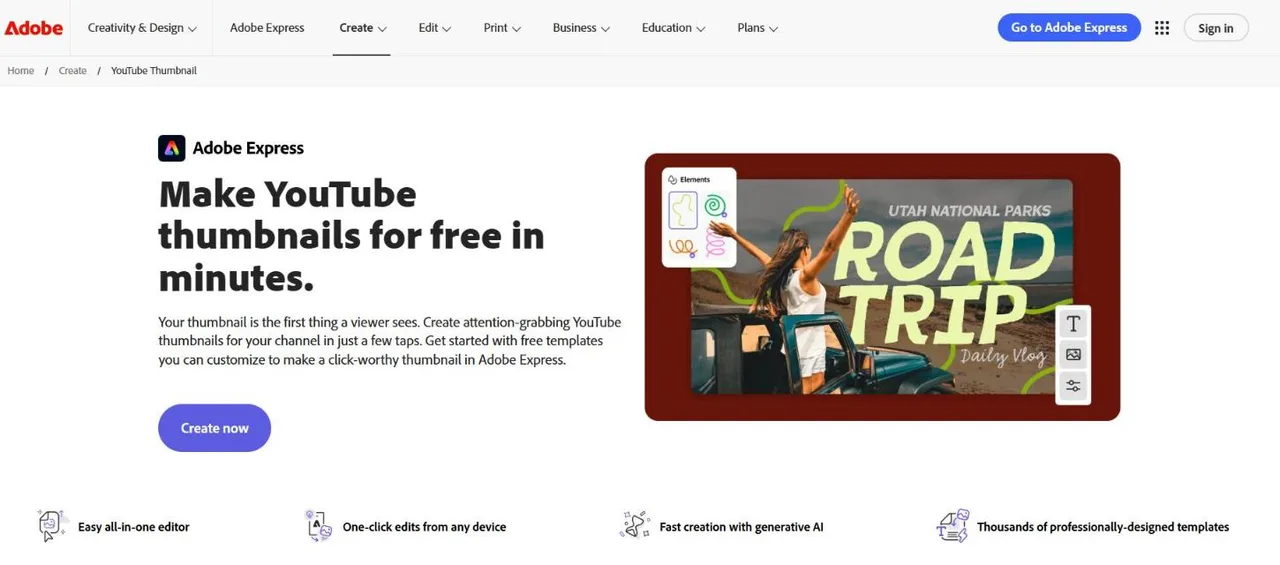
Adobe Express is Adobe's template editor, and for a thumbnail it does two useful things Photoshop users will notice. It sets the canvas to 1280 × 720 by default, and it imports PSD and AI files with their layers recognised, so an old Photoshop template keeps working. Around that sit thousands of thumbnail templates, a background remover and image generation from a typed description. The paid Firefly Pro plan includes Photoshop on web and mobile, a sign of how Adobe sees the two. The detailed comparison is on ThumbnailMaker vs Adobe Express.
Key features
- 1280 × 720 canvas by default
- PSD and AI import with layers recognised
- Thousands of YouTube thumbnail templates
- Background removal and text-to-image
Best for
- Creators with a folder of old Photoshop templates and no wish to pay for Photoshop
- Channels that want Adobe Fonts and Adobe Stock in reach
Pricing
- Free plan, no payment card required
- Premium US$9.99 a month, billed monthly, 250 generative credits, 30-day free trial
- Firefly Pro US$19.99 a month, with Photoshop on web and mobile, 7-day free trial
Pros
- The smoothest move from Photoshop files to a cheaper tool
- Correct thumbnail size from the first click
Cons
- A template editor, not a pixel editor: fine masking is limited
- The number of free daily AI generations is not published
6. Pixlr, best for a light editor with cheap AI credits
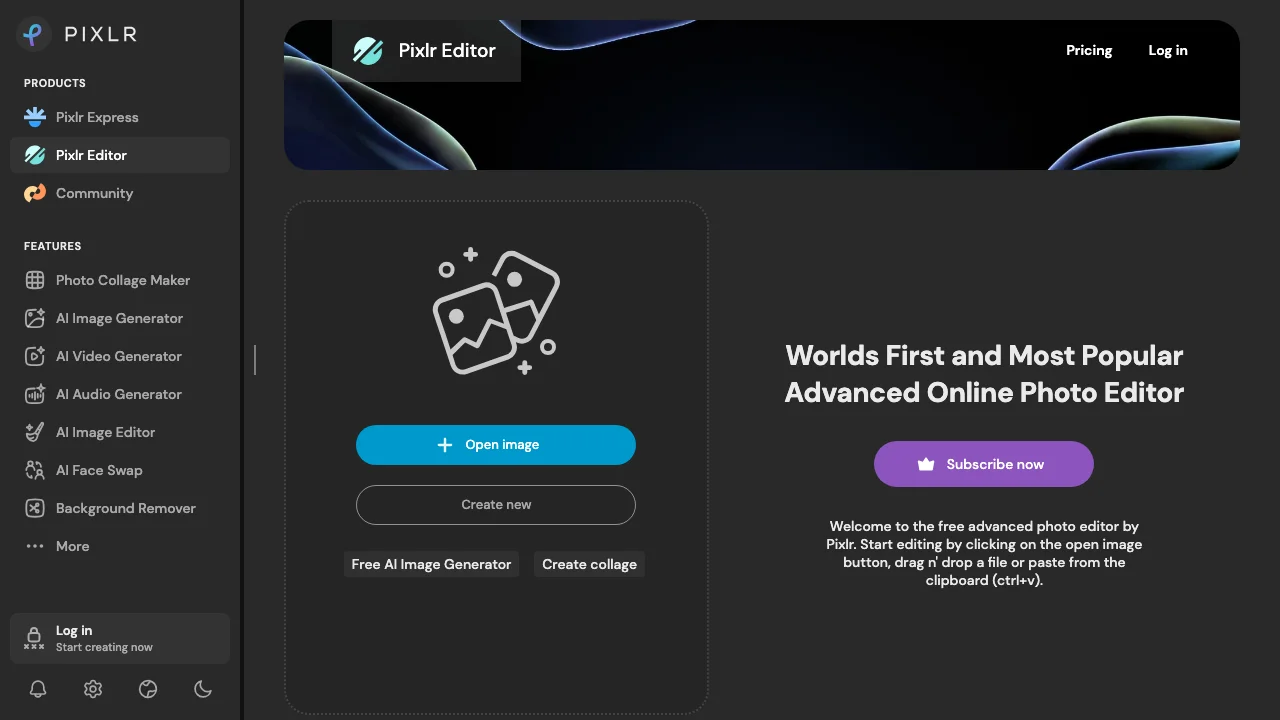
Pixlr runs two editors in the browser: Express for quick fixes and Editor for layer work. Editor has layers, blend modes and masks, including an AI auto mask for cut-outs, and opens an image with no login. AI image generation and generative fill are on the free plan. Plus, at $2.49 a month, removes the ads and the save limit; Premium adds 1,000 AI credits a month and a template library. It is the cheapest paid plan on this list. PSD support is thin: Pixlr's own help says only simple PSD files open.
Key features
- Layers, blend modes, masks and AI auto mask
- AI image generation and generative fill
- Background remover
- Two editors: Express for speed, Editor for layers
Best for
- Quick cut-outs and colour fixes on any computer
- Creators who want AI credits for a couple of dollars a month
Pricing
- Free, with ads and limited saves
- Plus $2.49 a month ($1.99 billed yearly), 80 AI credits; Premium $9.99 a month ($7.99 yearly), 1,000 AI credits
Pros
- Cheapest paid plan here
- Layers and masks without installing anything
Cons
- Only simple PSD files open
- The free plan's save limit is not published
7. ThumbnailMaker, best for skipping the editor entirely
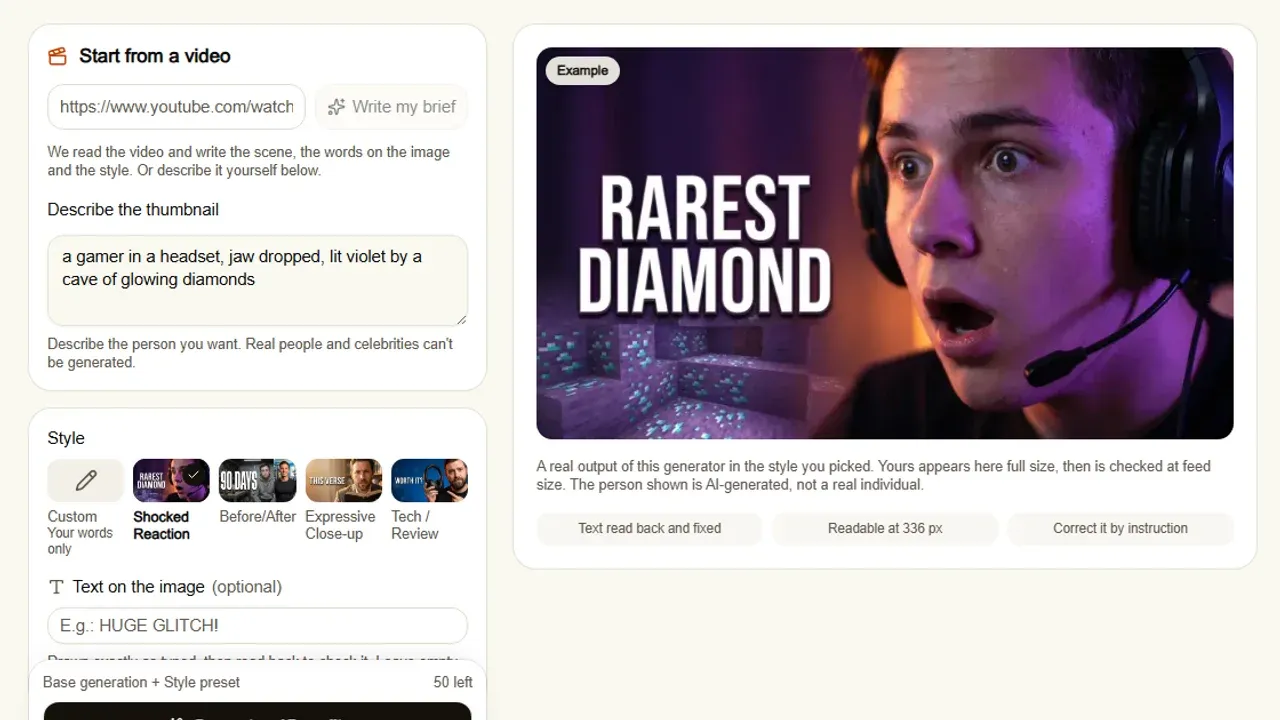
ThumbnailMaker is not a Photoshop alternative in the usual sense. There is no canvas and no layers panel. You paste a YouTube link, or describe the thumbnail in a sentence, and it writes the brief, generates the image with the text drawn in, reads the text back and checks the result at the size a feed shows it. If it is close, you correct it by instruction, "make the title yellow", instead of masking anything. If what you wanted from Photoshop was the finished thumbnail and not the hours in it, this is the shortcut. If you enjoy the hand work, any of the six above suits you better.
Key features
- Thumbnail from a YouTube link or a description, text included
- Text read back and redrawn when a letter comes out wrong
- Feed-size check, with the duration-badge corner kept clear
- Correction by instruction, keeping what already worked
- 16:9 or 9:16, optional 4K
Best for
- Creators who open Photoshop only for thumbnails and resent it
- Channels uploading every week that need the image in minutes, not an evening
Pricing
- Up to four free previews, no card; downloading starts a 7-day free trial of Starter or Pro (card at checkout, nothing charged for seven days, ten thumbnails)
- Starter $12 a month for 40 thumbnails, Pro $39 for 100, Studio $99 for 300; yearly is ten months' price
- The style and the text are included; a 4K image counts as two
Pros
- No design skill or editor time needed
- No watermark on anything you download
Cons
- Not an editor: you cannot move a layer by hand
- Downloading needs an account and a trial with a card
- No PSD import or export
How you'd do it here. Paste the video's link on the AI YouTube thumbnail maker. The brief appears in about ten seconds; change any word. Generate, read the checks under the image, then download or correct it in a sentence. And if you already have a good photo and only need the words on it, skip the generator: the free thumbnail text editor adds up to three lines in 14 fonts, shows the result at 168 pixels and downloads a 1280 × 720 PNG, with no account and nothing uploaded. The plans and what a thumbnail costs are on one page.
How to choose a Photoshop alternative for thumbnails
Do you have PSD files you still need?
If a designer built your thumbnail template in Photoshop, pick a tool that opens it with its layers. Photopea opens and saves PSD in the browser. Affinity opens PSD with layers kept on the desktop. Adobe Express imports PSD layers into a template editor. GIMP imports PSD, layer styles included since 3.2. Pixlr opens only simple files, and Canva does not say it opens them.
Do you want a blank canvas or a template?
A blank canvas suits a channel with its own visual style: Photopea, Affinity, GIMP or Pixlr. A template suits a channel that wants a consistent look with new words each week: Canva or Adobe Express. Templates are faster, but the same template on a thousand other channels makes your video look like theirs in the feed.
Can you install software, or is it a browser only?
On a school or work computer, or a Chromebook, you need a browser tool: Photopea, Pixlr, Canva, Adobe Express or ThumbnailMaker. On your own Windows or Mac, Affinity is the most complete free option. On Linux, GIMP is the only desktop editor here.
Do you want to design it, or just have it?
Be honest about this one. If the editing is the part you enjoy, a layer editor is the right tool. If you open an editor only because the video needs a thumbnail, a generator saves the evening: ThumbnailMaker builds it from the link, and the list of AI thumbnail makers compares the others that work the same way.
How much do you want to pay?
Nothing: Photopea, Affinity, GIMP, Pixlr's and Canva's free plans, and Adobe Express Free all work for thumbnails. A few dollars to remove ads: Pixlr Plus at $2.49 a month or Photopea Premium from €5. Around $10 to $12 a month buys Canva Pro, Adobe Express Premium or 40 finished thumbnails on ThumbnailMaker's Starter.
Frequently asked questions
What is the best free Photoshop alternative for YouTube thumbnails?
Photopea, for most people. It runs in a browser, opens and saves PSD files, and has layers, masks and blend modes, free with ads and no account. If you prefer a desktop app, Affinity is free for individuals with a Canva account, and GIMP is free and open source.
Is Photopea really free?
Yes. The free plan has every feature, with ads and 0.5 GB of cloud storage. Premium, from €5 a month at our location and sold as one-time payments, removes the ads and adds 3,000 AI credits a month and 5 GB of storage.
Is Affinity free now?
Yes, for individuals. Canva merged Affinity Photo, Designer and Publisher into one free app for Windows and macOS. You need a free Canva account to download it, and its AI tools need a paid Canva plan.
Can Canva replace Photoshop for thumbnails?
For most weekly thumbnails, yes: a template, your photo, new words and an export at 1280 × 720. It cannot replace Photoshop's pixel tools, such as precise masks and curves, and it does not say it opens PSD files.
What size should a YouTube thumbnail be?
YouTube recommends 3840 × 2160 and still accepts 1280 × 720, at least 640 pixels wide. If your editor exported the wrong size, the free YouTube thumbnail resizer converts it and checks the width and file size. The full rules are in the YouTube thumbnail size guide.
Which font should I use for thumbnail text in these editors?
A heavy sans or condensed face that still reads at 168 pixels, the width of YouTube's suggested column. Thin and script fonts disappear at that size. The best fonts for YouTube thumbnails shows each one at full and feed size.
Do I need an editor at all to make a thumbnail?
No. A generator such as ThumbnailMaker makes the finished image from the video link or a description, text included. You give up hand control over each layer in exchange for a thumbnail in minutes.
Keep the editor, or skip it
If you want Photoshop's way of working without the bill, open Photopea today: it costs nothing and needs no account. If you want a desktop app, download Affinity. If the editor was only ever a means to a thumbnail, create a free account, run a free preview on your next video and see whether you still need one.
Prices and features were checked on each vendor's own pages on October 21, 2026: Photopea, Affinity, Canva, GIMP, Adobe Express, Pixlr and Adobe Photoshop.
ThumbnailMaker is an independent product and is not affiliated with, sponsored by, or endorsed by Photopea, Canva, the GIMP project, Adobe or Pixlr. Photopea, Affinity, Canva, GIMP, Adobe Express, Photoshop and Pixlr are trademarks of their respective owners, named here only to compare publicly documented features. The other tools' descriptions come from their own pages, not from our testing. Details were accurate when written and may have changed since.
ThumbnailMaker Team — Guides from the people building ThumbnailMaker: thumbnail design, CTR, and what happens under the hood of an AI generator. Every number is checked against YouTube's own pages and dated.
Try it on your next video
Paste the video's link: the brief is written for you, then you generate. Previews are free, then a 7-day free trial.