7 Best Thumbmagic Alternatives for YouTube Thumbnails (2026)
By ThumbnailMaker Team · · 17 min read
Quick answer: The best Thumbmagic alternative is the one that fixes the thing that sent you looking. If it is the text, ThumbnailMaker also starts from your video's link but draws the words into the image and reads them back, from $12 a month for 40 thumbnails, with four free previews and no card. If you want Thumbmagic's video-first idea in more shapes, Wayin.ai takes a video or a link, needs no prompt, and exports 16:9, 9:16, 1:1 or 4:5. vidIQ accepts a link, an upload or a sentence and lets you try with no account. Pikzels has the widest feature set, with a pre-publish score. 1of10 pairs thumbnails with outlier research. Canva and Adobe Express are for finishing by hand. Every price below was checked on the vendor's own page on October 21, 2026.
Thumbmagic gets a lot right, and it is cheap per thumbnail. The reasons to leave are narrower than with most tools: how you sign up, how the text is set, and what the pricing page shows you. This post lists seven alternatives and says plainly where each one is better or worse than Thumbmagic.
ThumbnailMaker is our product and is ranked first for one job, text from a video link. The other six are described from their own pages, not our testing.
What does Thumbmagic do well, and why do people look elsewhere?
Thumbmagic starts from the video, which is the right instinct. Its YouTube page says: "Paste your video URL and Thumbmagic's AI analyzes your footage, detects faces, and generates two thumbnail variants automatically." You can also upload the file. A saved avatar and an expression changer, six expressions from one photo, cover the face. Plans are counted in thumbnails, not credits, and the entry price is low: Starter is $17 a month billed yearly for 100 thumbnails. No plan adds a watermark, and there is a 30-day money-back guarantee.
The reasons people look elsewhere are on its own pages:
- Google sign-up only. The sign-up screen offers one button: "Sign up with Google".
- Text is a styled layer, not part of the image. Its text generator suggests headlines and sets them in one of "six fonts": Arial, Poppins, Montserrat, Roboto, EBGaramond and ItcGaramond. That is reliable spelling, but the same six faces on every channel.
- Yearly prices only. The pricing page shows "per month billed yearly" for every plan; the monthly price is not displayed.
- Two export sizes. The homepage promises "4K, platform ready exports"; the YouTube page says "Export at 1280x720".
- Features by plan. Starter has "1 avatar only", replicating a template starts on Pro, and "AI face expressions" are listed under Business.
If none of those bother you, Thumbmagic is a sound choice. If one does, the list below is sorted by what it fixes.
Which kinds of Thumbmagic alternatives are there?
The seven tools fall into four families:
- Generators that start from a link or a sentence: ThumbnailMaker and Pikzels. The text and the scene come from the model, not from a template.
- Video-first generators: Wayin.ai and vidIQ. Closest to how Thumbmagic works, reading your footage.
- Research tools with a generator inside: 1of10.
- Design editors with AI added: Canva and Adobe Express.
Checked on each vendor's pricing page, October 21, 2026.
| Tool | Best for | Cheapest paid plan | Free option | Money back |
|---|---|---|---|---|
| ThumbnailMaker | Text drawn into the image from a link | $12/mo for 40 thumbnails | 4 previews, no card; 7-day trial to download | Yearly: full refund within 14 days |
| Wayin.ai | Video-first in four aspect ratios | $4.99/mo, billed yearly (promo) | Generates without sign-up, per its FAQ | Payments nonrefundable |
| vidIQ | Every input, no account to start | $19/mo, or $16.58/mo yearly | A first few with no account; 150 AI credits a month | Not stated on the pages checked |
| Pikzels | The widest feature set, with a score | $40/mo, or $28/mo yearly | Free trial, terms not on its pricing page | None: all purchases final |
| 1of10 | Thumbnails picked from outlier data | $15/mo, billed yearly | 60 credits a month, watermarked | 7-day money-back guarantee |
| Canva | Hand-finishing with any font | US$144/yr (Pro) | Free plan | Not checked |
| Adobe Express | Brand-kit templates and stock | US$9.99/mo (Premium) | Free plan, no card | Not checked |
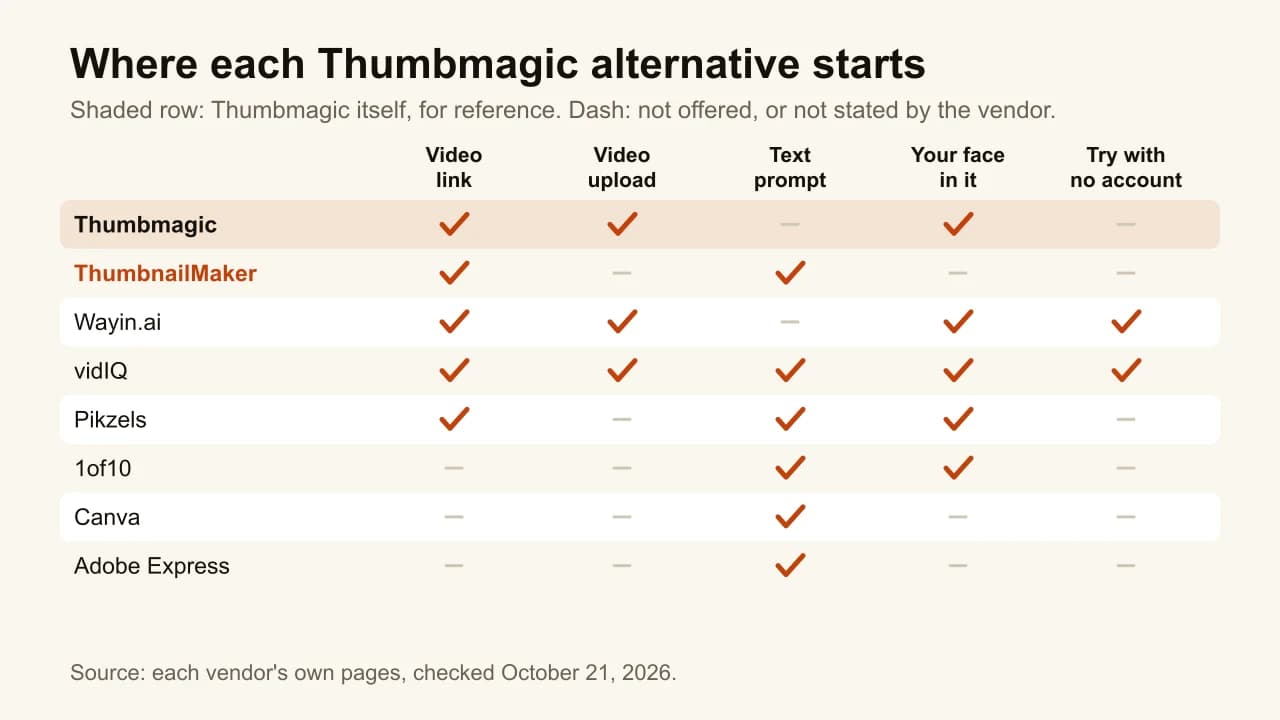
1. ThumbnailMaker, best for text drawn into the image from a link
ThumbnailMaker starts where Thumbmagic does, with the video's link, and then goes a different way. Instead of picking a frame and setting a headline in a font layer, it writes a brief from the video (the scene, the words on the image, the style) and generates the whole thumbnail with the words drawn in. The text is read back and redrawn if a letter came out wrong, and the image is graded at the 336-pixel size of the feed, with the duration-badge corner kept clear. You fix a near-miss in a sentence instead of in an editor. It is our product.

Key features
- Brief written from your video's link, or from your own sentence
- Text drawn into the image, read back and corrected
- Feed-size check and a clear duration-badge corner on every image
- Correction by instruction: "make the text yellow", the rest stays
- Three concepts on three angles for YouTube's own A/B test (Pro)
- 1280 × 720 or 1080 × 1920, optional 3840 × 2160
Best for
- Channels whose thumbnails carry a number or a two-word claim
- Creators who don't use Google sign-in, or don't want to
Pricing
- Starter $12/mo for 40 thumbnails, Pro $39/mo for 100, Studio $99/mo for 300; yearly is ten months' price, so Starter is $10 a month billed yearly
- Monthly and yearly prices both on the pricing page
- Up to four free previews with no card; downloading them starts a 7-day free trial of Starter or Pro
Pros
- Lettering that belongs to the image, not six shared fonts
- One image counts as one thumbnail, corrections included
- No watermark, full commercial rights
Cons
- Fewer thumbnails per dollar: Thumbmagic's Starter gives 100 a month for $17 billed yearly, ours 40 for $10
- No video-file upload: it reads a published video's link or your description
- Not an editor: you can't nudge a text layer by hand
- Free previews stay locked until the trial starts, and the trial takes a card
How you'd do it here. Paste the link, wait about ten seconds for the brief, change any word on it, generate. If one thing is off, type the correction. On Pro, generate three concepts for YouTube's test in one click. To see how your current thumbnail reads in a feed before changing anything, the free YouTube thumbnail tester works with no account. Plans are on one pricing page.
2. Wayin.ai, best for video-first in four aspect ratios
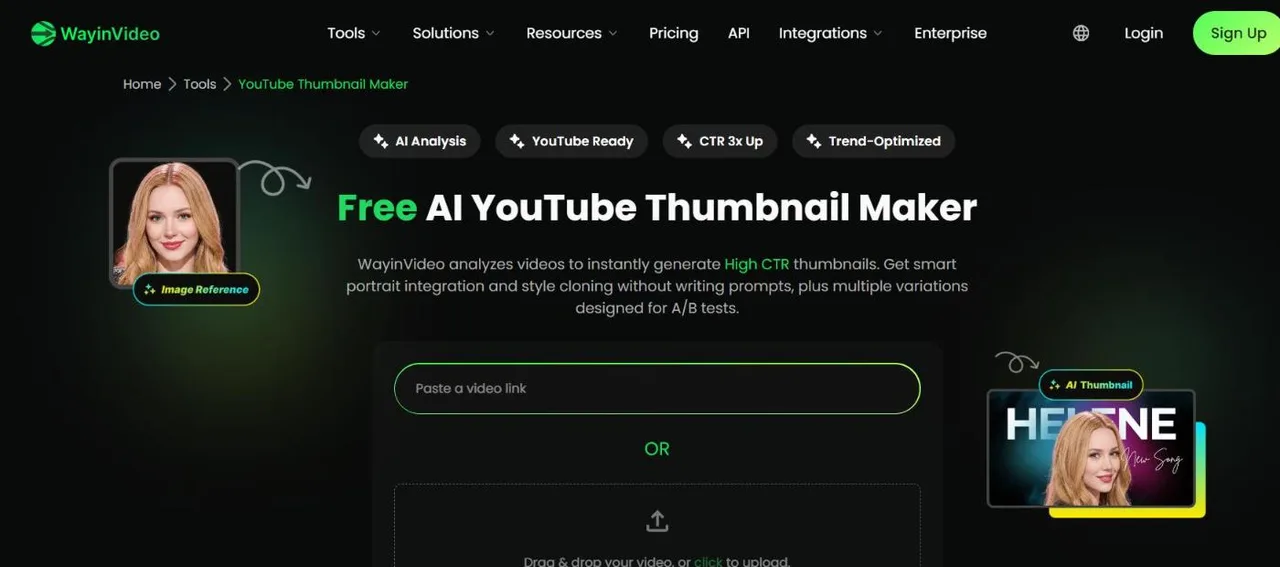
Wayin.ai is the closest match to Thumbmagic's idea. It is promptless ("No prompts to write"): upload a video or paste a YouTube link, and it analyses scenes, emotions and faces, then offers "multiple variations designed for A/B tests". A portrait can be blended in, and a reference thumbnail sets the layout. Where it goes further than Thumbmagic is shape: 1280 × 720 by default, switchable to 9:16, 1:1 or 4:5 in one click.
Key features
- Video upload or YouTube link, no prompt
- Portrait blending and reference-style matching
- 16:9, 9:16, 1:1 and 4:5
Best for
- Creators posting the same video to YouTube, Shorts, Reels and TikTok
- Anyone who wants Thumbmagic's workflow without a Google account
Pricing
- Starter $4.99/mo billed yearly, shown as 65% off with a countdown
- 100 free credits with an account; its FAQ says you can generate "for free without signing up"
- "Payments are nonrefundable"; credits are counted in minutes of video
Pros
- Four aspect ratios from one upload
- Try before creating an account, per its FAQ
Cons
- No refunds, against Thumbmagic's 30 days
- A clipping platform first; the plan is sized for video minutes
3. vidIQ, best for every input with no account to start
vidIQ's thumbnail maker takes all three of the inputs people want: "Upload a video, paste a YouTube link, or describe your idea." Uploads go up to 200 MB in MP4, WebM or MOV. A selfie can be placed into the scene with matched lighting, and a reference thumbnail rebuilds a layout you like. You can generate a first few before signing up, and its FAQ says there is no watermark "even on the free plan". It sits inside vidIQ's research toolkit.
Key features
- Prompt, YouTube link or video upload
- Selfie placement and reference-thumbnail matching
- Edit by typing: "make it brighter"
- Research tools on the same account
Best for
- Trying an AI thumbnail before giving anyone an email
- Creators who want a sentence route Thumbmagic doesn't advertise
Pricing
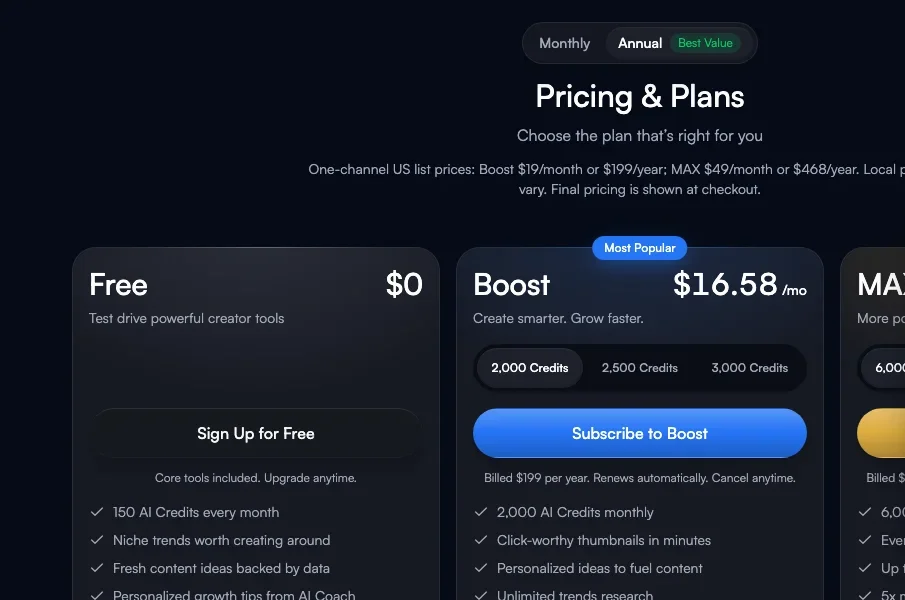
- Free plan with 150 AI credits a month
- Boost $19/mo or $199/yr; Max $49/mo or $468/yr (US list prices)
- Credits per thumbnail not published
Pros
- The only tool here with all three inputs and a no-account start
- Monthly prices shown, unlike Thumbmagic's page
Cons
- Output stated at 1280 × 720 only
- Thumbnail count per plan isn't published, so the cost per thumbnail is unknown
4. Pikzels, best for the widest feature set, with a score
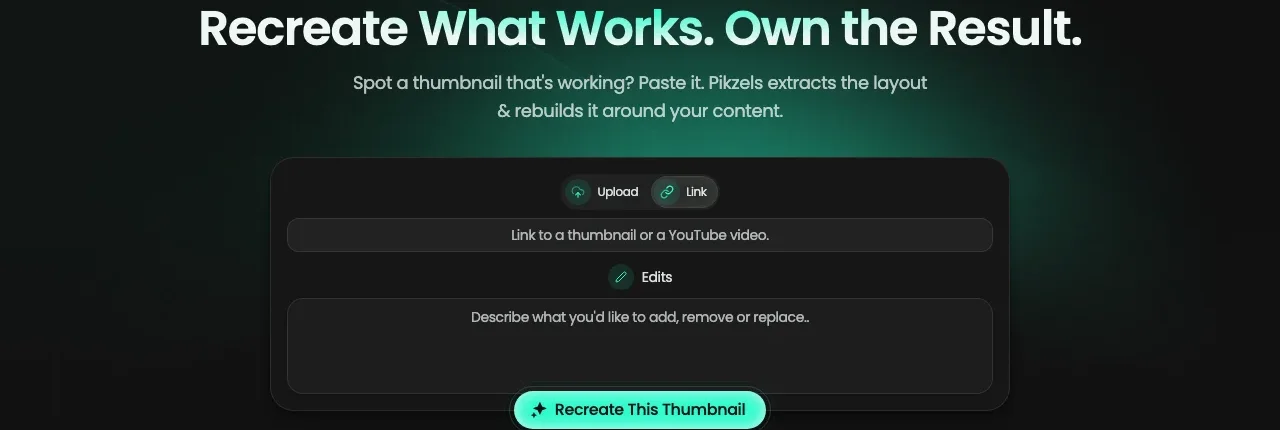
Pikzels covers more of the job than any tool here: generate from a prompt, recreate a format from a YouTube link, edit with notes, write titles, and score a thumbnail and title on virality, clarity, idea, curiosity and emotion before you publish. Personas train on three photos of you; Styles keep a channel's look. Where Thumbmagic starts from your footage, Pikzels starts from an idea or someone else's thumbnail.
Key features
- Prompt, Recreate from a link, Edit by notes, Titles
- Personas from three photos, trainable Styles
- Pikzels Score on five axes, One-Click Fix
Best for
- Creators who want a score and a fix before publishing
- Channels that repackage formats already working in their niche
Pricing
- Premium $40/mo, or $28/mo billed yearly at $336, 18,000 credits a year
- A thumbnail costs 10 to 20 credits; monthly plans start at 1,000 credits in month 1
- Its terms say "All purchases on Pikzels are final."
Pros
- Score and fix in the same tool as the generator
- Recreate from any YouTube link
Cons
- No refunds, against Thumbmagic's 30-day guarantee
- No free plan on the pricing page
5. 1of10, best for thumbnails picked from outlier data
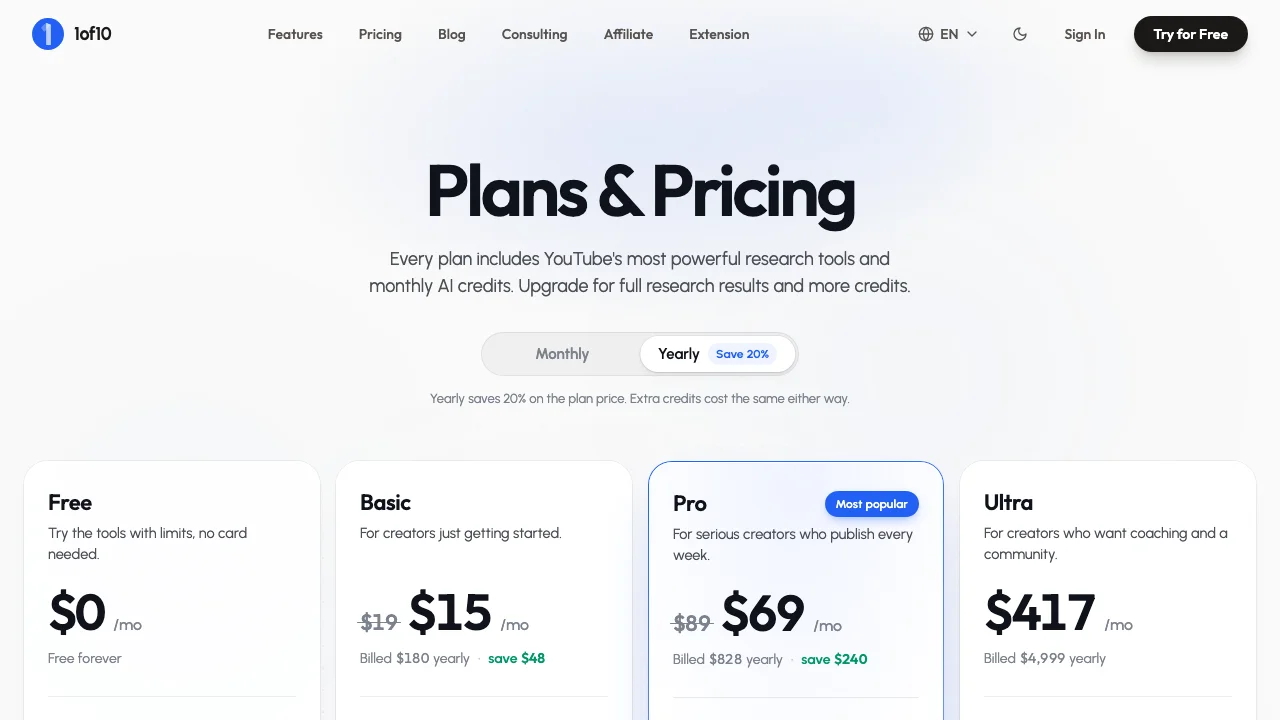
1of10 is a research tool with a generator attached. Outlier search, thumbnail search, trending formats and competitor tracking never spend credits; the generator does, at 4 credits a thumbnail. Type a title or an idea, add a reference image or sketch, connect your channel so it learns your style, then edit backgrounds, text and layout with AI. Thumbmagic answers "what does my video look like"; 1of10 answers "what is already working in my niche".
Key features
- Thumbnail from a title or short description
- Reference image or sketch for composition
- Channel-style learning, upload straight to YouTube
- Research tools that never use credits
Best for
- Creators who pick each topic from outlier data
- Channels that want research and thumbnails on one bill
Pricing
- Free plan, 60 credits a month, no card; free thumbnails carry a small watermark
- Basic $15/mo billed yearly ($19 monthly), 150 credits; Pro $69/mo billed yearly ($89 monthly), 1,000 credits
- 7-day money-back guarantee
Pros
- Research that tells you which thumbnail to make
- Monthly and yearly prices both visible
Cons
- Watermark on free
- No video input: it starts from a title, not your footage
6. Canva, best for hand-finishing with any font
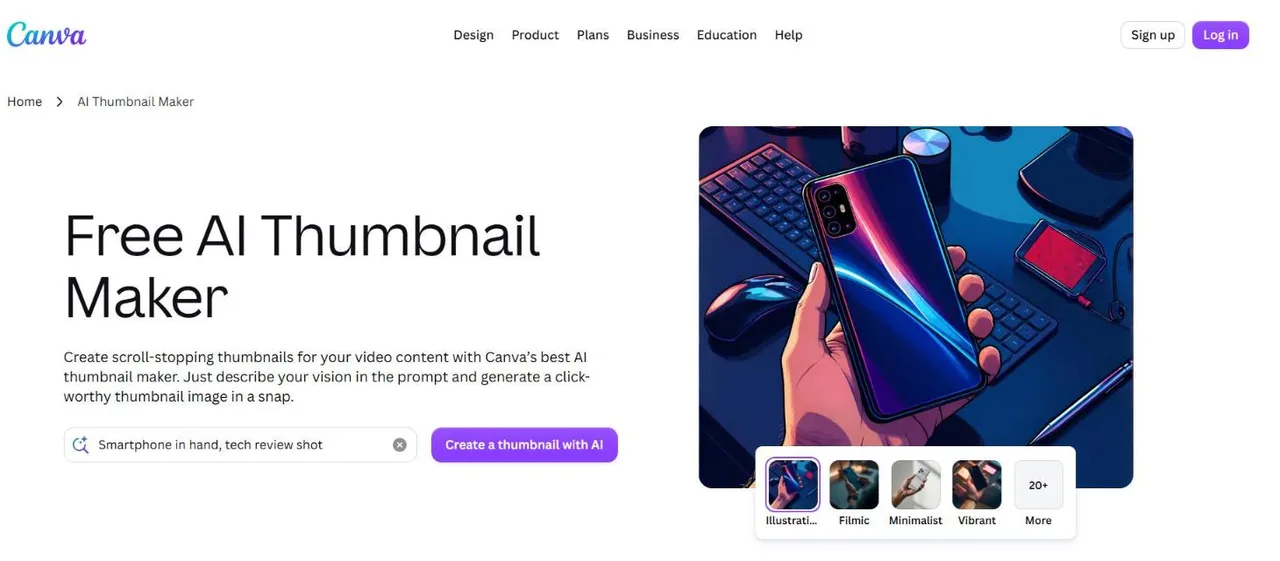
If Thumbmagic's six fonts were the problem, Canva is the widest fix. It has YouTube thumbnail templates, a drag-and-drop editor, a large font library, and AI image generation inside the same editor. You do the layout yourself. The full side-by-side with our tool is in ThumbnailMaker vs Canva.
Key features
- YouTube thumbnail templates and a drag-and-drop editor
- Full text control and a large font library
- AI image generation in the editor
Best for
- Creators who want typography Thumbmagic doesn't offer
- Teams already making every graphic in Canva
Pricing
- Free plan
- Pro US$144 a year, or US$18 billed monthly, for one person
Pros
- Total control over the layout and the type
- One subscription for every graphic
Cons
- Doesn't read your video: you bring the frame
- No feed-size or badge check
7. Adobe Express, best for brand-kit templates and stock
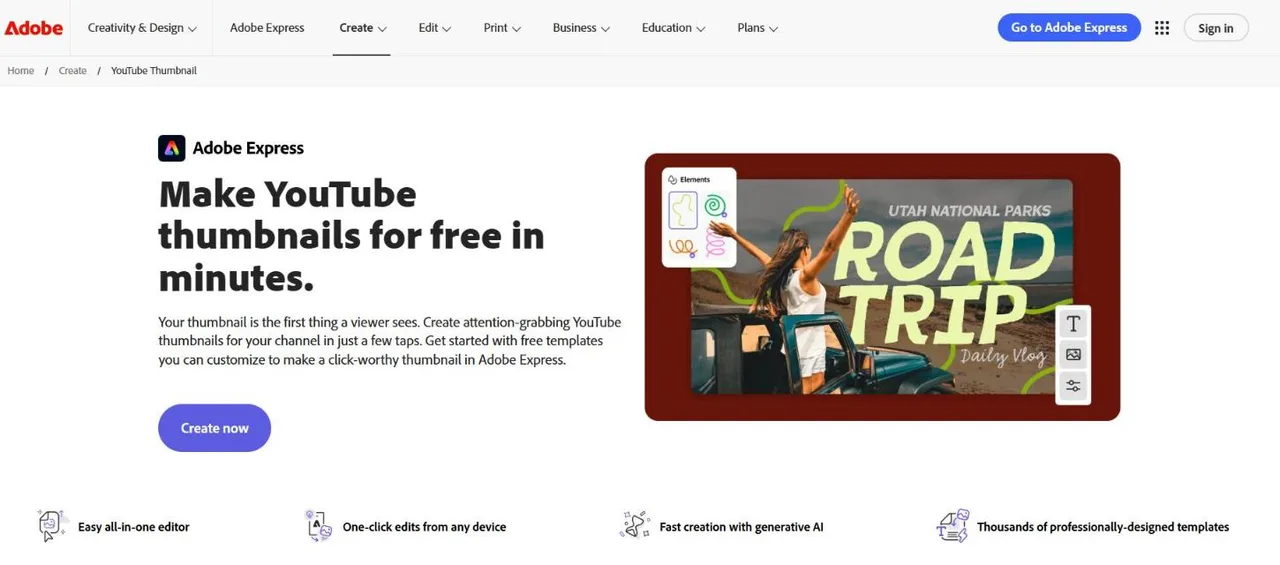
Adobe Express is the template route with Adobe's assets behind it. Its YouTube page offers "thousands of professionally-designed templates", a 1280 × 720 canvas by default, uploads of photos, video, PSD or AI files, and generative AI for images, templates and text effects. A Brand Kit saves your logo, colours and fonts so every thumbnail matches. The detailed comparison is in ThumbnailMaker vs Adobe Express.
Key features
- Thousands of thumbnail templates, Adobe Stock
- Generate an image or a template from a prompt
- Upload video stills, PSD and AI files
- Brand Kit for logo, colours and fonts
Best for
- Channels that want one consistent template every week
- Creators already in Adobe's apps
Pricing
- Free plan: "Free to use. No payment card required."
- Premium US$9.99/mo, 250 generative credits, 30-day trial; Firefly Pro US$19.99/mo
Pros
- Brand Kit plus a large stock library
- Monthly billing, no annual commitment
Cons
- You assemble the thumbnail; AI supplies parts
- Free daily generations not quantified
How to choose a Thumbmagic alternative
Was the text the problem?
Thumbmagic sets headlines as layers in six fonts. If you want the words to look like part of the image, ThumbnailMaker draws them in and reads them back. If you want any font you like, set by hand, Canva or Adobe Express.
Do you need the frames from your own footage?
Then stay close to Thumbmagic's idea: Wayin.ai and vidIQ both read an uploaded video. ThumbnailMaker reads a published video's link and writes a new scene from it rather than reusing a frame. That is better when the footage is a talking head at a desk, and worse when the best frame is already in the video.
How many thumbnails do you make a month?
Translate before comparing. Thumbmagic's Starter is 100 a month for $17 billed yearly, the most per dollar here. ThumbnailMaker's Starter is 40 for $12, or $10 billed yearly. 1of10's Basic is 150 credits at 4 a thumbnail, about 37. A channel posting twice a week needs 8 or 9 finished thumbnails, plus the drafts.
Do you have, or want to use, a Google account?
Thumbmagic's sign-up screen offers Google and nothing else. vidIQ and Wayin.ai let you try before any account. ThumbnailMaker accepts a plain email address.
Do you want variants for YouTube's own test?
YouTube's A/B testing compares up to three thumbnails on one video and keeps the one with the most watch time. Thumbmagic gives two variants per generation, Wayin.ai several, and ThumbnailMaker's Pro pack three concepts on three different angles, so the test compares ideas rather than crops.
Frequently asked questions
Is there a free alternative to Thumbmagic?
Yes. vidIQ generates a first few thumbnails with no account and no watermark. Wayin.ai's FAQ says it generates without sign-up. ThumbnailMaker shows four free previews with no card. 1of10 has a free plan, watermarked. Canva and Adobe Express have free plans.
Can I use Thumbmagic without a Google account?
Not according to its sign-up screen, which offers only "Sign up with Google". Wayin.ai and vidIQ let you try with no account, and ThumbnailMaker signs up with an email address.
How much does Thumbmagic cost per month?
Starter is $17 a month billed yearly for 100 thumbnails, Pro $35 for 500, Business $59 for unlimited. The pricing page shows only the yearly-billed price per month. There are 3 free thumbnails with no card, and a 30-day money-back guarantee.
Does Thumbmagic export in 4K?
Its pages disagree. The homepage says "4K, platform ready exports"; the YouTube page says "Export at 1280x720". YouTube now recommends 3840 × 2160 for video thumbnails; the YouTube thumbnail size guide has the full rules.
Which alternative is closest to how Thumbmagic works?
Wayin.ai. Both start from a video or a link, need no prompt, offer a face and a reference layout, and give several variants. Wayin.ai adds 9:16, 1:1 and 4:5; Thumbmagic adds an expression changer and a refund window.
Do AI thumbnail makers spell text right?
Not reliably when the text is drawn by the image model. Thumbmagic avoids the problem with font layers; ThumbnailMaker draws the text and then reads it back. Either way, check it at feed size, where most mistakes become obvious. Thumbnails that get clicks covers the rest of the craft.
Pick by the reason you are leaving
If it was the text or the Google-only sign-up, try ThumbnailMaker's free previews on the AI YouTube thumbnail maker. If you liked Thumbmagic's video-first flow and want more shapes, Wayin.ai. If you want to set every word yourself, Canva or Adobe Express. For eight tools ranked side by side, including Thumbmagic, see the best AI thumbnail makers.
Prices were checked on each vendor's own pages on October 21, 2026: Thumbmagic, Wayin.ai, vidIQ, Pikzels, 1of10, Canva and Adobe Express. Thumbmagic's fonts are listed on its text generator page, and YouTube's test rules on YouTube Help.
ThumbnailMaker is an independent product and is not affiliated with, sponsored by, or endorsed by Thumbmagic, Submagic, Wayin, vidIQ, Pikzels, 1of10, Canva or Adobe. Thumbmagic, Wayin.ai, vidIQ, Pikzels, 1of10, Canva and Adobe Express are trademarks of their respective owners, named here only to compare publicly documented features. The other tools' descriptions come from their own pages, not from our testing. Details were accurate when written and may have changed since.
ThumbnailMaker Team — Guides from the people building ThumbnailMaker: thumbnail design, CTR, and what happens under the hood of an AI generator. Every number is checked against YouTube's own pages and dated.
Try it on your next video
Paste the video's link: the brief is written for you, then you generate. Previews are free, then a 7-day free trial.