6 Best vidIQ Alternatives for YouTubers (2026)
By ThumbnailMaker Team · · 15 min read
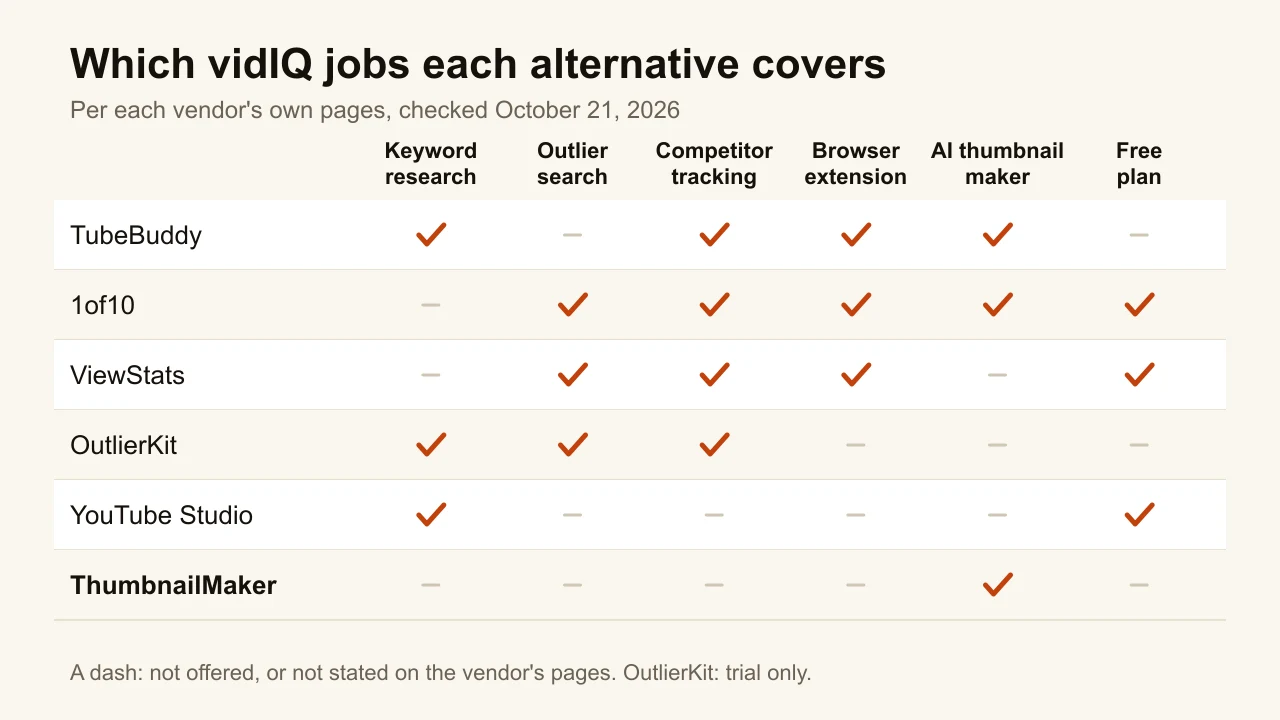
Quick answer: The best vidIQ alternative depends on which vidIQ job you are replacing. TubeBuddy is the closest like-for-like swap: a browser extension with keyword research, competitor tracking and A/B tests on its top plan. YouTube Studio already covers part of vidIQ for free, with a Trends tab, the Ask Studio assistant and a built-in thumbnail test. 1of10 pairs outlier research with an AI thumbnail generator, from $15 a month billed yearly. ViewStats is the outlier and competitor tracker with a free site and a $49.99 Pro plan. OutlierKit goes deepest on niche research, from $24.92 a month billed yearly. ThumbnailMaker replaces only vidIQ's thumbnail maker, and it is not an SEO tool. For most small channels, start with YouTube Studio and add one paid tool for the job Studio cannot do. Every price below was checked on the vendor's own page on October 21, 2026.
vidIQ is not one tool. Its own homepage lists seven jobs: optimizing titles and tags, finding keywords, clipping Shorts, designing thumbnails, finding viral ideas, writing scripts and AI coaching. Its free plan gives 150 AI credits a month, and its paid plans start at $16.58 a month for Boost, billed $199 a year, per vidIQ's plans page. Most people looking for an alternative use two or three of those jobs, not seven.
So this list is sorted by job, not by feature count. Each entry says which part of vidIQ it replaces and which part it does not. ThumbnailMaker is our product; it sits at the end because it replaces one vidIQ job out of seven. The other tools are described from their own pages, not from our testing.
What kinds of vidIQ alternatives are there?
The six tools fall into three families:
- All-in-one suites: TubeBuddy, and YouTube Studio itself. They cover keywords, metadata and testing in one place.
- Research tools: 1of10, ViewStats and OutlierKit. They find the videos that beat their channel's average and track competitors.
- A single-job tool: ThumbnailMaker, which only makes the thumbnail.
| Tool | Best for | Cheapest paid plan | Free option | The vidIQ job it replaces |
|---|---|---|---|---|
| TubeBuddy | A like-for-like extension swap | Pro, $4.99/mo | Free start | Keywords, tags, competitors, tests |
| YouTube Studio | Paying nothing | Free | Built into YouTube | Search trends, ideas, A/B tests |
| 1of10 | Outliers plus AI thumbnails | $19/mo, or $15/mo yearly | 60 credits a month, no card | Outliers, ideas, thumbnails |
| ViewStats | Tracking competitors' outliers | $49.99/mo (Pro) | Free site and extension | Outliers, competitor tracking |
| OutlierKit | Mapping a whole niche | $49/mo, or $24.92/mo yearly | 30 trial credits, no card | Keyword and niche research |
| ThumbnailMaker | Replacing the AI thumbnail maker | $12/mo | Free previews, no card | The thumbnail maker only |
1. TubeBuddy, best for a like-for-like extension swap
TubeBuddy is the closest to vidIQ in shape: a browser extension that works inside YouTube, with the tools on a paid plan. Its pricing page lists more than 50 tools in four groups: SEO (Keyword Explorer, SEO Studio, search rank tracking), content strategy (best time to publish, competitor scorecard, retention analyzer), video and thumbnail (a thumbnail generator and analyzer, title generator) and productivity (bulk editors for cards, end screens and descriptions). The A/B tests and the title generator are on Legend, its top creator plan, not on Pro.
Key features
- Keyword Explorer, SEO Studio and search rank tracking
- Competitor scorecard and competitor upload alerts
- Video A/B tests and a title generator (Legend)
- Bulk find, replace and append across descriptions
- Thumbnail generator and thumbnail analyzer
Best for
- Creators who use vidIQ mainly for keywords and tags
- Channels with a back catalogue that needs bulk metadata edits
Pricing
- Pro is $4.99 a month, or $47.90 a year, and Legend is $32.99 a month, or $26.39 a month billed yearly
- Those prices were shown to a European connection; check the price TubeBuddy shows you
- Channels under 1,000 subscribers get 50% off with a coupon the page names
Pros
- The closest feature-for-feature match to vidIQ
- Bulk tools vidIQ does not advertise
Cons
- A/B tests sit on the top plan
- The prices we were shown differ from those several third-party sites quote, so check yours
2. YouTube Studio, best for paying nothing
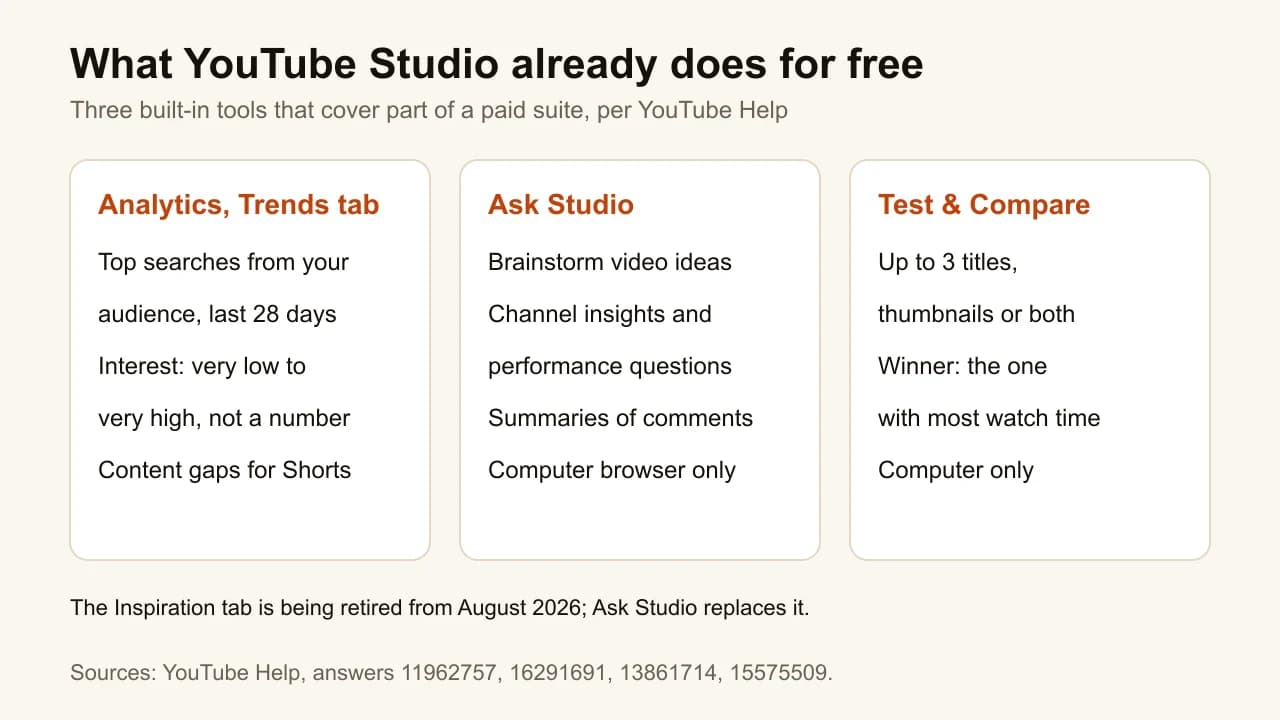
YouTube Studio is not usually called a vidIQ alternative, but it already does three of the jobs people pay vidIQ for. The Trends tab, under Analytics, shows the top searches of your own audience over the last 28 days, with interest graded from very low to very high, and flags content gaps for Shorts, per YouTube Help. Ask Studio is an AI assistant inside Studio that brainstorms ideas, answers questions about your channel's performance and summarises comments. And Test & Compare runs an A/B test of up to three titles or thumbnails. YouTube is retiring the older Inspiration tab from August 2026 in favour of Ask Studio.
Key features
- Trends tab: your audience's top searches and content gaps
- Ask Studio: ideas, channel insights, comment summaries
- Test & Compare: up to three titles, thumbnails or both
- First-party data, for your own channel only
Best for
- Small channels deciding whether a paid tool is worth it
- Anyone whose vidIQ use was mostly the daily ideas
Pricing
- Free, with any YouTube channel
Pros
- The data comes from YouTube itself, not an estimate
- Nothing to install, nothing to pay
Cons
- Search interest comes as a range, never an exact volume
- No view of a competitor's channel analytics
- Ask Studio and Test & Compare work on a computer only, per YouTube's help pages
3. 1of10, best for outliers plus AI thumbnails
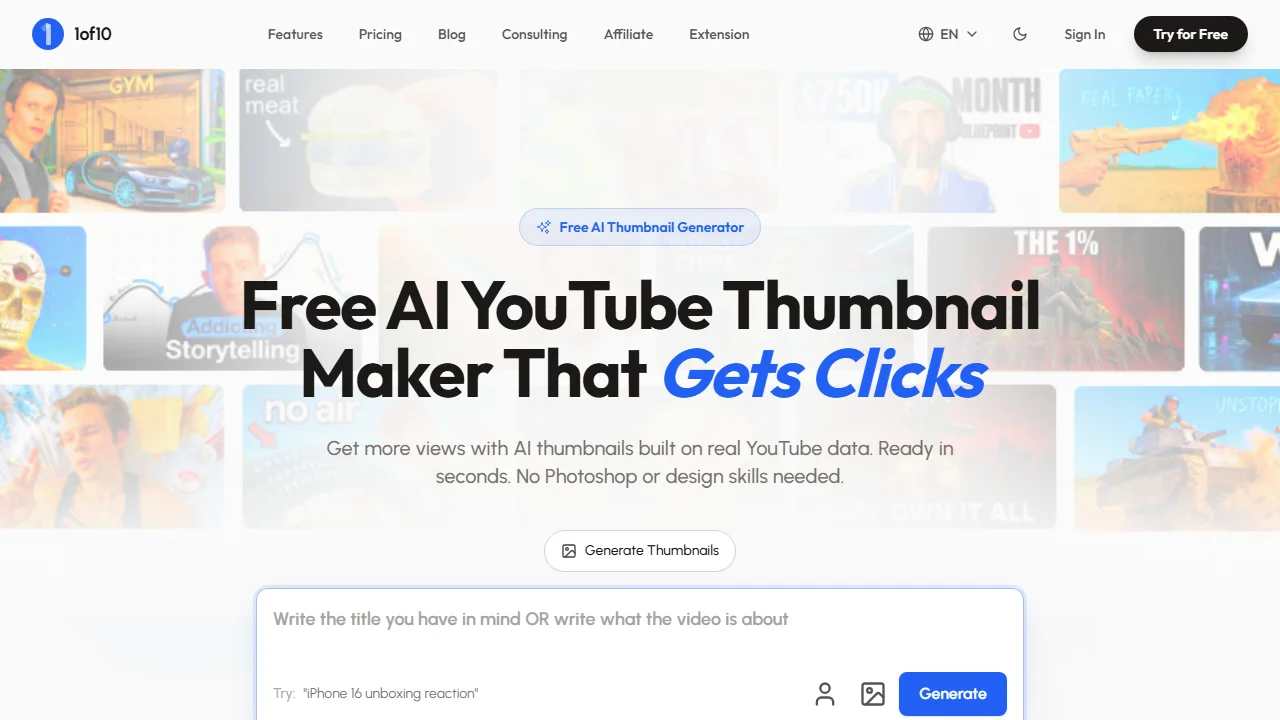
1of10 is built around outliers: videos that beat their channel's average by 10x or more, in its own words. Outlier search, thumbnail search, trending formats and competitor tracking are its research side, and research never uses credits. On top of that sit AI tools that run on monthly credits: a thumbnail generator, a video editor and a title and idea generator. It also has a Chrome extension. If you used vidIQ for "what should my next video be" and its thumbnail maker, 1of10 covers both on one subscription.
Key features
- Outlier search, thumbnail search and trending formats
- Competitor tracking
- AI thumbnail generator at 4 credits a thumbnail, per its pricing page
- AI title and idea generator, AI video editor
- MCP and API access on Pro and above
Best for
- Creators who start every video from what already works in their niche
- Channels that want research and thumbnails on one bill
Pricing
- Free: 60 credits a month, no card, one connected channel
- Basic: $19 a month, or $15 a month billed $180 yearly, 150 credits
- Pro: $89 a month, or $69 a month billed $828 yearly, 1,000 credits
Pros
- Research does not eat credits
- A free plan with no card
Cons
- The free plan caps outlier and thumbnail search at 5 results
- Its own plan card estimates "about 7 thumbnail generations" on Basic, which is hard to square with 4 credits a thumbnail
4. ViewStats, best for tracking competitors' outliers
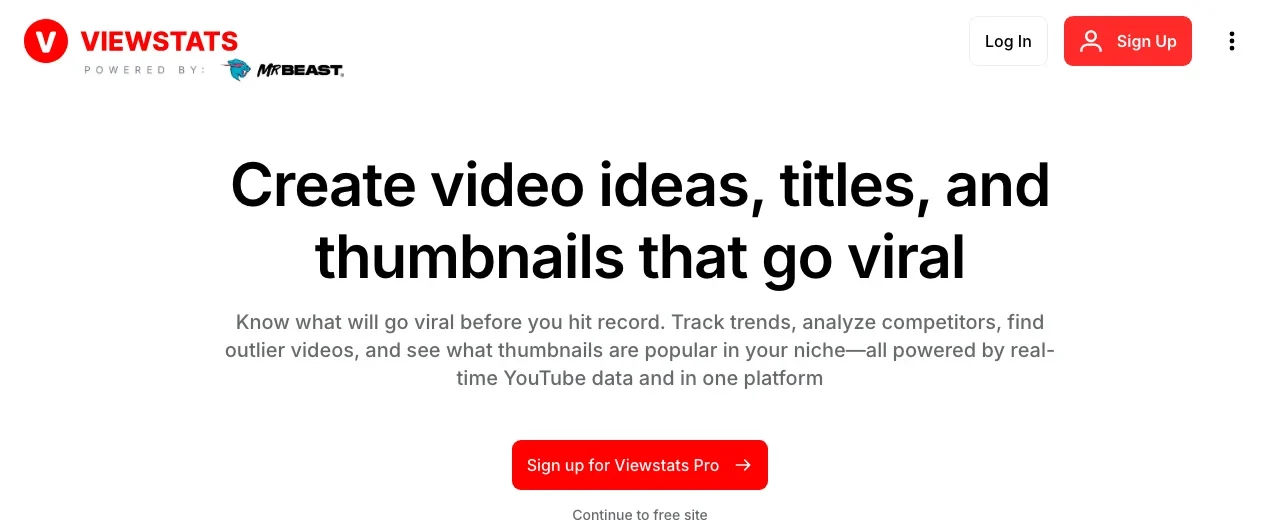
ViewStats was co-founded by MrBeast, and its pitch is the analytics the MrBeast channel used internally. The free site shows channel and video statistics and top lists; the free Chrome extension shows video and channel analytics while you browse YouTube. ViewStats Pro adds competitor tracking, outlier search, thumbnail search, alerts and collections where you can preview a video's packaging before it goes live. It does not generate thumbnails or titles for you. It tells you what is working in your niche, and the making is up to you.
Key features
- Outlier search and thumbnail search
- Competitor tracking and alerts
- Collections to preview packaging before publishing
- Free site with channel statistics, free Chrome extension
Best for
- Creators who track five to ten competitors closely
- Channels that use vidIQ's competitor view more than its keywords
Pricing
- Pro: $49.99 a month
- Business: from $249 a month, for teams and agencies
- The FAQ describes a "50% off for life" promotion when one is active
Pros
- A free site and extension that are useful on their own
- Built around the outlier view, not keyword scores
Cons
- No keyword research and no AI generation
- Pro costs three times vidIQ Boost's yearly price per month
5. OutlierKit, best for mapping a whole niche
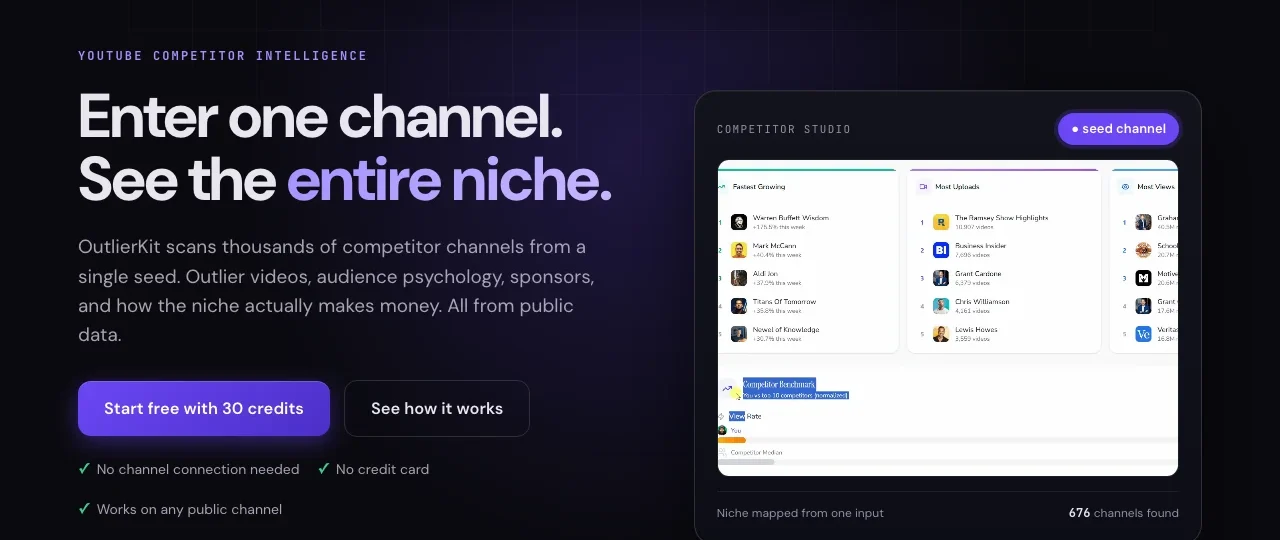
OutlierKit starts from one channel and maps the niche around it: the fastest-growing channels, outlier videos, sponsors and how the niche makes money, all from public data. It also has a keyword finder aimed at low-competition, high-RPM terms, idea scoring before you film, and tools for titles, descriptions, tags and script review. Everything runs on research credits: a keyword or outlier search costs 2, a script analysis 10, a niche-wide Competitor Studio run 50. It is the most research-heavy tool here and the least about making anything.
Key features
- Competitor Studio: a whole niche mapped from one channel (Pro and Max)
- Outlier research and a keyword finder
- Idea scoring, title, description and tag tools
- MCP server and API access on Pro
Best for
- Creators entering a new niche who want the map first
- Agencies running research for several client channels
Pricing
- Hobby: $49 a month, or $24.92 a month billed $299 yearly, 100 credits
- Pro: $99 a month, or $49.92 a month billed $599 yearly, 500 credits
- Free trial: 30 credits, no card; top-ups at $19 for 100 credits
Pros
- Niche-wide research no other tool here offers
- A no-card trial
Cons
- No browser extension and no thumbnail tools
- Competitor Studio is not available on Hobby or the trial
6. ThumbnailMaker, best for replacing the AI thumbnail maker
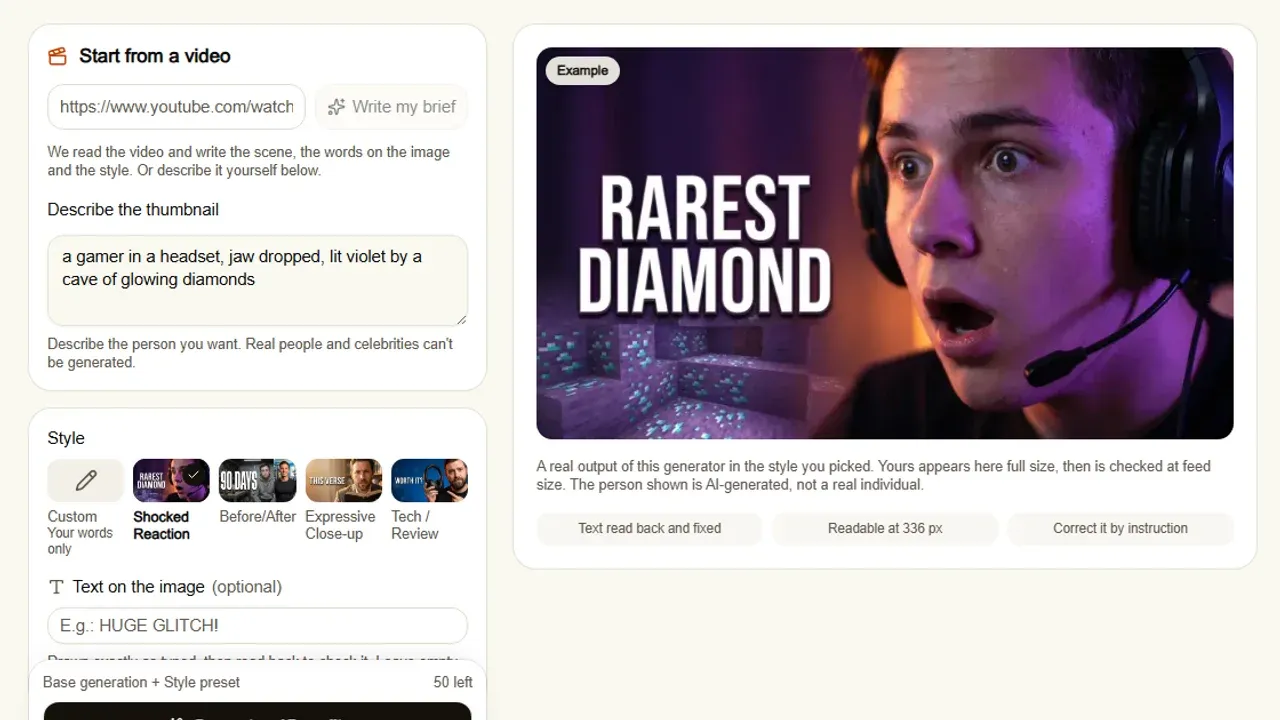
ThumbnailMaker does one of vidIQ's seven jobs: the thumbnail. Paste the video's link and it writes the brief from the video, the scene, the words and the style, then generates a finished 16:9 or 9:16 thumbnail. The text is drawn into the image, read back and corrected if a letter came out wrong, and every image is checked at feed size with the duration-badge corner kept clear. It has no keyword research, no competitor tracking and no browser extension. If you are leaving vidIQ for everything, pair it with one of the tools above. It is our product, so weigh the placement with that in mind.
Key features
- Brief written from your video's link, or from a sentence
- Text drawn in, read back and fixed when wrong
- Feed-size readability check and a clear badge corner
- Correction by instruction, the rest of the image kept
- Three concepts for YouTube's A/B test (Pro and up)
Best for
- Creators who liked vidIQ's thumbnail maker but not the rest
- Channels where the words on the thumbnail matter
Pricing
- Starter $12 a month for 40 thumbnails, Pro $39 for 100, Studio $99 for 300; yearly is ten months' price
- A correction counts as one thumbnail, a 4K image as two
- Up to four free previews with no card; downloading starts a 7-day free trial
Pros
- Text checked at the size the feed shows it
- Free tools with no account: a tester, a resizer, a text editor and a downloader
Cons
- Not an SEO or research tool at all
- No free download without starting the trial
- Replaces one vidIQ job out of seven
How you'd do it here. Paste the video's link in the AI YouTube thumbnail maker. The brief appears in about ten seconds; change any word. Generate, read the checks under the image, then download or correct it in a sentence. Before changing anything, the free YouTube thumbnail tester shows your current thumbnail in a mock feed next to up to two alternatives, with no account.
How to choose a vidIQ alternative
Which vidIQ features did you actually use?
Open your vidIQ history and count. If it was keywords and tag scores, TubeBuddy is the direct swap. If it was daily ideas and outliers, 1of10, ViewStats or OutlierKit fit better. If it was the AI thumbnail maker, a dedicated generator does that one job in more depth. Paying for a suite to use one tab is the most common waste in this category.
Is YouTube Studio enough on its own?
For a channel under a few thousand subscribers, often yes. The Trends tab shows what your audience searches, Ask Studio brainstorms ideas from your channel's data, and Test & Compare settles thumbnail arguments for free. What Studio lacks is a view of other channels and exact search volumes. Add a paid tool only when one of those gaps costs you a video.
Do you need to see competitors' numbers?
YouTube Studio only shows your own channel. ViewStats and 1of10 are built around other channels' outliers; OutlierKit maps the whole niche from one seed; TubeBuddy has a competitor scorecard. If your strategy is "find what is working for others and do it better", this is the deciding question.
Do you want the tool to make things, or only to tell you things?
ViewStats and OutlierKit tell you what works and leave the making to you. 1of10 and ThumbnailMaker generate thumbnails; TubeBuddy has a thumbnail generator on its feature list. Leaving vidIQ is also leaving the comparison of TubeBuddy and its rivals open, since most people weigh both.
Frequently asked questions
What is the best free alternative to vidIQ?
YouTube Studio. Its Trends tab, Ask Studio and Test & Compare are free and run on YouTube's own data. For research on other channels, ViewStats' free site and extension and 1of10's free plan, 60 credits a month with no card, are the next step.
Is TubeBuddy better than vidIQ?
Neither wins across the board: both are extensions with keyword research and channel tools. TubeBuddy lists bulk editing and A/B tests (on Legend); vidIQ leans on AI ideas, coaching and generation. Pick by the features you use, not by the brand.
Does vidIQ have a free plan?
Yes. vidIQ's free plan includes 150 AI credits a month, niche trends, AI Coach tips and its MCP server, per its plans page. Boost is $16.58 a month and Max $39 a month, both billed yearly.
Do I need a paid tool to grow on YouTube?
No. The data that matters most, your click-through rate, watch time and traffic sources, is free in YouTube Studio. Paid tools add estimates about other channels and save time. Knowing what a good click-through rate looks like does more for most channels than a keyword score.
Can I replace vidIQ's thumbnail maker with another tool?
Yes. 1of10 generates thumbnails next to its research, and dedicated generators like ThumbnailMaker do only the thumbnail. A broader comparison of the best AI thumbnail makers covers eight of them, vidIQ included.
Are vidIQ alternatives safe to connect to my channel?
Each tool asks for its own permissions when you connect a channel. YouTube Studio needs none, since it is YouTube's own. Read what a tool requests before granting access, and remove access you no longer use from your Google account.
Start with the job, then the tool
Write down the one vidIQ job you would miss most. If it is keywords, try TubeBuddy. If it is ideas, start with YouTube Studio and add 1of10, ViewStats or OutlierKit. If it is the thumbnail, ThumbnailMaker's free previews show what your next video's thumbnail would look like before you pay anything, and ThumbnailMaker's plans are on one page.
Prices and features were checked on each vendor's own pages on October 21, 2026: vidIQ, TubeBuddy, 1of10, ViewStats and OutlierKit.
ThumbnailMaker is an independent product and is not affiliated with, sponsored by, or endorsed by vidIQ, TubeBuddy, 1of10, ViewStats, OutlierKit or Google. vidIQ, TubeBuddy, 1of10, ViewStats, OutlierKit and YouTube are trademarks of their respective owners, named here only to compare publicly documented features. The other tools' descriptions come from their own pages, not from our testing. Details were accurate when written and may have changed since.
ThumbnailMaker Team — Guides from the people building ThumbnailMaker: thumbnail design, CTR, and what happens under the hood of an AI generator. Every number is checked against YouTube's own pages and dated.
Try it on your next video
Paste the video's link: the brief is written for you, then you generate. Previews are free, then a 7-day free trial.