7 Best YouTube SEO Tools in 2026, Free and Paid
By ThumbnailMaker Team · · 15 min read
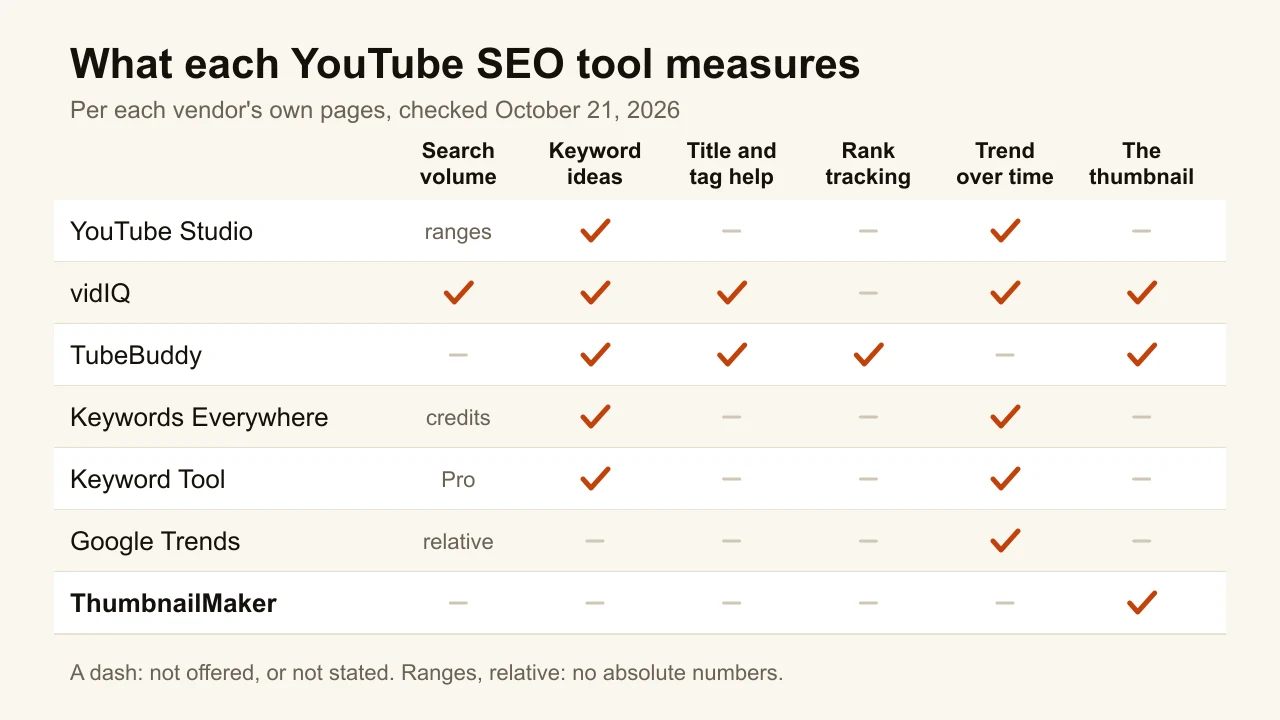
Quick answer: The best YouTube SEO tool to start with is free: YouTube Studio's Trends tab shows what your own audience searches, straight from YouTube. vidIQ is the best paid all-rounder, with search volume, competition scores and title help, from $16.58 a month billed yearly. TubeBuddy adds rank tracking and an SEO Studio for each upload. Keywords Everywhere is the cheapest way to see search volume on YouTube, $7 a month billed yearly. Keyword Tool mines YouTube autocomplete for long-tail phrases, from $68 a month billed yearly. Google Trends, set to YouTube Search, shows whether a topic is rising, for free. ThumbnailMaker is on this list for one reason: ranking gets you an impression, and the thumbnail decides whether it becomes a view. It does no keyword research. Every price below was checked on the vendor's own page on October 21, 2026.
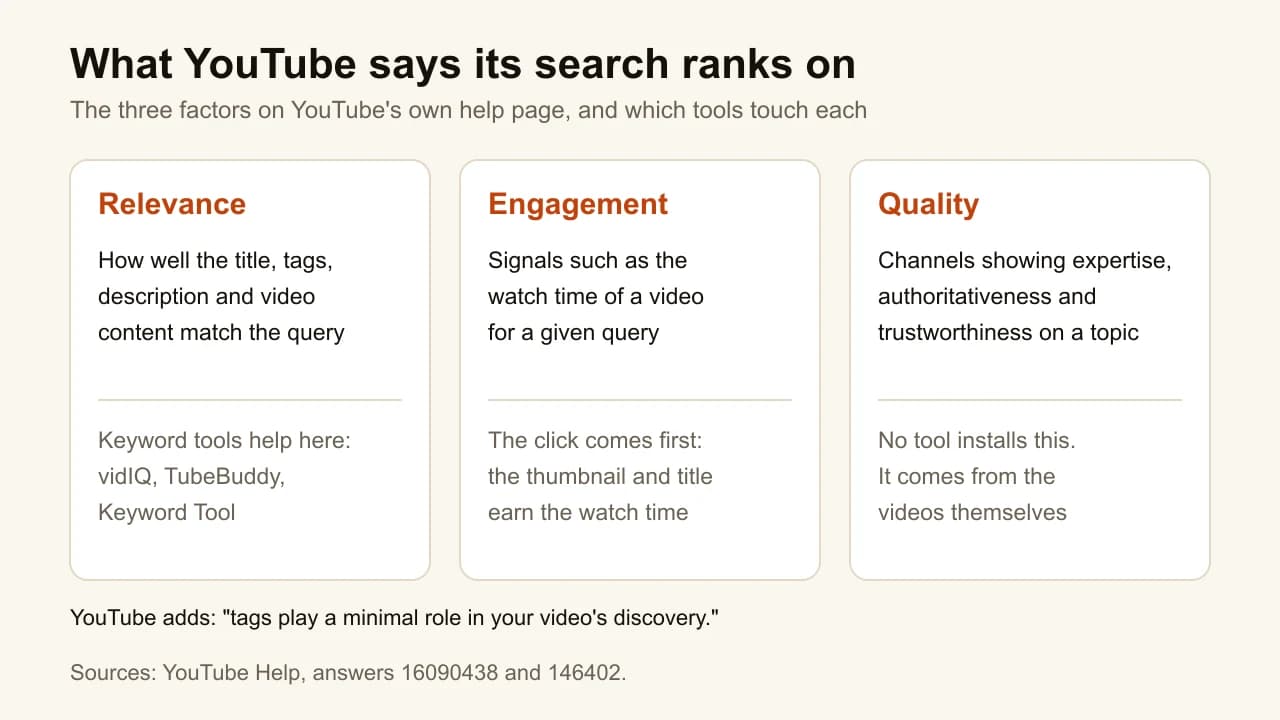
Most YouTube SEO advice is still about tags. YouTube's own help page says tags "play a minimal role" in discovery, useful mainly when a topic is commonly misspelled. Its search ranks on three things: relevance (the title, tags, description and video content against the query), engagement (such as watch time for that query) and quality, per YouTube's page on how search works.
So a YouTube SEO tool earns its place by doing one of two jobs: finding the words people actually search, so the title and description are relevant, or helping the video get clicked and watched once it shows up. The list below is sorted by the first job, because that is what the category is. ThumbnailMaker, our product, sits last because it only does the second. The other tools are described from their own pages, not from our use of them.
What kinds of YouTube SEO tools are there?
The seven tools fall into three families:
- Free first-party data: YouTube Studio and Google Trends. No estimates, but no exact numbers either.
- Keyword suites and extensions: vidIQ, TubeBuddy, Keywords Everywhere and Keyword Tool. Search volume and keyword ideas, estimated from their own data.
- The click after you rank: ThumbnailMaker, which makes the thumbnail.
| Tool | Best for | Cheapest paid plan | Free option | What it measures |
|---|---|---|---|---|
| YouTube Studio | Your own audience's searches | Free | Built into YouTube | Top searches, interest ranges |
| vidIQ | All-round keyword research | $16.58/mo, billed yearly | Free plan, 150 AI credits | Volume, competition, titles |
| TubeBuddy | Rank tracking per upload | Pro, $4.99/mo | Free start | Keyword ideas, rank positions |
| Keywords Everywhere | Cheap search volume | $7/mo, billed yearly | Free extension, no volume | Volume, CPC, 12-month trend |
| Keyword Tool | Long-tail phrases from autocomplete | $68/mo yearly, $88 monthly | Free suggestions, no volume | Autocomplete, estimated volume |
| Google Trends | Timing a topic | Free | Free | Relative interest, 0 to 100 |
| ThumbnailMaker | Earning the click once you rank | $12/mo | Free previews, no card | The thumbnail, at feed size |
1. YouTube Studio, best for your own audience's searches
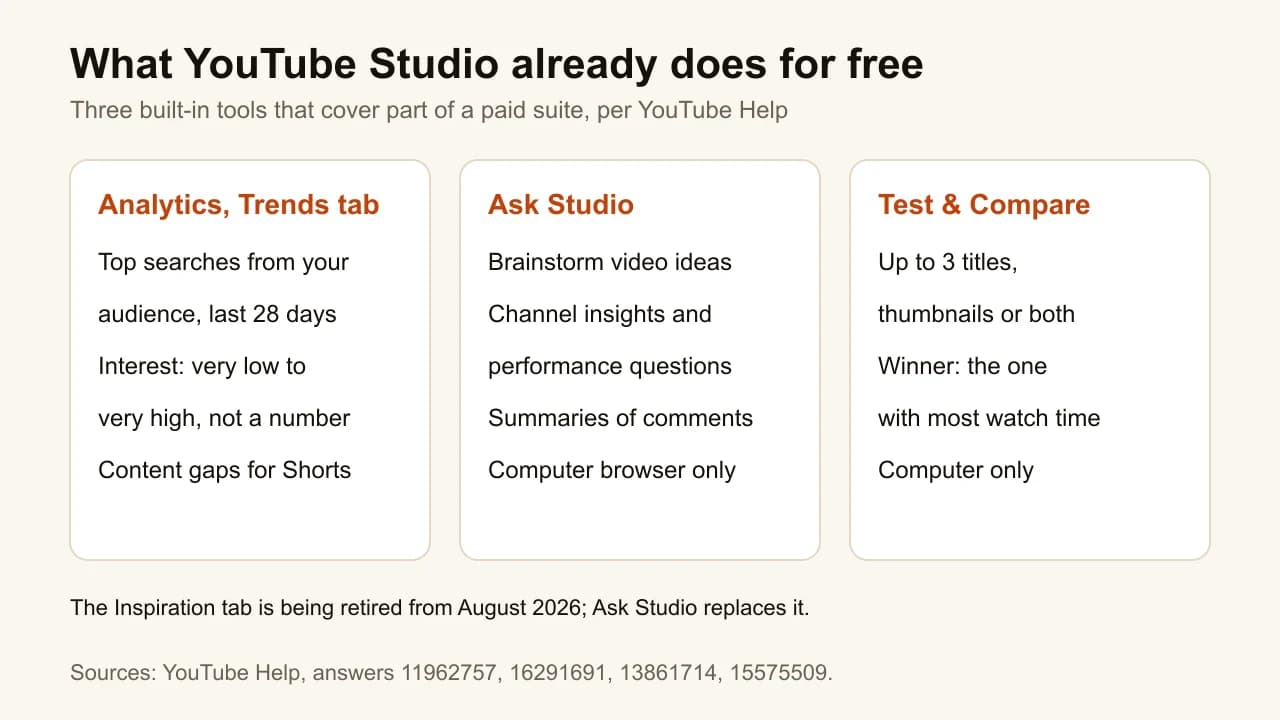
Before any paid tool, open YouTube Studio, go to Analytics and pick the Trends tab. It lists the top searches of your own audience over the last 28 days, the topics they watched recently, and content gaps for Shorts: searches where viewers cannot find a good enough video, per YouTube Help. Interest comes as a range from very low to very high, not as a number. Ask Studio, the AI assistant in Studio, answers questions about your channel's performance and brainstorms ideas from it. This is the only data on the list that comes from YouTube rather than an estimate.
Key features
- Top searches from your audience, last 28 days
- Content gaps for Shorts
- Ask Studio for ideas and performance questions
- Test & Compare for titles and thumbnails
Best for
- Every channel, as the first stop
- Small channels deciding whether to pay for anything
Pricing
- Free
Pros
- First-party data, tied to your actual viewers
- Shows gaps, not only demand
Cons
- Interest ranges, never a search volume
- Your own audience only, nothing on competitors
2. vidIQ, best for all-round keyword research
vidIQ is the most complete paid YouTube SEO tool here. Its keyword research shows search volume and competition scores with AI suggestions; its free browser extension shows SEO scores and tags on any video; and it helps write titles, descriptions and tags at upload. Around that sit ideas, trend research, an AI coach and an AI thumbnail maker. If you want one paid tool that covers YouTube SEO and a bit more, this is the default. The vidIQ alternatives cover what to use if it is more than you need.

Key features
- Keyword research with search volume and competition scores
- Title, description and tag optimization at upload
- Free extension with SEO scores and tags on any video
- Niche trends, daily ideas, AI coach
Best for
- Creators who want one paid SEO tool
- Channels that title every video around a searched phrase
Pricing
- Free: 150 AI credits a month
- Boost: $16.58 a month, billed $199 yearly
- Max: $39 a month, billed $468 yearly
Pros
- Volume, competition and title help in one place
- A free plan and a free extension
Cons
- Monthly prices are not shown on its plans page
- Much of the plan is ideas and AI, not SEO
3. TubeBuddy, best for rank tracking per upload
TubeBuddy is the SEO suite with the most upload-day tools. Keyword Explorer finds search opportunities, SEO Studio works on a video's title, tags and description before it goes live, and search rank tracking shows where your videos sit for the phrases you chose. Its pricing page lists more tag tools than anything else here: tag rankings, a tag sorter, tag lists and a tag translator. Given what YouTube says about tags, the rank tracking and keyword work are the parts worth paying for.
Key features
- Keyword Explorer and Search Explorer
- SEO Studio for each upload
- Search rank tracking, unlimited on Legend
- Best-practice audit and tag tools
Best for
- Channels that target specific search phrases and want to watch their position
- Creators optimising a long back catalogue
Pricing
- Pro is $4.99 a month, or $47.90 a year, and Legend is $32.99 a month, or $26.39 a month billed yearly
- Those prices were shown to a European connection; check yours
Pros
- The only tool here with rank tracking on the plan list
- A lot of upload-day structure
Cons
- Many of its SEO tools are about tags, which YouTube downplays
- Search volume is not stated on its pricing page
4. Keywords Everywhere, best for cheap search volume
Keywords Everywhere is a browser extension that adds search volume, cost per click, competition and a 12-month trend to the sites you search, YouTube included. Install it free with no sign-up and you get keyword lists, YouTube insights and tags; the numbers cost credits, one per keyword shown. It does not suggest titles or track rankings. It answers one question, "how many people search this?", for less than any other paid tool here.
Key features
- Search volume, CPC, competition and 12-month trends on YouTube
- Free keyword lists and YouTube insights, no sign-up
- Works in Chrome, Firefox and Edge
- Also covers Google, Amazon, Bing and Etsy
Best for
- Creators who only need a volume number next to a phrase
- Anyone who searches YouTube for ideas and wants data on the fly
Pricing
- Bronze: $7 a month, billed $84 yearly, 100,000 credits a year
- Silver: $14 a month, billed $168 yearly, 400,000 credits
- Annual only; credits expire after a year
Pros
- The lowest price for YouTube volume data on this list
- No suite to learn
Cons
- Every related keyword shown uses a credit, so heavy browsing burns them
- No title help, no rank tracking
5. Keyword Tool, best for long-tail phrases from autocomplete
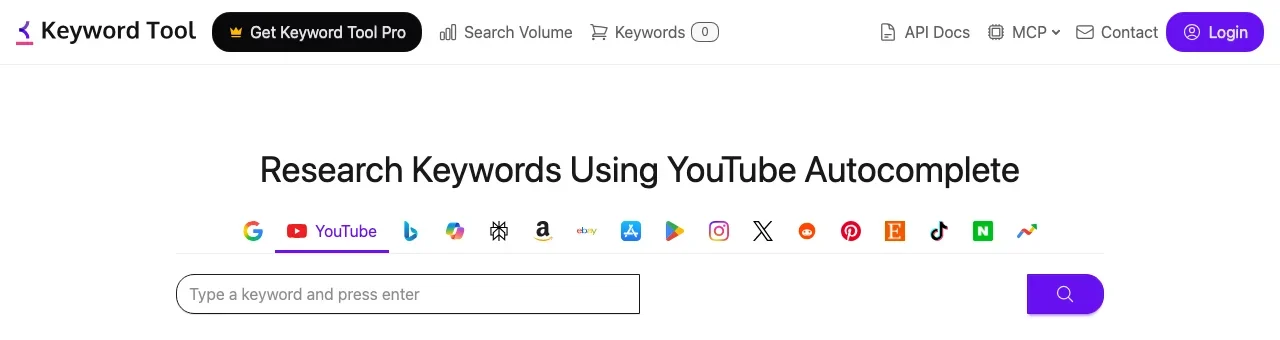
Keyword Tool generates keywords by mining YouTube's autocomplete: it adds letters and numbers around a seed phrase and collects what YouTube suggests. The free version gives the suggestions without volumes. Keyword Tool Pro adds estimated YouTube search volume, which its page says comes from clickstream data, plus 12 months of trend history, bulk lookups of up to 1,000 keywords and an API and MCP server. It is priced for marketers more than solo creators, and it has no free trial.
Key features
- Hundreds of long-tail suggestions from YouTube autocomplete
- Estimated YouTube search volume on Pro
- 12 months of history on Starter, more on higher plans
- Bulk lookups, CSV export, API and MCP
Best for
- Channels in how-to and tutorial niches, where long phrases are the searches
- Agencies doing keyword work across YouTube and Google
Pricing
- Starter: $88 a month, or $68 a month billed yearly
- Growth: $188 a month, or $148 a month billed yearly
- No free trial; a 30-day money-back guarantee
Pros
- Built for long-tail phrases, not head terms
- A free version that is useful for ideas
Cons
- The most expensive entry at its lowest plan
- YouTube volumes are estimates, not YouTube's numbers
6. Google Trends, best for timing a topic
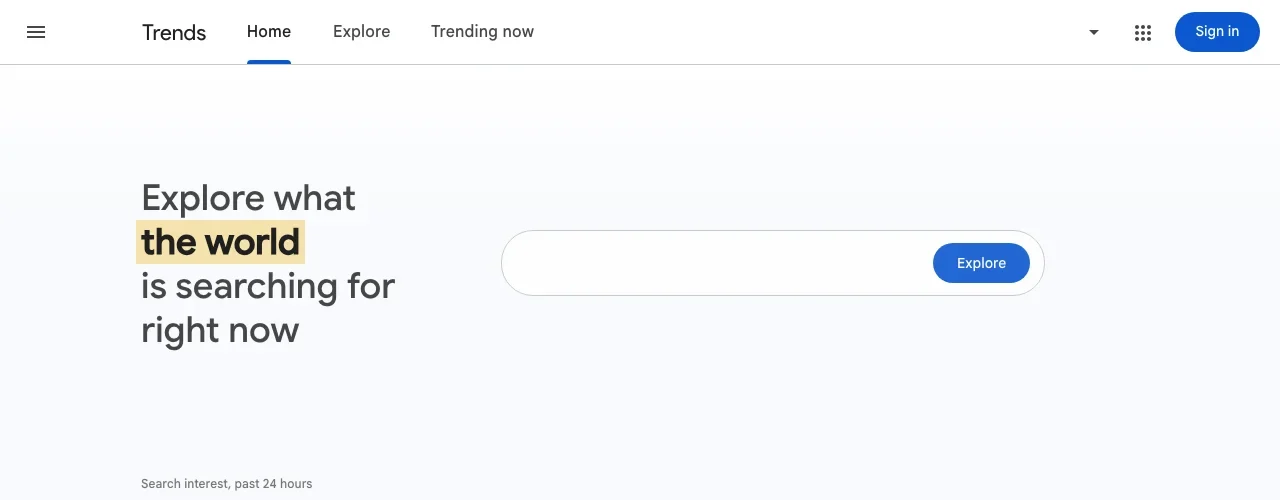
Google Trends answers a question the volume tools do not: is this topic rising or fading? Set the search type to YouTube Search and the chart shows only searches made inside YouTube; Google says the five search types, web, YouTube, image, news and shopping, are "discrete datasets which do not overlap", per the Google News Initiative's Trends training. The numbers are relative interest on a 0 to 100 scale, not search counts, per Google's own FAQ. Use it to pick the week, not the keyword.
Key features
- YouTube Search as its own dataset
- Interest over time, compared across locations
- Several terms on one chart
- Free, from Google
Best for
- Seasonal and news-driven channels
- Checking whether a topic is worth the next two weeks of work
Pricing
- Free
Pros
- YouTube-only search interest, from Google
- Shows direction, which volume tools average away
Cons
- Relative scores, never a number of searches
- Not a keyword list: you bring the terms to compare
7. ThumbnailMaker, best for earning the click once you rank
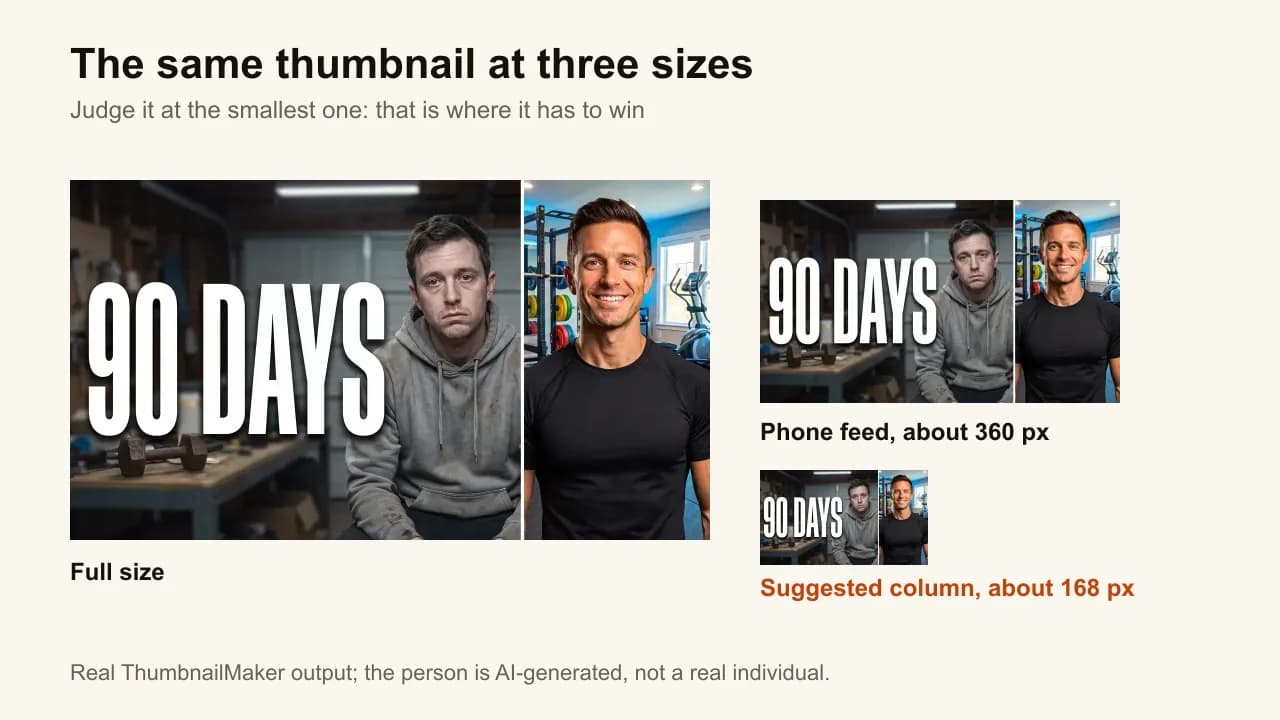
ThumbnailMaker is not an SEO tool. It is here because YouTube's ranking leans on engagement, and the first step of engagement is a click: a video that ranks third with a thumbnail nobody reads still loses the view. Paste the video's link and it writes the brief from the video, generates a finished thumbnail, reads the text back to fix any misspelled letter and checks the image at feed size, with the duration-badge corner kept clear. It does not research keywords or touch your title. It is our product, and it is ranked last in an SEO list on purpose.
Key features
- Brief written from your video's link
- Text drawn in, read back and fixed when wrong
- Readability checked at feed size
- Three concepts for YouTube's A/B test (Pro and up)
Best for
- Channels that rank but see a low click-through rate on search impressions
- Creators who write the title first and want a thumbnail that supports it
Pricing
- Starter $12 a month for 40 thumbnails, Pro $39 for 100, Studio $99 for 300
- Up to four free previews with no card; downloading starts a 7-day free trial
Pros
- Works on the half of YouTube's ranking that keyword tools cannot touch
- A free tester shows your current thumbnail in a mock feed, no account
Cons
- No keyword, title or ranking data at all
- No free download without starting the trial
How you'd do it here. Pick the phrase with a keyword tool and write the title first. Then paste the video's link in the AI YouTube thumbnail maker, and keep the words on the image short so they add to the title rather than repeat it. Check the result, or your current thumbnail, in the free YouTube thumbnail tester before you upload.
How to choose a YouTube SEO tool
What does YouTube search actually rank on?
Relevance, engagement and quality, in YouTube's own words. Keyword tools help with relevance: the words in your title and description. Engagement, watch time for that query, starts with the click, which is where the thumbnail comes in. Quality comes from the channel itself, and no tool installs it.
Do you need exact search volume?
Usually not. A range from YouTube Studio or a rising line in Google Trends is enough to choose between two titles. Pay for volume when you plan many videos around search, tutorials or reviews, where the difference between 300 and 3,000 searches a month changes what you make. Keywords Everywhere is the cheap way in; vidIQ adds competition scores.
Are you planning videos, or fixing published ones?
Planning: YouTube Studio's Trends tab, Google Trends and a keyword tool. Fixing: TubeBuddy's rank tracking shows which videos slipped, and YouTube Studio's bulk edit changes descriptions across many videos. A video with search impressions and a low impressions click-through rate has a thumbnail problem, not a keyword problem.
How much of your traffic comes from search at all?
Check the traffic sources in YouTube Analytics before buying anything. Search is one source among several, next to browse features and suggested videos. If search is a small share of your views, a keyword tool is a small lever, and the click from the home feed matters more. The guide to thumbnails that get clicks covers that side.
Frequently asked questions
What is the best free YouTube SEO tool?
YouTube Studio's Trends tab, because the data is YouTube's own. Google Trends set to YouTube Search adds direction over time. vidIQ's free plan and Keywords Everywhere's free extension give keyword ideas, with volume behind a paid plan or credits.
Do tags help YouTube SEO?
A little, mostly for misspellings. YouTube says tags "can be useful if the content of your video is commonly misspelled" and otherwise "play a minimal role" in discovery. The title, the description and the video itself carry the relevance.
Is vidIQ or TubeBuddy better for SEO?
vidIQ shows search volume and competition scores and has the broader AI side; TubeBuddy lists rank tracking and a per-upload SEO Studio. For finding keywords, vidIQ; for tracking positions you already target, TubeBuddy.
Does the thumbnail affect YouTube search ranking?
Indirectly. YouTube ranks on engagement, such as watch time for a query, and a video has to be clicked to be watched. A thumbnail that misleads gets the click and loses the watch time, which is the wrong trade. More in clickbait thumbnails.
How accurate is YouTube search volume in third-party tools?
They are estimates. Keyword Tool says its YouTube volumes come from clickstream data; YouTube does not publish search volumes. Use the numbers to compare phrases against each other, not as a forecast of views.
Can I do YouTube SEO without paying for a tool?
Yes. YouTube Studio's Trends tab, YouTube's own search autocomplete, Google Trends and Keyword Tool's free suggestions cover research. A paid tool saves time and adds volume estimates; it does not change what YouTube ranks on.
Start free, then pay for the gap
Open the Trends tab first, then add one paid tool for the number you are missing: vidIQ for volume and titles, TubeBuddy for rank tracking, Keywords Everywhere for the cheapest volume data. Once a video ranks, the thumbnail does the rest, and ThumbnailMaker's plans start at $12 a month.
Prices and features were checked on each vendor's own pages on October 21, 2026: vidIQ, TubeBuddy, Keywords Everywhere and Keyword Tool, with YouTube's ranking factors and tag guidance from YouTube Help.
ThumbnailMaker is an independent product and is not affiliated with, sponsored by, or endorsed by vidIQ, TubeBuddy, Keywords Everywhere, Keyword Tool or Google. vidIQ, TubeBuddy, Keywords Everywhere, Keyword Tool, YouTube and Google Trends are trademarks of their respective owners, named here only to compare publicly documented features. The other tools' descriptions come from their own pages, not from our testing. Details were accurate when written and may have changed since.
ThumbnailMaker Team — Guides from the people building ThumbnailMaker: thumbnail design, CTR, and what happens under the hood of an AI generator. Every number is checked against YouTube's own pages and dated.
Try it on your next video
Paste the video's link: the brief is written for you, then you generate. Previews are free, then a 7-day free trial.