8 Best YouTube Thumbnail Testers and A/B Tools (2026)
By ThumbnailMaker Team · · 17 min read
Quick answer: The best YouTube thumbnail tester is the one already in YouTube Studio: its A/B Testing feature shows up to three thumbnails to real viewers at the same time and keeps the one with the most watch time, for free. Before you upload, ThumbnailMaker's free thumbnail tester shows the image in a mock feed at 320 and 168 pixels and flags the duration-badge corner, with no account. TubeBuddy (Legend, $32.99 a month) and Thumbnail Test (from $29 a month) rotate versions on the live video, daily or hourly, and test titles too. PickFu asks 30 paid panelists for $50 before you publish. Pikzels scores a thumbnail and title on five axes. ThumbnailInsight is a free single-image checker. Thumblytics runs the whole test for big channels at $999 a month. Every price was checked on the vendor's own page on October 21, 2026.
"Thumbnail tester" covers two different jobs, and most lists mix them up. One is a preview: you look at the image the way a viewer will, at feed size, before anyone sees it. The other is an A/B test: real viewers see different versions and a number picks the winner. A preview catches what breaks. Only a test tells you what gets watched.
ThumbnailMaker makes one of the tools below, so read its rank with that in mind. It is ranked second, behind YouTube's own test, because a free preview is not a measurement. The other seven are described from their own pages, dated, not from our testing.
Which kinds of thumbnail testers are there?
The eight tools fall into four families:
- Live A/B tests on your real audience: YouTube A/B Testing, TubeBuddy, Thumbnail Test and Thumblytics. Real impressions, a winner after days.
- Feed previews and pixel checks: ThumbnailMaker's tester and ThumbnailInsight. Free, instant, before upload, no clicks measured.
- Paid panels: PickFu. Strangers vote and explain why, within a day.
- AI scores: Pikzels Score. A model rates the thumbnail and title before you publish.
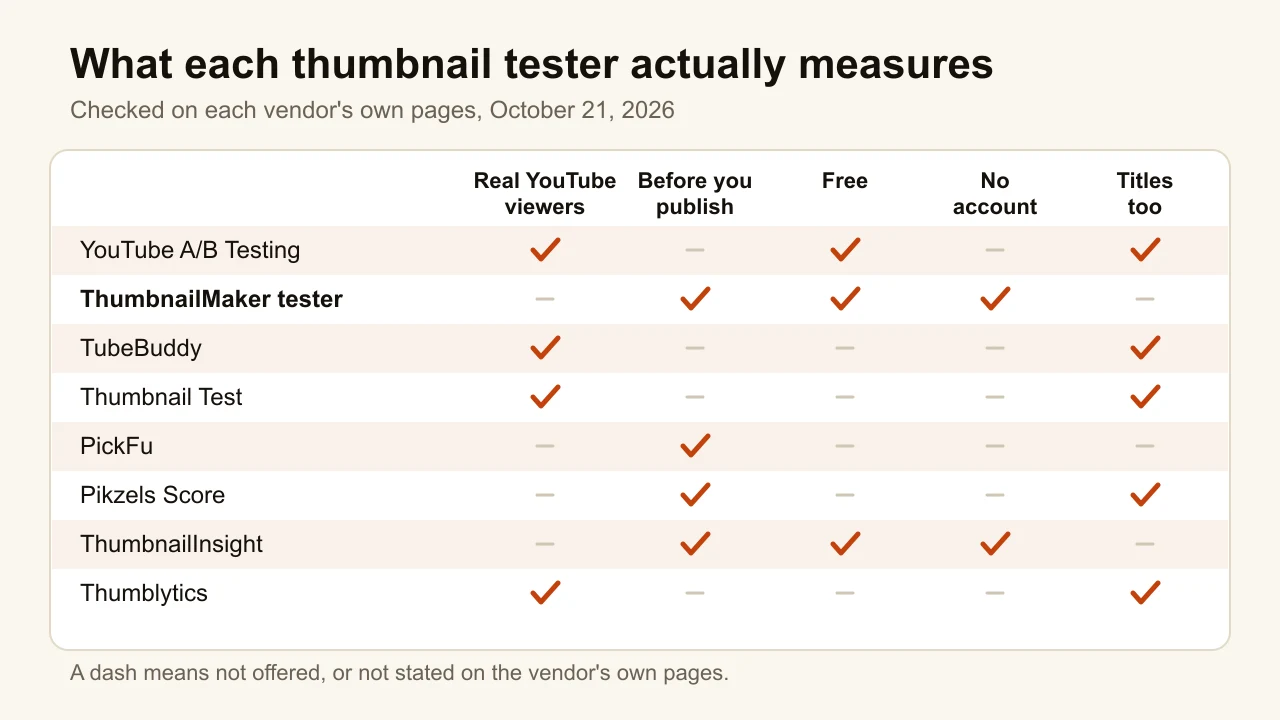
Checked on each vendor's own page, October 21, 2026.
| Tool | Best for | Price | Free option | How it tests |
|---|---|---|---|---|
| YouTube A/B Testing | The real answer, on watch time | Free | Free in YouTube Studio | Up to 3 versions, viewers split at the same time |
| ThumbnailMaker | A free feed-size check before upload | Free tester; generator from $12/mo | Tester free, no account | Mock feed at 320 and 168 px, pixel checks |
| TubeBuddy | Testing titles, tags and descriptions too | $32.99/mo, or $26.39/mo yearly (Legend) | Thumbnail preview free | Swaps versions every 24 hours |
| Thumbnail Test | Hourly rotation across several channels | $29/mo (Basic) | None stated; 14-day money-back | Swaps daily or hourly, you pick the metric |
| PickFu | Opinions before you publish | $50 per poll | None | 30 targeted panelists rank 2 to 4 options |
| Pikzels | A score on five axes | $28/mo yearly, $40 monthly | Trial, terms not published | AI score, 5 credits per analysis |
| ThumbnailInsight | Seven layout previews, notifications included | Free | Free, no account | Previews plus a six-metric pixel score |
| Thumblytics | Large channels that want it done for them | $999/mo | Free 15-minute review | Redesigns, then runs YouTube's own test |
1. YouTube A/B Testing, best for the real answer on watch time
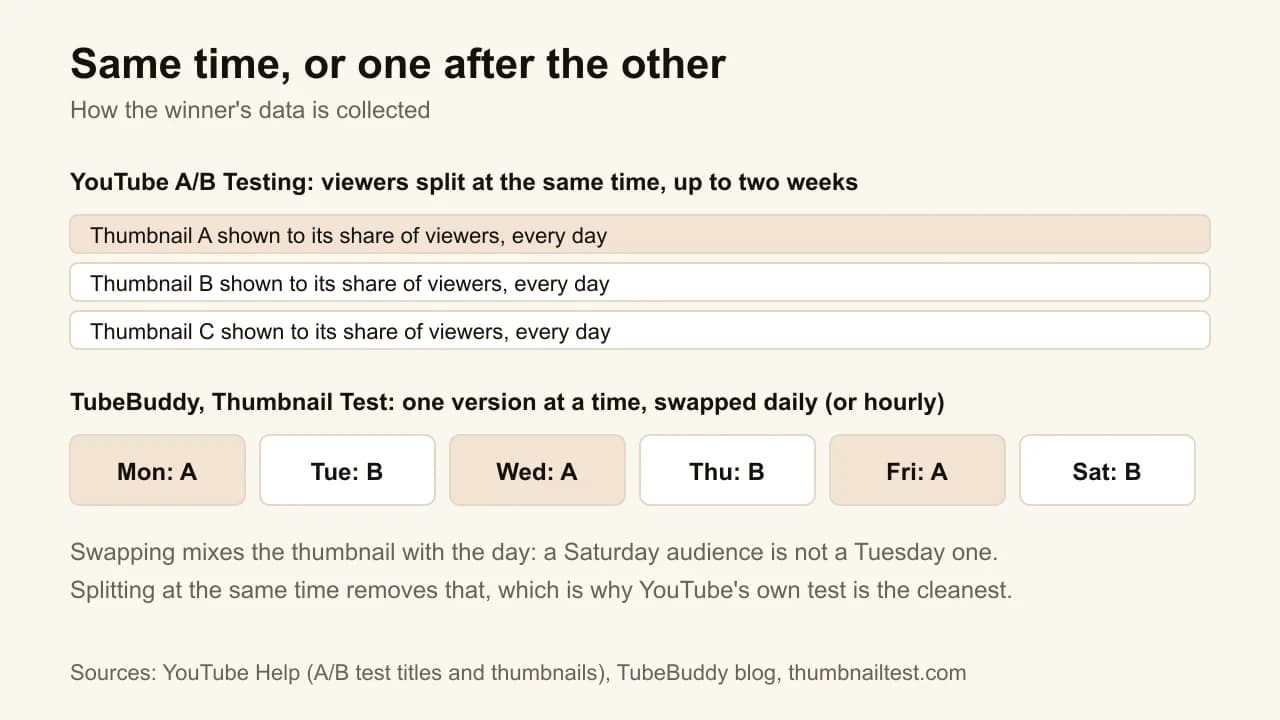
YouTube's own test, first called Test & Compare, lives in YouTube Studio. Open a video's details on a computer, click A/B Testing under Thumbnail or in the Title box, and add up to three thumbnails, three titles or three combinations. YouTube splits viewers between them at the same time, then shows the winner to everyone. The winner is picked on watch time share, not clicks, which YouTube's help page justifies plainly: it optimises "for overall watch time over other metrics, like click-through-rate". No third-party tool can split one video's audience this way, because only YouTube serves the impressions.
Key features
- Up to 3 thumbnails, titles, or title and thumbnail pairs
- Viewers split at the same time, with a small control group
- Winner on watch time share; results read Winner, Performed same or Inconclusive
- Up to two weeks per test
Best for
- Any regular upload where the thumbnail decision matters
- Channels that want a clean result without paying for one
Pricing
- Free, inside YouTube Studio
Pros
- The only true simultaneous split on your real audience
- Picks on watch time, so a clickbait version that loses viewers does not win
Cons
- Computer only, advanced features required
- Not for Shorts, scheduled lives, Premieres, made-for-kids, mature or private videos
- One thumbnail under 1280 × 720 downscales every variant to 480p, and near-identical variants make the test run longer
The setup takes a minute; the step-by-step guide to adding a custom thumbnail shows where the button sits and what each result means. The rules are summed up in the YouTube A/B testing glossary entry.
2. ThumbnailMaker, best for a free feed-size check before upload
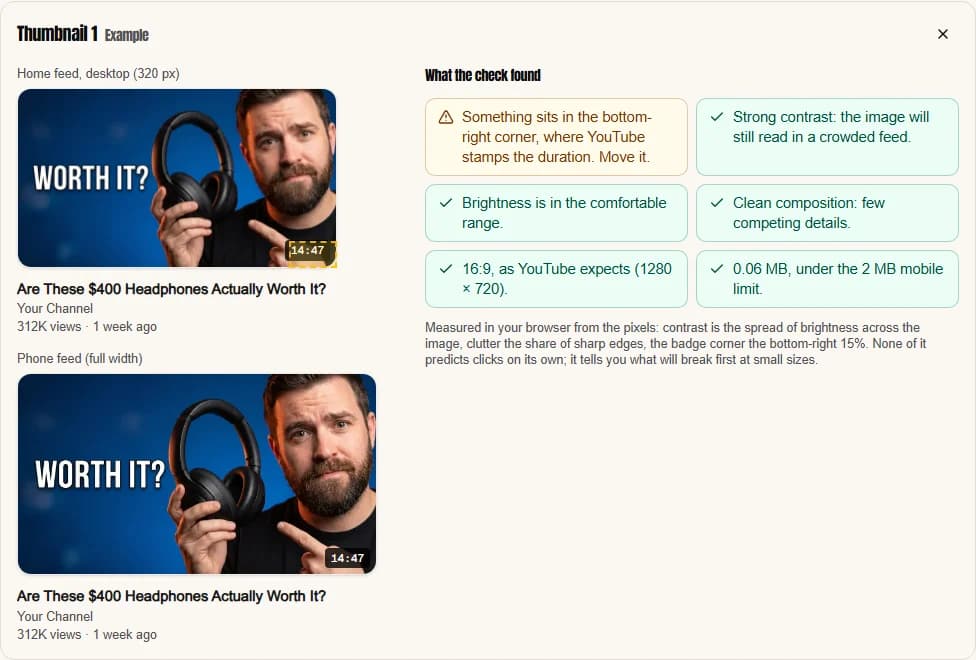
YouTube's test needs a published video and days of traffic. ThumbnailMaker's free YouTube thumbnail tester answers the question before that: will this image still read where it is actually seen? Drop an image, or paste a video link, and it appears in a mock desktop feed at about 320 pixels, on a phone, and in the suggested column at 168 pixels, with a title underneath and the duration badge where YouTube prints it. It then measures what can be measured from the pixels. It gives no score and predicts no clicks, on purpose: a number for "how good" a thumbnail is would be invented.
Key features
- Desktop feed, phone feed and 168-pixel suggested previews, with a blur toggle
- Badge-corner check on the bottom-right 15%
- Contrast, clutter, 16:9 shape, 640-pixel minimum and 2 MB checks
- Up to three images side by side at the smallest size
- Runs in the browser; dropped images are never uploaded
Best for
- Picking the three versions worth sending to YouTube's A/B test
- Catching a face or a word hidden under the timestamp
Pricing
- The tester is free, with no account
- The AI generator, for making the variants: Starter $12/mo for 40 thumbnails, Pro $39/mo for 100, Studio $99/mo for 300; up to four free previews with no card, then a 7-day free trial to download
Pros
- Instant and free, before a single viewer sees the image
- Shows the 168-pixel size where clutter fails first
Cons
- Measures pixels, not people: it cannot tell you which version gets watched
- No title testing; the title is only shown for context
- No score, if a number is what you want
How you'd do it here. Open the tester; it loads an example so you see the checks straight away. Drop your three candidates, look at them side by side at 168 pixels, and fix whatever the badge or clutter check flags. If the shape or size check fails, the free thumbnail resizer fixes both in the browser. Then upload all three to YouTube's A/B test. If you need three genuinely different ideas to test, the AI YouTube thumbnail maker makes a pack of three concepts from one video link on the Pro plan.
3. TubeBuddy, best for testing titles, tags and descriptions too
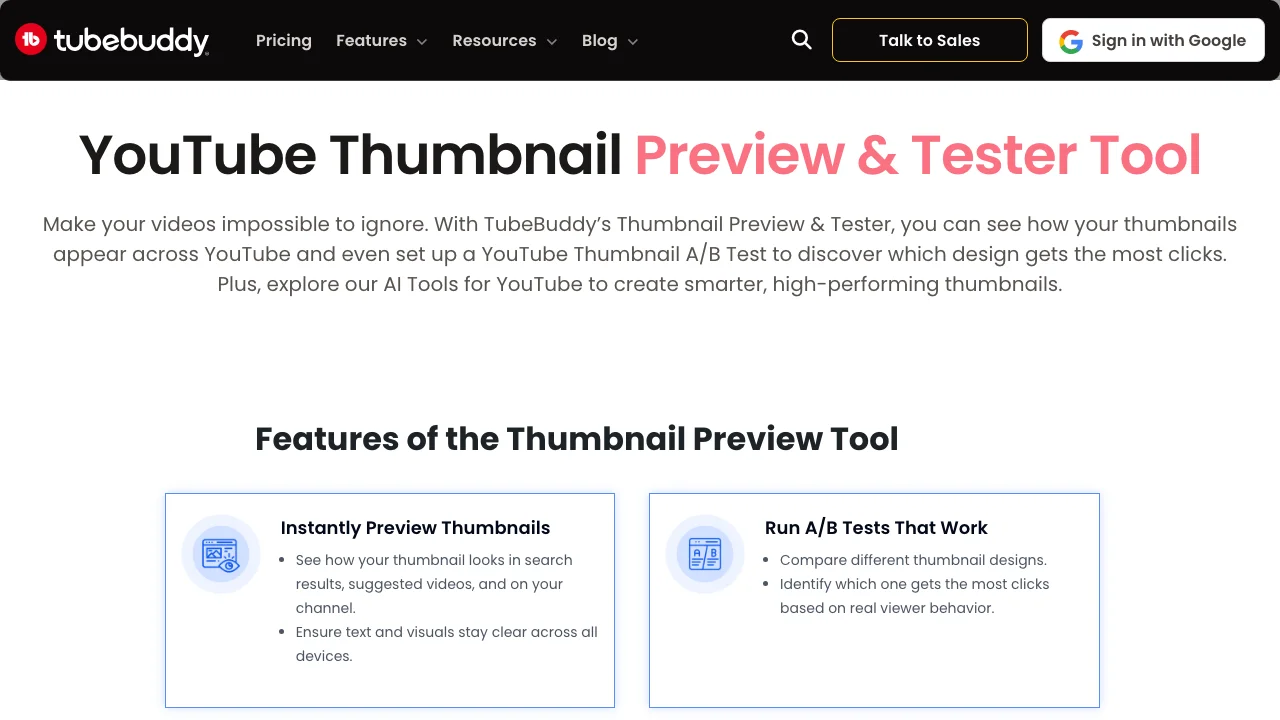
TubeBuddy is a browser extension and toolkit for YouTube, and its A/B test predates YouTube's. It works differently: instead of splitting viewers, it swaps the thumbnail, title, description or tag set on your video every 24 hours, then compares the days. That lets it test things YouTube's own feature cannot, such as descriptions and tags, and it shows click-through rate, average view duration and watch time for each version. The free Thumbnail Preview tool shows an image in search results, suggested videos and on a channel page, on desktop, mobile and TV.
Key features
- A/B tests on thumbnails, titles, descriptions or tags
- Versions swapped every 24 hours
- CTR, average view duration and watch time per version
- Free thumbnail preview across YouTube surfaces
Best for
- Creators who want to test descriptions or tags, which YouTube's test does not cover
- Channels already using TubeBuddy for keywords and bulk edits
Pricing
- Legend $32.99/mo billed monthly, or $26.39/mo billed $316.68 a year
- Previews free; A/B testing requires Legend
Pros
- Tests more fields than any other tool here
- Part of a full YouTube toolkit on one plan
Cons
- Day-by-day rotation mixes the thumbnail with the day of the week
- The test is paid; whether the free preview needs an account is not stated
4. Thumbnail Test, best for hourly rotation across several channels
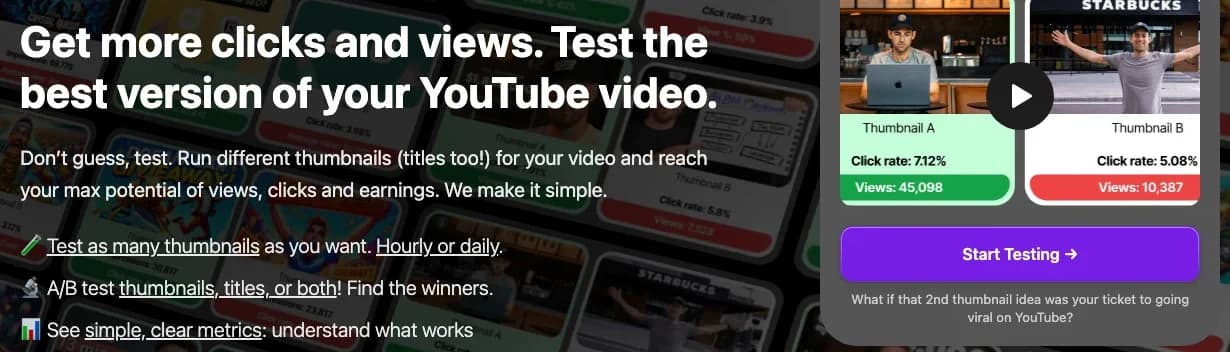
Thumbnail Test does one thing: rotating thumbnails and titles on live videos. Upload the versions, and it changes the thumbnail at midnight Pacific time every day, or every hour if you choose the faster option. Hourly swaps reduce the day-of-week problem that daily rotation has. You choose which metric decides: impressions, views, click-through rate, average view duration or watch time are all shown. Stats come through an optional browser extension, or you upload them yourself.
Key features
- Unlimited thumbnail, title and combined tests on every plan
- Daily or hourly rotation
- Pick your own winning metric
- Teams and up to 10 channels on Business
Best for
- Agencies and teams running several channels
- Channels that want unlimited tests at a flat monthly price
Pricing
- Basic $29/mo for 1 channel; Pro $49/mo for 3; Business $99/mo for 10
- 14-day money-back guarantee; Basic 40% off under 10,000 subscribers
Pros
- Hourly rotation, the closest a rotation tool gets to a split
- Unlimited tests at a flat price
Cons
- Still sequential, not simultaneous
- Choosing your own metric makes it easy to pick the one that flatters your favourite
- No free plan or trial stated
5. PickFu, best for opinions before you publish
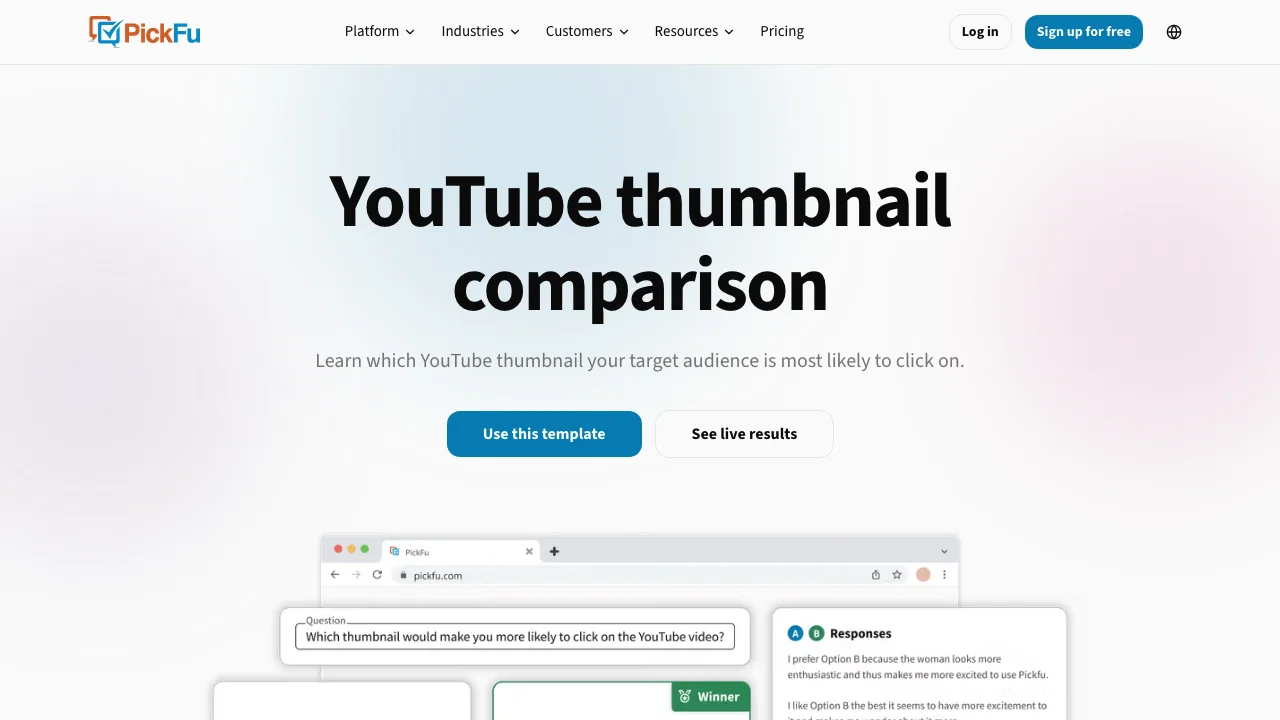
PickFu is a consumer polling panel with a YouTube thumbnail template. You upload two to four thumbnails, choose an audience by demographics or interests, and 30 paid respondents rank them and write why. Results usually arrive within the day. It is the only option here that tells you why a version wins, in sentences, before the video exists.
Key features
- 2 to 4 options, ranked
- 30 targeted respondents per thumbnail poll
- Written comments with every vote
- Audience targeting on 100+ traits
Best for
- A big launch where you want a read before publishing
- Settling an argument between two designs with reasons attached
Pricing
- $50 per YouTube thumbnail poll of 30 respondents
- From $1 per response for custom polls; PickFu+ $99/mo
Pros
- Answers in hours, before upload
- The written reasons are often more useful than the vote
Cons
- Panelists are asked to choose, not scrolling a real feed
- 30 people is a small sample, and every poll costs money
6. Pikzels, best for a score on five axes
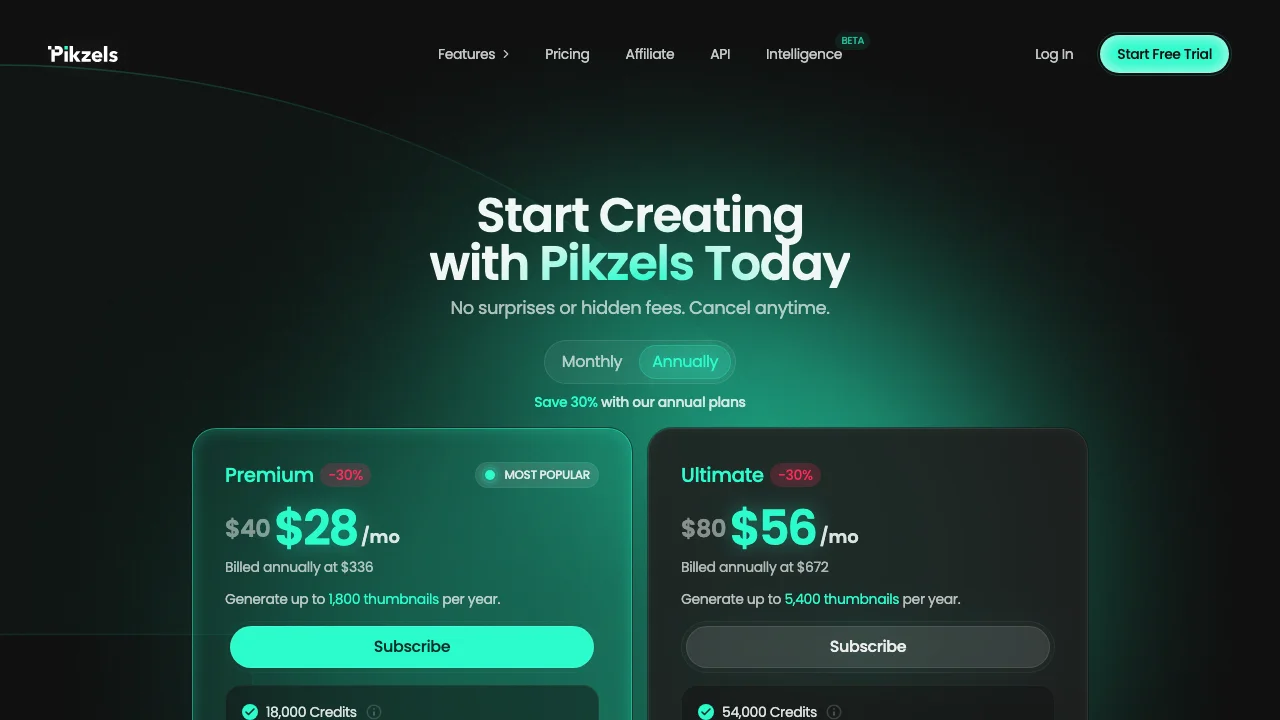
Pikzels is an AI thumbnail generator with a scoring tool attached. The Pikzels Score takes a thumbnail and its title and rates them on virality, clarity, idea, curiosity and emotion, then points at what is holding the pair back. It costs 5 credits per analysis, on a plan that also makes the thumbnails. It is a prediction from a model, not a measurement of viewers, which is how it should be read. Our comparison of AI thumbnail makers covers its generator.
Key features
- Score on virality, clarity, idea, curiosity and emotion
- Thumbnail and title rated together
- Suggestions on what to fix
- Generator and editor on the same credits
Best for
- Creators who want a second opinion in seconds, before upload
- Pikzels users who already pay for its generator
Pricing
- Premium $40/mo monthly, or $28/mo billed $336 a year
- Ultimate $80/mo monthly, or $56/mo billed $672 a year
- 5 credits per analysis
Pros
- Instant feedback on the title and thumbnail as a pair
- Bundled with a full thumbnail toolkit
Cons
- A model's opinion, not your audience's behaviour
- No free plan listed; trial terms not published
7. ThumbnailInsight, best for seven layout previews
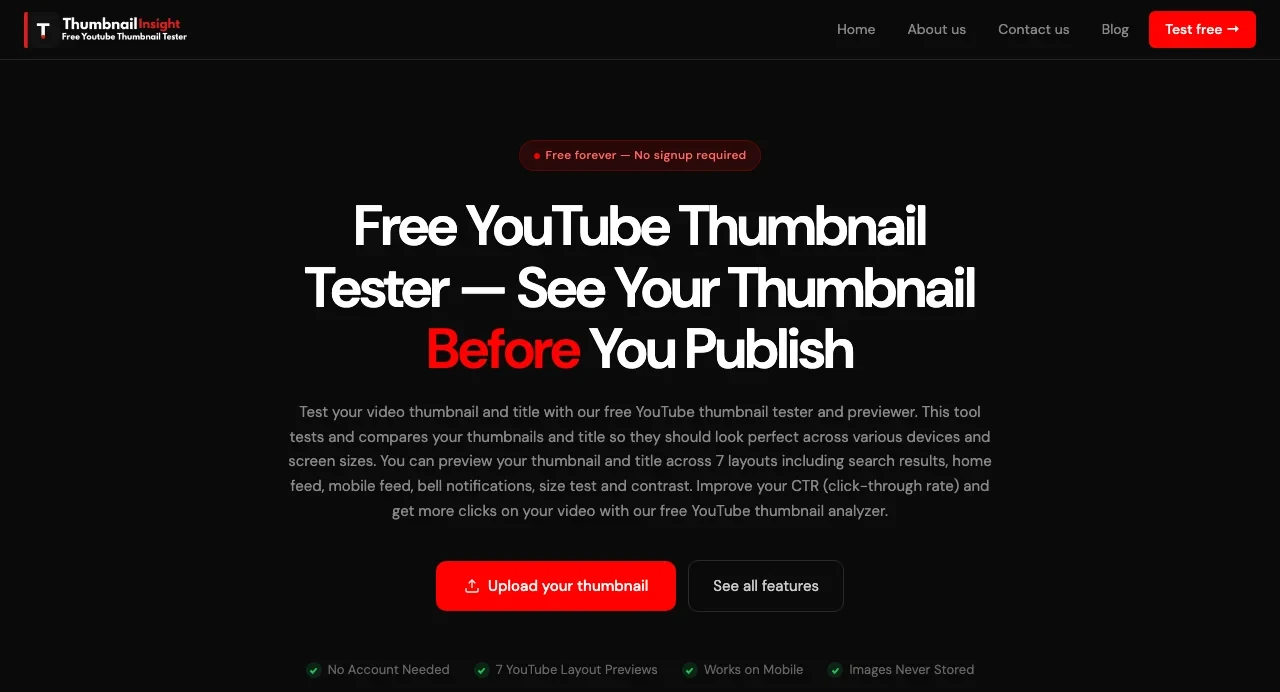
ThumbnailInsight is a free previewer with no account. It shows one thumbnail in seven layouts: search results, home feed, suggested sidebar, mobile feed, bell notification, a small-size test and a contrast test. It adds a "CTR score" built from six pixel measures, contrast, saturation, brightness, text readability, aspect ratio and file size, and processes the image in the browser.
Key features
- Seven layouts, including notifications
- Six-metric pixel score
- No account, images never stored
Best for
- Checking a thumbnail in a notification or search layout
- A quick free check of a single image
Pricing
- Free, no account
Pros
- Covers more layouts than most free previewers
- Nothing to install or sign up for
Cons
- One thumbnail at a time, no side-by-side comparison stated
- Calling a pixel score a "CTR score" suggests a click prediction it cannot make
8. Thumblytics, best for large channels that want it done for them
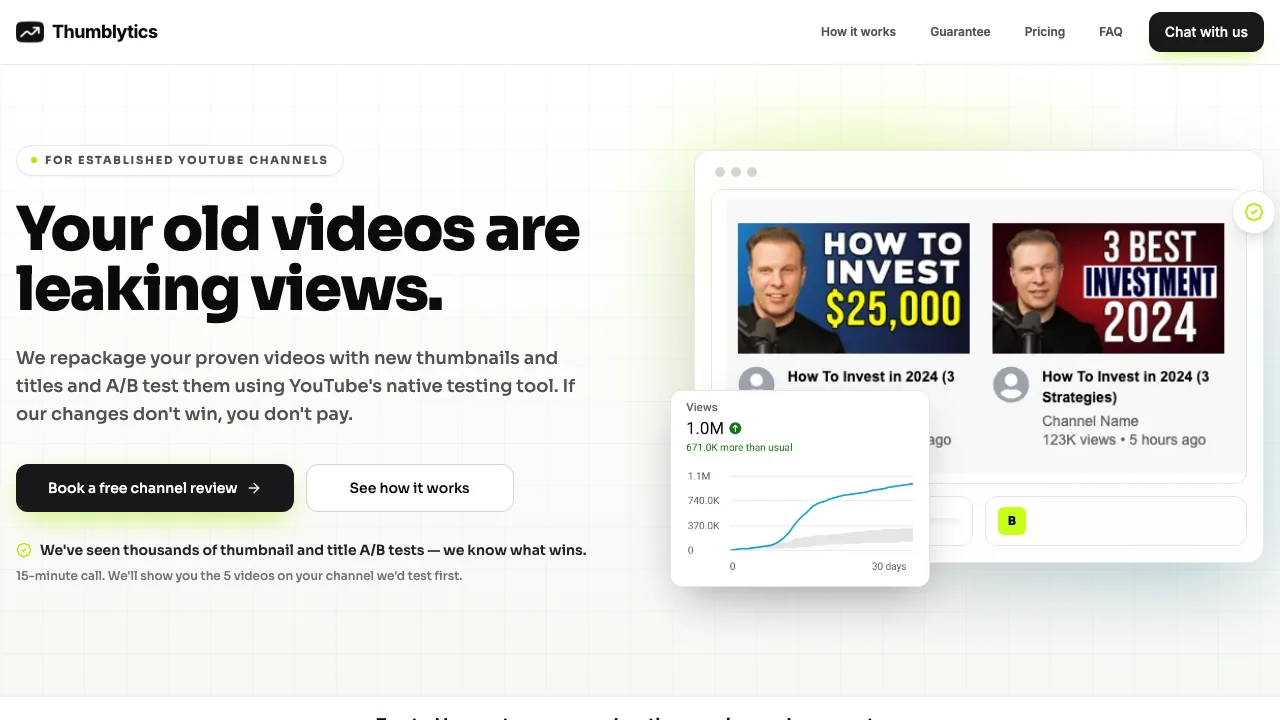
Thumblytics is a service, not software. Its team picks videos from your back catalogue, designs new thumbnails and titles, and runs them through YouTube's own A/B test. It is aimed at established channels with 100,000 subscribers or videos that regularly pass 100,000 views, where a better thumbnail on an old video is worth real money.
Key features
- New thumbnails and titles designed for you
- Tested with YouTube's native A/B test
- Four tests a month
Best for
- Large channels with old videos still getting impressions
- Teams with budget and no time
Pricing
- $999/mo for 4 tests; money back if the tests lose
- Free 15-minute channel review with five suggested videos
Pros
- Uses the cleanest test available
- Design and testing in one fee
Cons
- Far beyond most channels' budget
- Requires an established channel with steady traffic
How to choose a thumbnail tester
Is your video published yet?
If not, nothing can measure real viewers. Use a preview: ThumbnailMaker's tester or ThumbnailInsight for free, PickFu for a paid panel, Pikzels for an AI score. Once it is live and eligible, YouTube A/B Testing is the first thing to try.
Is the video eligible for YouTube's test?
YouTube's test excludes Shorts, Premieres, scheduled lives, made-for-kids and mature content, and only runs from a computer with advanced features on. For anything outside those rules, TubeBuddy and Thumbnail Test rotate versions on the live video instead, with the day-of-week caveat. Neither publishes a list of video types it supports, so run one test before relying on it.
Do you want a measurement or an opinion?
Measurements: YouTube, TubeBuddy, Thumbnail Test and Thumblytics. Opinions: PickFu's panel and Pikzels' model. Pixel checks: ThumbnailMaker and ThumbnailInsight. They answer different questions, so many channels use one of each: a pixel check to pick the candidates, YouTube to decide.
Which number should decide?
Watch time. A thumbnail that wins clicks and loses viewers is the clickbait case, and YouTube's test is built to reject it. Tools that let you pick CTR as the winning metric make it easy to optimise the wrong number. If you do read CTR, compare it with what a good CTR looks like for your own traffic sources.
How much should testing cost?
For most channels, nothing. YouTube's test is free and the cleanest available. Pay for TubeBuddy or Thumbnail Test when you need fields or videos YouTube does not cover, PickFu for a pre-launch read, and Thumblytics only at a scale where one recovered video pays for the month.
Frequently asked questions
What is a YouTube thumbnail tester?
It is a tool that shows how a thumbnail will perform or look before you commit to it. Previewers place it in a mock feed at real sizes; A/B testers show versions to real viewers and pick a winner. YouTube's own A/B Testing is the free, built-in version of the second kind.
Is YouTube's A/B testing free?
Yes. It is part of YouTube Studio, on a computer, for channels with advanced features enabled. It accepts up to three thumbnails or titles on regular uploads, not Shorts or Premieres.
How long does a thumbnail A/B test take?
On YouTube, from several days up to two weeks, depending on the video's impressions and how recently it was published. Variants that look too similar make it run longer. Rotation tools run for as many days as you set.
Can I A/B test a thumbnail on a Short?
Not with YouTube's own feature, which excludes Shorts. Rotation tools swap the thumbnail on a live video instead, but neither TubeBuddy nor Thumbnail Test says on its pages whether that works for Shorts, so check on one video first.
Does a higher CTR mean the thumbnail won?
Not on its own. YouTube picks its winner on watch time share because a thumbnail that brings clicks and loses viewers is not doing its job. Read CTR next to average view duration, never alone.
Can a free tester predict which thumbnail gets more clicks?
No. A free previewer can tell you what breaks at feed size: a face under the timestamp, low contrast, clutter at 168 pixels. Which version gets watched is only known after real viewers see it, which is what YouTube's test is for.
What resolution do test thumbnails need?
At least 1280 × 720 each. YouTube downscales every variant in the test to 480p if any one of them is smaller.
Test the picture, then let YouTube decide
Check your candidates at feed size first; it is free and takes a minute. Then let YouTube's own test decide on watch time. If the check keeps failing on the image itself, ThumbnailMaker's generator makes new versions from your video's link, with the badge corner kept clear; the plans and what each one includes are on one page.
Prices and features were checked on each vendor's own pages on October 21, 2026: YouTube Help, TubeBuddy, Thumbnail Test, PickFu, Pikzels, ThumbnailInsight and Thumblytics.
ThumbnailMaker is an independent product and is not affiliated with, sponsored by, or endorsed by Google, YouTube, TubeBuddy, Thumbnail Test, PickFu, Pikzels, ThumbnailInsight or Thumblytics. YouTube, TubeBuddy, Thumbnail Test, PickFu, Pikzels, ThumbnailInsight and Thumblytics are trademarks of their respective owners, named here only to compare publicly documented features. The other tools' descriptions come from their own pages, not from our testing. Details were accurate when written and may have changed since.
ThumbnailMaker Team — Guides from the people building ThumbnailMaker: thumbnail design, CTR, and what happens under the hood of an AI generator. Every number is checked against YouTube's own pages and dated.
Try it on your next video
Paste the video's link: the brief is written for you, then you generate. Previews are free, then a 7-day free trial.