8 Best Minecraft Thumbnail Makers (2026), Free and AI
By ThumbnailMaker Team · · 18 min read
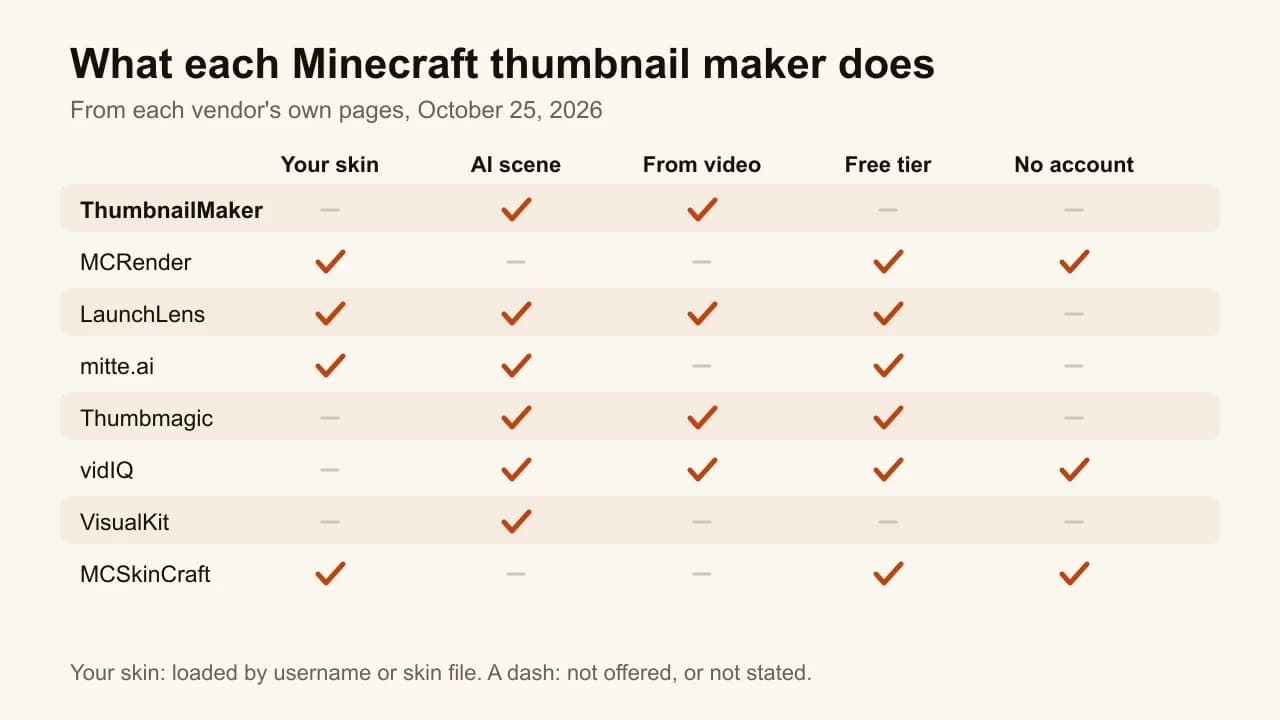
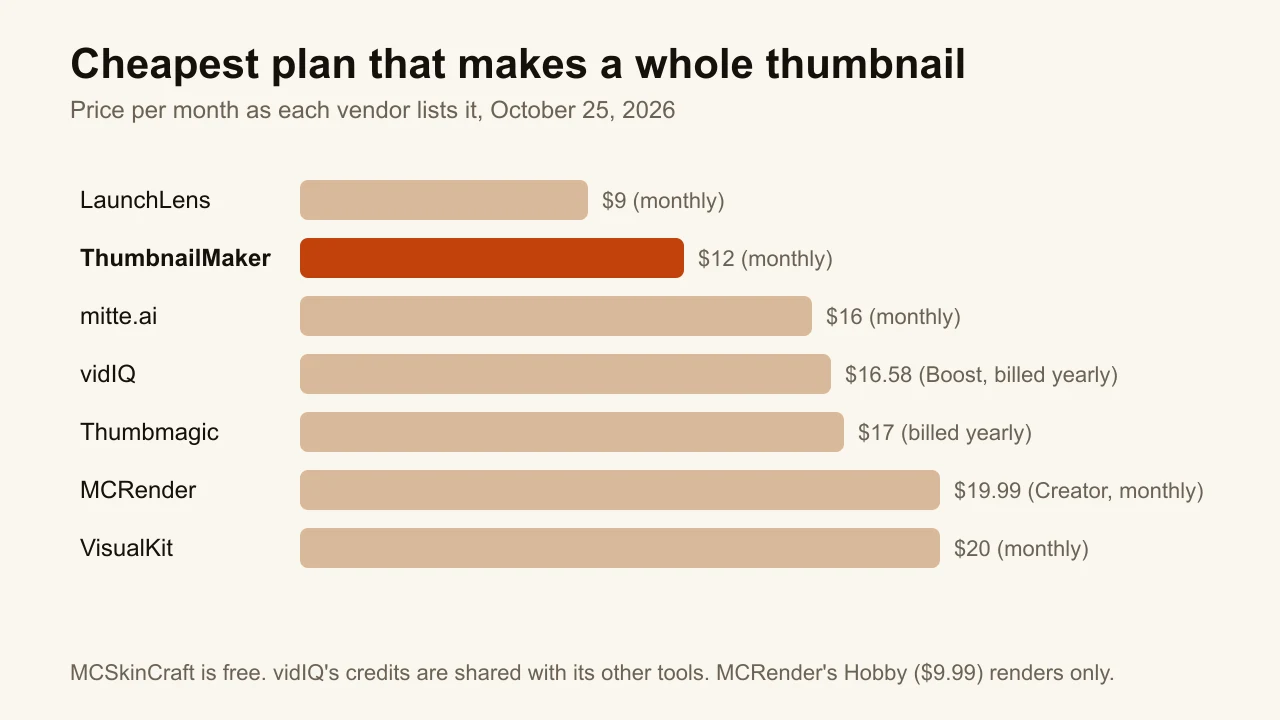
Quick answer: The best Minecraft thumbnail maker is ThumbnailMaker for a finished YouTube thumbnail made from your video's link, and MCRender for your real skin posed in 3D. ThumbnailMaker it writes the brief, draws the words in, reads them back and keeps the blocky look with Blocky World, from $12 a month for about 40 thumbnails, with no free generation. MCRender loads your skin by username, with one watermarked free render a month and no account. LaunchLens and mitte.ai put your skin into an AI scene: LaunchLens by username, with 90 free credits, mitte.ai from the skin file. Thumbmagic builds the thumbnail from your gameplay footage, vidIQ generates a few for free with no account, VisualKit scores each one out of 100, and MCSkinCraft is a free editor with no watermark. Every competitor fact below was checked on the vendor's own pages on October 25, 2026.
A Minecraft thumbnail has a problem other games don't: viewers recognise the game by its cubes. In our experience, an image model left to its defaults tends to smooth them into generic fantasy art, and the thumbnail stops saying Minecraft. The second problem is your skin. On a channel where the character is the brand, a lookalike is a different person.
So the tools below split two ways: does it put your own skin in the picture, and does it draw the scene or hand you an editor. ThumbnailMaker is our product, ranked first for one job, a finished thumbnail from your video's link; for your real skin, four tools here do something we don't. The others are described from their own pages; we did not test their output. Canva and Photopea are left out because they have no Minecraft-specific feature. Other games have their own lists: the best gaming thumbnail makers and the Roblox thumbnail makers.
Which kinds of Minecraft thumbnail makers are there?
- AI that finishes the thumbnail: ThumbnailMaker, Thumbmagic, vidIQ and VisualKit. A link, your footage or a description in; the whole image out, words included.
- AI with your own skin: LaunchLens and mitte.ai. Your skin goes into a generated scene.
- Your skin, posed by hand: MCRender and MCSkinCraft. Your real skin in 3D; the scene and the words are yours.
| Tool | Best for | Cheapest paid plan | Free option | How it makes the thumbnail |
|---|---|---|---|---|
| ThumbnailMaker | A finished thumbnail from your video's link | $12/mo for 400 credits (40 thumbnails) | Brief and eight tools; generating takes a plan | Video link, a sentence or your screenshot |
| MCRender | Your skin, posed in 3D | $9.99/mo for renders, $19.99/mo with the editor | 1 render a month, no account, watermarked | Skin by username, posed by hand |
| LaunchLens | AI looks with your skin by username | $9/mo for 900 credits (about 30) | 90 credits once, no card | Username plus a ready-made look |
| mitte.ai | An AI scene around your skin file | $16/mo, or $10/mo billed yearly | Daily credits, amount not shown | Description plus your skin PNG |
| Thumbmagic | Thumbnails from your own gameplay | $17/mo billed yearly (100 thumbnails) | 3 free thumbnails, no card | Your video file or YouTube link |
| vidIQ | Free AI thumbnails with no account | $16.58/mo billed $199 yearly (Boost, 2,000 credits) | A few with no account | Template, prompt, link or video |
| VisualKit | A score out of 100 before you post | $20/mo for 500 credits | None listed | Description plus references |
| MCSkinCraft | A free editor with no watermark | Free | Free, no account, no watermark | Skins, backdrop and text, by hand |
1. ThumbnailMaker, best for a finished thumbnail from your video's link
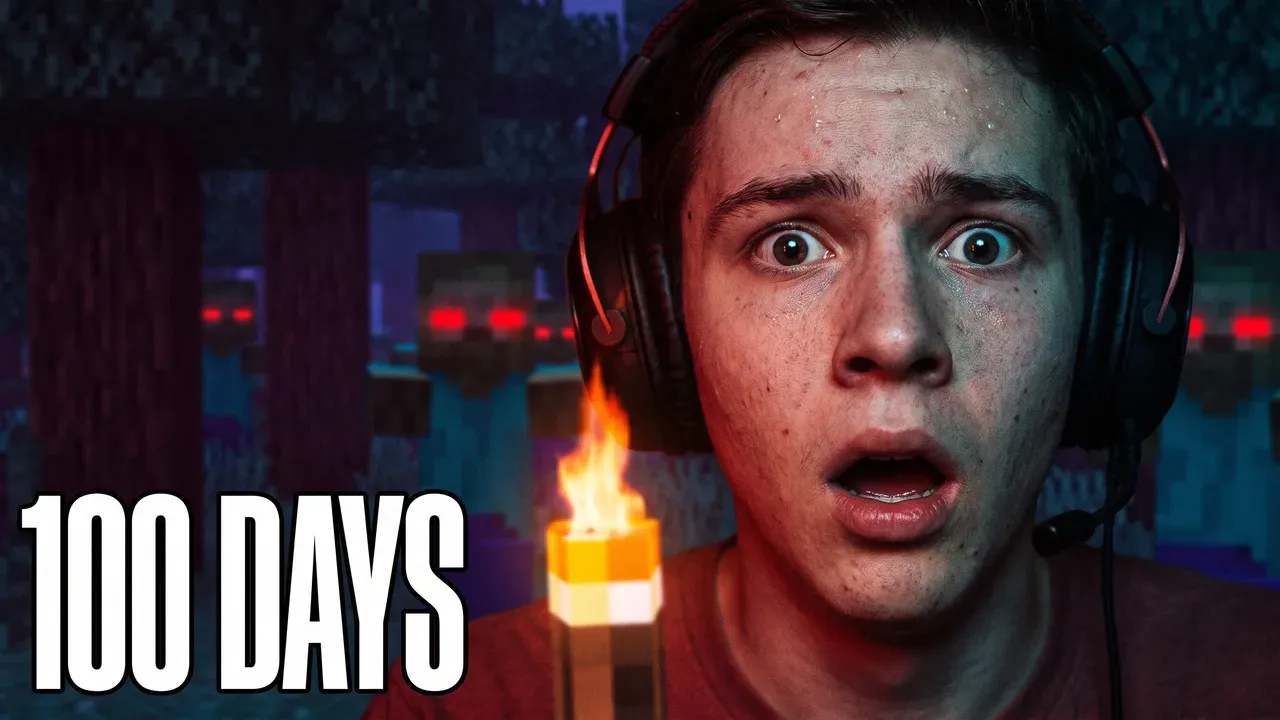
ThumbnailMaker, our product, is an AI YouTube thumbnail maker that starts from the video, not from a blank prompt. Paste your Minecraft video's link and it writes three angles for the brief from the title, the current thumbnail and the description: the scene, the words, the style. Pick one, change any word, generate. The words are drawn in, read back and redrawn if a letter came out wrong, which matters when the title is "DAY 100" or a modpack name. Blocky World keeps the cubic look, with a torch or lava glow and no game logo or HUD. From words it draws a generic blocky character, never your skin; to keep your skin, upload a screenshot and change it in a sentence.
Key features
- A brief from the video's link, or from the title and script before it's out
- Blocky World among ten styles
- Text drawn in, read back and corrected when wrong
- Graded at feed size, the duration-badge corner kept clear
- Edit mode: change your own screenshot by instruction
- 1280 × 720, 1080 × 1920 for Shorts, optional 3840 × 2160
Best for
- Channels posting a 100 Days, hardcore or SMP episode every week
- Thumbnails built on a number: "DAY 100", "1 HEART"
Pricing
- Starter $12/mo for 400 credits, Pro $39/mo for 1,000, Studio $99/mo for 3,000; yearly is $120, $384 and $984
- One thumbnail or one correction is 10 credits, a 4K image 20, so Starter is about 40 a month
- The brief (free account) and eight tools (no account) are free; generating takes a plan
Pros
- Starts from the video you made, so you don't write a prompt
- A correction keeps everything that already worked
Cons
- No free generation: you pay for a plan before the first thumbnail
- It doesn't load your skin: from words it draws a generic blocky character; your skin only comes in through a screenshot
- No layers to drag by hand
How you'd do it here. Paste the video's link, pick an angle, choose Blocky World and generate. If your skin has to be in it, upload an in-game screenshot in Edit mode and ask for the change: "night sky, lava glow behind me, DAY 100 in white". The Minecraft thumbnail maker page shows both routes on real outputs. The free YouTube thumbnail tester shows your current thumbnail in a mock feed first, and the plans are on ThumbnailMaker's pricing page.
2. MCRender, best for your skin, posed in 3D
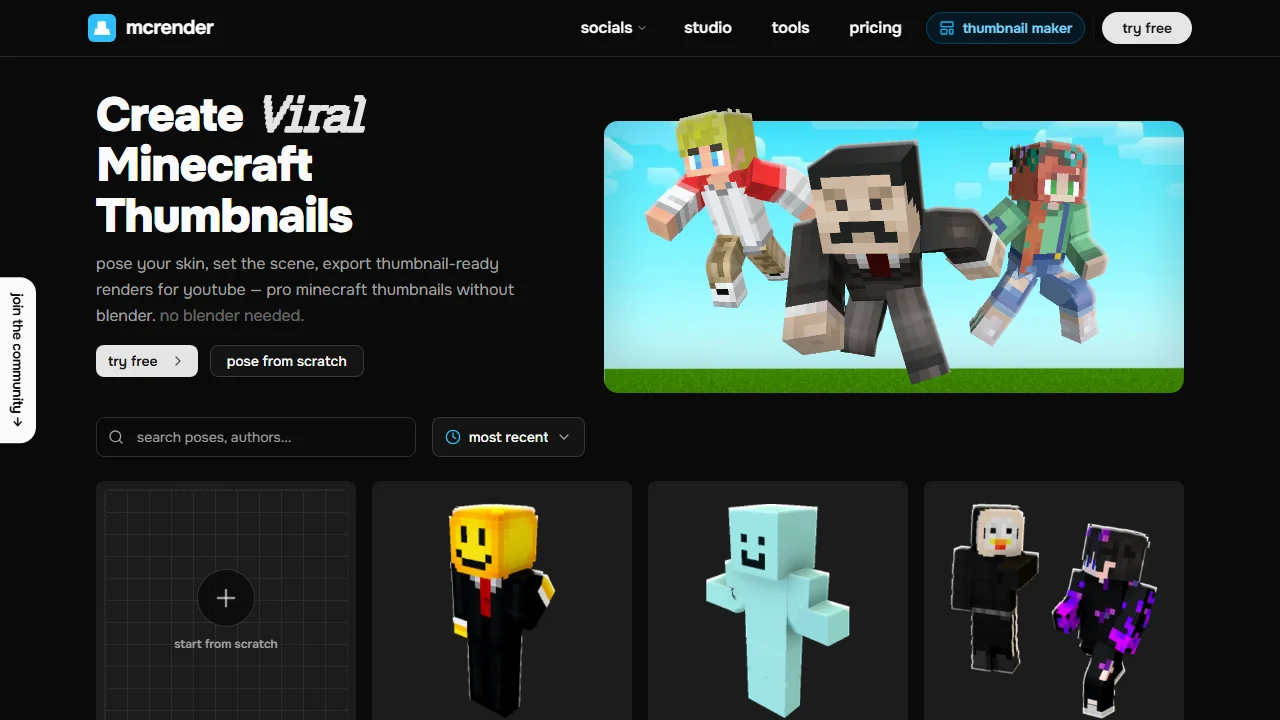
MCRender is a 3D render studio for your real Minecraft skin. Type a username and the skin loads onto a posable model; drag the limbs or start from a community pose, light it and download a PNG. The image is a render, not an AI picture. The Creator plan adds a Thumbnail Editor: posed players, builds from schematics, mobs and blocks from a resource pack you import, text and effects, exported up to 4K or as a layered PSD.
Key features
- Your skin by username, on a posable 3D model
- Community poses, plus a pose from a description
- A full Thumbnail Editor on Creator, in YouTube, Shorts and Instagram sizes
Best for
- Channels whose skin is the brand
Pricing
- Free: 1 render a month with no account, 2 with one, watermarked
- Hobby $9.99/mo or $59.88/yr: 50 renders a month, 1080p, no editor
- Creator $19.99/mo or $119.88/yr: the editor, unlimited renders, 4K
Pros
- The real skin, not an AI guess at it
- Try it with no account and no card
Cons
- The whole-thumbnail editor starts at $19.99 a month; Hobby only exports renders
- No AI scene: the background, the build and the words are yours to make
3. LaunchLens, best for AI looks with your skin by username
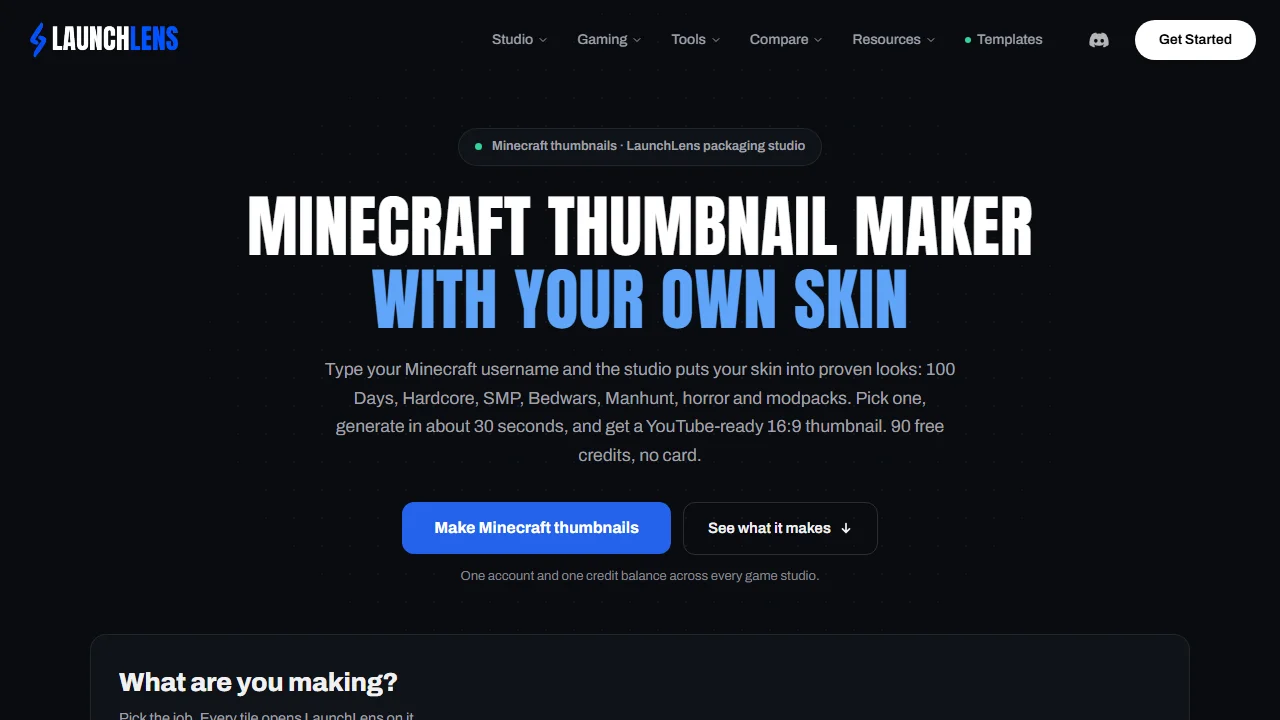
LaunchLens is an AI thumbnail studio for gaming channels with a Minecraft mode built around your skin. Type your username and the skin goes into ready-made looks: 100 Days, Hardcore, SMP, Bedwars, Manhunt, horror, and modpacks such as RLCraft. Pick one and it generates a 16:9 thumbnail in about 30 seconds. With mitte.ai, it is one of two tools here that put your real skin into an AI scene.
Key features
- Your skin by username, kept for every look
- Nine Minecraft looks, three of them modpacks
- Several skins in one thumbnail
- Thumbnails from a dropped video, on Pro
Best for
- Channels that want their skin in an AI scene without building it
- SMP channels with several players
Pricing
- Free: 90 credits once, no card; a generation is 30 credits, so about 3 thumbnails
- Starter $9/mo (900 credits, about 30 thumbnails), Pro $25 (2,750), Max $50 (6,000), billed monthly
Pros
- The lowest monthly price of the AI tools on this list
- A real free start: about three thumbnails before you pay
Cons
- The page sells ready-made looks; for a video outside them you write a prompt and add reference thumbnails
- The export size isn't stated beyond 16:9
4. mitte.ai, best for an AI scene built around your skin file
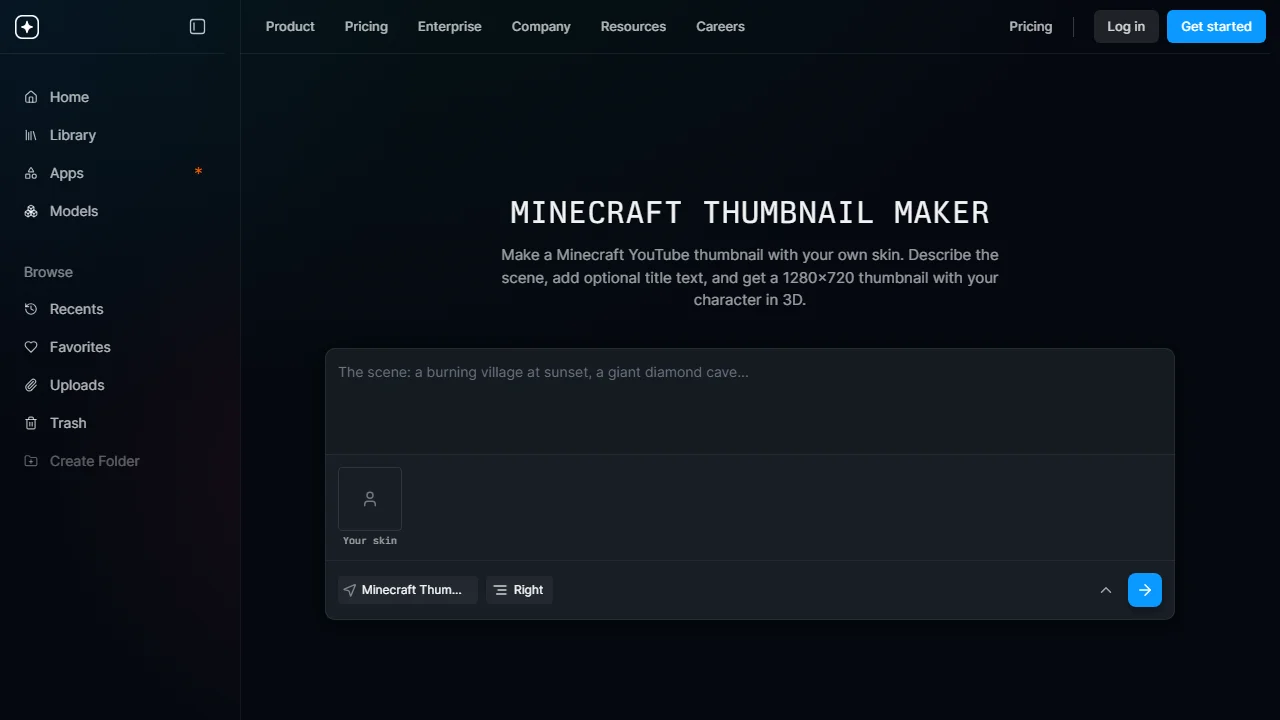
mitte.ai's Minecraft app is one app inside a general AI studio for images, video and audio. Describe the scene, a burning village or a diamond cave, upload the 64 × 64 skin PNG you play with, and pick which side your character stands on. The background is generated fresh, your skin is rendered in 3D on top, and an optional title is drawn in chunky block letters. You get a 1280 × 720 PNG, landscape only.
Key features
- An AI background from a description
- Your skin file rendered in 3D on top
- An optional title in block letters
Best for
- Creators who want a new scene around the same skin every video
Pricing
- Basic $16/mo, or $124 billed yearly, for 20,000 credits a month
- A free plan with daily credits; the amount isn't shown
Pros
- Your actual skin, in a scene made for the video
- The title is part of the image, not a second job
Cons
- Basic's own feature list says "Low quality generations" and "No customer support"
- No 9:16 version for Shorts
5. Thumbmagic, best for thumbnails from your own gameplay
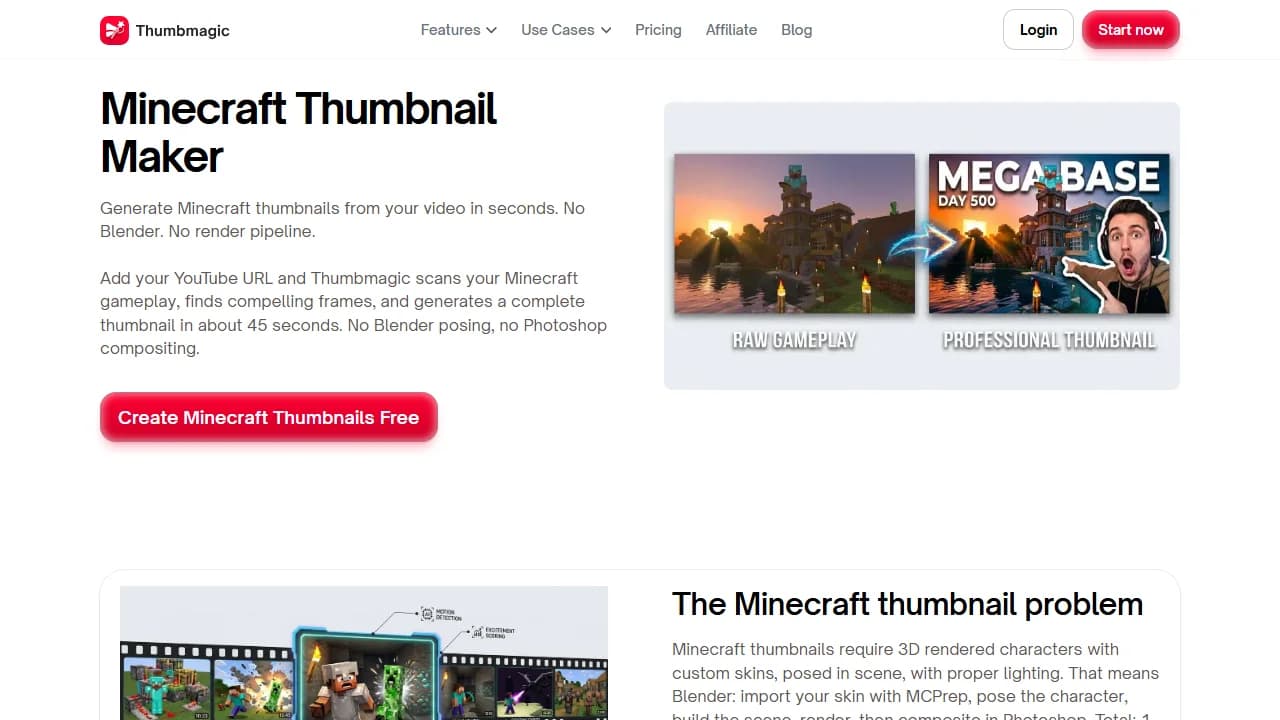
Thumbmagic is an AI thumbnail generator that starts from the recording. Upload the video, up to 5 GB, or paste its YouTube link, and it scans the gameplay, picks a frame and builds two thumbnail variants in about 45 seconds, exported at 1280 × 720. Its page makes the case against rendering skins at all: the frame you recorded already has your character in it.
Key features
- Video upload or YouTube link as the input
- Two variants in about 45 seconds
- Six filters, including Digital Illustration
- 9:16 templates for Shorts
Best for
- Survival and SMP series with footage worth showing
Pricing
- 3 free thumbnails, no card
- Starter $17/mo billed yearly (100 thumbnails a month), Pro $35 (500), Business $59 (unlimited)
- Monthly-billed prices weren't shown; 30-day money-back guarantee
Pros
- No prompt and no skin render: the footage is the input
- 100 thumbnails a month on the cheapest plan
Cons
- The filters and expression presets its Minecraft page sells are listed under Business, at $59 a month
6. vidIQ, best for free AI thumbnails with no account
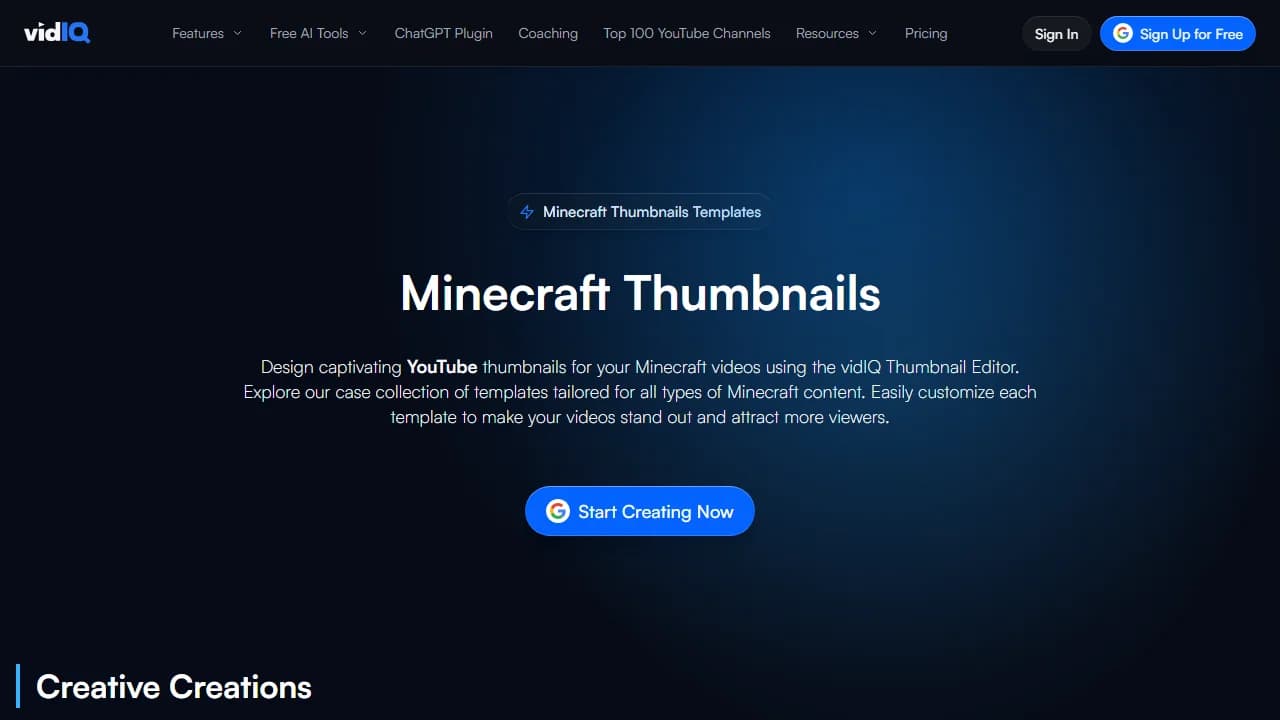
vidIQ's Minecraft page is a set of Minecraft templates from vidIQ, the YouTube growth tool, sorted by video type: creative builds, hardcore survival, redstone, roleplay and SMP. Pick one, press Generate, give it a prompt, and its AI builds a design you can change in the editor. Behind the button is vidIQ's AI thumbnail maker, which also takes a YouTube link or a video file. Its FAQ says the first few need no account; a free account keeps you going and downloads a 1280 × 720 PNG with no watermark.
Key features
- Templates by Minecraft video type
- AI generation from a prompt, a link or a video
- Edits by typing, plus a full editor
Best for
- Trying an AI Minecraft thumbnail before paying anything
Pricing
- Free: a few generations with no account, then 150 AI credits a month with a free account
- Boost $16.58/mo billed $199 yearly, 2,000 AI credits a month shared across vidIQ's tools; MAX $39/mo billed $468 yearly
Pros
- A first result with no account
- No watermark, free plan included
Cons
- "First few" comes without a number
- Credits are shared with keywords, ideas and the AI coach, and the cost of one thumbnail isn't published
7. VisualKit, best for a score out of 100 before you post
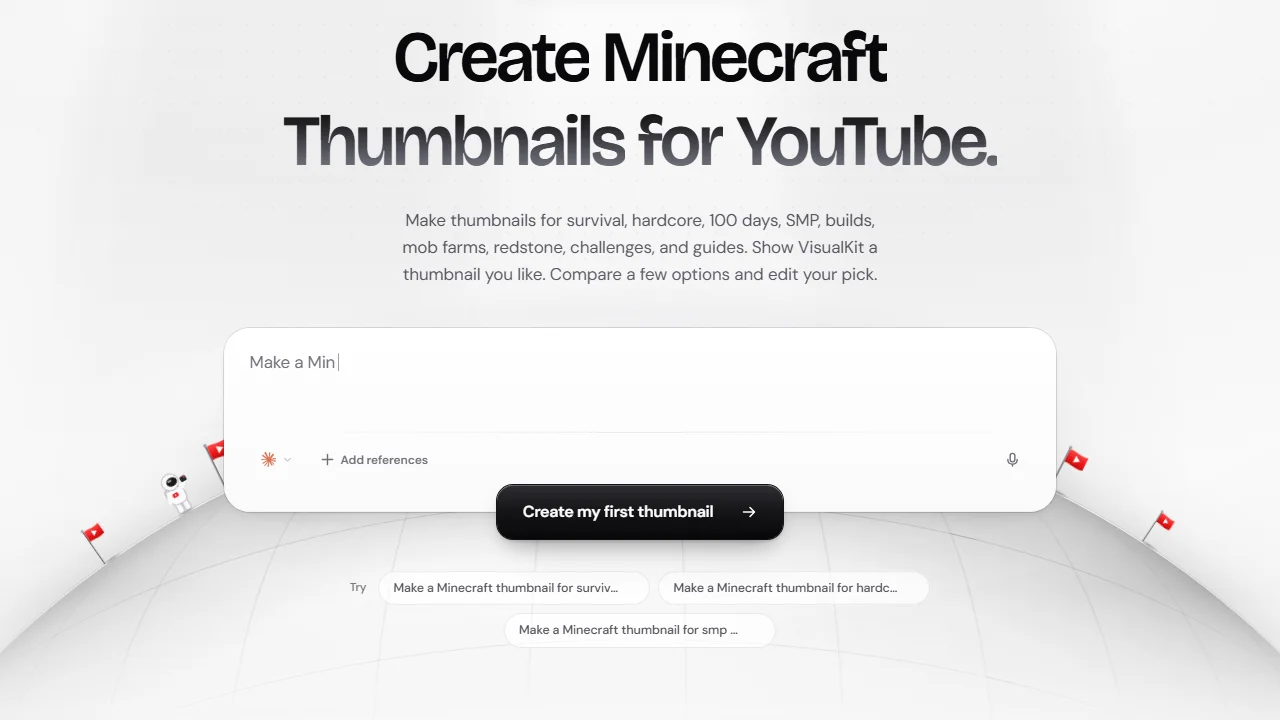
VisualKit makes YouTube thumbnails from a description: survival, hardcore, 100 Days, SMP, builds, mob farms, redstone. Add references such as a gameplay screenshot, a player, a mob or a build, compare a few options and edit your pick by instruction. Every thumbnail gets a score out of 100 with a one-click fix for its weakest part. Treat the score as a second opinion, not a forecast of your CTR. It exports at 1280 × 720.
Key features
- Generation from a description and references
- A score out of 100 with a suggested fix
- Edits by instruction
Best for
- Creators who want a number to argue with before they upload
Pricing
- Starter $20/mo (500 credits), Pro $40 (1,500), Ultra $80 (4,000)
- A "Start Free Trial" button, with no trial terms on the page
Pros
- Exports at YouTube's 1280 × 720
- References let you bring a screenshot of your skin
Cons
- The highest entry price on this list ($20/mo)
- Credits per thumbnail aren't published
8. MCSkinCraft, best for a free editor with no account and no watermark
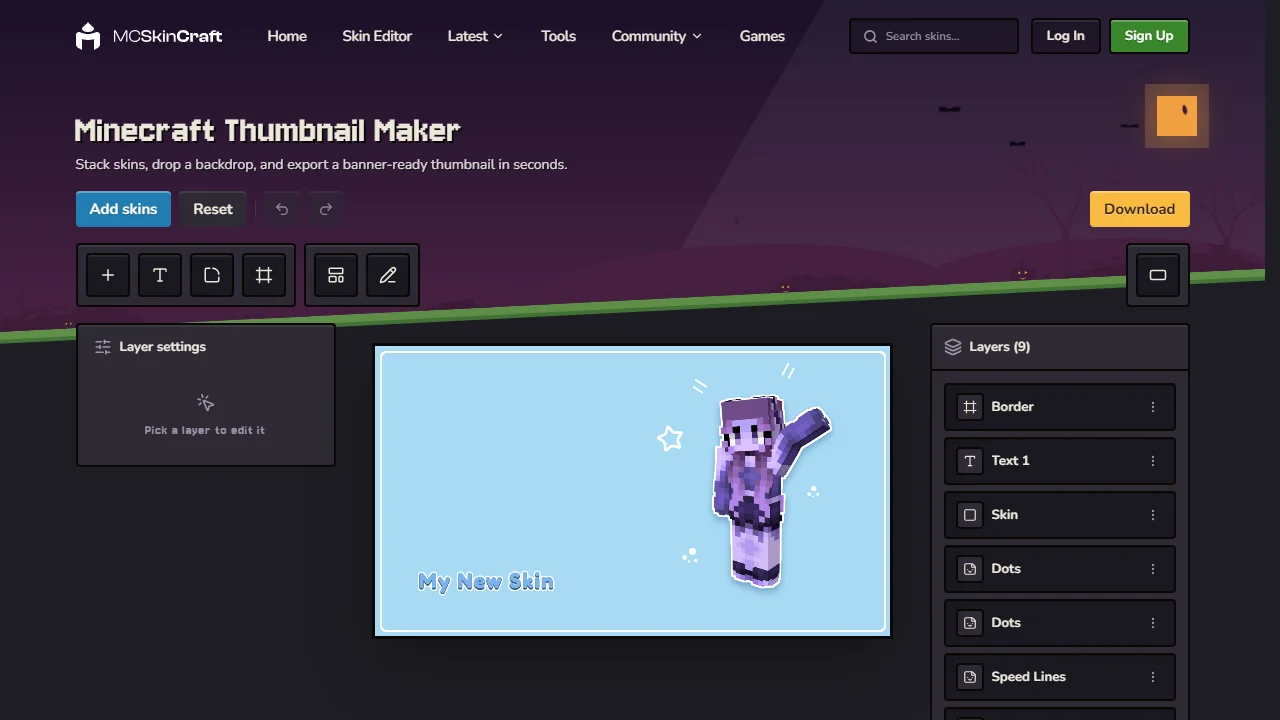
MCSkinCraft is a free Minecraft skin site, and its thumbnail maker is a layered editor in the browser. Drop in one or more skins, each rendered in 3D, pick a backdrop, add a border and a headline, and export a 1280 × 720 PNG. Templates give you a finished layout to start from. No account, no watermark; the site runs ads, fewer when you sign in.
Key features
- Several skins on one canvas, each rendered in 3D
- Backdrops, borders, headline text and decorative layers
- 1280 × 720 PNG, or a resized canvas for banners
Best for
- A first thumbnail at zero cost
- SMP thumbnails with several players side by side
Pricing
- Free, with no account and no watermark
- No paid plan
Pros
- Nothing to pay and nothing to sign up for
Cons
- No AI: the scene is a backdrop, and the composition is yours
How to choose a Minecraft thumbnail maker
Does your own skin have to be in it?
If your viewers know your skin, an AI lookalike won't do. MCRender and MCSkinCraft render the real skin and let you pose it; LaunchLens and mitte.ai put it into an AI scene, by username or from the file. ThumbnailMaker keeps your skin only when you start from a screenshot that has it. Thumbmagic gets it from your footage, where it already is.
Do you want to build the thumbnail or describe it?
Building means MCRender's editor or MCSkinCraft: every block where you put it, every word typed by you. Describing means ThumbnailMaker, LaunchLens, mitte.ai, vidIQ or VisualKit. Thumbmagic is a third way: you describe nothing, and it picks from what you recorded.
How many videos do you post a month?
A channel posting twice a week needs about 9 thumbnails a month. ThumbnailMaker's Starter is about 40. LaunchLens' Starter is about 30. Thumbmagic's Starter is 100, billed yearly. MCRender's Creator and MCSkinCraft have no limit, because you make each one by hand. mitte.ai, vidIQ and VisualKit don't publish credits per thumbnail, so you can't do this sum before you pay.
Who puts the words on?
A Minecraft title is usually a number: Day 100, 1 Heart, 1,000 Days. ThumbnailMaker draws the words in and checks them; mitte.ai draws an optional title in block letters. In MCRender, MCSkinCraft and vidIQ's editor you type them yourself, so they're spelled right but the design is your job. To letter a render in the browser, the free thumbnail text editor does it with no account, and the fonts that still read at feed size are compared on their own.
Frequently asked questions
What is the best Minecraft thumbnail maker?
The best Minecraft thumbnail maker is ThumbnailMaker for a finished thumbnail from your video's link, and MCRender for your real skin posed in 3D. For your skin inside an AI scene, LaunchLens; to pay nothing, MCSkinCraft, a free editor with no watermark. Prices and features were checked on each vendor's page on October 25, 2026.
Can I put my Minecraft skin in a thumbnail?
Yes. MCRender and LaunchLens load it by username, mitte.ai takes the 64 × 64 skin PNG, and MCSkinCraft lets you drop skins into its free editor. With ThumbnailMaker, upload a screenshot with your skin in it and edit it by instruction.
Is there a free Minecraft thumbnail maker?
MCSkinCraft is free with no account and no watermark; MCRender gives one watermarked render a month. For AI, vidIQ generates a few with no account (the number isn't published), LaunchLens gives 90 credits once, about 3 thumbnails, and Thumbmagic three thumbnails with no card. ThumbnailMaker has no free generation; its brief and eight tools are free.
What size is a Minecraft thumbnail?
The same as any YouTube thumbnail: 16:9. YouTube now recommends 3840 × 2160, still accepts 1280 × 720, and sets a minimum of 640 pixels wide, per its Help page. Every tool here that states a size exports 1280 × 720; MCRender's Creator and ThumbnailMaker also go to 4K. The YouTube thumbnail size guide has every limit, Shorts included.
Can I use Minecraft in my YouTube thumbnail?
Minecraft's usage guidelines allow videos, streams and screenshots of you playing, and ad revenue from them, as long as you add your own content. What they rule out is looking official: nothing that suggests Mojang or Microsoft made, approved or endorsed it, and no Minecraft logo as part of your own branding. They don't mention thumbnails by name; keep the official logo out of yours.
Can AI make a Minecraft thumbnail?
Yes, and the blocky look is where it fails first: left to its defaults, an image model tends to smooth the cubes into generic fantasy art. The tools aimed at Minecraft say they handle it: ThumbnailMaker has a Blocky World style, LaunchLens has Minecraft looks and mitte.ai renders your skin in 3D over a generated scene. We did not test the others' output.
How do I make a Minecraft thumbnail without Blender?
Render the skin in the browser instead: MCRender and MCSkinCraft pose it in 3D with no install. Or skip the render: Thumbmagic builds the thumbnail from your footage, and ThumbnailMaker from your video's link.
Pick by what has to be in the picture
Starting from the video, with words that matter: paste its link in ThumbnailMaker. Your skin in it: MCRender, or LaunchLens for an AI scene. Nothing to spend: MCSkinCraft.
Prices and features were checked on each vendor's own pages on October 25, 2026: MCRender, LaunchLens, mitte.ai, Thumbmagic, vidIQ, VisualKit and MCSkinCraft.
ThumbnailMaker is an independent product and is not affiliated with, sponsored by, or endorsed by Mojang Studios, Microsoft, MCRender, LaunchLens, Mitte Labs, Thumbmagic, vidIQ, VisualKit or MCSkinCraft. Minecraft, MCRender, LaunchLens, mitte.ai, Thumbmagic, vidIQ, VisualKit and MCSkinCraft are trademarks of their respective owners, named here only to compare publicly documented features. Details were accurate when written and may have changed since.
ThumbnailMaker Team — Guides from the people building ThumbnailMaker: thumbnail design, CTR, and what happens under the hood of an AI generator. Every number is checked against YouTube's own pages and dated.
Try it on your next video
Paste the video's link: the brief is written for you, then you generate with a plan from $12 a month.