What Is an AI Thumbnail? How AI Thumbnail Makers Work
By ThumbnailMaker Team · · Updated · 8 min read
Quick answer: an AI thumbnail is a video thumbnail generated by an image model from a text description instead of a photo shoot and an editor. An AI thumbnail maker takes that description, sometimes just the video's title, turns it into a finished image, and sizes it for YouTube. What separates a good one from a bad one is what happens to your prompt before it reaches the model. Handed over raw, a prompt returns the look people call AI slop: airbrushed skin, waxy lighting, a letter missing from the text. That is not a limitation of the models. It is what they produce by default unless the prompt explicitly fights it, and doing that work is the tool's job, not yours. The other thing to check before paying for one: what happens when a result is 90% right. If the only button is generate again, you lose the 90% along with the 10%.
What does an AI thumbnail maker actually do?
At its core, an AI thumbnail maker takes a description of your video and turns it into a rendered image using an image-generation model. The useful ones do not hand your prompt straight to the model. A raw prompt gives you a random-looking image; a good tool wraps it in rules that encode thumbnail design: a single clear focal point, strong contrast between subject and background, a clear bottom-right corner so nothing hides under YouTube's duration badge, a cap on how much text can appear so it stays readable at a glance. That layer of rules is most of the product. The model underneath is a general image model; ThumbnailMaker uses Google's Gemini image models, and most tools in this category run on one of a handful of such models. In practice the tool sends the model a structured brief (subject, composition, lighting, palette, expression, explicit exclusions) instead of your one-line prompt verbatim. The design thinking happens before the model renders a pixel.
Why do AI thumbnails look fake?
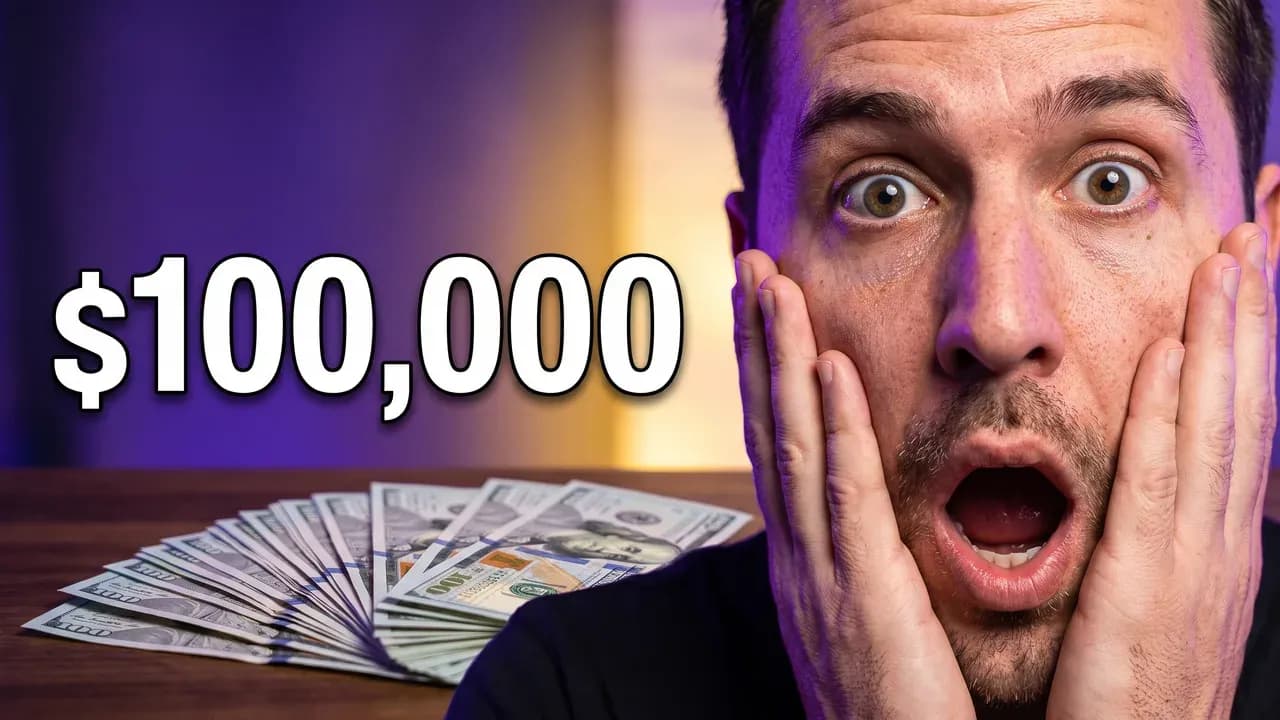
If you've seen AI-generated thumbnails that look slightly plastic, smoothed-over skin, waxy lighting, an expression that reads as almost-but-not-quite real, that is not a hardware limitation, it is a prompting gap. Most "AI slop" faces look like they have been on a skincare routine since birth, not like someone who just had a surprising day. Image models will produce an airbrushed, overly clean result unless they are explicitly told not to: real skin texture, natural light falloff, a genuine rather than exaggerated expression. Tools that skip this step generate faster and look fine at first glance, but the look shows up the moment someone looks twice, and viewers scroll past it as fast as they scroll past a boring one.
How does the generation actually work?
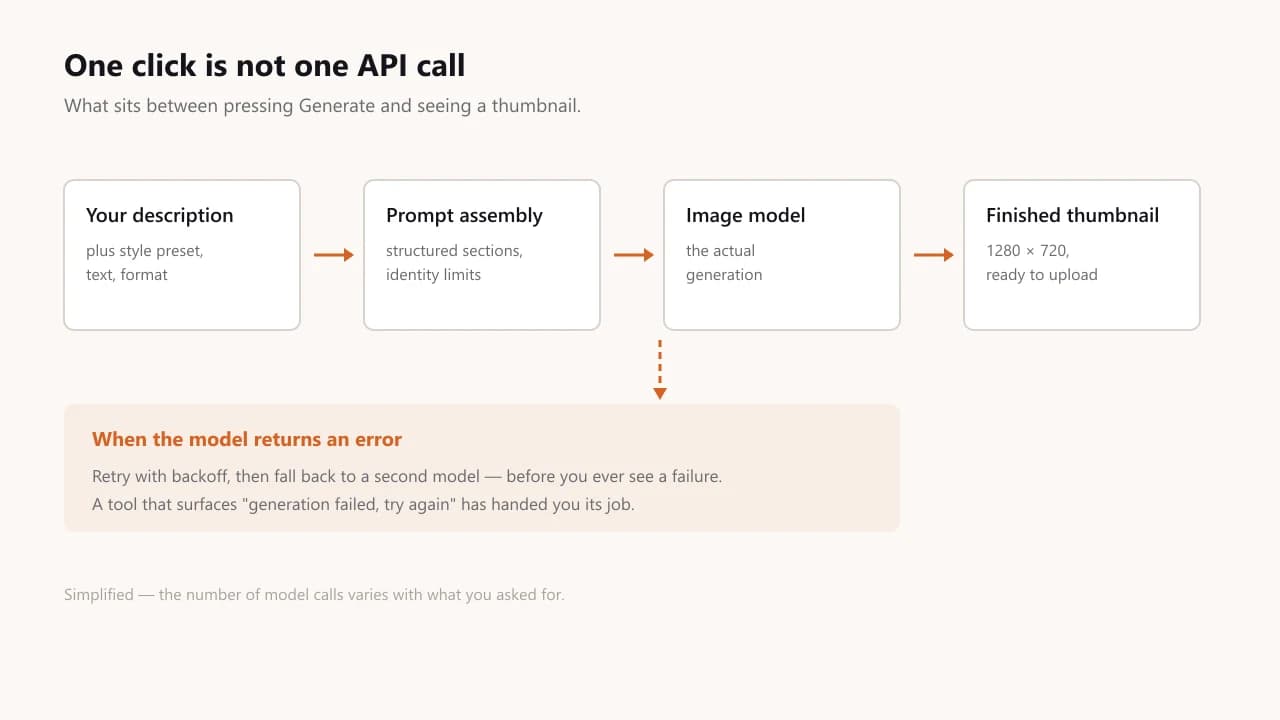
Under the hood, a request to a real AI thumbnail generator typically involves more than one call to the model. A single attempt can fail: the model can time out, be overloaded, or occasionally miss the constraints entirely. A tool built for production use retries automatically, and often falls back to a secondary model if the primary one is unavailable, rather than showing you an error. If you ask for several variations, each one is usually a separate generation running in parallel, not one image cropped four ways.
This matters more than it sounds like it should: a thumbnail maker that shows "generation failed, try again" during a spike at the model provider is asking you to babysit it. One that quietly retries and degrades gracefully is not. The same applies after the image exists. ThumbnailMaker reads the text on every image back and corrects it when a letter went wrong, grades readability at 336 pixels, the width YouTube's desktop feed gives a thumbnail, and measures the badge corner, before you see the result.
Which features matter in an AI thumbnail maker?
Four things decide whether the output is usable, and none of them is the model's name.
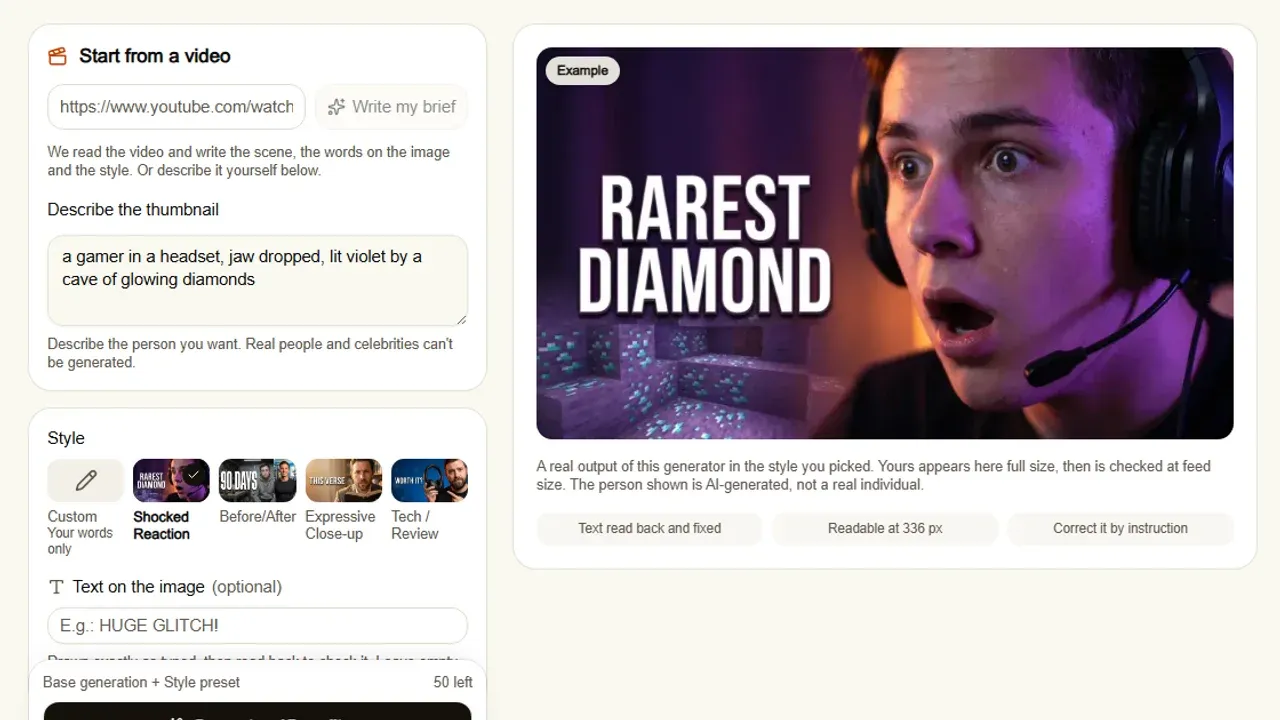
- Exact text control. You should be able to specify the exact wording and have it rendered correctly, or ask for no text and get none, not garbled, half-legible letters the model invented.
- Format awareness. A YouTube thumbnail (16:9) and a Shorts cover (9:16) are not the same composition problem, and the dimensions differ too. A tool that treats them identically is guessing.
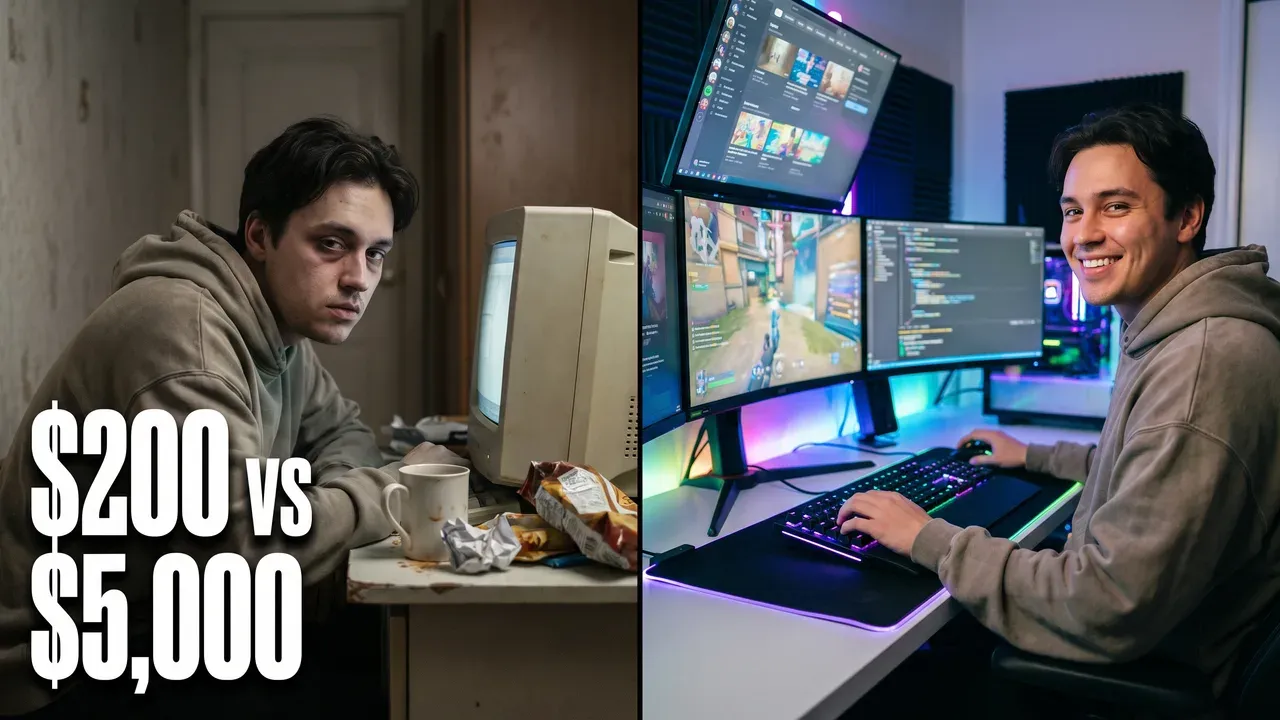
- Style presets that change the output. "Shocked reaction", "before/after", a tech-review layout: these should change composition and lighting, not swap a colour filter over the same generic image.
- Correction by instruction. When a result is 90% right, "make the text bigger" or "warmer light" should change that one thing and leave the rest alone. Regenerating from zero throws the 90% away.
Why do niches need different presets?
Because the same system produces very different results depending on what it is tuned for. A gaming channel needs bold, high-saturation compositions that survive being shrunk in a crowded feed; a shocked-reaction thumbnail leans on a tight off-centre face; sermon and devotional content needs the opposite, which is what a church thumbnail maker is tuned for: warm light and a calm expression instead of anything shocked or saturated. A generic "make it pop" preset cannot tell those goals apart. The sharpest case is a game with a visual language of its own: ask for a Minecraft thumbnail and a model left to its defaults renders the world photorealistically, smooth-lit, rounded, technically a better image, and unrecognisable as the game in the half-second that decides the click.
Can YouTube tell if a thumbnail is AI, and do I have to disclose it?
YouTube does not require a disclosure for an AI-generated thumbnail. Its page on disclosing generative AI content lists "using generative AI tools to create or improve a video outline, script, thumbnail, title, or infographic" among the minor edits creators do not have to disclose. The disclosure rule covers realistic video or audio that could mislead: a real person made to say something they did not, a real event altered, a realistic scene that never happened. YouTube does say it may apply an AI label automatically to content its systems detect or that carries C2PA metadata, which concerns the video itself. What applies to every thumbnail, AI or not, is the thumbnail policy: it must not mislead about what the video contains. An AI thumbnail that shows the thing the video is actually about is fine; one that promises something the video does not deliver is clickbait, and YouTube's own CTR guidance explains why that costs you recommendations.
How do you get the finished thumbnail onto YouTube?
The file is only half of it: YouTube hides the custom thumbnail option entirely until the channel is phone-verified, which is where most people get stuck. The step-by-step for desktop and mobile covers both paths and the file limits that apply.
Is an AI thumbnail maker worth it?
If you are already comfortable in a design tool and have the time, hand-designing every thumbnail will always give you the most control. An AI thumbnail maker earns its place when the bottleneck is speed and consistency: publishing often enough that a 15-30 minute design pass per video is not sustainable, or wanting three genuinely different versions to put into YouTube's A/B test. It is not a replacement for having a point of view about what your thumbnail should communicate; it is a way to execute that point of view in a minute instead of half an hour. If the design tool you would otherwise use is Canva, there is a row-by-row comparison of the two with every claim sourced and dated.
ThumbnailMaker's AI thumbnail maker is built on everything above: a brief written from your video's link, style-specific composition rules, exact text that is read back and corrected, 16:9 and 9:16, correction by instruction, and three concepts in one click for the A/B test. See the plans, from $12 a month, or read how to make a thumbnail that gets clicks first if you want the design rules on their own, or eight AI thumbnail makers compared if you are still choosing a tool.
ThumbnailMaker Team — Guides from the people building ThumbnailMaker: thumbnail design, CTR, and what happens under the hood of an AI generator. Every number is checked against YouTube's own pages and dated.
Try it on your next video
Paste the video's link: the brief is written for you, then you generate with a plan from $12 a month.