6 Best Podcast Thumbnail Makers for YouTube (2026)
By ThumbnailMaker Team · · 18 min read
Quick answer: The best podcast thumbnail makers in 2026 are ThumbnailMaker for a finished YouTube thumbnail made from your episode's link, and Riverside for a free one with no account. ThumbnailMaker writes the brief from the episode, draws the words in, reads them back and has a Podcast style, from $12 a month for about 40 thumbnails, with one free watermarked preview. Riverside's free tool takes a link or a title and generates thumbnails with no sign-up. Thumbs.ai takes your guest's photo and shows up to six options side by side. Canva covers both the square cover art and the 16:9 thumbnail with templates, Adobe Express generates the picture with Firefly inside a template editor, and Podsqueeze makes square episode artwork from the episode you upload. Competitor facts were checked on each vendor's pages on October 29, 2026.
A podcast on YouTube needs a different picture from the one in Apple Podcasts. The cover art is square and sells the show, every week. The episode thumbnail is 16:9 and sells one conversation, in a feed full of videos built to be clicked. A cover cropped into a YouTube frame does neither job.
So the tools below split two ways: which image they make, and whether you design it or describe it. ThumbnailMaker is our product, ranked first for one job, the episode thumbnail; for cover art, two tools here do something we don't. The others are described from their own pages; we did not test their output.
Which kinds of podcast thumbnail makers are there?
- AI that makes the episode thumbnail: ThumbnailMaker, Riverside and Thumbs.ai. The episode's link, a title or a photo in; a 16:9 thumbnail out.
- Template editors with AI inside: Canva and Adobe Express. You start from a design and change it; AI makes the picture on request.
- Square episode art: Podsqueeze. Artwork for the podcast apps, made from the episode you upload.
| Tool | Best for | Cheapest paid plan | Free option | What it makes |
|---|---|---|---|---|
| ThumbnailMaker | Finished podcast thumbnails from your episode's link, words spelled right | From $12/mo, first one free | One watermarked preview, the brief and nine tools | 16:9 episode thumbnails, 9:16 clip covers |
| Riverside | Free AI thumbnails with no account | $34/mo billed $408 yearly (Grow, in-app AI thumbnails) | Free web tool, no sign-up, no stated limit | YouTube thumbnails from a link or title |
| Thumbs.ai | Six options built around your guest's photo | $8/mo, $96 a year (up to 50 thumbnails) | 10 trial credits, about 5 thumbnails | 16:9 episodes, 9:16 clips |
| Canva | Cover art and thumbnails from one template set | Pro US$144 a year | Free plan, 20 AI uses a month | Square covers and 16:9 thumbnails, by hand |
| Adobe Express | Firefly images inside a template editor | US$9.99/mo (250 generative credits) | Free plan, limited credits | Four AI images per prompt, then templates |
| Podsqueeze | Square episode art from your uploaded episode | $5.99/mo billed $71.88 yearly | Free plan, 30 minutes a month | 1400 or 3000 px square artwork |
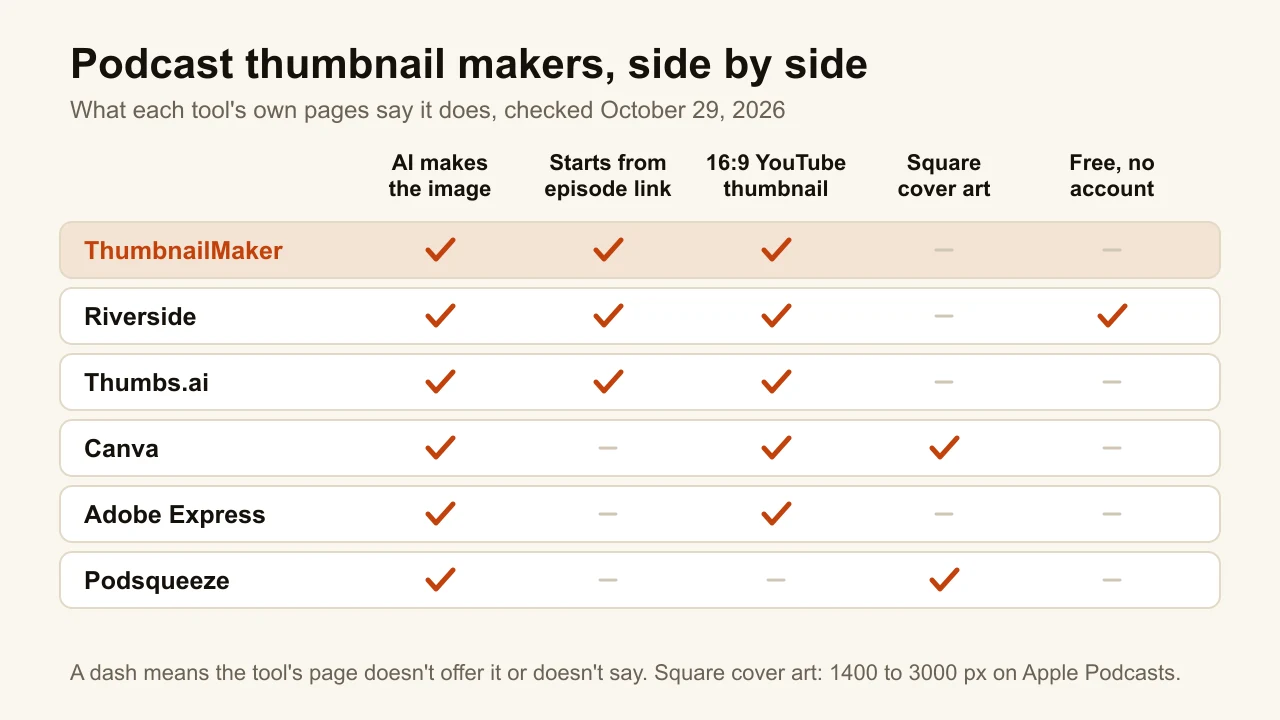
1. ThumbnailMaker, best for a finished episode thumbnail from your episode's link
ThumbnailMaker is an AI YouTube thumbnail maker that starts from the episode, not from a blank prompt. Paste the YouTube link and it reads the video, proposes the line worth clicking for and makes the 16:9 thumbnail around it, or a 9:16 cover for a clip. The Podcast style keeps one or two people at studio microphones, chest-up, with soft key light, warm lamps in a dark studio and clean space for a short quote; no show logo, captions or waveform. The people it draws are invented, never your hosts or guests. It is our product.
A podcast episode sells one line from the conversation, and getting that line onto the image is exactly what ThumbnailMaker is built for: a finished thumbnail from your video's link, with the words spelled right.
- From your link: paste the video's link (or describe it in a sentence) and the brief is written for you: the scene, the words and the style. For an interview episode, that is the guest mid-sentence, a line like "I WAS BROKE" and the Podcast style.
- Spelled right: the words are drawn into the image, read back and redrawn if a letter is wrong, and checked at the size YouTube's feed shows them (336 px), with the duration-badge corner kept clear. On a quote, one wrong letter changes what the guest said.
- Change it in a sentence: "make the text bigger" changes that and keeps the rest. "Teal lights instead of amber, the host looks skeptical" changes the light and the face, and keeps the words.
Your first thumbnail is a free preview; plans start at $12 a month for 40 thumbnails.
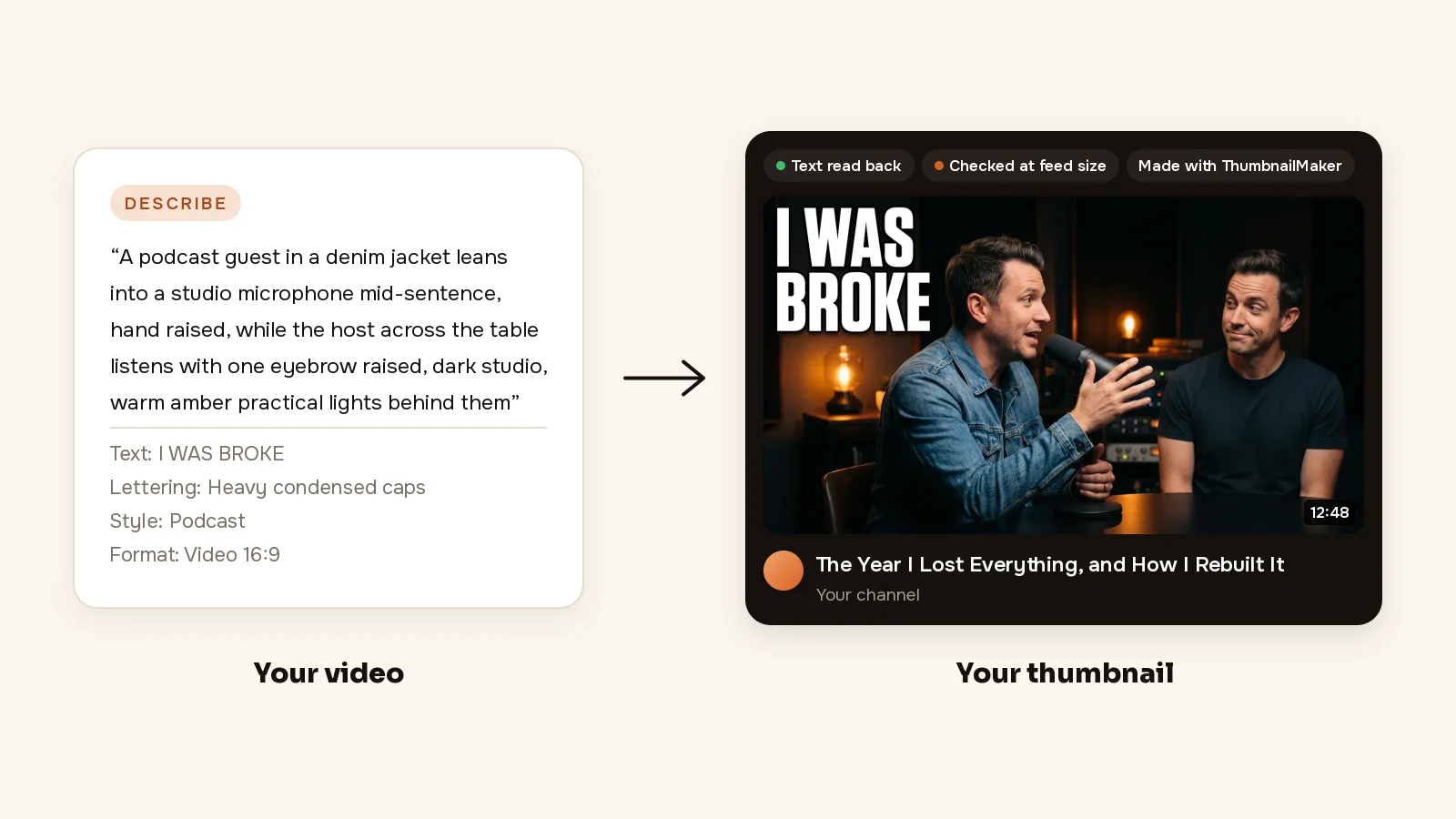
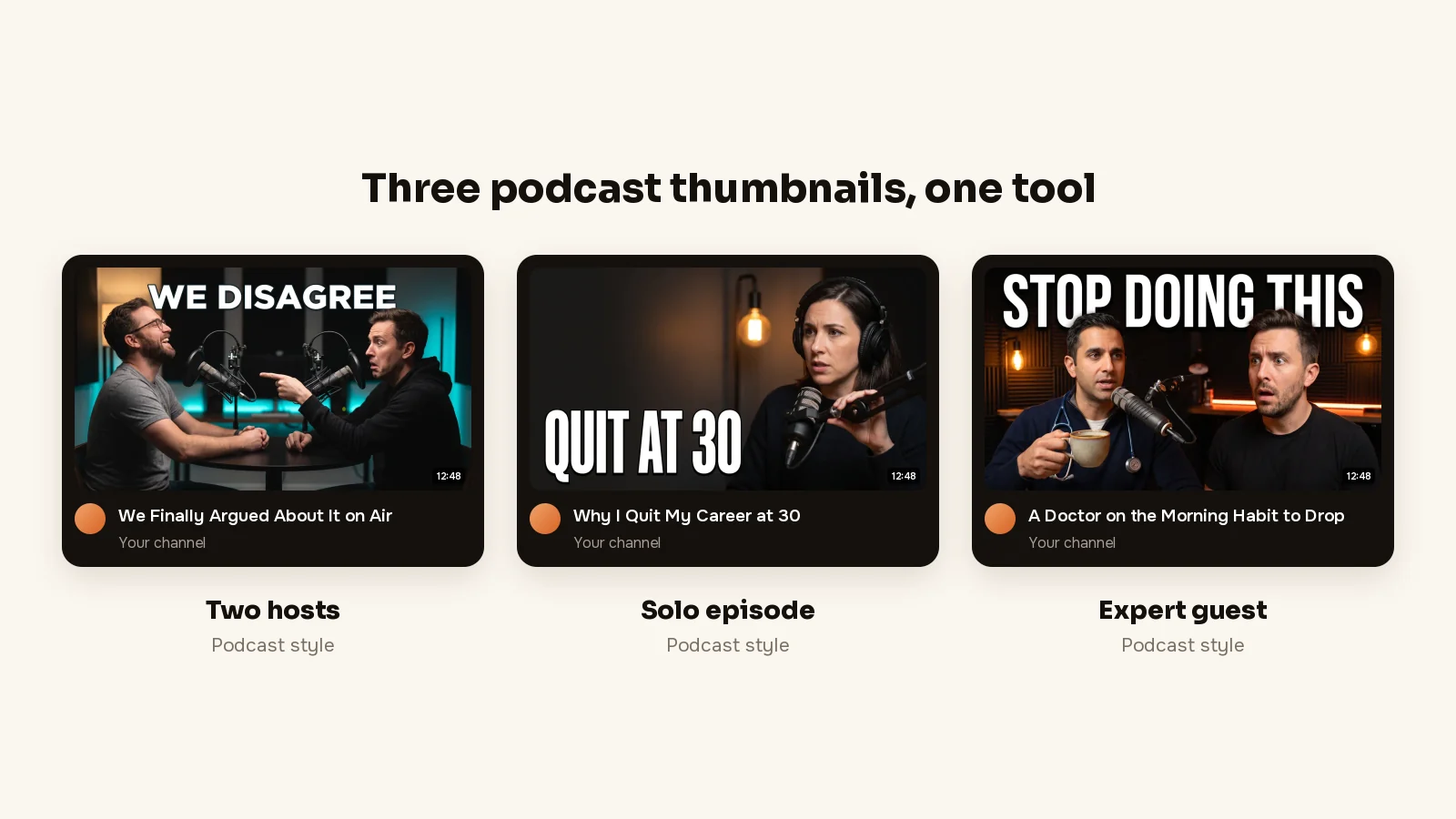
How to make a podcast thumbnail with ThumbnailMaker
- Sign up and paste your video's link. Your first thumbnail is a free preview.
- Read the brief: three angles, each with a scene, the words and a style. Pick one and change any word. No episode out yet? Give the title and script instead, or switch to Describe and write it in a sentence.
- Pick a style and the format, Video 16:9 or Shorts 9:16. Podcast keeps two people at the mics with room for a short quote.
- Click Generate. Under the image, the checks say whether the text is exact, readable in the feed and clear of the badge corner.
- If something is off, type it under "What should we fix?" and click Correct. For example, "the host listening with one eyebrow raised, words on the left".
- Download it.
The podcast thumbnail maker page shows that one job on real outputs; this page compares the best podcast thumbnail makers. The clips you cut from an episode get the same treatment as Shorts covers. The free YouTube thumbnail tester shows your current thumbnail in a mock feed first, and the plans are on ThumbnailMaker's pricing page.
Key features
- A brief from the episode's link, or from the title and script before it's out
- Podcast among fourteen styles
- 1280 × 720, 1080 × 1920 for clips, optional 3840 × 2160
Best for
- Weekly interview shows that post the full episode on YouTube
- A cover for each clip cut from the same episode
Pricing
- Starter $12 a month for 400 credits, about 40 thumbnails; Pro $39 for 1,000; Studio $99 for 3,000
- Yearly $120, $384 and $984, paid up front; the first yearly payment is refunded in full within 14 days
- A thumbnail is 10 credits, style and text included; a correction is 10 too, a 4K image 20
- Your first thumbnail is a free preview, small and watermarked, with no card; downloading and correcting it take a plan. The brief from a video link and nine tools are free, and nothing you download carries a watermark
Pros
- Starts from the episode you recorded, so you don't write a prompt
- A correction keeps everything that already worked
Cons
- No square cover art: it doesn't make the show cover for Apple Podcasts or Spotify, or the square image YouTube shows for a podcast playlist
- Your real faces can't be in it: it refuses prompts that identify a real person and never edits a photo of a person, so the hosts it draws are invented
- Only one free thumbnail, shown small and watermarked; the full-size image and every one after it take a plan
2. Riverside, best for free AI thumbnails with no account
Riverside is a browser studio for recording podcasts and video, and its AI YouTube thumbnail generator is a free tool on its site. Paste the episode's YouTube link or type its title, pick a style, add an image you want in it if you have one, and it generates a thumbnail its page says comes out at YouTube's aspect ratio, ready to upload. The page says it is free, with no sign-up, as many as you want. Inside Riverside's editor, the AI Co-Creator makes thumbnails from your recordings by chat, on the Grow plan.
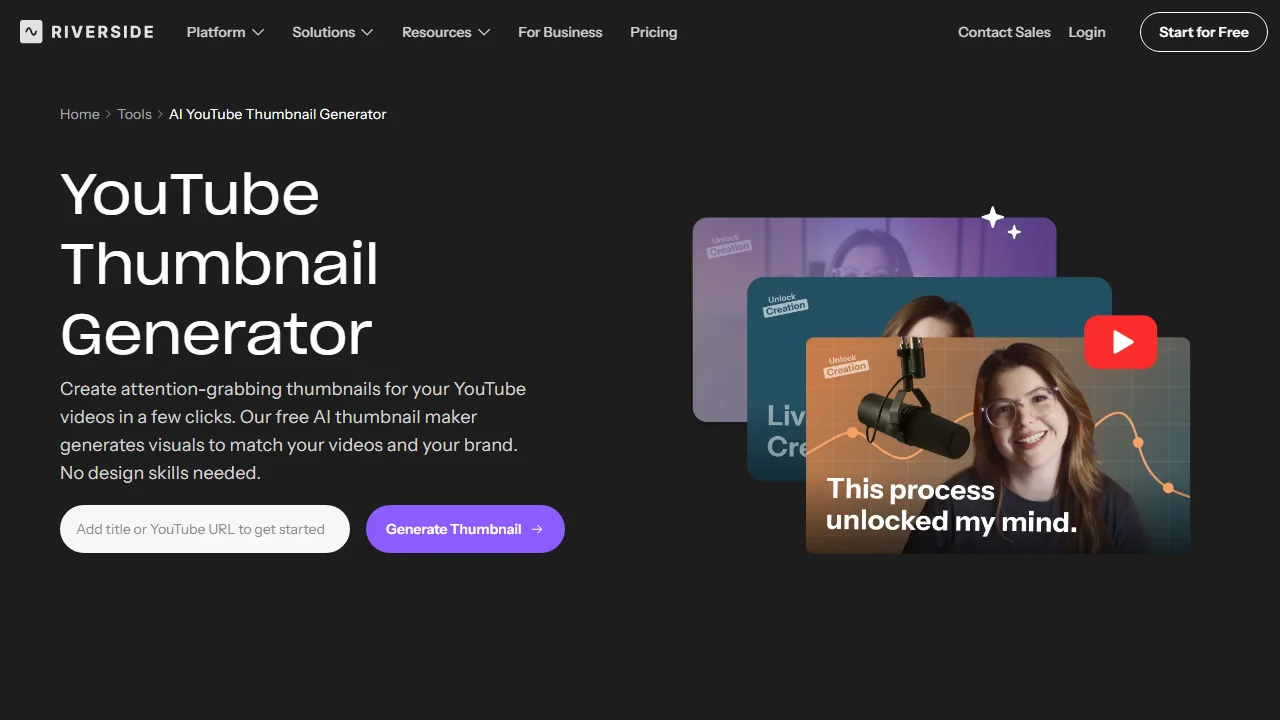
Key features
- A thumbnail from the link or the title, in a style you pick
- In-app thumbnails from Riverside recordings, on Grow
Best for
- Trying an AI podcast thumbnail before paying anything
- Shows already recorded and published through Riverside
Pricing
- Free web tool: no sign-up, no stated limit
- Grow $34 a month billed $408 yearly includes AI thumbnails in the app; Pro, $24 a month billed $288 yearly, doesn't list them
Pros
- Free with no account, and it starts from the link
Cons
- The export size isn't stated beyond "ideal aspect ratio and resolution"
- In the app, thumbnails start on Grow, $408 a year
- No square cover art
3. Thumbs.ai, best for six options built around your guest's photo
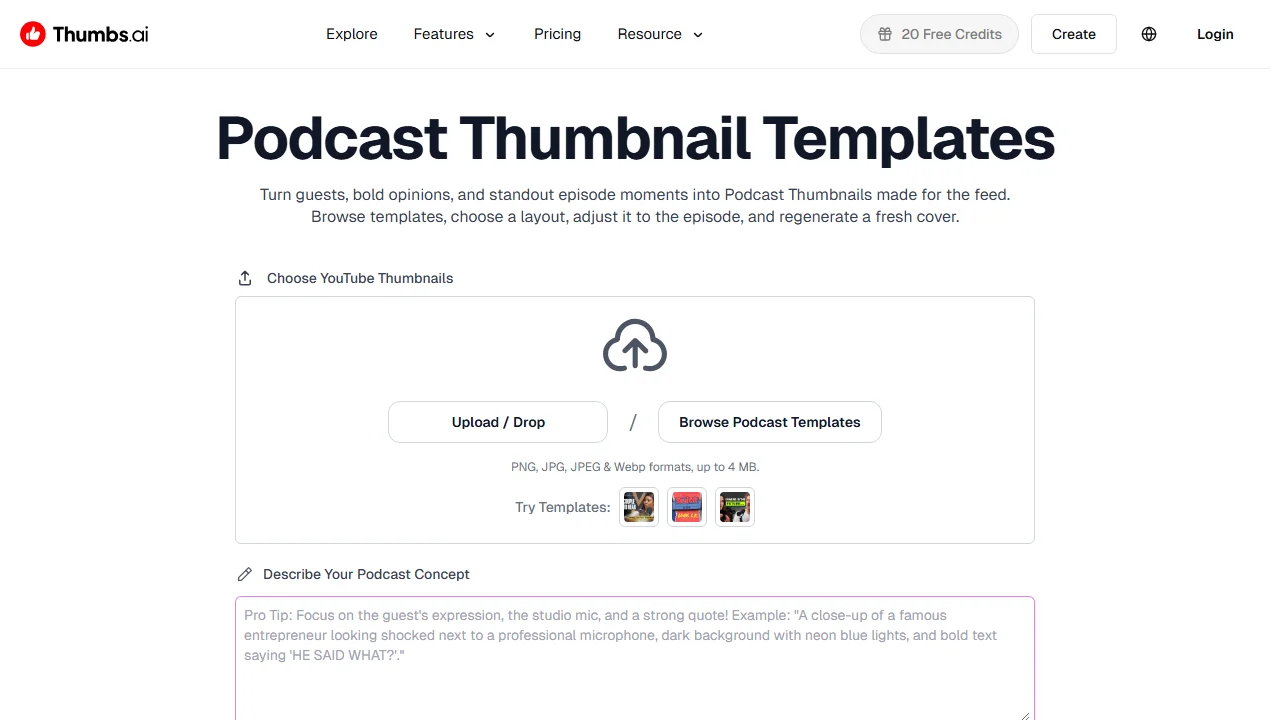
Thumbs.ai is an AI YouTube thumbnail generator with a page and templates made for podcasts. Upload a host or guest photo, pick a podcast template or paste the link of an existing episode, then type the guest, the topic or the quote viewers should notice first. Choose 16:9 for the full episode or 9:16 for a clip and it generates up to six directions, previewed in a YouTube-style feed with what the page calls CTR signals and attention heatmaps.
Key features
- A host or guest photo as the reference
- Podcast templates you can reuse across a series
- Up to six options compared in a mock feed
- 16:9 for episodes, 9:16 for clips
Best for
- Interview shows whose guest is the reason to click
- Choosing between several versions before you publish
Pricing
- Free: 10 trial credits, about 5 thumbnails, per the pricing page; the site header showed 20 the same day
- Starter $8 a month, $96 a year: 100 credits, up to 50 thumbnails, 2 credits a generation
- Ultimate $34 a month ($412 a year, 500 credits); Professional $64 ($773 a year, 1,000 credits)
Pros
- Your real guest in the thumbnail, from one photo
- At $8 a month, the lowest paid entry here among the tools that make a 16:9 thumbnail with AI
Cons
- The pricing page lists "YouTube & Commercial Use Rights" from Ultimate, $34 a month; Starter's list doesn't include them
- Treat the CTR signals as a second opinion, not a forecast of your click rate
- Export size isn't stated
4. Canva, best for cover art and thumbnails from one template set
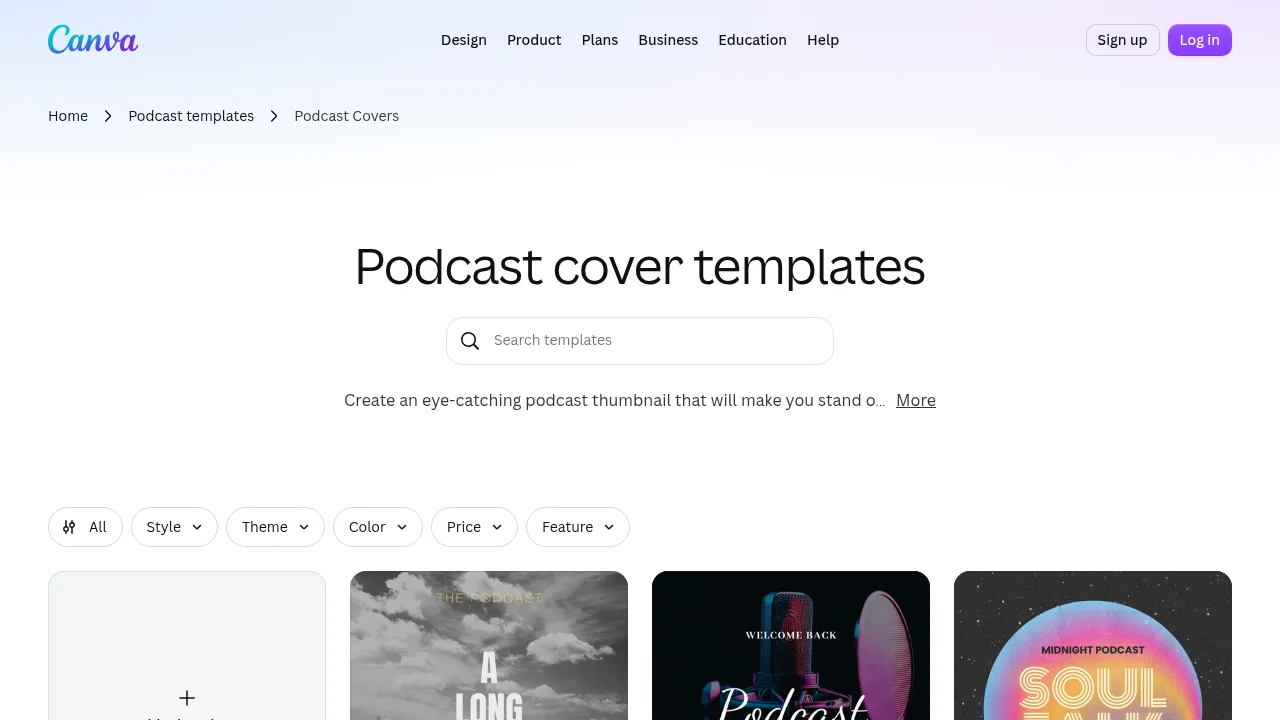
Canva is a design suite, and for a podcast it covers both pictures: podcast cover templates in the square shape the apps use, and YouTube thumbnail templates in 16:9, with podcast designs among them. Pick one, swap the title and your photos, keep your colours in a Brand Kit, export. Its AI thumbnail maker generates an image from a prompt inside the same editor. You design it; nothing is made from the episode.
Key features
- Square podcast cover templates and 16:9 YouTube thumbnail templates
- A Brand Kit for your show's colours and fonts
- AI image generation from a prompt, on a shared monthly allowance
Best for
- New shows that need the cover art and the first thumbnails in one style
- Hosts who want their own photos in every design
Pricing
- Free: US$0, up to 20 Standard or Premium AI uses a month, 1 Brand Kit with 3 colours
- Pro: US$144 a year, about 10 times the free AI allowance, 5 Brand Kits
Pros
- The only tool here with templates for both the square cover and the 16:9 thumbnail
- Your real photos, placed where you want them
Cons
- Every thumbnail is a design job, every week
- A template anyone else can pick too; the thumbnail looks like your show only after you change it
The Canva alternative page sets it against ThumbnailMaker one to one; the Canva alternatives list goes wider.
5. Adobe Express, best for Firefly images inside a template editor
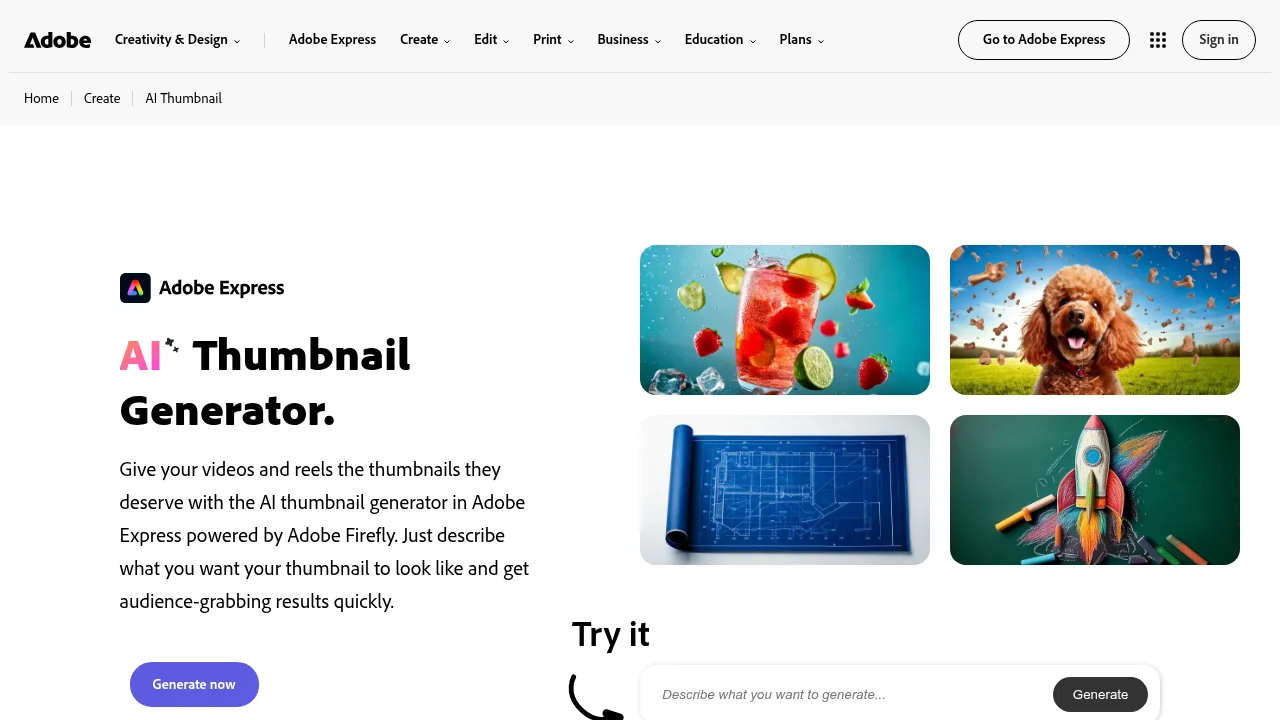
Adobe Express is Adobe's template editor, with an AI thumbnail generator powered by Firefly. Describe the image, pick the size, and each prompt returns four results for 1 generative credit; then you keep editing it with templates and text until it's done. Its own page names a podcast episode as a use. You need an Adobe Express account, which is free.
Key features
- Four Firefly images per prompt, then the full editor
Best for
- A custom background for a thumbnail you lay out yourself
Pricing
- Free plan, no card, limited generative credits
- Premium US$9.99 a month, billed monthly, 250 generative credits a month; 30-day free trial
Pros
- 250 credits at 1 per prompt is a lot of pictures for $9.99
- Templates and AI in one place
Cons
- It generates a picture, not a finished thumbnail: the page says you keep editing after the image is made
- Credits are shared across all of Adobe Express's AI features
The ThumbnailMaker vs Adobe Express page compares the two on a thumbnail, side by side.
6. Podsqueeze, best for square episode art from your uploaded episode
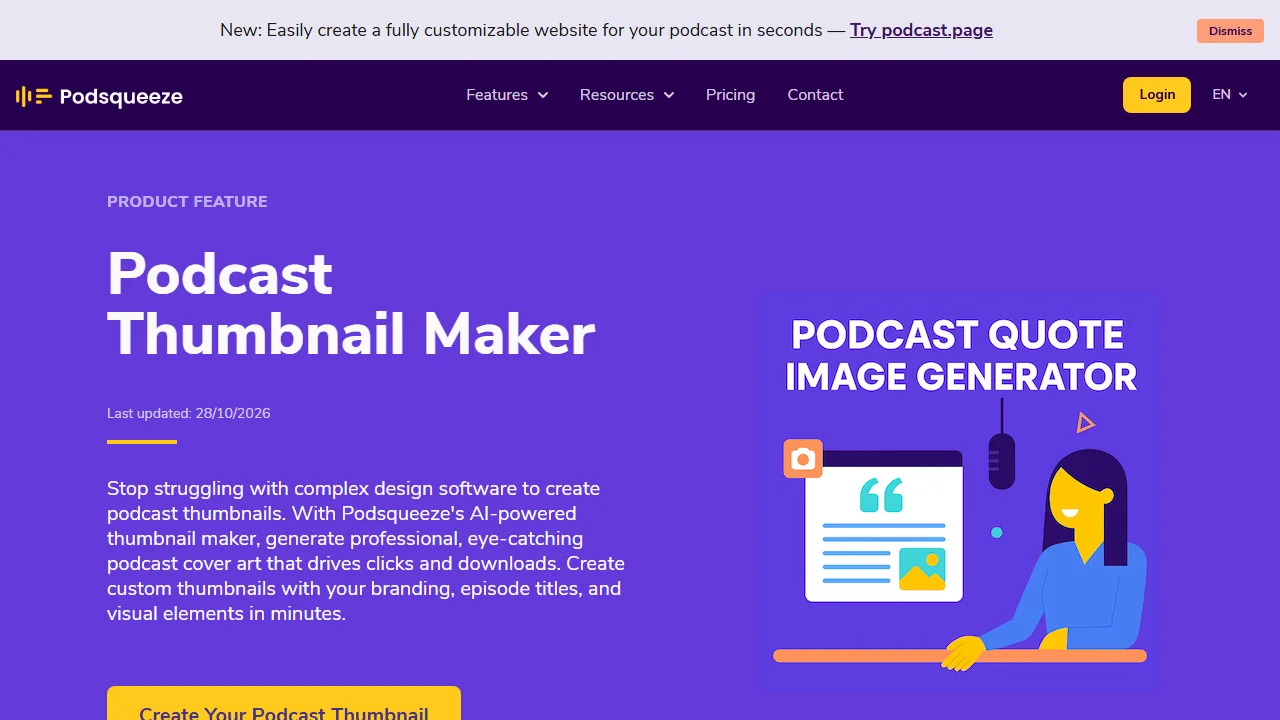
Podsqueeze is an AI tool for podcasters that turns an uploaded episode into show notes, transcripts, clips, quote images and episode artwork. Its thumbnail creator reads the episode's title and description, makes several options, and lets you regenerate with your own prompt for the style and colours; add your logo for the branding. The creator page gives the size as typically 1400 × 1400 or 3000 × 3000 pixels: square art for the podcast apps. It also says the downloads fit YouTube, without naming a 16:9 size.
Key features
- Art from the episode's title and description, regenerated by prompt
- Show notes and clips from the same upload
Best for
- Episode art for Apple Podcasts and Spotify
Pricing
- Free plan: 30 minutes of audio a month; its thumbnail pages say the free plan includes thumbnail generation
- Starter $5.99 a month billed $71.88 yearly (120 minutes); Pro $35 a month billed $420 yearly (320 minutes)
Pros
- Square artwork at the sizes Apple asks for
- The cheapest paid plan on this list
Cons
- Square art in a 16:9 YouTube frame has to be padded or cropped
- The plan table doesn't say how many thumbnails each plan includes
How to choose a podcast thumbnail maker
Do you need a YouTube thumbnail, cover art, or both?
A podcast has up to three pictures. The show cover is square: Apple asks for 3000 × 3000 and accepts 1400 × 1400 to 3000 × 3000 by RSS. The image YouTube shows for a podcast playlist is square too, 1:1, with no pixel size given. Each episode is a video, so its thumbnail is 16:9, and 9:16 for a clip posted as a Short. For the covers, Canva or Podsqueeze. For the episodes, ThumbnailMaker, Riverside or Thumbs.ai. Canva is the one tool here that does both shapes.
Should a real face be in it?
On an interview show the guest is often the reason to click. Thumbs.ai takes a host or guest photo; Riverside places an image you upload; in Canva and Adobe Express you drop your photos into the design. ThumbnailMaker draws invented people at the mics and never a real person, so a recognisable guest needs one of the others.
How many pictures a week?
A weekly episode plus three clips is four pictures a week, about 17 a month. ThumbnailMaker's Starter is about 40, Thumbs.ai's Starter up to 50, and Adobe Express Premium's 250 credits go at 1 per prompt. Riverside's free tool and Canva's editor have no count.
Who writes the words?
A podcast thumbnail lives on three or four words from the episode, not its title. ThumbnailMaker proposes the line from the video, draws it in and reads it back; Thumbs.ai takes the quote you type; in Canva and Adobe Express you type and place it. For the line itself, the YouTube thumbnail ideas guide has the formats that work for interviews and debates.
Frequently asked questions
What is the best podcast thumbnail maker?
ThumbnailMaker for a finished YouTube thumbnail from your episode's link, with the words checked. For free with no account, Riverside's web tool; for your guest's real photo, Thumbs.ai; for the square cover art, Canva.
What size should a podcast thumbnail be?
For a YouTube episode, 16:9: YouTube recommends 3840 × 2160 and still accepts 1280 × 720; a clip posted as a Short is 9:16. The square image YouTube shows for a podcast playlist is 1:1 with no pixel size given, so 3000 × 3000 is a safe choice. Apple's show cover spec is 3000 × 3000, or 1400 × 1400 to 3000 × 3000 by RSS, PNG or JPG with no transparency. Every YouTube limit is in the YouTube thumbnail size guide.
What should a podcast cover look like?
Apple's own advice is the title, clear and prominent, with as little extra text and as few logos as you can manage, enough contrast to read at small sizes, and a background that isn't pure black or white. No Apple logos or hardware, or the art may be rejected.
What are some creative thumbnail ideas for podcasts?
The guest's best line in three or four words, beside the person who said it. Two hosts at the same size, one clearly not buying it. A solo host looking straight into the lens, close enough to survive a phone screen. Skip the logo, the waveform and the microphone icon: two people at microphones already say podcast.
Is there a free podcast thumbnail maker?
Riverside's web tool is free with no account and no stated limit. Canva, Adobe Express and Podsqueeze have free plans with an account. Thumbs.ai gives trial credits, about 5 thumbnails. ThumbnailMaker gives one free preview per account, small and watermarked; its brief and nine tools are free.
Can I use my podcast cover art as the YouTube thumbnail?
You can, but it fits badly. A square cover in a 16:9 frame is either cropped, losing its edges, or padded with bars, and it says the same thing on every episode. If you do, the free YouTube thumbnail resizer pads it to 1280 × 720 without cutting the title off.
Can AI put my guest's face in a podcast thumbnail?
Some tools take a photo: Thumbs.ai uses a host or guest photo as the reference, and Riverside places an image you upload. ThumbnailMaker refuses prompts that identify a real person, and the people it draws are invented.
Pick by which picture you're making
The episode on YouTube, starting from its link: ThumbnailMaker. Free and right now: Riverside. Your guest's face: Thumbs.ai. The square cover: Canva, or Podsqueeze for art from the episode itself.
Prices and features were checked on each vendor's own pages on October 29, 2026: Riverside, Thumbs.ai, Canva, Adobe Express, Podsqueeze and Apple Podcasts.
ThumbnailMaker is an independent product and is not affiliated with, sponsored by, or endorsed by Riverside, Thumbs.ai, Canva, Adobe, Podsqueeze, Apple or Google. Riverside, Thumbs.ai, Canva, Adobe Express, Podsqueeze, Apple Podcasts and YouTube are trademarks of their respective owners, named here only to compare publicly documented features. Details were accurate when written and may have changed since.
ThumbnailMaker Team — Guides from the people building ThumbnailMaker: thumbnail design, CTR, and what happens under the hood of an AI generator. Every number is checked against YouTube's own pages and dated.
Try it on your next video
Paste the video's link: the brief is written for you and your first thumbnail is a free preview. Plans from $12 a month.