
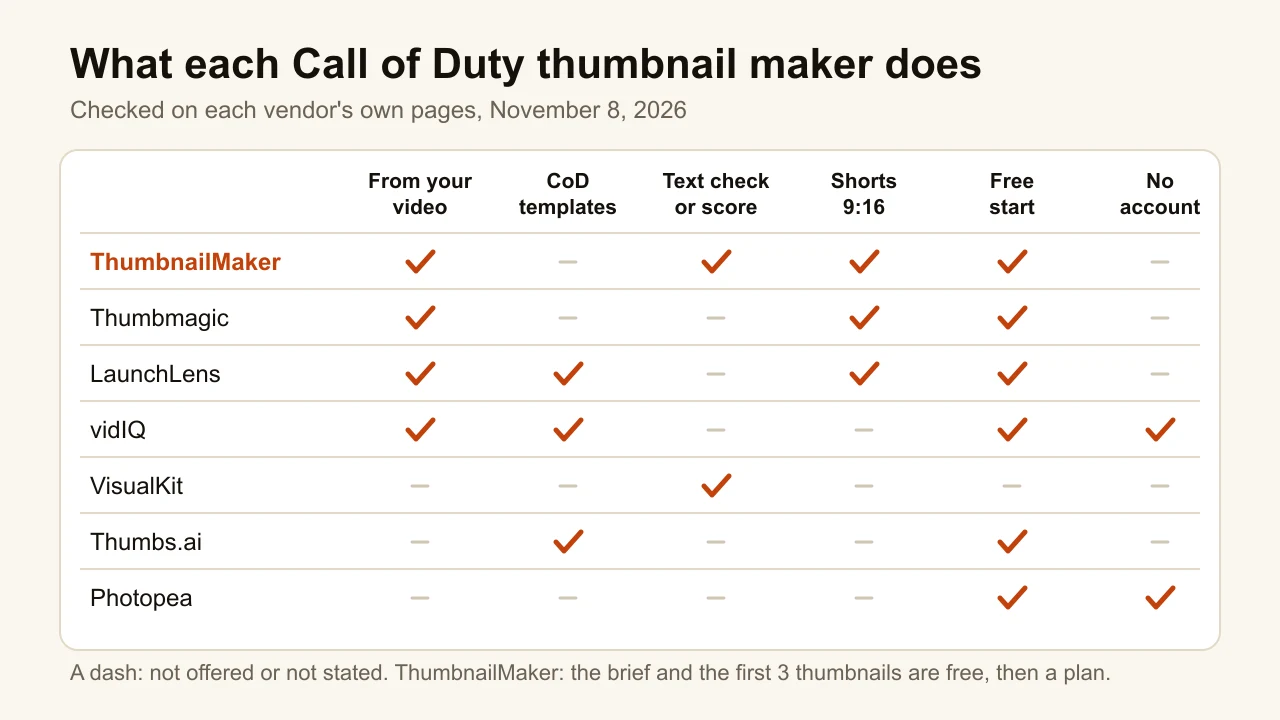
Quick answer: The best Call of Duty thumbnail makers split by where your thumbnail starts. ThumbnailMaker makes a finished Warzone or Black Ops 7 thumbnail from your video's link: it writes the brief, draws the words in and reads them back. Writing the brief and your first 3 thumbnails are free; after those, a plan from $12 a month (USD, billed monthly) for about 40 thumbnails. Thumbmagic works from your own COD footage and gives three free thumbnails. LaunchLens and Thumbs.ai have ready COD layouts. LaunchLens starts at $9 a month, the cheapest plan we could verify billed monthly; Thumbs.ai starts at $8 a month billed yearly, with a Black Ops 7 template. vidIQ makes a few with no account, VisualKit scores each thumbnail out of 100, and Photopea opens a PSD pack free in the browser. To make one by hand, the steps are in the FAQ below. Every competitor fact was checked on the vendor's own pages on November 8, 2026.
Search "call of duty thumbnail" or "warzone thumbnail" and Google returns Behance projects, thumbnail packs, a Reddit thread and how-to videos. No AI thumbnail tool made the top 10 in Google's US results on November 8, 2026. Thumbmagic describes the usual routine as a private lobby, a screenshot, a Photoshop mask and a color grade, 20 to 40 minutes a thumbnail. A Warzone channel that uploads daily would repeat that thirty times a month.
The seven tools below shorten that routine for Warzone, multiplayer and Zombies channels. ThumbnailMaker is our product, ranked first for the finished-from-your-link job; it never draws an official operator, weapon skin or map, and it has no template library. The others are described from their public pages; we did not test them. Other games are in thumbnail makers for every game.
Which kinds of Call of Duty thumbnail makers are there?
- Finished from the match you recorded: ThumbnailMaker reads the video's link, Thumbmagic the footage itself.
- Nuke, Gulag and loadout layouts to remix: LaunchLens, Thumbs.ai and vidIQ's COD rows.
- Scored before upload: VisualKit.
- Built by hand from a Warzone PSD pack: Photopea.
| Tool | Best for | Cheapest paid plan | Free option | How it starts |
|---|---|---|---|---|
| ThumbnailMaker | Finished COD thumbnails from your video's link, words spelled right | From $12/mo billed monthly (about 40 thumbnails) | 3 free thumbnails, the brief and nine free tools | Video link, a sentence, or your screenshot in Edit |
| Thumbmagic | Thumbnails from your own COD footage | $17/mo billed yearly (100 thumbnails) | 3 free thumbnails, no card | YouTube link or video upload |
| LaunchLens | COD layouts plus your own references | $9/mo billed monthly (900 credits, about 30) | 90 credits once (about 3) | Prompt, references, a layout or a YouTube link |
| vidIQ | Free AI thumbnails with no account | $19/mo billed monthly, or $199 billed yearly | A few with no account | Template, prompt, link or video file |
| Thumbs.ai | Black Ops 7 and Warzone templates | $8/mo billed $96 yearly | 10 trial credits, watermarked | Template or a description |
| VisualKit | A score out of 100 before you post | $20/mo billed monthly (500 credits) | None listed | Description plus references |
| Photopea | Editing a PSD template pack for free | Premium removes ads; price not published on its site | Free with ads | A PSD file or a screenshot |
1. ThumbnailMaker, best for a finished Call of Duty thumbnail from your video's link
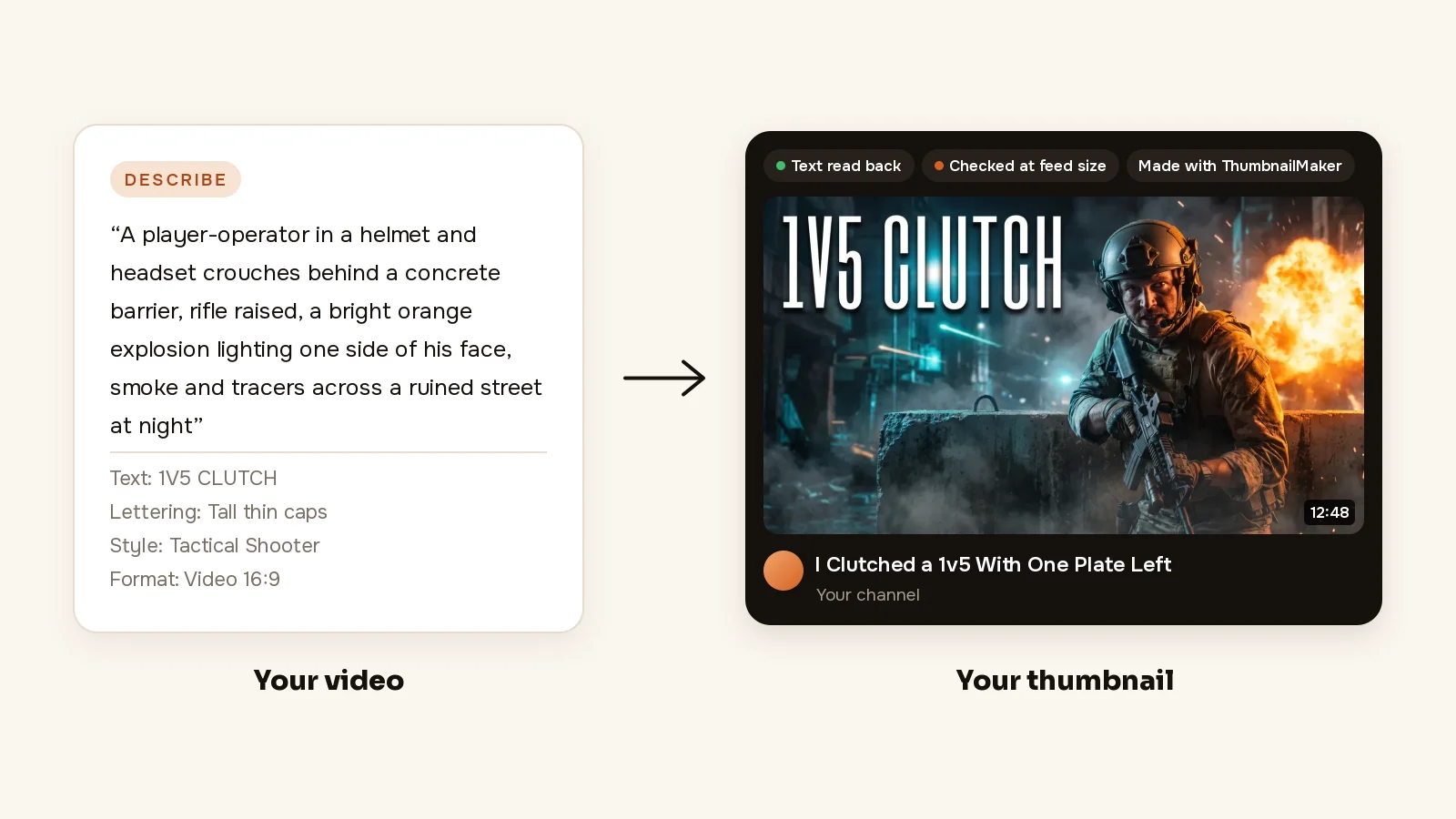
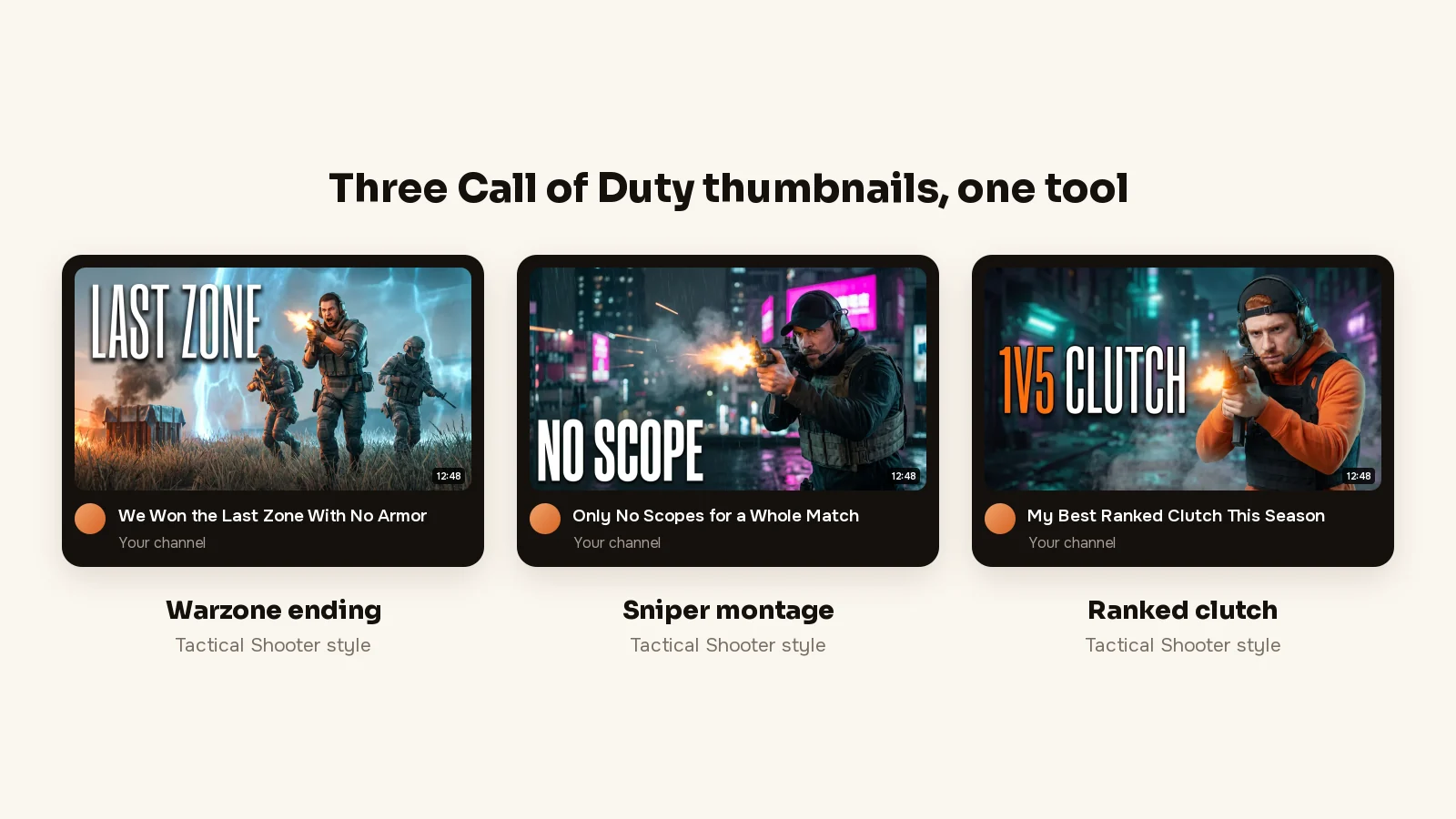
ThumbnailMaker is an AI YouTube thumbnail maker that starts from the video, not from a blank canvas. For Call of Duty it has Tactical Shooter: an operator in a helmet or cap, headset and plate carrier, aiming or advancing, under a hard cold key light with one hot orange glow from a muzzle flash or an explosion, in steel and teal. It leaves out game logos, the HUD, the kill feed, the crosshair and rank icons, and it never draws an official operator, weapon skin or map. To keep your own operator, upload a gameplay screenshot in Edit. It is our product.
A COD video sells one number or one claim, "1V5 CLUTCH" or "NUKE", and getting it onto the image is what ThumbnailMaker is built for: a finished thumbnail from your video's link, with the words spelled right.
- From your link: paste the video's link (or describe it in a sentence) and the brief is written for you: the scene, the words and the style. For a Warzone win, that is the closing zone, "LAST ZONE" and Tactical Shooter.
- Spelled right: the words are drawn into the image, read back and redrawn if a letter is wrong, and checked at the size YouTube's feed shows them (336 px), with the duration-badge corner kept clear. A kill count placed bottom-right ends up under the badge.
- Change it in a sentence: "make the text bigger" changes that and keeps the rest. "Night instead of sunset, an explosion behind him" changes the light and keeps the operator and the words.
Writing the brief from your video's link is free; plans start at $12 a month for 40 thumbnails.
How to make a Call of Duty thumbnail with ThumbnailMaker
- Sign up and paste your video's link; writing the brief is free. Your first 3 thumbnails are free too, with no card; after those, a plan from $12 a month.
- Read the brief: three angles, each with a scene, the words and a style. Pick one and change any word. Your operator or camo has to be in it? Switch to Edit and upload a screenshot.
- Pick a style and the format, Video 16:9 or Shorts 9:16. Tactical Shooter for Warzone, multiplayer and Black Ops 7; Shocked Reaction for a face-cam clip.
- Click Generate. Under the image, the checks say whether the text is exact, readable in the feed and clear of the badge corner.
- If something is off, type it under "What should we fix?" and click Correct. For example, "more smoke across the street, 1V5 CLUTCH in white".
- Download it.
The FPS thumbnail maker page is the one to open when you want to make it: it walks through real COD and Warzone examples, while this post compares. A channel that plays more than shooters has the page on thumbnails for gaming channels. The free YouTube thumbnail tester shows your current thumbnail in a mock feed first, and the plans are on ThumbnailMaker's pricing page.
Key features
- The brief reads the video's title, current thumbnail and description, plus a transcript if you paste one
- Fourteen styles, including Tactical Shooter, Victory Moment and Shocked Reaction
- 1280 × 720, or 1080 × 1920 for Shorts, optional 3840 × 2160
Best for
- Warzone and multiplayer channels posting wins, nukes and loadouts every week
- Thumbnails built on a short claim: "1V5", "NUKE", "NEW META"
Pricing
- Starter $12 a month for 400 credits, about 40 thumbnails; Pro $39 for 1,000; Studio $99 for 3,000
- Yearly $120, $384 and $984, paid up front; the first yearly payment is refunded in full within 14 days, the first monthly payment within 7
- A thumbnail is 10 credits, style and text included; a correction is 10 too, a 4K image 20
- The first 3 thumbnails, the brief from a video link and nine tools are free; after those, every thumbnail takes a plan, and nothing you download carries a watermark
Pros
- Text read back and graded at feed size; a word read back wrong is redrawn once
- Starts from the video you already made, so you don't write a prompt
- A correction changes what you asked and keeps the rest
Cons
- It never draws official operators, weapon skins or maps: yours only comes in through a screenshot you upload in Edit
- No free plan beyond the first 3 thumbnails: after those, every thumbnail takes a plan, from $12 a month
- No COD template library: there is no "Bot to Pro" layout to pick, every thumbnail is made for its video
2. Thumbmagic, best for thumbnails built from your own COD footage
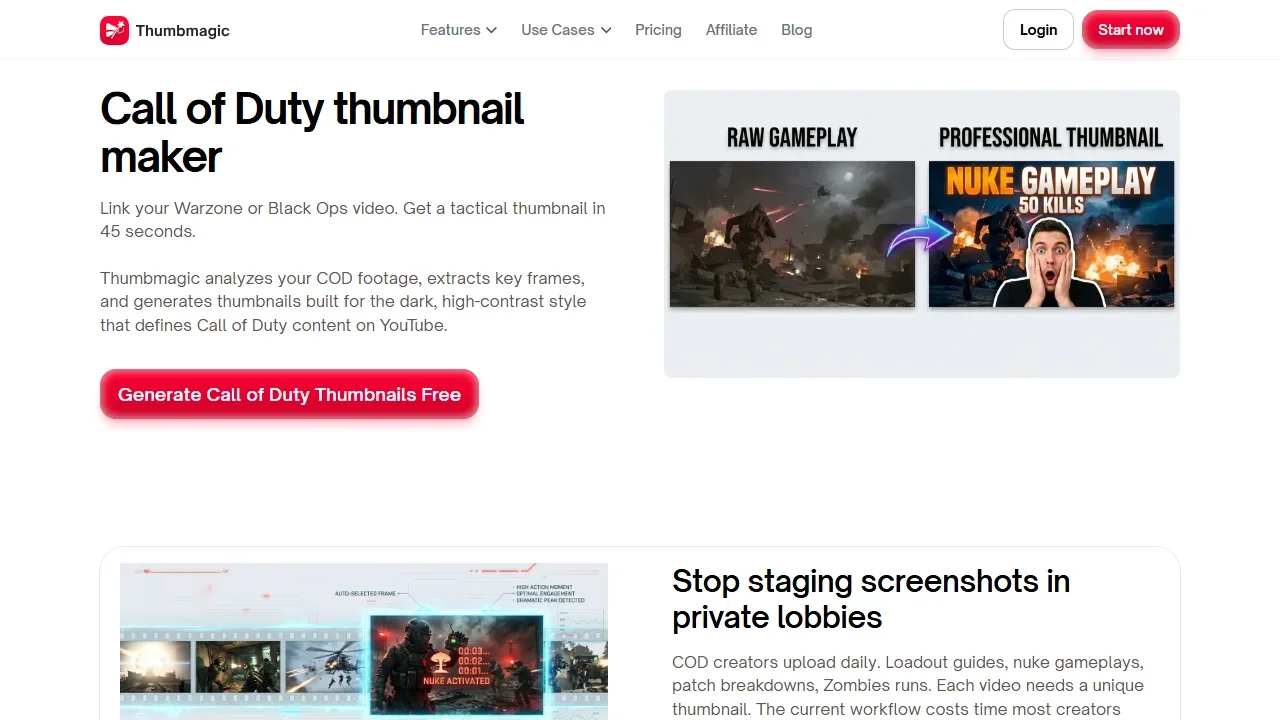
Thumbmagic's Call of Duty page starts from the recording. Link a Warzone, Black Ops, Zombies or DMZ video, or upload the clip (up to 5 GB); it extracts key frames and builds a dark, high-contrast composition in about 45 seconds, exported at 1280 × 720. Two of its six filters are aimed at COD: CCTV Footage adds a surveillance-camera grain, Realism a teal-and-orange grade. Your operator and camo are already in the footage, so they are in the thumbnail.
Key features
- Expression presets from one avatar image you upload
- Rebuild a layout from another thumbnail's URL (Pro and up)
- 9:16 templates for Shorts
Best for
- Channels uploading Warzone and Zombies runs the day they record
Pricing
- Plans are sold on Submagic's app (app.submagic.co), where its pricing link goes
- 3 free thumbnails, no card
- Starter $17/mo billed yearly (100 thumbnails a month), Pro $35 (500), Business $59 (unlimited); monthly-billed prices not shown; 30-day money-back guarantee
Pros
- No prompt and no private lobby: a Warzone or Zombies recording is the whole input
- Its yearly Starter covers 100 thumbnails a month, enough for daily uploads
Cons
- Its pricing page lists AI filters and AI face expressions only under Business, $59 a month; Starter includes 1 avatar, and the page doesn't say whether that avatar gets expressions
The Thumbmagic alternative page sets it against ThumbnailMaker one to one.
3. LaunchLens, best for COD layouts plus your own references
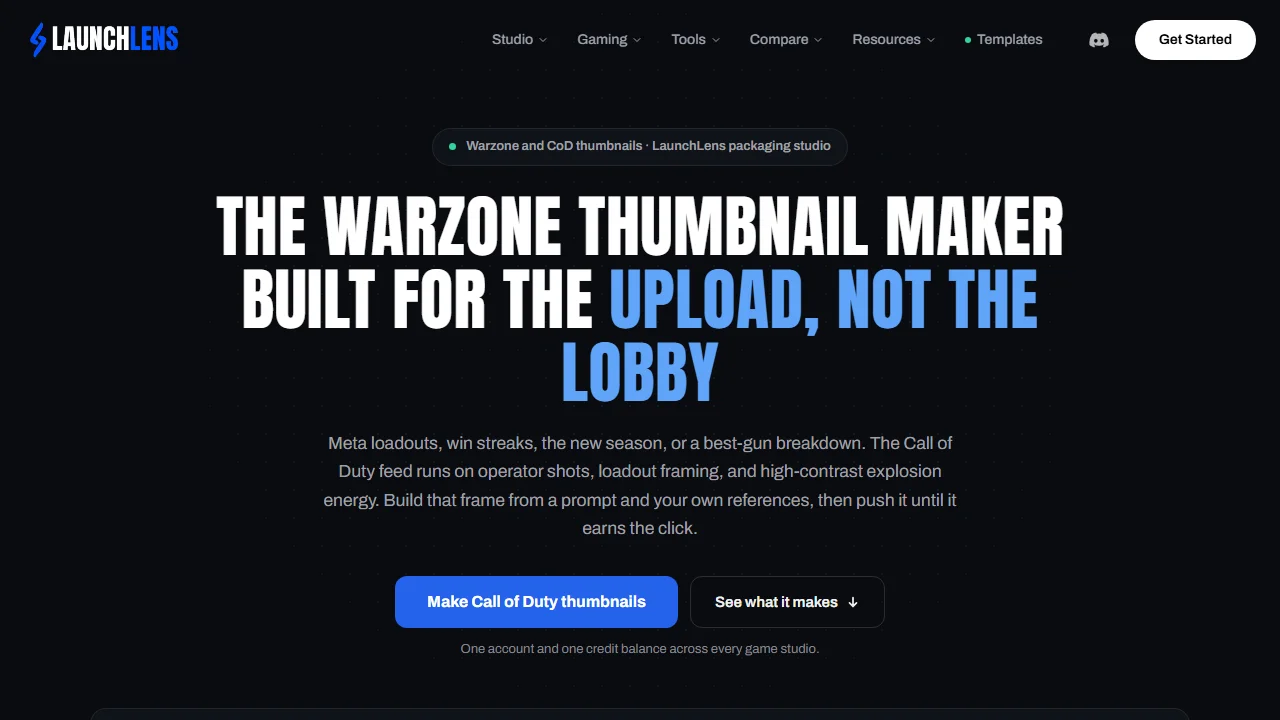
LaunchLens' Warzone page has no Call of Duty preset, on purpose. You type a prompt, drop in references for the operator, gun or map, and refine with Expression, Lighting and Clean Up; Characters adds the creator to the shot, and Remaster upgrades an old thumbnail. It also has what most AI tools here lack: 12 COD layouts (Fastest Nuke, Round 100, Nuketown 1v1) and 12 Warzone ones (Gulag, 80 Kills). Paste a YouTube link and it picks the video's best moments for a new thumbnail.
Key features
- Prompt plus your own operator, gun and map references
- Also lists Shorts covers and banners
Best for
- Channels that want a proven format such as "Bot to Pro" or "Gulag" without building it
Pricing
- Free: 90 credits once, no card; a thumbnail is 30 credits, so about 3
- Starter $9/mo (900 credits, about 30), Pro $25 (2,750), Max $50 (6,000), billed monthly; annual saves 20%
Pros
- $9 a month, the cheapest plan we could verify billed monthly
- Layouts, prompts and links in one account
Cons
- Every operator, gun and map needs a reference you supply: there is no game asset library
- Credits left at the end of a monthly cycle are lost, so a slow month of Zombies runs wastes some
4. vidIQ, best for free AI thumbnails with no account
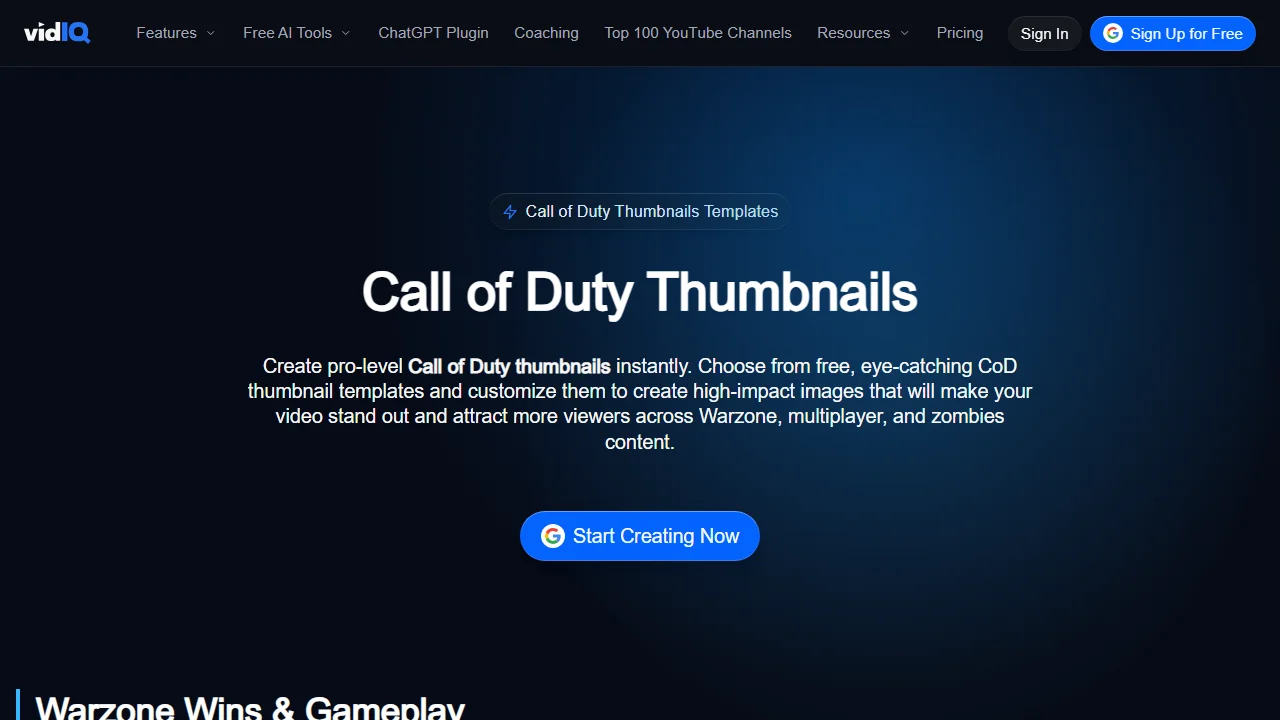
A loadout guide or a self-revive clip can get a first thumbnail on vidIQ's Call of Duty page without an account. Its tiles, from other channels' COD videos, sit under Warzone wins, loadouts, Zombies and fails. Pick one, hit Generate and type a short prompt. The same engine sits behind vidIQ's AI thumbnail maker, which also reads a YouTube link or a video file of up to 200 MB. Its FAQ promises the first few with no sign-up and a 1280 × 720 PNG without a watermark.
Key features
- AI generation from a prompt, a link or a video file
- A Thumbnail Editor for fonts, colors and your own screenshot, after login
Best for
- Trying an AI COD thumbnail before paying anything
Pricing
- Free: a few generations with no account, then 150 AI credits a month with a free account
- Boost $19/mo, or $199 a year, 2,000 AI credits a month shared across vidIQ's tools; MAX $49/mo or $468 a year
Pros
- A Warzone or Zombies thumbnail to download before you sign up for anything
Cons
- "First few" comes without a number, and the credits one thumbnail costs aren't published
- Editing and HD downloads need a free account
The vidIQ thumbnail maker alternative page compares the two makers line by line.
5. Thumbs.ai, best for Black Ops 7 and Warzone templates
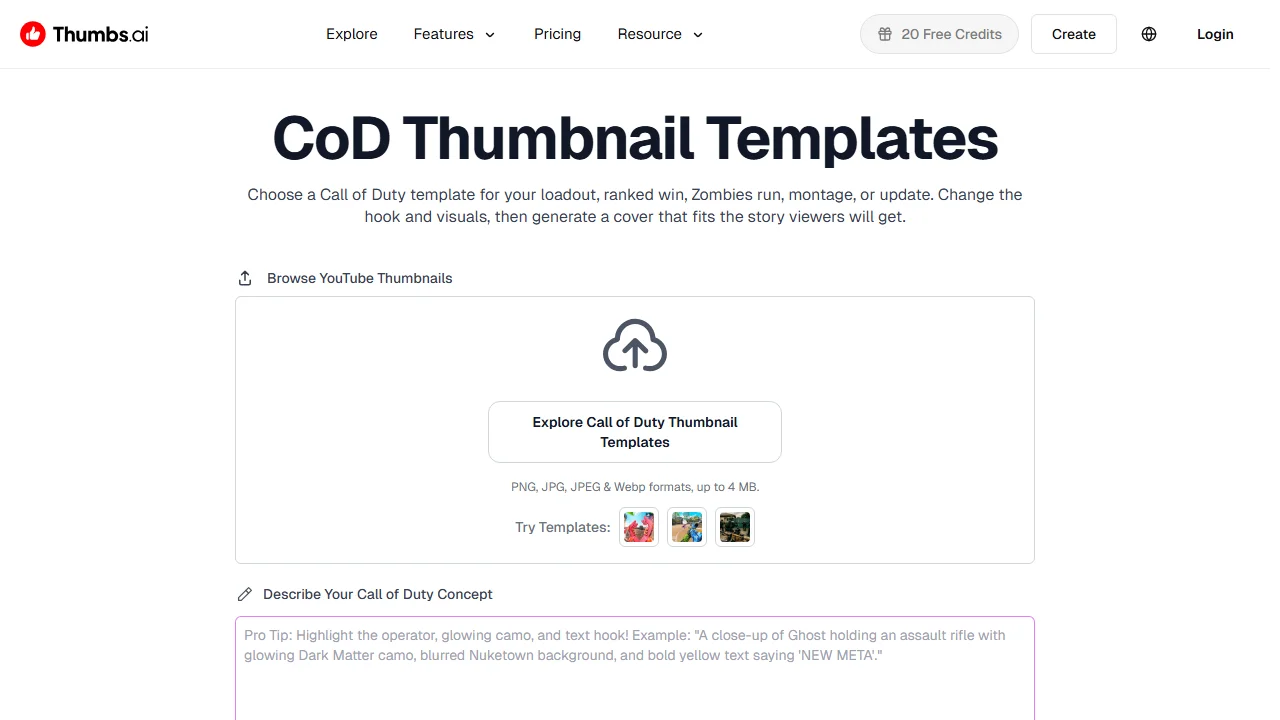
Thumbs.ai's COD page is a template library, with a Warzone twin. The templates are named by video: Black Ops 7, high-kill Warzone, Zombies, montages, Modern Warfare 4, COD Mobile. Pick one, swap the operator and the weapon, change the glowing text, or describe the concept instead; the page says the result is a 4K image.
Key features
- COD templates by title, Black Ops 7 and Modern Warfare 4 included
- Text-to-thumbnail and image-to-thumbnail
Best for
- Montage and camo-grind channels that want a proven layout
Pricing
- Free: 10 trial credits, about 5 generations, watermarked (the header button says 20 free credits)
- Starter $8/mo billed $96 yearly, up to 50 thumbnails; Ultimate $34/mo ($412 a year), Professional $64/mo ($773 a year)
Pros
- $8 a month if you commit to a year, the lowest figure on this list
Cons
- The pricing page lists "YouTube & Commercial Use Rights" only from Ultimate, $34 a month
- Its pages give two different free-credit numbers
6. VisualKit, best for a score out of 100 before you post
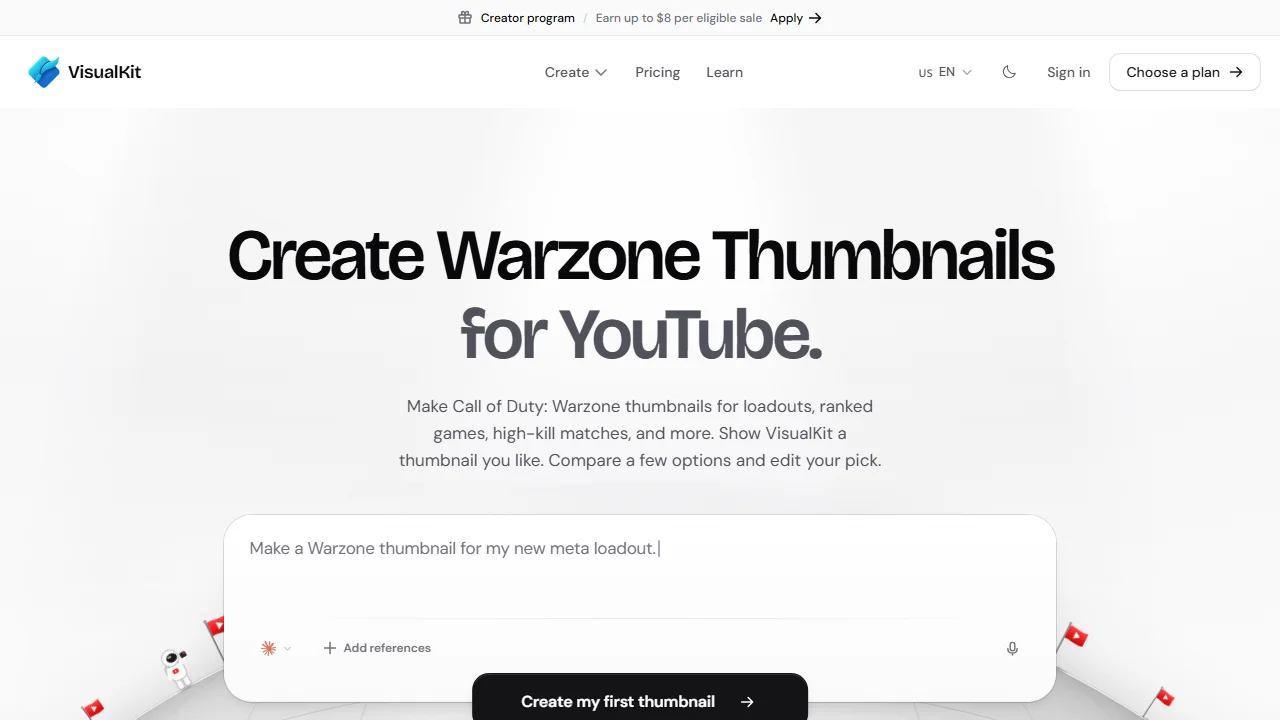
VisualKit's Warzone page makes YouTube thumbnails from a description: loadouts, ranked games, montages and season updates. Add a gameplay screenshot, a weapon, an operator or a map as a reference, then edit the result by instruction. Every thumbnail gets a score out of 100 with a one-click fix; treat it as a second opinion, not a CTR forecast. It exports at 1280 × 720, and it has a separate Modern Warfare 4 page.
Key features
- A score out of 100 with a suggested fix
- Layout ideas by video type: Weapon Close-Up, Big Result, Action Frame
Best for
- Loadout and ranked channels that want a number to argue with before they upload
Pricing
- Starter $20/mo (500 credits), Pro $40 (1,500), Ultra $80 (4,000), billed monthly; yearly saves 25%
- No free plan or trial on the page: the buttons read "Choose a plan"
Pros
- References let you bring a screenshot of your own operator
Cons
- $20 a month before the first Warzone thumbnail, with no free start, and credits per thumbnail aren't published
7. Photopea, best free editor for COD PSD template packs
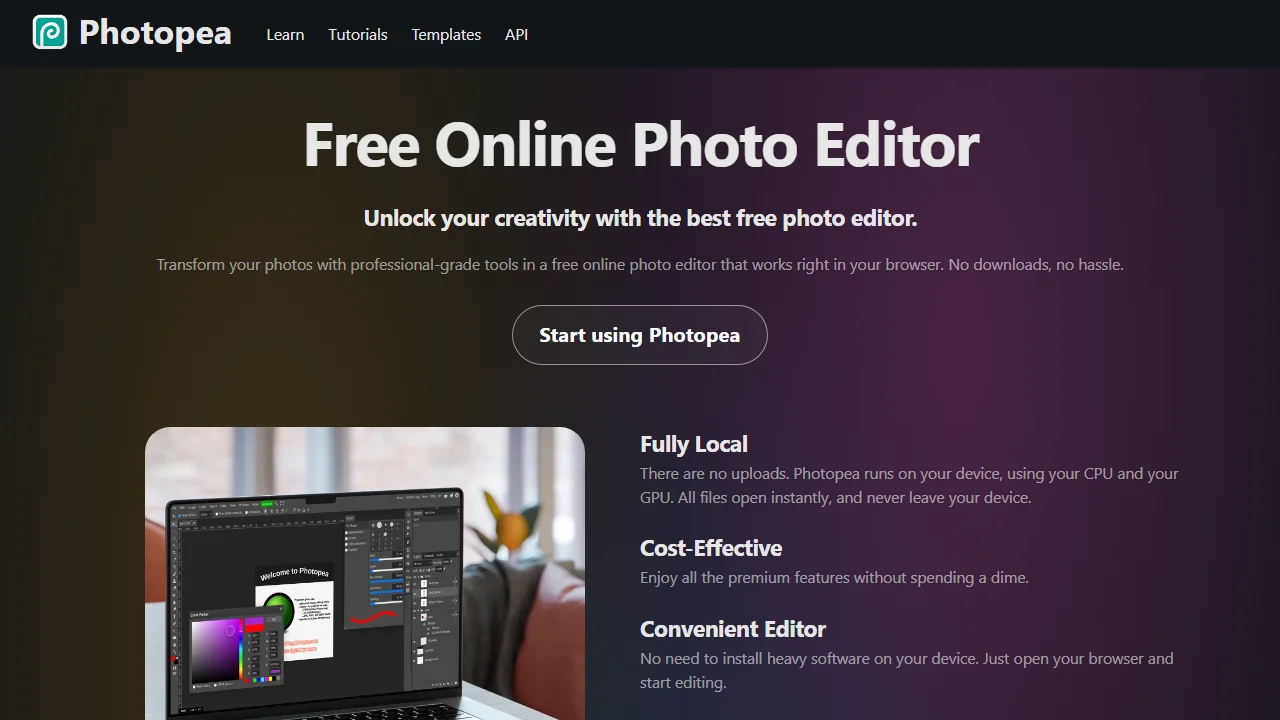
The first page for "warzone thumbnail" is mostly thumbnail packs and Photoshop tutorials. Photopea is how you use them without Photoshop: a free browser editor that opens and saves PSD, with layers, masks, layer styles and smart objects. The page says files never leave your device. It removes a background in one click, the step that cuts an operator out of a screenshot. It is free with ads; a Premium account removes them.
Key features
- Opens and saves PSD files
- One-click background removal
- Runs locally in the browser, no install
Best for
- Creators who downloaded a COD or Warzone PSD pack
Pricing
- Free with ads
- Premium removes ads; price not published on its site
Pros
- Free, with the editing depth of a desktop editor
- Your files never leave your device
Cons
- No AI that makes the thumbnail: the design is yours to do
How to choose a Call of Duty thumbnail maker
Does your operator or camo have to be in it?
Start from something that already has it. Thumbmagic works from your footage, LaunchLens and VisualKit take references, and Photopea edits your screenshot directly. ThumbnailMaker keeps your operator only when you upload a screenshot in Edit; from words, it draws an original one with no official skin.
Should the HUD, kill feed and hitmarkers stay in?
No. They prove it's gameplay, which the title already says, and at feed size a kill feed is a grey smudge. Put the number in the words instead: "80 KILLS" reads, a scoreboard doesn't. Tactical Shooter leaves all of it out by design; in a template, delete those layers before you add anything.
How many videos do you post a month?
Daily Warzone uploads mean about 30 thumbnails a month. That fits ThumbnailMaker's Starter (about 40) and LaunchLens' (about 30, no slack); Thumbs.ai's yearly Starter allows up to 50 and Thumbmagic's 100. vidIQ and VisualKit publish no credits-per-thumbnail figure.
Pick by what you just recorded
Last night's Warzone win is already on YouTube: paste its link in ThumbnailMaker, or hand the recording to Thumbmagic. A Black Ops 7 camo grind that wants the classic layout: Thumbs.ai or LaunchLens. Zero budget and some patience: vidIQ, or a PSD pack in Photopea.
Prices were checked on each vendor's own pages on November 8, 2026: Thumbmagic, LaunchLens, vidIQ, Thumbs.ai, VisualKit and Photopea.
ThumbnailMaker is an independent product and is not affiliated with, sponsored by, or endorsed by Activision, Thumbmagic, LaunchLens, vidIQ, Thumbs.ai, VisualKit or Photopea. Call of Duty, Warzone, Black Ops, Thumbmagic, LaunchLens, vidIQ, Thumbs.ai, VisualKit and Photopea are trademarks of their respective owners, named here only to compare publicly documented features. Details were accurate when written and may have changed since.
ThumbnailMaker Team: Guides from the people building ThumbnailMaker: thumbnail design, CTR, and what happens under the hood of an AI generator. Every number is checked against YouTube's own pages and dated.