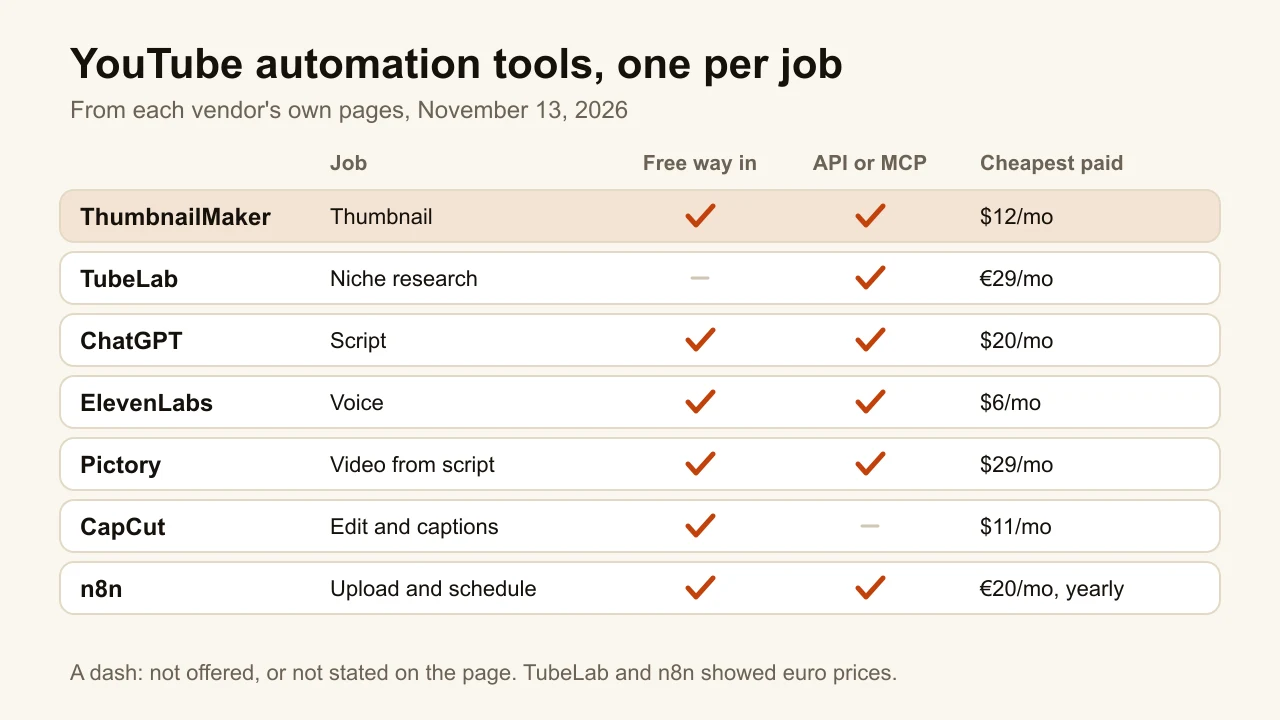
Quick answer: The best YouTube automation tools are the ones that each take one job of a faceless channel off your hands, so a person only makes the calls a tool can't. ThumbnailMaker makes the thumbnail from the video's link, one video at a time or from a script through its API and MCP server from $12 a month, and ten at a time with Batch on Studio ($99 a month). TubeLab finds a niche and the outlier videos in it, from €29 a month. ChatGPT drafts the script, free or $20 a month for Plus. ElevenLabs reads it aloud, from $6 a month. Pictory turns the script into a stock-footage video, from $29 a month. CapCut does the final edit and captions, free or $11 a month for Pro. n8n uploads and schedules the result, free if you host it yourself. Automate the jobs, not the judgement: YouTube does not pay channels that look mass-produced. Prices were checked on each vendor's page on November 13, 2026.
"YouTube automation" means two things: a business model, where a channel has no presenter and the owner runs several at once, and software that does a step without you. This list covers the second, for people doing the first.
There is one tool per job, in the order a video gets made, with ThumbnailMaker first because it is our product. The other six are described from their own pages, not from our testing. None of them automates the part YouTube checks: whether each video is different enough from the last.
Which jobs does a faceless YouTube channel automate?
The seven tools fall into three families:
- Before the video: TubeLab for the niche and ChatGPT for the script.
- Making the video: ElevenLabs for the voice, Pictory for the footage and CapCut for the edit.
- Packaging and publishing: ThumbnailMaker for the thumbnail and n8n for the upload.
| Tool | Best for | Cheapest paid plan | Free option | Job |
|---|---|---|---|---|
| ThumbnailMaker | Finished thumbnails from your video's link, words spelled right, by API too | From $12/mo (about 40 thumbnails) | 3 free thumbnails, the brief and 9 free tools | Thumbnail |
| TubeLab | Finding a niche and its outlier videos | €29/mo (Starter) | None shown | Ideas |
| ChatGPT | Turning research into a script | $20/mo (Plus) | Free plan | Script |
| ElevenLabs | The narration voice | $6/mo, $1 the first month | 10,000 credits a month | Voice |
| Pictory | Turning a script into a stock-footage video | $29/mo, or $25/mo yearly | 14-day trial, watermark | Video |
| CapCut | The final edit and captions | $11/mo (Pro) | Free plan | Edit |
| n8n | Uploading and scheduling in one workflow | €20/mo, billed yearly | Self-hosted Community Edition | Upload |
1. ThumbnailMaker, best for thumbnails at the pace of several channels
ThumbnailMaker is an AI YouTube thumbnail maker that starts from the video, not from a blank prompt. For an automated channel the useful part is that the same engine has three doors. Create makes one thumbnail at a time. Batch takes up to 10 video links, or titles, and writes one brief and one thumbnail for each in a single run. The REST API and the MCP server let a script, Claude Code or Cursor ask for a thumbnail with a video link and get it back. Batch is part of Studio; the API and MCP server come with every plan. It is our product.
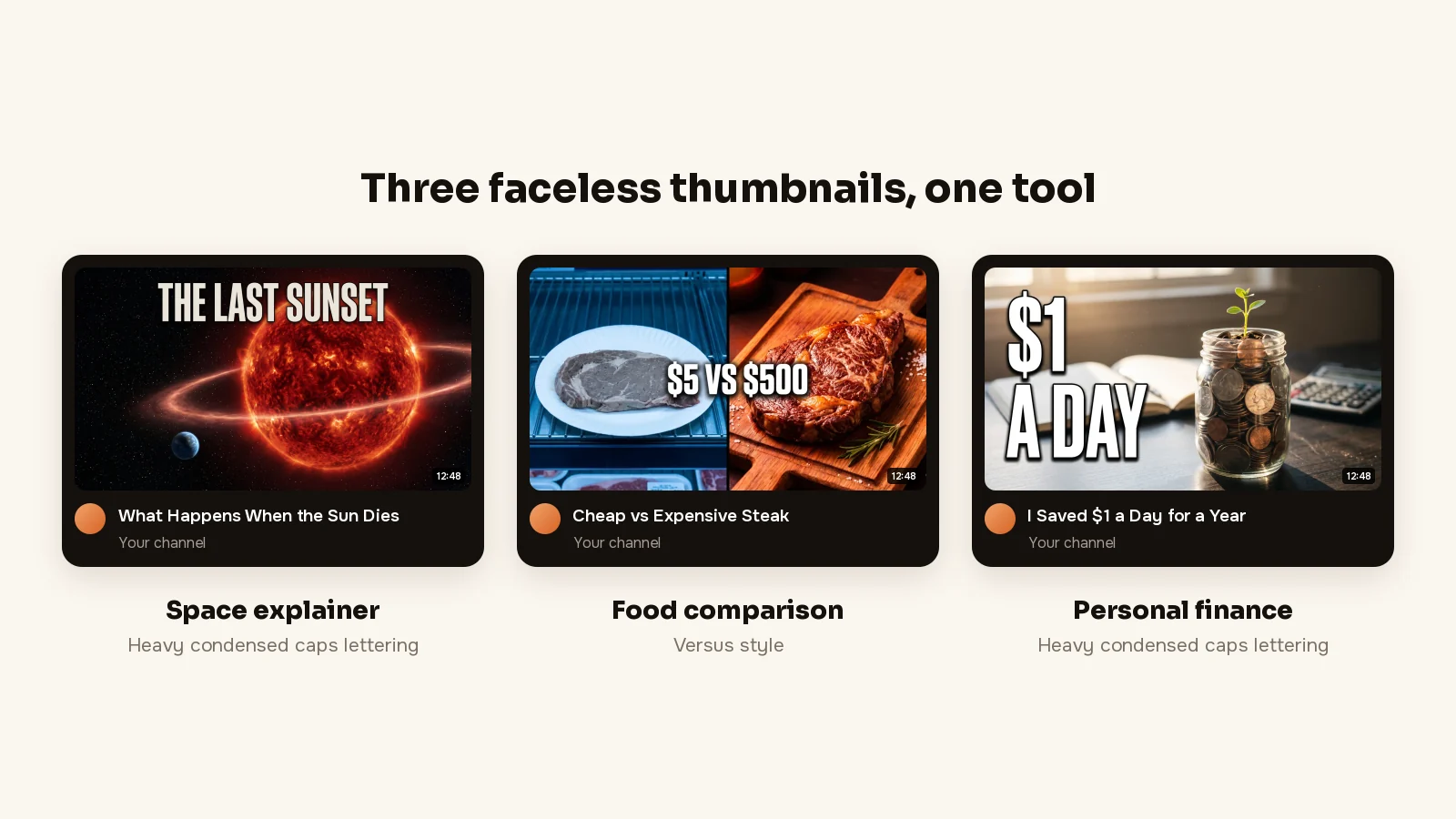
A faceless channel has no face to sell the click, so the thumbnail does all of it, and that is what ThumbnailMaker is built for: a finished thumbnail from your video's link, with the words spelled right.
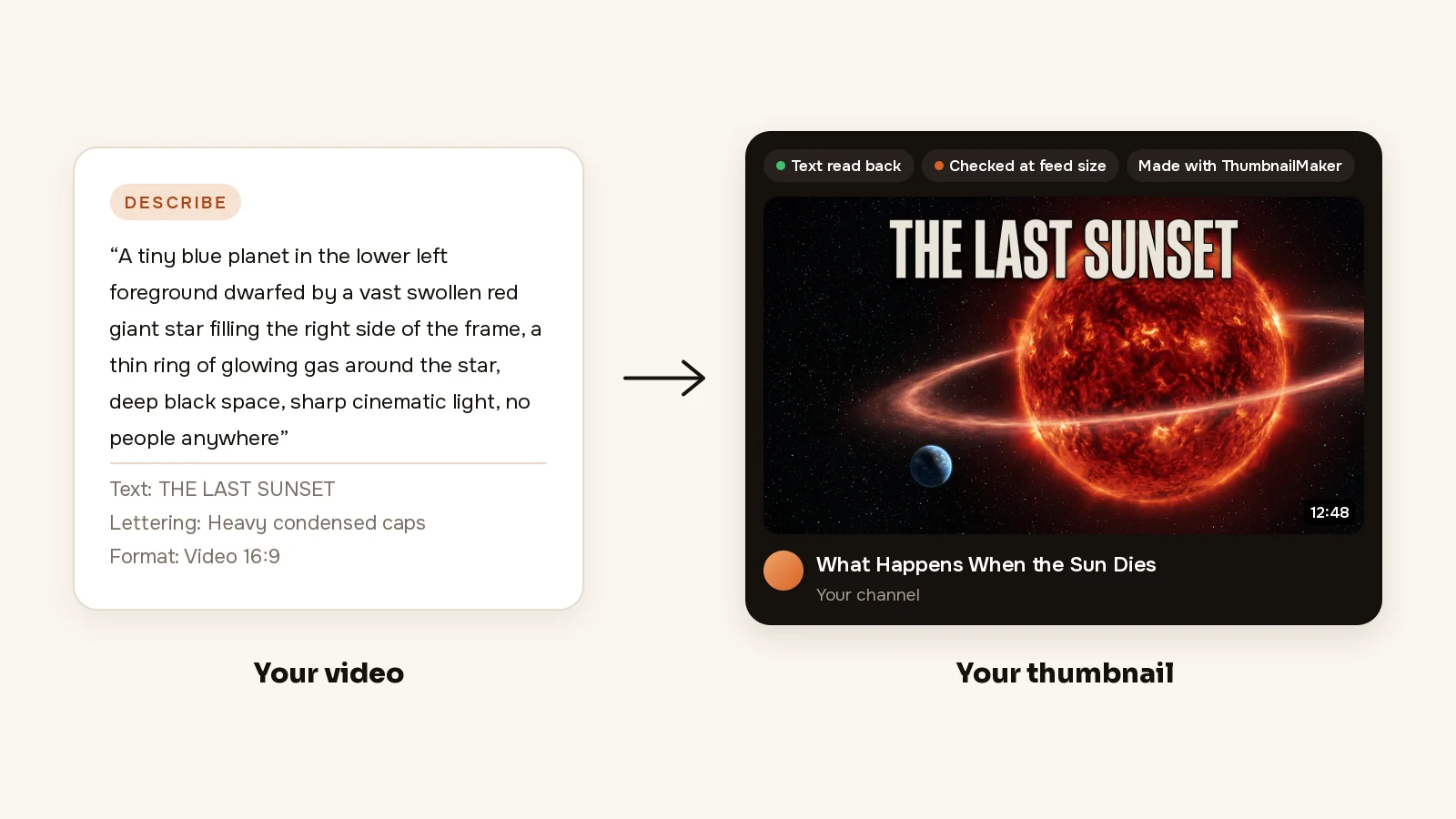
- From your link: paste the video's link (or describe it in a sentence) and the brief is written for you: the scene, the words and the style. For a space channel, that is a small planet beside a dying star and "THE LAST SUNSET", with no presenter to place.
- Spelled right: the words are drawn into the image, read back and redrawn if a letter is wrong, and checked at the size YouTube's feed shows them (336 px), with the duration-badge corner kept clear. On a channel that publishes daily, nobody has time to zoom in on every letter.
- Change it in a sentence: "make the text bigger" changes that and keeps the rest. "Darker sky, same planet" fixes a space thumbnail without starting over.
Your first 3 thumbnails are free, with no card, and writing the brief from your video's link is free too; after those, plans start at $12 a month for 40 thumbnails.
How to make a faceless thumbnail with ThumbnailMaker
- Sign up and paste your video's link; writing the brief is free, and so are your first 3 thumbnails, with no card. After those, a plan from $12 a month.
- Read the brief: three angles, each with a scene, the words and a style. Pick one and change any word. No video out yet? Give the title and script instead, or switch to Describe and write it in a sentence.
- Pick a style and the format, Video 16:9 or Shorts 9:16. Horror / Mystery suits story and true-crime channels; the brief's own style suits most others.
- Click Generate. Under the image, the checks say whether the text is exact, readable in the feed and clear of the badge corner.
- If something is off, type it under "What should we fix?" and click Correct. For example, "the planet smaller, the text in yellow".
- Download it.
The AI thumbnail maker is where those steps happen for one video. To take the step out of your hands, the API and MCP server page has the calls: POST /api/v1/thumbnails with a videoUrl returns a link to the finished image, on every plan, at up to 60 calls an hour per key. The ChatGPT and Claude connector does the same from a chat, and the plans are on ThumbnailMaker's pricing page.
Key features
- Batch: up to 10 videos in one run, one brief and one thumbnail each (Studio)
- REST API and MCP server on every plan; three free MCP tools with no account (the brief, the check, the specs)
- Brand kits for a channel's colours: one on Pro, three on Studio
- 1280 × 720, or 1080 × 1920 for Shorts, optional 3840 × 2160
Best for
- Operators running two to ten faceless channels who publish more than they can design
- Pipelines that already call scripts and want the thumbnail as one more call
Pricing
- Starter $12 a month for 400 credits, about 40 thumbnails; Pro $39 for 1,000; Studio $99 for 3,000
- Yearly $120, $384 and $984, paid up front; the first yearly payment is refunded in full within 14 days, the first monthly payment within 7
- A thumbnail is 10 credits, style and text included; a correction is 10 too, a 4K image 20
- The first 3 thumbnails, the brief from a video link and nine tools are free; after those, every thumbnail takes a plan, and nothing you download carries a watermark
Pros
- The API and MCP server come with every plan, not only the top one
- Text read back and graded at feed size before the image comes back
- One thumbnail per video from its own link, so a batch doesn't come out as ten copies of one template
Cons
- Thumbnails only: no script, voice or video
- Batch is a Studio feature ($99 a month); below Studio, the API is the way to run many
- No free plan beyond the first 3 thumbnails: after those, every thumbnail takes a plan, from $12 a month
2. TubeLab, best for finding a faceless niche and its outlier videos
TubeLab answers the question every automated channel starts with: which niche, and which videos in it are working now. Its homepage says it "tracks every niche on YouTube". The Niche Finder searches channels by filters; the Outliers Finder surfaces videos that did far better than their channel's usual numbers. Every plan includes an MCP server for Claude and ChatGPT, and Pro adds API access, which its FAQ ties to n8n automations.
Key features
- Niche Finder and Outliers Finder (all filters on Pro)
- Trending formats, similar channels, a rank tracker
- MCP server on every plan; API on Pro and Team
- Niche reports, trend reports and a monetization tracker (Pro)
Best for
- Picking the next channel's niche before spending on production
Pricing
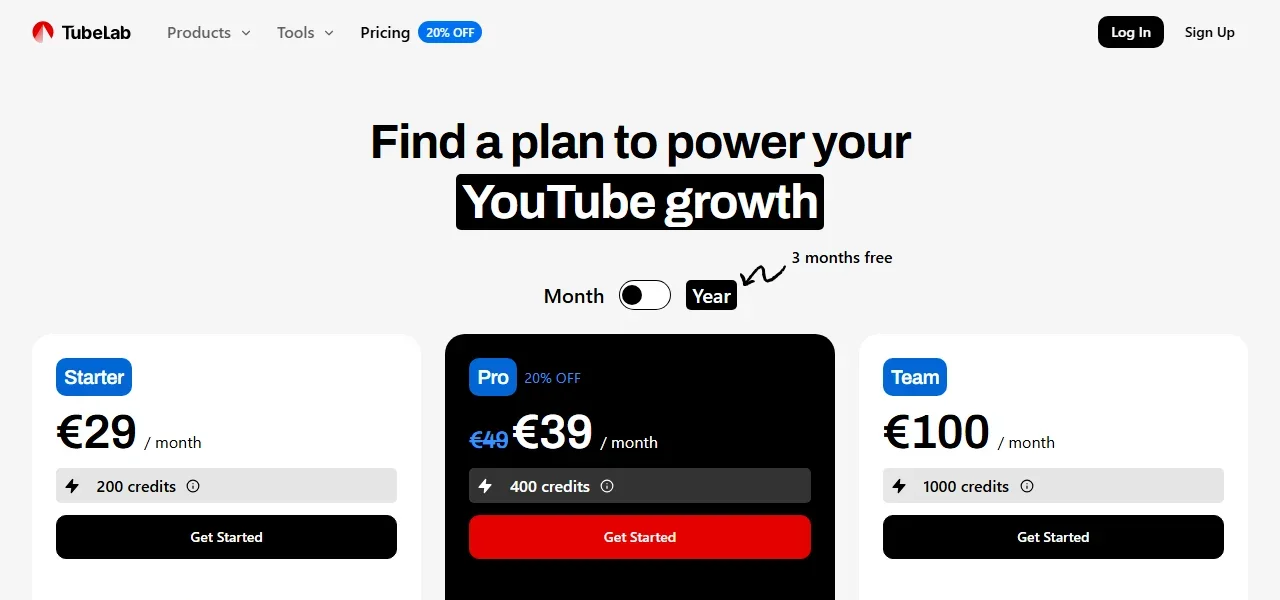
- Starter €29 a month, 200 credits, 1 YouTube channel
- Pro €39 a month (shown as 20% off €49), 400 credits, 5 channels
- Team €100 a month, 1,000 credits, 10 channels; "Save 3 months when you pay yearly"
Pros
- Built for the research step of a faceless channel specifically
- MCP access even on the cheapest plan
Cons
- No free plan on the pricing page
- Its prices appeared in euros from our location, so check what your region is shown
3. ChatGPT, best for turning research into a script
ChatGPT is the general tool on this list. Give it the outlier videos you found, your notes and two of the channel's scripts, and it drafts an outline, a hook and a first pass. On Plus, a project can hold one channel's style notes and past scripts, so every new script starts from the same rules. It doesn't know which topics are working, so the research comes first. Read every draft aloud before it goes to the voice: a script that sounds written loses viewers early.
Key features
- Outlines, hooks and full script drafts in any niche
- Projects, scheduled tasks and custom GPTs (Plus)
- Deep research for fact-heavy niches like history and science
Best for
- Faceless channels where the script is most of the value
- Keeping one channel's style across many scripts
Pricing
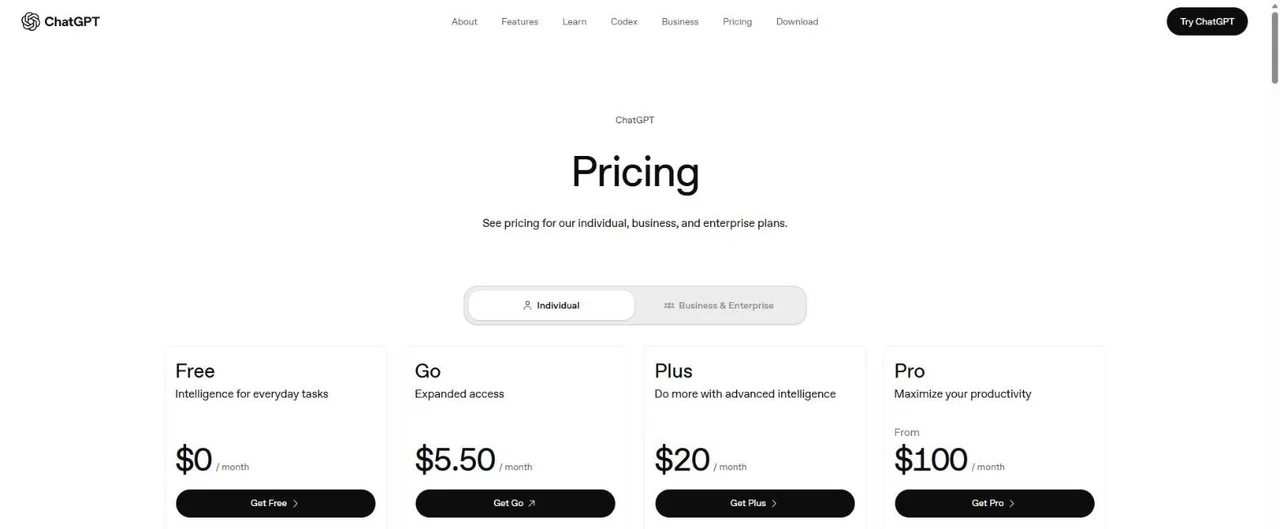
- Free: $0
- Plus: $20 a month
- Pro: from $100 a month
Pros
- A free plan that handles most first drafts
- Works in any niche and language
Cons
- No YouTube data unless you paste it in
- Facts need checking: a confident wrong date costs a history channel its comments section
4. ElevenLabs, best for the narration voice
ElevenLabs turns a script into speech: a voice from its library, or a clone of your own, instant on Starter and professional on Creator. Credits are the limit to watch, so price a plan on your real script length and upload rate. The commercial licence is listed from Starter up, so a monetised channel belongs on a paid plan.
Key features
- Text to speech for long scripts
- A voice library and voice design
- Instant voice cloning (Starter), professional voice cloning (Creator)
Best for
- Narrated explainers, history, science and story channels
- Running several channels with a different voice on each
Pricing
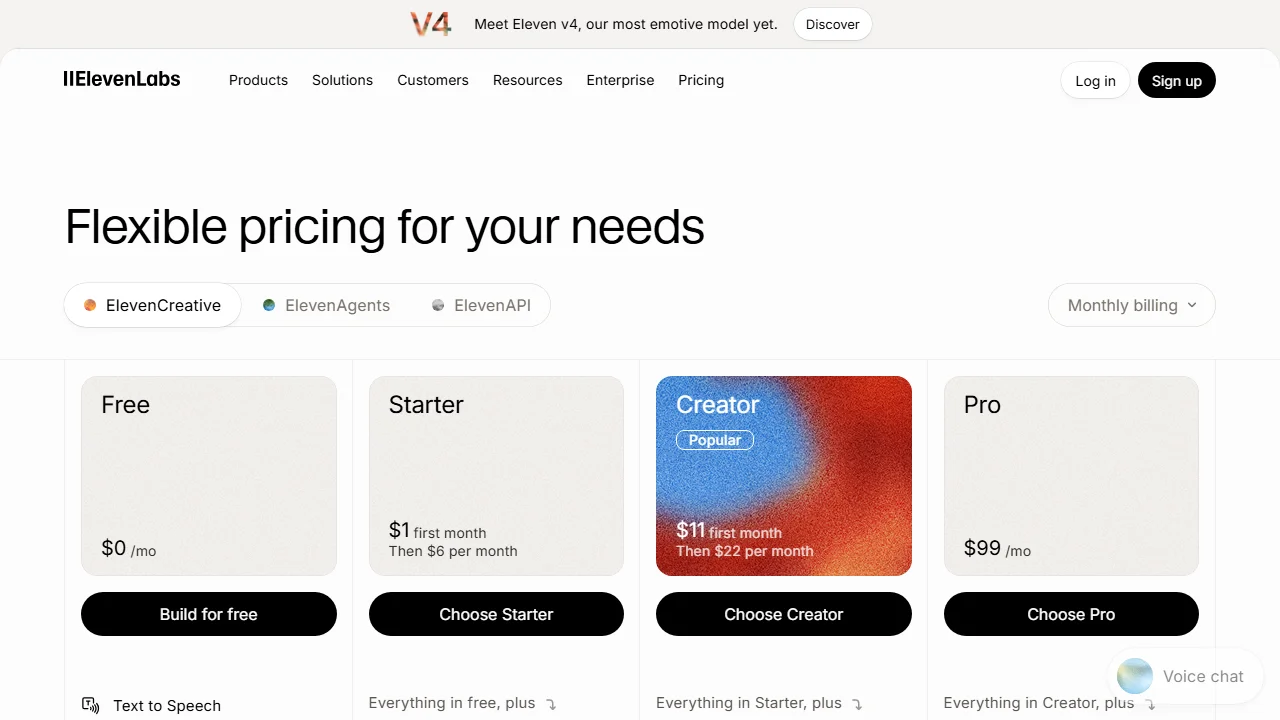
- Free: 10,000 credits a month
- Starter: $1 the first month, then $6 a month, 30,000 credits, commercial licence
- Creator: $11 the first month, then $22 a month, 121,000 credits
Pros
- A free plan large enough to test a full script
- Commercial licence from $6 a month
Cons
- The pricing page doesn't list a commercial licence on the free plan
- Long daily videos need the larger plans
5. Pictory, best for turning a script into a stock-footage video
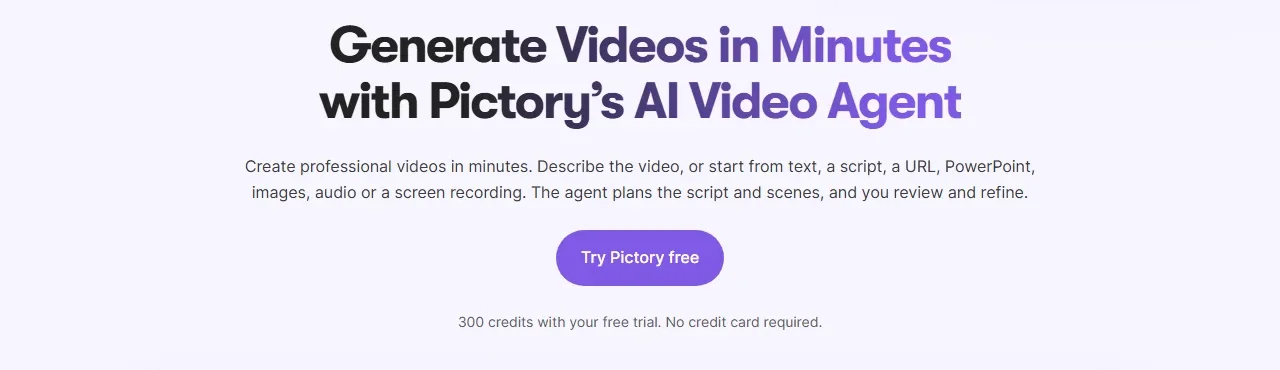
Pictory turns a script into a video. Its homepage says you can "start from text, a script, a URL, PowerPoint, images, audio or a screen recording", and its AI video agent plans the scenes for you to review. The footage comes from Getty Images and Storyblocks (5 million+ clips on Starter, 18 million+ on Professional), the narration from its ElevenLabs voices or your own audio. It is the fastest route from script to a watchable cut, and the step where a channel most easily starts to look templated.
Key features
- Video from a script, a URL, slides, images or audio
- An AI video agent and a scene-by-scene editor
- Getty Images and Storyblocks stock, ElevenLabs voices
- Automatic subtitles; an API sold on its own plans
Best for
- Explainer, top-ten and news-summary channels built on stock footage
- Turning one script into a 16:9 video without an editor
Pricing
- Starter: $29 a month, or $25 a month billed yearly
- Professional: $59 a month; half price on the yearly plan in its Black Friday offer
- Free trial: 14 days, 300 credits, no card, with Pictory branding
Pros
- Script to finished cut in one tool
- Large stock library included in the price
Cons
- Trial videos carry Pictory branding
- Stock footage is the same stock other channels use; the script and the edit have to make it yours
6. CapCut, best for the final edit and captions, free
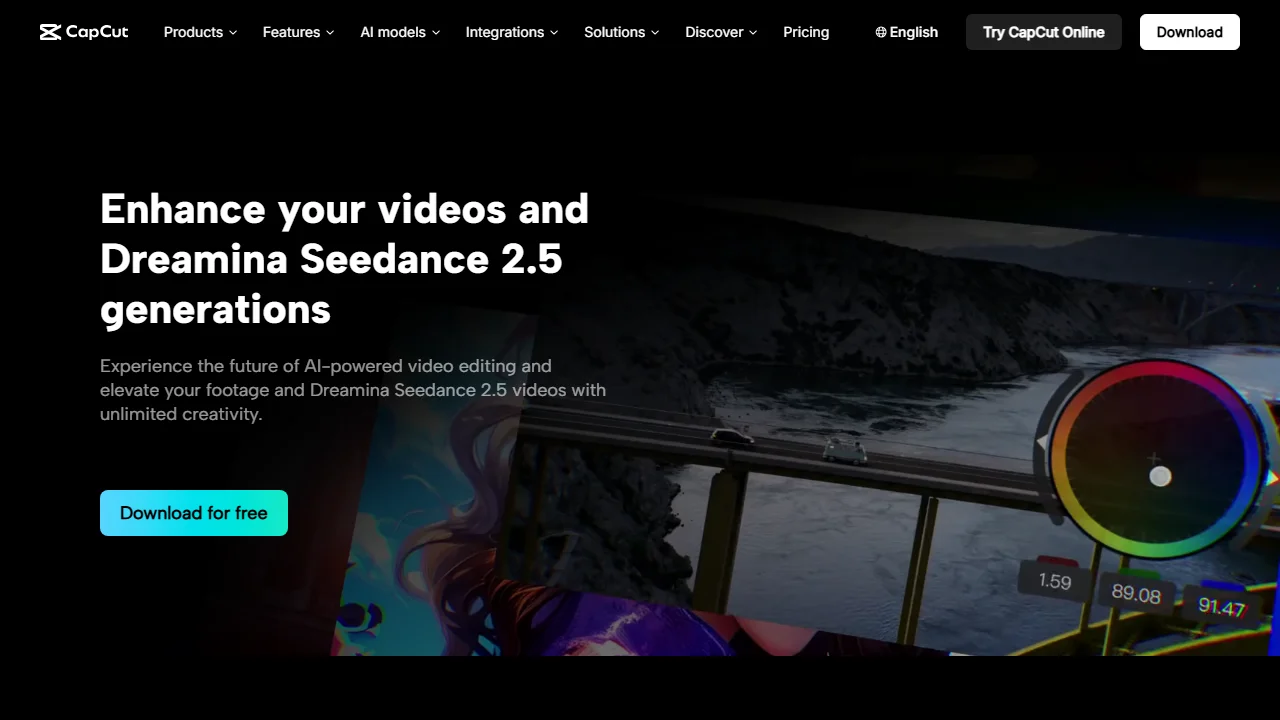
CapCut's desktop editor is free to download, and it does the jobs left after a generated cut: trimming, music, transitions and captions, which it can "automatically generate" from the audio. Pro adds premium templates, more AI features and 1,200 AI credits a month. On an automated channel, this is where a person watches the video before it ships: the cheapest insurance against a mistake going out on schedule.
Key features
- Desktop, online and mobile editors
- Auto captions from the video's audio
- Text to speech, AI voices, background remover
- Templates (premium ones on Pro)
Best for
- The human pass before a scheduled upload
- Shorts with burned-in captions
Pricing
- Free: $0, basic editing and free templates
- Pro: $11 a month, 1,200 AI credits a month
- Its page says "Displayed pricing is for reference only"; the final price shows after sign-in
Pros
- A free editor that covers most faceless edits
- Captions without a separate tool
Cons
- The price you pay is only confirmed after you sign in
- An editor, not an automation: someone still opens it
7. n8n, best for wiring upload and scheduling into one workflow
n8n is a workflow tool: you connect apps with nodes, and a workflow runs on a schedule or a trigger. Its YouTube node can upload a video, update its details and manage playlists, so one workflow can take a finished file, set its title and description, and upload it. Other tools with an API, ThumbnailMaker's and TubeLab's included, can be called from the same workflow. The Community Edition is free on your own server; cloud plans are billed per workflow run, not per step.
Key features
- YouTube node: upload and update videos, playlists, channel banner
- Every integration on every plan, plus AI and MCP nodes
- Self-hosted Community Edition on GitHub
Best for
- Operators who publish on several channels on a fixed schedule
- Connecting tools that have an API into one run
Pricing
- Community Edition: free, self-hosted
- Starter: €20 a month billed yearly, 2,500 executions
- Pro: €50 a month billed yearly, 10,000 executions; free trial with no card
Pros
- Pay per run of a workflow, however many steps it has
- Free if you host it yourself
Cons
- Building a workflow takes an afternoon of setup and some technical comfort
- YouTube Studio's own scheduler is free and enough for one channel
How to choose YouTube automation tools for a faceless channel
Which job takes most of your week?
Start with that tool and nothing else: TubeLab if you can't decide what to make, ChatGPT if the script takes a day, Pictory or CapCut if the edit does, ThumbnailMaker if the thumbnail is the last thing you rush. Buying all seven on day one is how a channel pays for tools before it has views.
How many channels do you run?
One channel needs no workflow tool: YouTube Studio's scheduler sets an upload's date, time and time zone for free. From two or three channels the repeated steps add up: n8n for the upload, ThumbnailMaker's Batch or API for the thumbnails (with three brand kits on Studio), a TubeLab Pro seat for 5 channels.
Do you want a pipeline or a set of tabs?
A pipeline needs an API at each step: ThumbnailMaker on every plan, TubeLab on Pro, Pictory on its own API plans, n8n to connect them. A set of tabs means a person moves the file along. Tabs are slower but catch more mistakes, so start there.
What does the whole stack cost?
At the cheapest monthly prices, the five tools priced in dollars come to $78 a month: ThumbnailMaker $12, ChatGPT Plus $20, ElevenLabs Starter $6 after the first month, Pictory Starter $29 and CapCut Pro $11. TubeLab adds €29, and n8n €20 billed yearly or nothing self-hosted. Every one but TubeLab has a free way in.
Start with the job that eats your week
Pick the one job that costs the most hours, try its tool on the free way in for one video, and keep it only if the hours drop. If that job is the thumbnail, paste your next video's link into the thumbnail maker for faceless videos and use the 3 free thumbnails before deciding.
Prices and features were checked on each vendor's own pages on November 13, 2026: TubeLab, ChatGPT, ElevenLabs, Pictory, CapCut and n8n.
ThumbnailMaker is an independent product and is not affiliated with, sponsored by, or endorsed by TubeLab, OpenAI, ElevenLabs, Pictory, CapCut, n8n or Google. TubeLab, ChatGPT, ElevenLabs, Pictory, CapCut, n8n and YouTube are trademarks of their respective owners, named here only to compare publicly documented features. The other tools' descriptions come from their own pages, not from our testing. Details were accurate when written and may have changed since.
ThumbnailMaker Team: Guides from the people building ThumbnailMaker: thumbnail design, CTR, and what happens under the hood of an AI generator. Every number is checked against YouTube's own pages and dated.