Quick answer: the best YouTube thumbnail maker depends on where your thumbnail starts. If it starts from the video you just made, ThumbnailMaker writes the brief from the link, generates the image and reads the words back, from $12 a month. If you want to design it yourself from a template, Canva has the biggest editor and a free plan, and Adobe Express is the same idea with 345,000+ templates and a $9.99 Premium plan. vidIQ is the one to try with no account at all: a few thumbnails from a link, a sentence or a video file. OpusClip turns a YouTube link into a thumbnail on its free tier. Picsart builds thumbnails as AI workflows on a canvas, Pixlr is the cheapest paid editor at $1.99 a month billed yearly, and Photopea is a free Photoshop-style editor that opens PSD templates in the browser. Pick the starting point first, then the tool.
There are two kinds of YouTube thumbnail makers, and most lists mix them up. Template editors give you a canvas and a library of layouts, and you do the design. AI makers give you a finished image and you correct it. Which is better depends on whether you already know what the thumbnail should look like.
The job is the same either way: one 16:9 image, seen at about 336 pixels wide in the feed, with three to five words the title doesn't say and nothing important in the corner where YouTube prints the video's length. The tools differ in how much of that thinking they leave to you.
ThumbnailMaker is our product, so it is listed first. It is an AI maker with no template library and no free plan: if you want to drag text boxes around for free, the tools further down are the honest answer.
Brief overview
- AI makers that start from your video: ThumbnailMaker, vidIQ and OpusClip read a YouTube link (vidIQ and OpusClip also take an upload) and return a thumbnail.
- Template editors with AI added: Canva, Adobe Express and Pixlr are design tools first, with a text-to-image generator inside.
- An AI canvas: Picsart Flow chains image models into ready-made thumbnail workflows.
- A free pro editor: Photopea is a browser copy of the Photoshop workflow, with layers and PSD files.
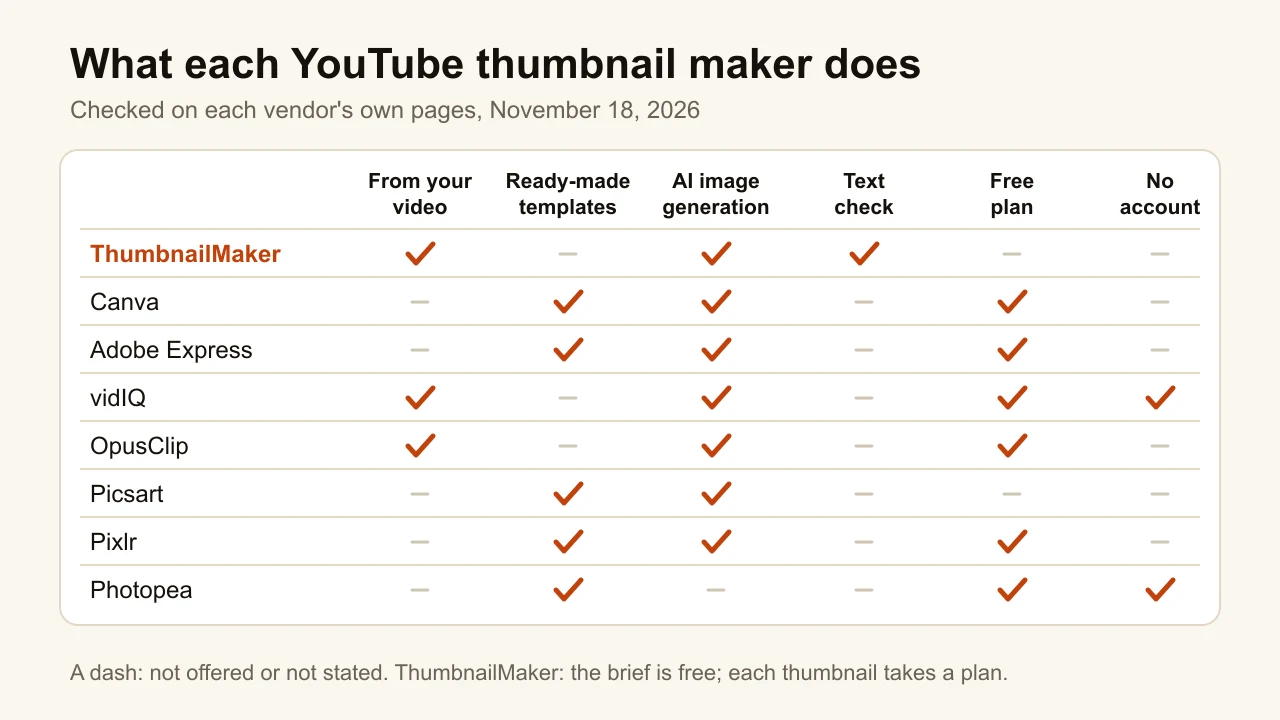
| Tool | Best for | Starting price | Free option | Output |
|---|---|---|---|---|
| ThumbnailMaker | A finished thumbnail from your video's link, words spelled right | From $12/mo (about 40 thumbnails) | The brief and 9 free tools | 1280×720, 1080×1920, optional 4K |
| Canva | Designing from a template in a full editor | Free; Pro, Pro+ and Business by country | Free plan with a limited AI allowance | Any size, JPG/PNG/PDF |
| Adobe Express | A large template library with Adobe's AI | Premium $9.99/mo | Free plan, 345,000+ templates | 1280×720 templates |
| vidIQ | Trying AI thumbnails with no account | Boost $19/mo | First few with no account, no watermark | 1280×720 PNG |
| OpusClip | A thumbnail from a YouTube link on a free tier | Starter $15/mo | Free tier | Not stated |
| Picsart | AI thumbnail workflows on a canvas | Pro $10.5/mo billed yearly | Credits included in a plan | Up to 3840×2160 |
| Pixlr | The cheapest paid template editor | Plus $1.99/mo billed yearly | Free version with templates | 1280×720 templates |
| Photopea | Photoshop-style editing, free, in the browser | Free (Premium removes ads) | Everything, with ads | Any size, PSD/PNG/JPG |
1. ThumbnailMaker, best for a finished thumbnail from your video's link
ThumbnailMaker is an AI YouTube thumbnail maker that starts from the video, not from a blank prompt or a template. Paste the link and it reads the title, the description and what is said in the video, proposes a scene, the words and a style, then generates the thumbnail at 16:9 or 9:16. It is our product.
A video already says what its thumbnail should promise, and that is exactly what ThumbnailMaker is built for: a finished thumbnail from your video's link, with the words spelled right. The YouTube thumbnail maker page walks through every way in, from a link, a sentence or your own photo.
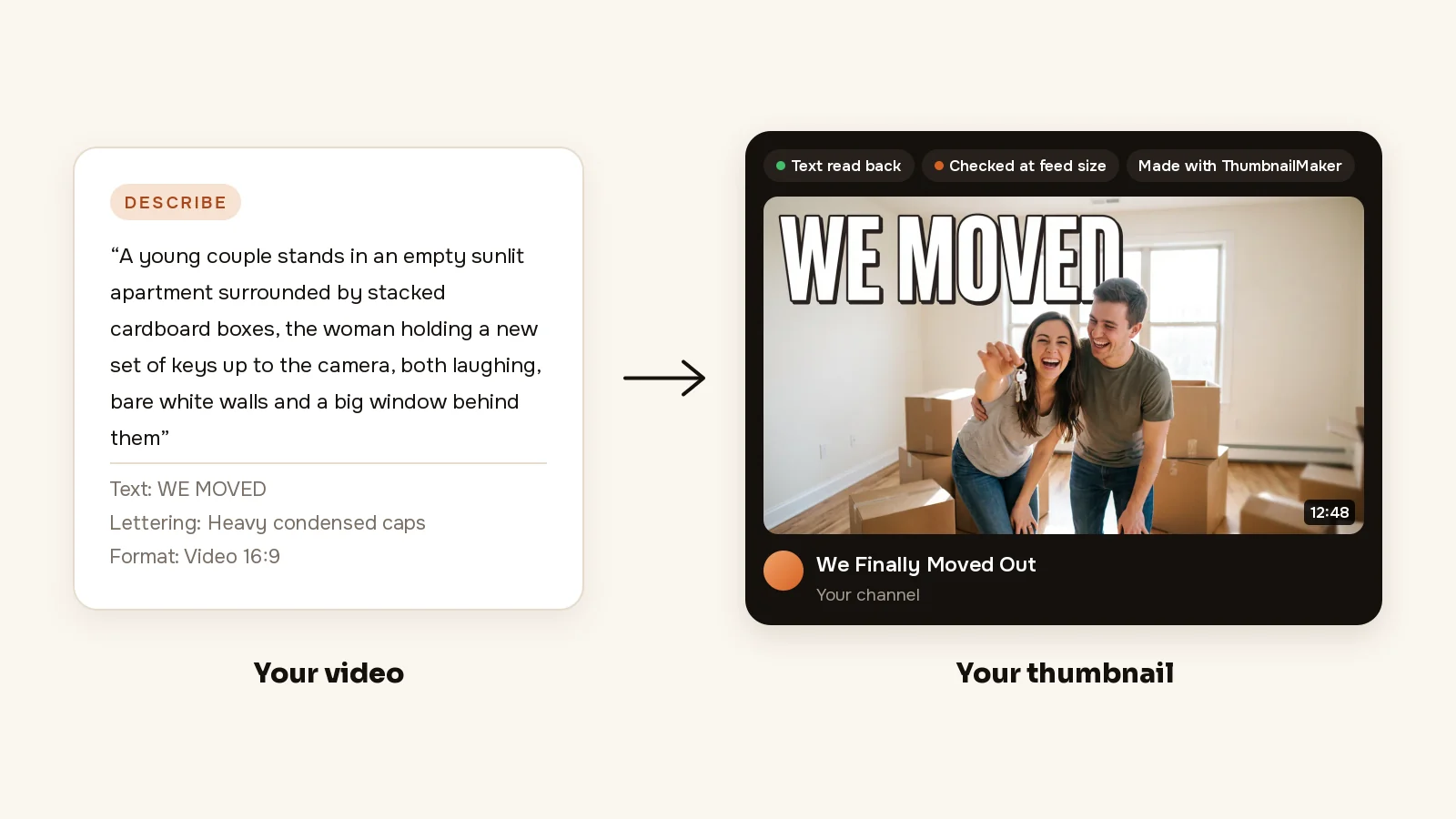
- From your link: paste the video's link (or describe it in a sentence) and the brief is written for you: the scene, the words and the style. For a moving vlog, that is a couple holding up new keys in an empty flat and "WE MOVED".
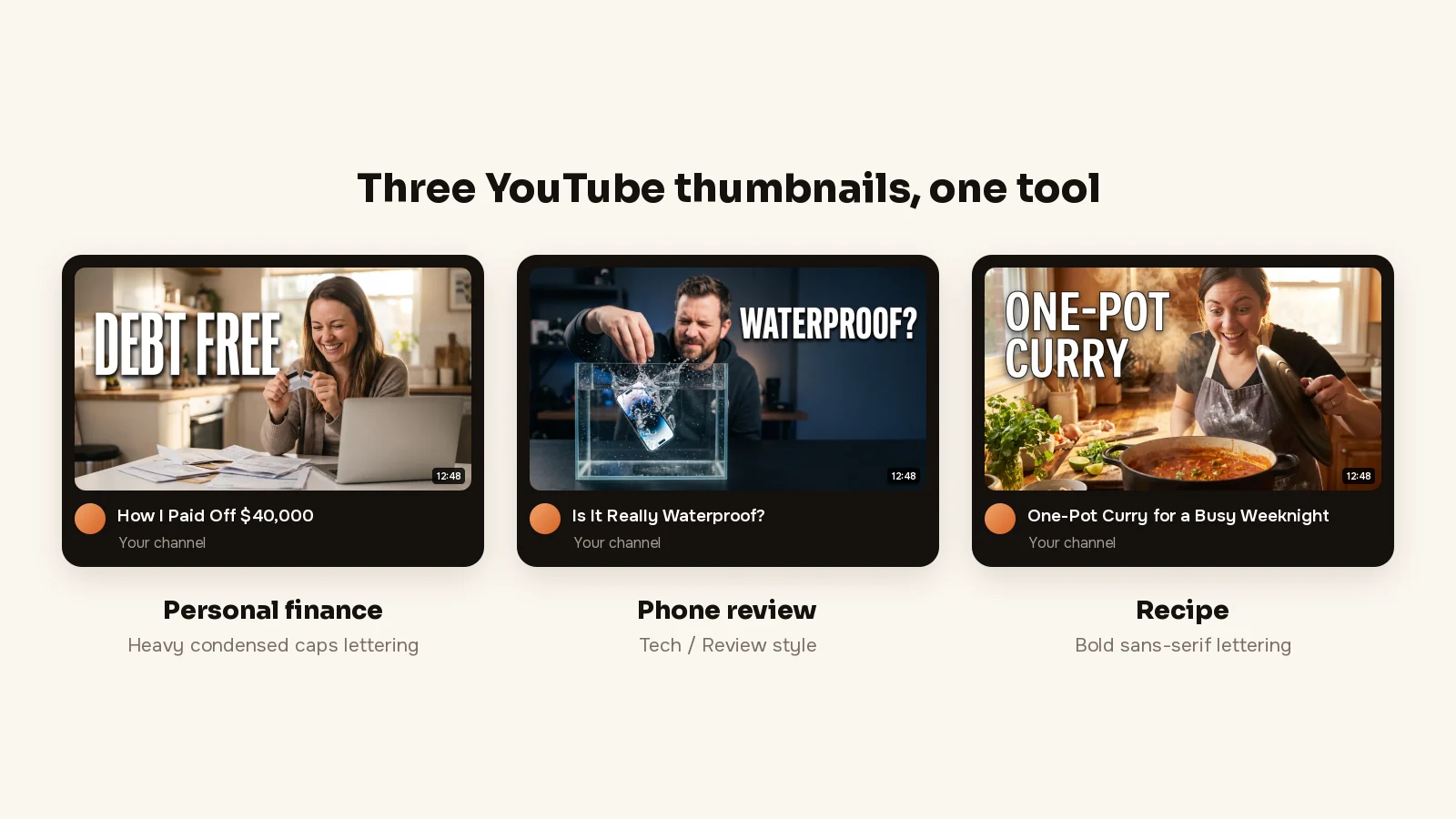
- Spelled right: the words are drawn into the image, read back and redrawn if a letter is wrong, and checked at the size YouTube's feed shows them (336 px), with the duration-badge corner kept clear. "DEBT FREE" stays large and legible instead of sliding under the timestamp.
- Change it in a sentence: "make the text bigger" changes that and keeps the rest. "Warmer light, remove the boxes" changes the room and keeps the couple and the words.
Writing the brief from your video's link is free; plans start at $12 a month for 40 thumbnails.
How to make a YouTube thumbnail with ThumbnailMaker
- Sign up and paste your video's link; writing the brief is free. Making the thumbnail takes a plan, from $12 a month.
- Read the brief: three angles, each with a scene, the words and a style. Pick one and change any word. Want to be in it? Add a photo of yourself under Image; it is placed as it is, never redrawn.
- Pick a style and the format, Video 16:9 or Shorts 9:16.
- Click Generate. Under the image, the checks say whether the text is exact, readable in the feed and clear of the badge corner.
- If something is off, type it under "What should we fix?" and click Correct. For example, "DEBT FREE in yellow, crop tighter on her face".
- Download it.
To compare ThumbnailMaker with a template editor point by point, ThumbnailMaker vs Canva sets the two side by side. The free YouTube thumbnail tester shows your current thumbnail in a mock feed first, and the plans are on ThumbnailMaker's pricing page.
Key features
- The brief reads the video's title, current thumbnail and description, plus a transcript if you paste one
- Up to three images per thumbnail: your photo, your product, your logo
- 1280 × 720, or 1080 × 1920 for Shorts, optional 3840 × 2160
Best for
- Channels that post every week and don't want to open a design tool for each video
- Videos sold on a few words, "DEBT FREE", "WATERPROOF?", where a misspelled letter costs the click
Pricing
- Starter $12 a month for 400 credits, about 40 thumbnails; Pro $39 for 1,000; Studio $99 for 3,000
- Yearly $120, $384 and $984, paid up front; the first yearly payment is refunded in full within 14 days, the first monthly payment within 7
- A thumbnail is 10 credits, style and text included; a correction is 10 too, a 4K image 20
- The brief from a video link and nine tools are free; every thumbnail takes a plan, and nothing you download carries a watermark
Pros
- Text read back and graded at feed size before you see it
- Starts from the video you already made, so you don't write a prompt
- A correction keeps everything that already worked
Cons
- No free plan: even the first thumbnail takes a plan, from $12 a month
- No template library and no layers: you change the image by typing, not by dragging
- It never redraws a real person: your face only comes in through a photo you add, placed as it is
2. Canva, best for designing from a template in a full editor
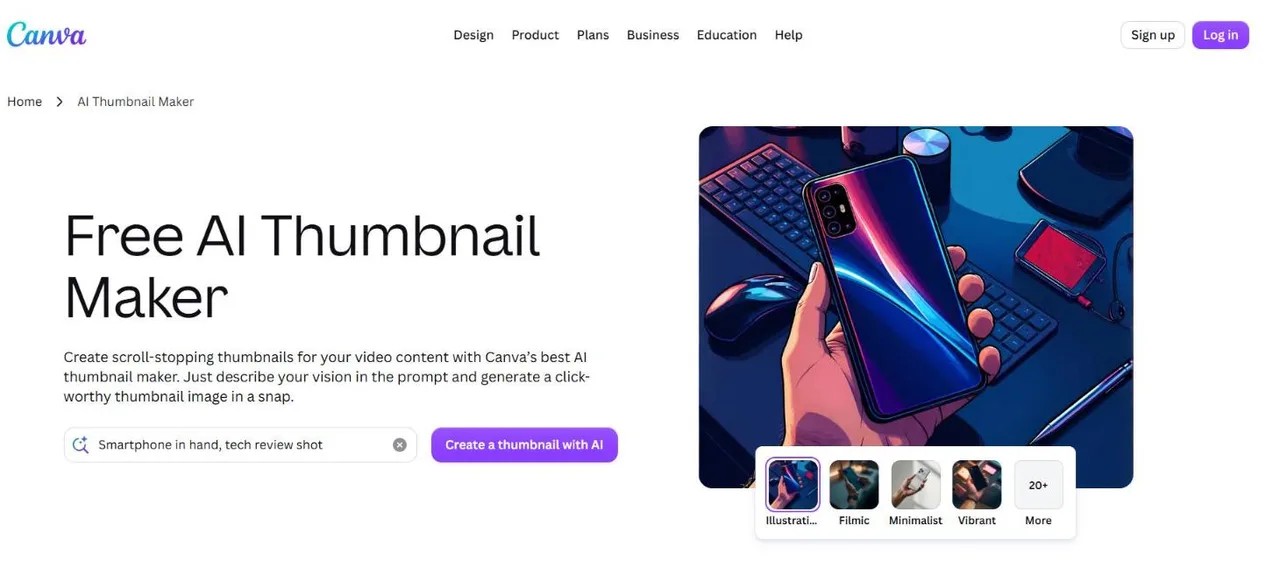
Canva is where many creators make their first thumbnail: pick a YouTube thumbnail template, swap the photo and the words, export. Its AI thumbnail page adds a text-to-image generator with 20+ style presets, and the result opens in the same editor, with Magic Edit and the background remover. It is a design tool with AI inside, not an AI maker: you still decide the layout, the words and where the face goes.
Key features
- Template library and a full drag-and-drop editor
- Text-to-image generator with 20+ style presets
- Background remover and Magic Edit in the same editor
- Export JPG, PNG or PDF at any size
Best for
- Creators who already know what their thumbnail should look like
- Teams that keep one branded layout for every video
Pricing
- Free plan; Pro, Pro+ and Business are paid, priced by country on Canva's pricing page
- The free plan's AI generations are limited
Pros
- The largest editor of the list, and the most templates people already know
- Everything in one place: generate, cut out, add text, export
Cons
- Templates are shared by millions of channels, so they look familiar in the feed
- Nothing checks the words or the badge corner: that is on you
3. Adobe Express, best for a large template library with Adobe's AI
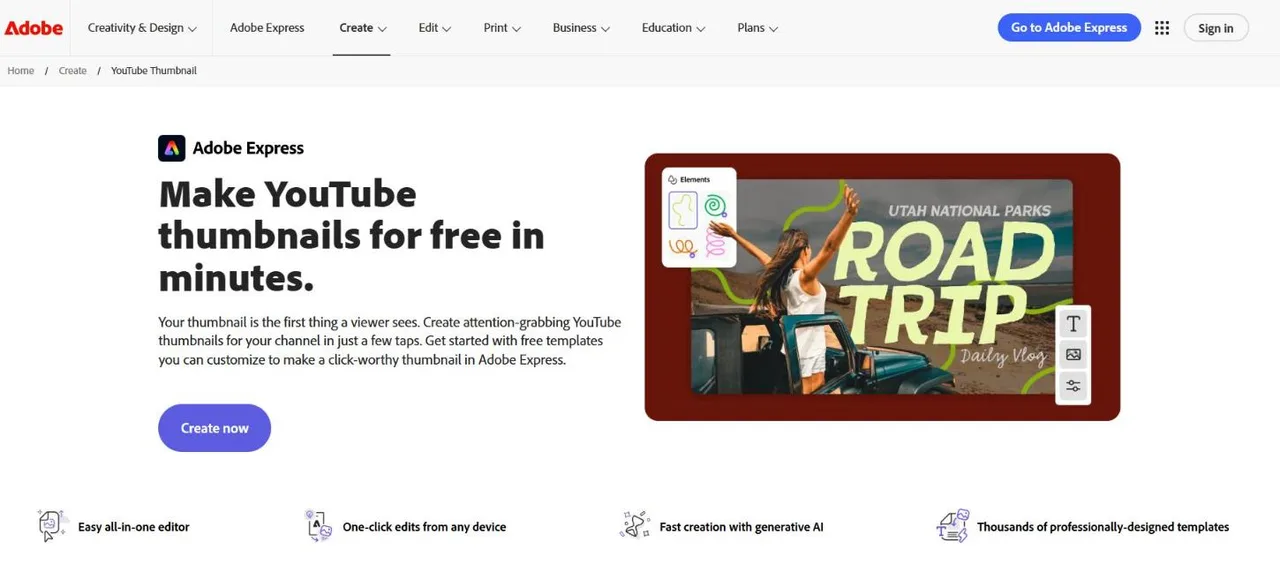
Adobe Express is Canva's closest rival, with "345,000+ static and video templates" on its free plan and Adobe's Firefly models for generating from a text prompt. Its YouTube thumbnail page starts you on a 1280 × 720 template you customize. Premium adds every premium template and 250 generative credits a month.
Key features
- 345,000+ templates on the free plan
- Create an image from a text prompt (Firefly)
- One-click edits from any device
- 1280 × 720 thumbnail templates
Best for
- Creators who want Canva's workflow with Adobe fonts and models
- Channels that also make Shorts covers and social posts from the same design
Pricing
- Free: $0, "limited generative AI credits", no credit card required
- Premium: $9.99 a month with 250 generative credits, 30-day free trial
- Firefly Pro: $19.99 a month with 4,000 generative credits
Pros
- A free plan with a very large template library
- Clear, published monthly prices
Cons
- Same template look as everyone else using it
- No check on the words, the face or the corner the timestamp covers
The Adobe Express alternative page compares the two in detail.
4. vidIQ, best for trying AI thumbnails with no account
vidIQ is a YouTube growth toolkit, and its AI thumbnail maker is the easiest way on this list to see what an AI thumbnail looks like for your video: "Generate your first few thumbnails with no account". One field takes a description or a YouTube URL; you can also upload the video (MP4, WebM or MOV, up to 200 MB) or a selfie, which it cuts out and relights. Downloads are 1280 × 720 PNGs with no watermark, even on the free plan.

Key features
- Prompt, YouTube link or video upload in one field
- Selfie cut-out with matched lighting
- Edit the result by typing
- Part of vidIQ's research tools, on the same AI credits
Best for
- A first try at AI thumbnails before paying anyone
- Creators already paying for vidIQ's keyword and idea tools
Pricing
- Free: 150 AI credits a month
- Boost: $19 a month or $199 a year, 2,000 credits
- MAX: $49 a month or $468 a year, 6,000 credits
Pros
- Nothing to sign up for at the start, and no watermark
- Three ways in: words, link or the video file
Cons
- 1280 × 720 only; no Shorts or 4K size stated
- Credits per thumbnail aren't published, so the monthly count is unclear
The vidIQ alternative page sets it against ThumbnailMaker feature by feature.
5. OpusClip, best for a thumbnail from a YouTube link on a free tier
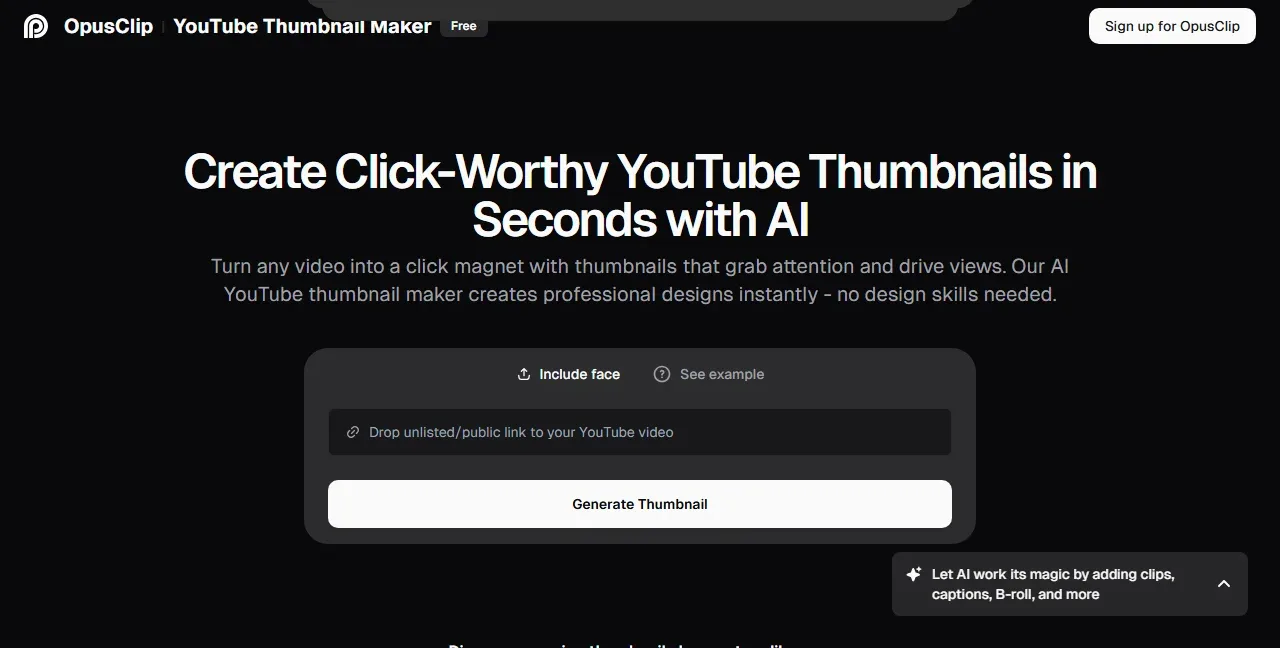
OpusClip is known for cutting long videos into Shorts. Its YouTube thumbnail maker is a separate free tool: paste an unlisted or public YouTube link, optionally switch on "Include face" and upload a face or subject image, and it returns a thumbnail. OpusClip's own announcement says it is offered "as part of our free tier" and that a video file can be uploaded instead of a link.
Key features
- YouTube link or video file as the input
- Optional face or subject image
Best for
- Creators already using OpusClip to make Shorts from long videos
- A quick free first draft from a link
Pricing
- The thumbnail tool is part of the free tier
- Paid plans: Starter $15 a month, Pro $29 a month (the pricing page lists clip features, not thumbnails)
Pros
- Starts from the video, like the AI makers above, at no cost
- Nothing to design
Cons
- Output size, limits and editing after generation aren't stated on its pages
- A side tool of a clipping product, with no text check of its own
6. Picsart, best for AI thumbnail workflows on a canvas
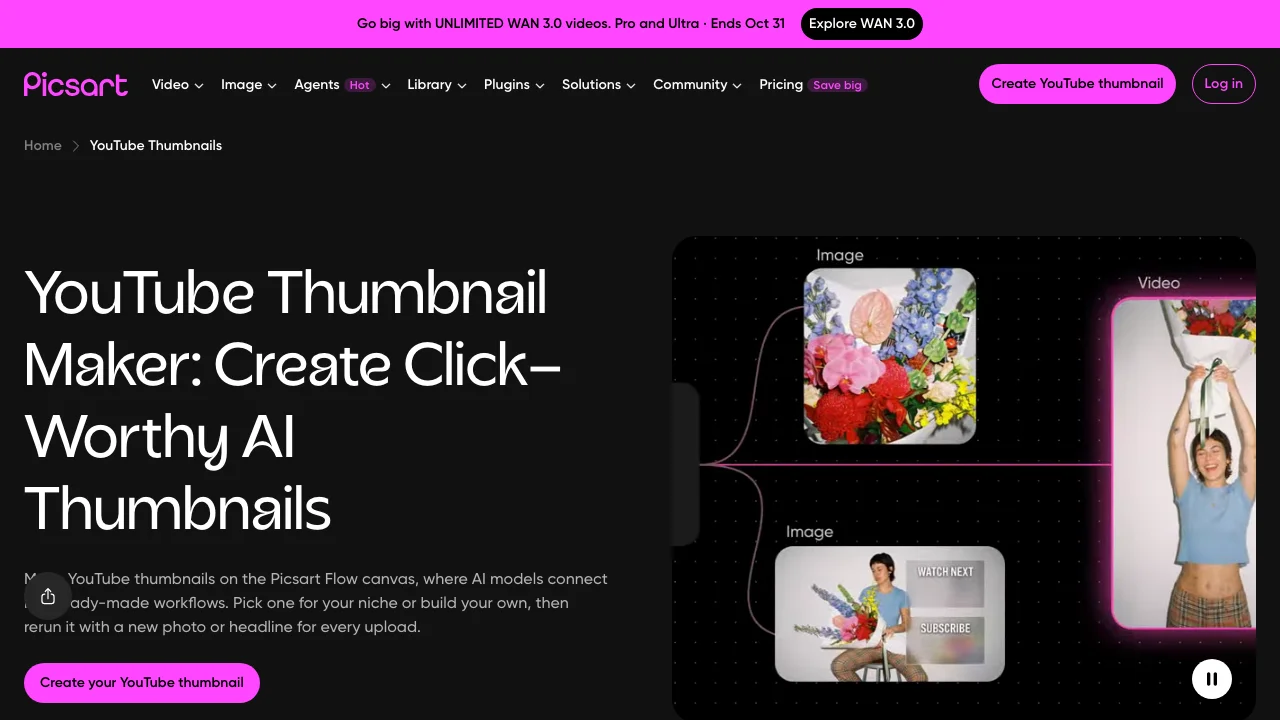
Picsart's thumbnail maker lives on Picsart Flow, a canvas "where AI models connect into ready-made workflows". You start from your own content, a prompt or a ready-made thumbnail workflow, then refine with Inpaint, outpaint and upscaling. It sizes thumbnails at 3840 × 2160, the size YouTube now recommends, and Shorts at 2160 × 3840.
Key features
- Ready-made thumbnail workflows, or build your own
- Inpaint, outpaint and upscaling on the canvas
- Face-consistent portrait assets
- Estimated credit cost shown before each run
Best for
- Creators who like building a repeatable pipeline and rerunning it every week
- Channels that want 4K thumbnails and Shorts covers from one workflow
Pricing
- Pro: $10.5 a month billed yearly
- Ultra: $60 a month billed yearly, for heavy AI use
- Thumbnails use the AI credits included in a plan; packs can be bought
Pros
- The most control over which models run and in what order
- 4K sizes stated on the page
Cons
- No free plan on the pricing page
- A canvas of nodes is a lot of tool for one thumbnail a week
7. Pixlr, best for the cheapest paid template editor
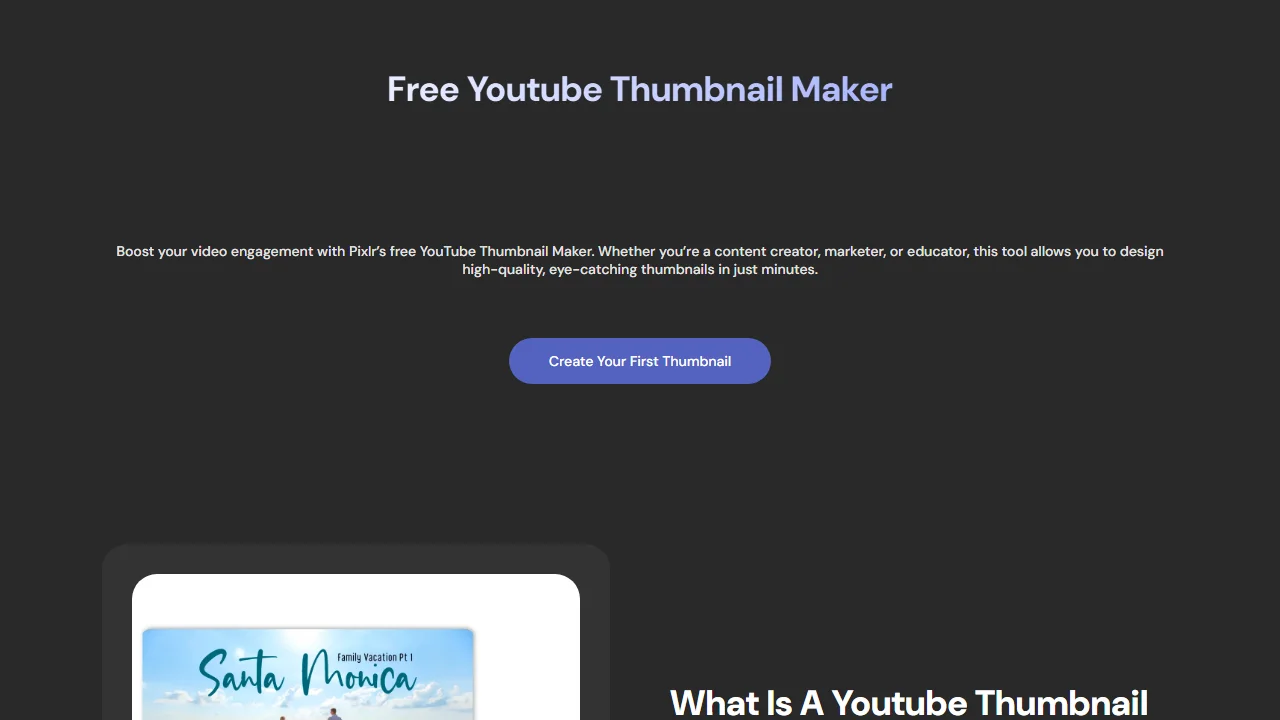
Pixlr is a browser photo editor with a YouTube thumbnail maker built on templates "designed to match" 1280 × 720. There is a free version, and its paid plans are the cheapest here: Plus is $1.99 a month billed yearly, with 80 AI credits and no ads. It has an AI image generator and a background remover, but the thumbnail page is a template editor first.
Key features
- YouTube thumbnail templates at 1280 × 720
- AI image generator and background remover
- Export PNG, JPG or WebP
Best for
- Creators on a tight budget who want templates without ads
Pricing
- Free version with templates and tools
- Plus: $2.49 a month, or $1.99 billed yearly, 80 AI credits
- Premium: $9.99 a month, or $7.99 billed yearly, 1,000 AI credits
Pros
- The lowest paid price on this list
- A real photo editor, not only templates
Cons
- Fewer templates than Canva or Adobe Express
- Plus is sold as ad-free, so expect ads on the free version; the watermark policy isn't stated
8. Photopea, best for Photoshop-style editing, free, in the browser
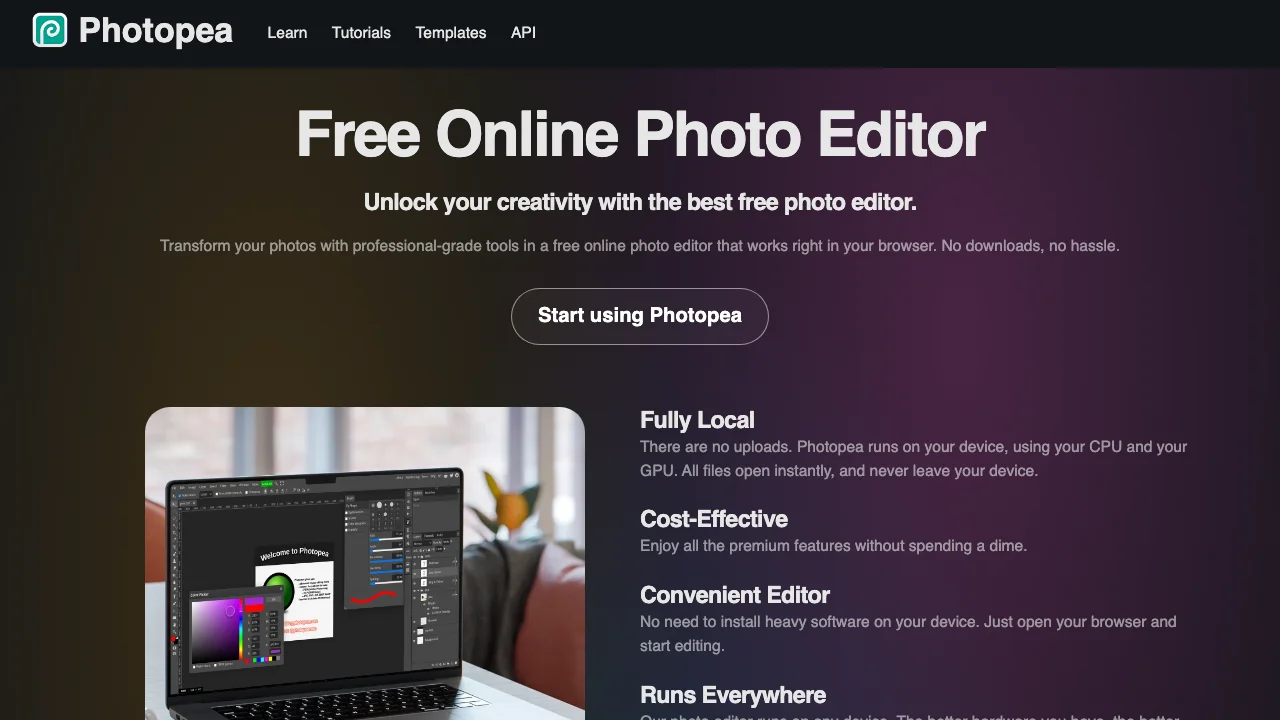
Photopea is a free browser editor that works like Photoshop: layers, masks, blend modes, and it opens and saves PSD files. Most thumbnail designers sell or share their templates as PSDs, and Photopea opens them with no install and no account. Files stay on your device. The trade-off is ads, removed by a Premium account priced inside the app.
Key features
- Layers, masks and blend modes, like Photoshop
- Opens and saves PSD, plus PNG, JPG, WebP, SVG and more
- Runs locally: files never leave your device
Best for
- Creators who bought a PSD thumbnail template pack
- Anyone who knows Photoshop and doesn't want a subscription
Pricing
- Free, with ads
- Premium removes ads; the price is shown in the app
Pros
- Completely free, no account
- The most precise control of any tool here
Cons
- No AI generation stated on its pages
- You need to know how to design: it gives you tools, not a thumbnail
How to choose a YouTube thumbnail maker
Do you want to design it or describe it?
If you already see the thumbnail in your head, a template editor is faster: Canva or Adobe Express for a library, Photopea if you work in layers. If you'd rather say what the video is about and correct a draft, an AI maker does more of the job: ThumbnailMaker, vidIQ or OpusClip.
How many thumbnails do you make a month?
One a week is four a month, which any free plan covers. Daily uploads are 30 a month: ThumbnailMaker's Starter plan is 400 credits at 10 credits a thumbnail, about 40, and Pixlr's $1.99 plan removes ads from a template editor. Count corrections too: on ThumbnailMaker a correction costs the same 10 credits as a new image.
Do the words on the thumbnail matter?
For most videos they do. Three to five words carry the promise, and image models still misspell. Only ThumbnailMaker reads the words back and redraws a wrong letter before you see the image. With any other tool, zoom in and check every letter before you upload.
Do you need it free, with no account?
Photopea and vidIQ's first few thumbnails need no account. The free thumbnail text editor also writes words on an image you already have, with no sign-up.
Which one to start with
Start with the step you like least. If it is the design, try ThumbnailMaker or vidIQ and correct a draft. If it is the blank page, a Canva or Adobe Express template gives you a layout. If it is the subscription, Photopea costs nothing. For more AI-only options, the best AI thumbnail makers compares eight of them in more detail.
ThumbnailMaker is an independent product and is not affiliated with, sponsored by, or endorsed by Canva, Adobe, vidIQ, OpusClip, Picsart, Pixlr or Photopea. Canva, Adobe Express, vidIQ, OpusClip, Picsart, Pixlr and Photopea are trademarks of their respective owners, named here only to compare publicly documented features. Details were accurate when written and may have changed since.
ThumbnailMaker Team: Guides from the people building ThumbnailMaker: thumbnail design, CTR, and what happens under the hood of an AI generator. Every number is checked against YouTube's own pages and dated.